
artisticcheese
Is it possible to substiture VMname with IP address in RDM without messing with hosts file?
Hello,
I'm using RDM 2023.1.23.0
I'm using RDP connection
To connect currently via below. As you can see I just put VM name which is mapped to public IP address via hosts file on my Windows machine. This is requirement if you want to use AzureAD based authentication. I want to do this VMName->IP address mapping inside RDM instead of hosts file if it's possible

Is it possible to substiture VMname with IP address in RDM without messing with hosts file?
AzureAD login requires VMMachine name using in RDP to be exact name of VM in Azure. Which forces modifications of hosts file to map VMname to public IP address. I'm hoping RDM has ability to have this setup without touching Windows hosts file somehow. Is it possible to do?
AzureAD based authentication reprompts for credentials for login
Yes, adding AzureAD checkbox and removing it from credentialis does not work

AzureAD based authentication reprompts for credentials for login
Found that issue with re-prompt was caused by checkbox "Azure AD" host, it seems to be appending AzureAd to username/password.
If I have just username credentials and have "Azure AD" host checked then I get repromoted
If I have AzureAD\username and have "Azure AD" uncheck then no reprompt happens
There is some issue seems with "Azure AD" checkbox in properties and how it affects username

AzureAD based authentication reprompts for credentials for login
I verified several times. I don't type them manually but paste them.
AzureAD based authentication reprompts for credentials for login
Yes, login works fine as long as login info comes from Windows but reprompts if it comes from stored credentials in RDM
AzureAD based authentication reprompts for credentials for login
If I imported RDP then it works fine, it just launches external MSTSC.Exe and does not prompt for username/password. It's not prompting for password but it's not launching withing RDM interface.


AzureAD based authentication reprompts for credentials for login
Yes, I can connect via mstsc.exe with no reprompts

AzureAD based authentication reprompts for credentials for login
RDM version is 2022.1.21.0 64-bit
Datasource is Devolutions Online drive
This never worked (I never used AzureAD based authentication before). Prompt is normal prompt for password (see attached)

AzureAD based authentication reprompts for credentials for login
Hello,
I have AzureAD enabled host where I need to login with AzureAd\upn based credentials. "AzureAD" host is selected in properties but I'm reprompted for login each time I'm trying to connect. Disabling/enabling NLA has no effect. Not sure what needs to be done to troubleshoot.
Home/end keys work incorrectly inside SSH shell
You can login yourself to remote host and verify this
ssh avo@152.70.154.233Home/end keys work incorrectly inside SSH shell
Ubuntu 20.04.4 LTS and local version of Windows is 21H2. Remote powershell version is
PS /home/cloudadmin> $PSVersionTable
Name Value
---- -----
PSVersion 7.2.1
PSEdition Core
GitCommitId 7.2.1
OS Linux 5.11.0-1028-oracle #31~20.04.1-Ubuntu SMP Wed Jan 26 14:20:52 UTC 2022
Platform Unix
PSCompatibleVersions {1.0, 2.0, 3.0, 4.0…}
PSRemotingProtocolVersion 2.3
SerializationVersion 1.1.0.1
WSManStackVersion 3.0
Home/end keys work incorrectly inside SSH shell
This did not fix an issue. Do you or engineering not seeing the same issue as I do? It's very simple to reproduce as you can see.
Just SSH into any server with powershell 7.x installed and execute
`[COnsole]::ReadKey()`
Home/end keys work incorrectly inside SSH shell
Yes, I connected via SSH from command prompt instead of connecting via Remote Desktop. What you see in second screenshot is me open cmd.exe and typing `ssh username@hostname.com` and not seeing that behavior.
Home/end keys work incorrectly inside SSH shell
I do not get this result when connecting from command line. I attached screenshot in original message showing that.
Home/end keys work incorrectly inside SSH shell
Hello,
For whatever reason when I use SSH shell inside Remote Desktop and use Home/End keys I'm using different behavior compared to command prompt. There seems something being added in RDM which is not inside command prompt.
From RDM
PS /home/cloudadmin> [COnsole]::ReadKey()

KeyChar    Key Modifiers
-------    --- ---------
      [0m Escape         0
From command prompt
PS /home/cloudadmin> [console]::Readkey()

KeyChar    Key Modifiers
-------    --- ---------
Escape 0Is there a guide how SSH tunneling can be used with RDM
I'd like to use SSH tunnel to connect to ANY servers behind SSH tunnel without manually creating mapping for each server SSH tunnel. For example I want to connect to server1 by not providing IP address for it in Destination and instead pull that IP address from RDP connection properties. Basically the same stuff RDM jump service or RDP gateway is doing.
Is there a guide how SSH tunneling can be used with RDM
Thanks,
This article seems to be showcasing to connecting to single IP address behind SSH tunnel host

Is there a guide how SSH tunneling can be used with RDM
Hello,
I found some prior threads here which has some links how to setup SSH tunneling in RDM but they lead to HTTP 404. My question is following is possible to setup with RDM
I run SSH server on computer1
I configure SSH tunnel in RDM to computer1
I can connect to ANY computer which lives on the same network as computer via RDM by just providing it's IP address on remote network in RDM?
Devolutions Cloud needs to introduce Secret Vault Extension
Powershell Secretmanagement is GA and leading competitors have extensions available to use (https://devblogs.microsoft.com/powershell/secretmanagement-and-secretstore-are-generally-available/). Password hub shall have one as well.
Add ability for Chrome extension to run in Incognito mode
Hello,
Please add ability for Chrome Extension for Password Hub personal in incognito mode.
Ability to update password upon entering new one in UI
Lastpass has ability to prompt you to either update password or add new entry where you manually type password on page which is already filled with autofiller. It's used pretty frequently when you update password for website and login next time to it while old password is still stored in Password Hub Personal.
UI element in Web login is not shown in Chrom
Yes, previous page was "Pick account" page. It still fills from manually choosing entry from extension.
UI element in Web login is not shown in Chrom
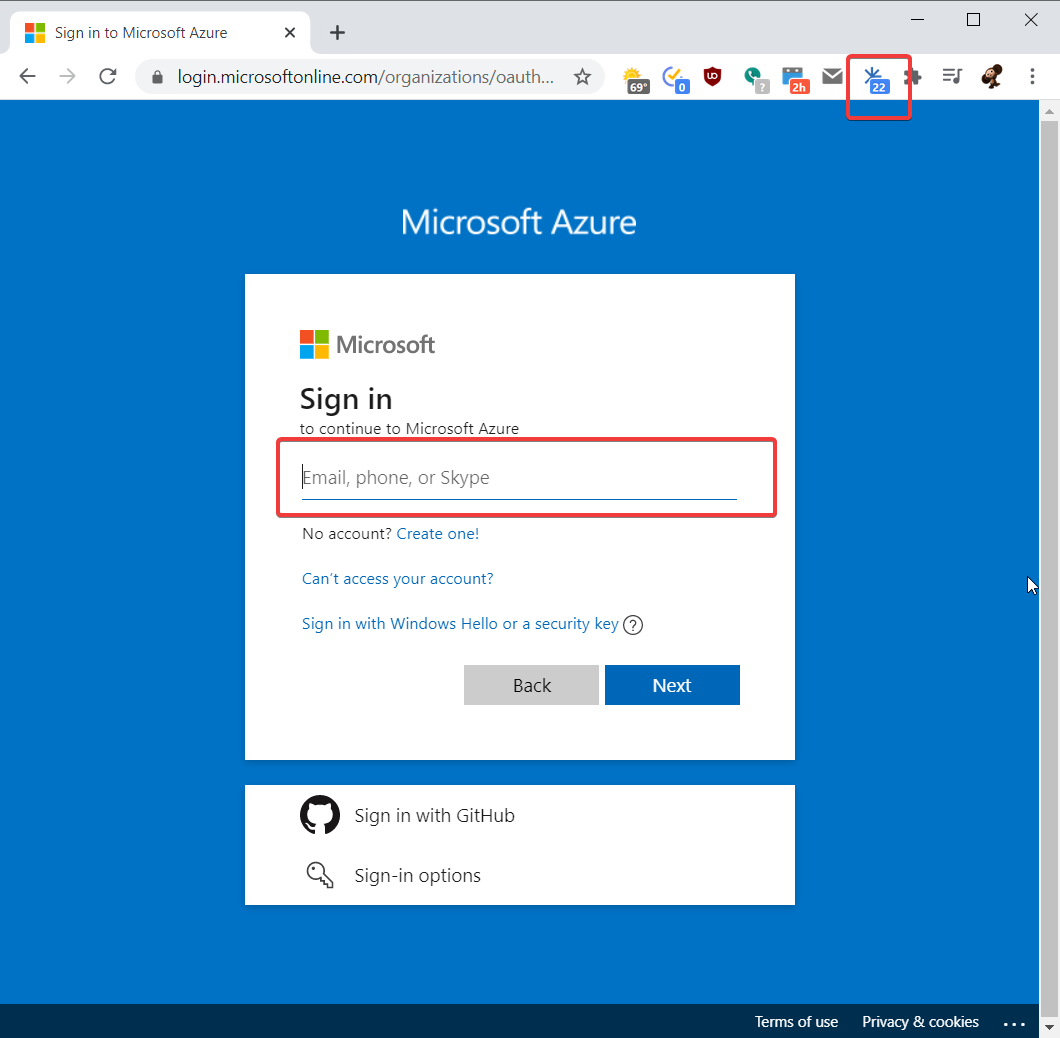
Please see below. Even though I have 20 logins for this domain little asterisk is not being shown next to login form
Increase density/layout of web login
If you have more then 2 accounts associated with website, only 2 are shown in UI to choose from to login. The rest of screen is occupied with information which is not usually used on each visit to the page. Attached is comparsion with Bitwarden which does it correctly.

