
tmanuser
Starting RDM opend a new browser tab
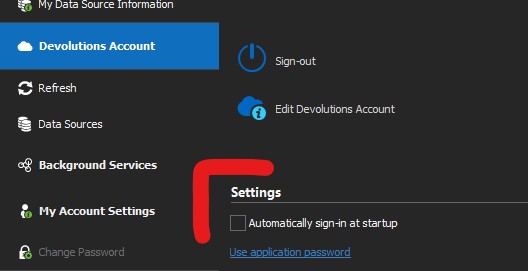
RDM is freezing after start. Can't load Navigation
The Problem is a "little bit" persistend. Icons from navigation tree loading fast however when I stand on a folder, the symbols on the right flutter and the program stops for seconds.
regards
Torsten
RDM is freezing after start. Can't load Navigation
Not bad. I can reproduce this behavior with ping online and not. Thank you for your suggestions.
Let me summarize... RDM on W10 1809 with SQL Server Database - Ping online isn't possible
RDM on W10 1909 with Devolutions Drive - Ping online is not a problem.
Hope that helps for the beta.
Torsten
RDM is freezing after start. Can't load Navigation
Hello David,
the navigation pane is not empty. The navigation tree has different folder and entry icons instead of my definitions. S.Att.
I have to left the application window open for some minutes. It is not possible to minimize or move.
And the second one, I have no Auto refresh enabled by default.
regards
Torsten
RDM is freezing after start. Can't load Navigation
After Beta 2020.1.9.0 or earlier I had problems starting RDM. Also in Beta 2020.1.10.0. It looks like the navigation icons cannot be loaded. I tried the 64bit and 32bit versions. I am working with Windows 10 1809 and SQL server express 2016. After 10 minutes all is fine. On another PC with W10 1909 I have no problems with the same Beta but the config works with devolutions drive.
Maybe you can have a look.
Thanks
Torsten
Connection refused: The data source refuses connections from the windows RDM client!
Unfortunately not. I've created a new database and will change the kind of storing information. No more as an file, only links. I suspect that it was caused by a domain change. I use my domain account for the database.
regards
Torsten
Connection refused: The data source refuses connections from the windows RDM client!
... yes that's right, I'm Admin and have no "Copy Password, or View Password".
Torsten
W10, RDM 14.0.4.0
SQL Server Express 2017
Connection refused: The data source refuses connections from the windows RDM client!
@Stefane
have you found out anything out? Unfortunately it was the second problem. My first problem was, I can't see my passwords. So I tried to change the the database settings with the described behavior. Create the database new is the last choice for me. I would loose all my embedded documents or I has to change all to links before an export.
best regards
Torsten
W10, RDM 14.0.2.0
SQL Server Express 2017
Connection refused: The data source refuses connections from the windows RDM client!
Hello,
old topic, but I was faced with this problem. After running this SQL script everything was fine until I reopen the Data Source Settings dialog.
When I open the dialog, I lose the database connection and go offline, but after rebooting RDM I can reconnect the database.
If I change settings in the data source settings, the connection will be refused and I will have to run the SQL script again.
Any suggestions?
best regards
Torsten
W10, RDM 13.9.14.0
SQL Server Express 2017
delete script tool
Your print screen was very helpful. Normaly i can't see the end of my session list.
So i had never seen the folder with the session tools on the left side.
Thank you.
Torsten
delete script tool
The context menu from the script tool manager has only export options.
An right click on the device page will also start the script.
I do not understand what you mean with "delete menu".
Torsten
delete script tool
Is there a way to delete a script tool. I have two "system information" on my device entry.
One is working and one not. My idea was this script to delete and to reinstall - but i can't find a way.
regards
Torsten