marioh
Remote Desktop Window Size
Thank you for your support. I decided to go the nuclear option. I have RDM on two workstations and both computers use the same account. Only on once computer I have the problem I described above. So, I figured it has something to do with my computer. I uninstalled RDM, removed the installed folder from C:\Program Files(x86), and removed every "Devolutions" entry in the registry. After this, I rebooted my computer and reinstalled it. It works fine now.
Thanks.
Remote Desktop Window Size
This started to happen when I updated to the latest version.

Remote Desktop Window Size
No change. I still get it full window size.
Remote Desktop Window Size
Remote Desktop Window Size
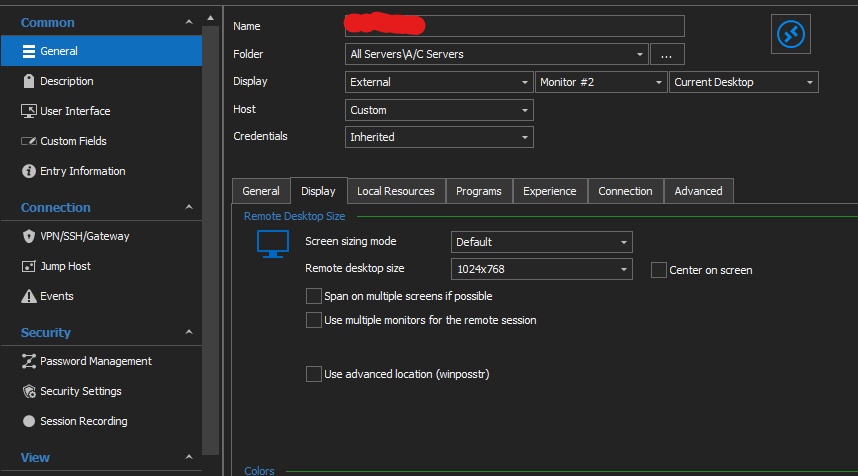
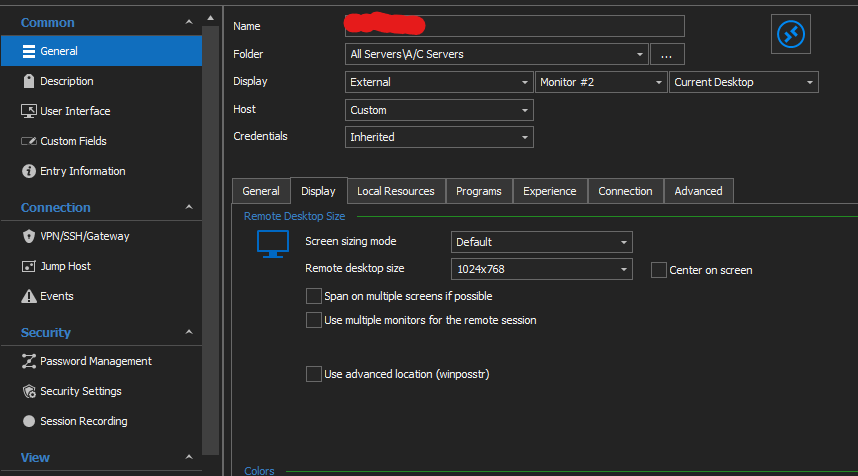
On all of my remote desktop sessions I have selected Display/Remote desktop size = 1024 X 768. However, when I open the session, it comes up fully maximized taking up my whole screen.
New Configuration
Thank for your reply. I actually did take a moment to watch the videos and have made some progress. Unfortunately, there are some instances where I get lost. It seems like the video has jump ahead leaving some important information behind. For example, I don’t understand the relation between security groups and database sessions. In your videos, it is explained how to create more sessions but they do not explain the relationship they have.
One more issue I’m having and this is probably my fault. I’m trying to create a custom installer, the video was created with version 6.1. I am using version 9.1. The differences are significant enough that make it very difficult to follow for me. Also, my email in the registration information is wrong. How can I fix that?
New Configuration
Hello,
I've been using Remote Desktop Manager for a few months now, we recently purchased license for the Enterprise edition and I'm configuring it.
I don't seem to be able to configure it the way I want to deploy. We have 45 different sites with about 12 tech to service them all. Each tech is assigned a number of sites, but each site, has at least two techs assigned to it. Technicians need to be able to RDP to servers at different sites and I would like them to be able to store their own passwords.
Actually, I would even like to create a structure where I would create a folder at the root level with their names and give them free reign to add, delete, modify, etc sessions at will.

I hope this can be accomplished.
Thanks.
Unable to create RDMS database on a new server
Now I feel dumb. Yes, it worked fine. Thanks.
Unable to create RDMS database on a new server
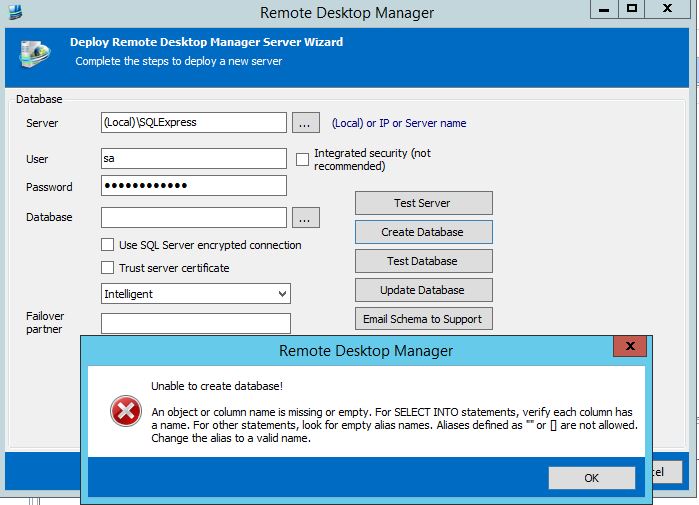
I installing RDMS for the first time on a Windows Server 2012 R2 and SQL Server 2012. I have "Tester Server" connection and it works fine. When I click on "Create Database" I get the following error message:
Unable to create database!
An object column name is missing or empty. For SELECT INTO statements, verify each column has a name. For other statements, look for empty alias names. Aliases defined as "" or [] are not allowed. Change the alias to a valid name.