
mdrain
2026.3.8 - RDP sessions randomly going blank when switching tabs.
I just want to say thanks to the Devolutions staff for looking into this so quickly.
2026.3.8 - RDP sessions randomly going blank when switching tabs.
I am still seeing this on the latest version but only on the jump server that I log onto. I run it both locally and on the jump server and only see the issue on the remote one. It is not as bad and only seemed to happen when first run.
2026.3.8 - RDP sessions randomly going blank when switching tabs.
Hi,
After the most recent update, this is still occurring. I find that it is also happening when minimizing Remote Desktop Manager to the taskbar and when it is clicked and maximizes, it is not displaying within the tabs.
I am mostly running RDP sessions to Windows Servers anywhere from 2016 to 2025 if that helps. This one is nested from using Remote Desktop Manager to a jump server that is running Remote Desktop Manager which I use to remote to other servers. The one with the issue, which started within the last 2 updates, is on the remote jump server.
Remote Desktop Manager 2026.3.9.0 64-bit (JIT)
Runtime: .NET 10.0.3
Platform: Microsoft Windows 10.0.14393
Workspace: Local Data Source
Allocated memory: 390 MB
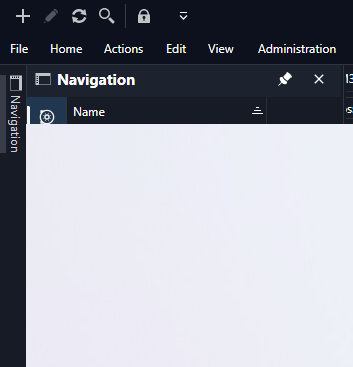
Navigation pane blank unless pinned
I have just upgraded to Remote Desktop Manager 2026.3.9.0 64-bit (JIT), this morning and found that when I have the navigation pane unpinned, when I click on it from above as in previous versions, it does not expand and appears hidden behind the tabbed window already open. If I pin it, it works as normal
Version info:
Remote Desktop Manager 2026.3.9.0 64-bit (JIT)
Runtime: .NET 10.0.12
Platform: Microsoft Windows 10.0.26200
Workspace: Local Data Source
Allocated memory: 570 MB
2026.3.8 - RDP sessions randomly going blank when switching tabs.
I have had the same issue and every time that I had to switch a tab, I had to move the navigation pane line to get it to show the screen properly. It doesn't always happen between tabs, but most of the time. On this session I was running a pinned navigation pane and use smart sizing in my VM display settings.