
OlegK
Default Monitor [2026.3.8.0]
The problem is solved.
Authorization window RDP [2026.3.10]
Everything is fine now.
Authorization window RDP [2026.3.10]
Right, then I'll wait for the new version.
Authorization window RDP [2026.3.10]
When connecting via RDP, the authorization window is always displayed in the upper left corner of the application.
Loss of input focus [2026.3.8]
Hello,
Thank you for being so patient!
If possible, could you update your RDM to the latest version (2026.3.10.0) and see if the problem persists? This version should resolve your issue.
Latest Version: Download RDM
If the problem persists after the update, please let us know so we can inform our development team.
Best regards,
@Maxim Robert
The problem is solved
Loss of input focus [2026.3.8]
Hello,
Thank you for the video.
A fix is ready and set to ship in the upcoming 2026.3.10 release.
Once that version is out, could you update and confirm whether the issue is resolved?
Best regards,
@Samuel Dery
When is the release expected?
I'll set a reminder for myself, since I don't check for updates very often.
Loss of input focus [2026.3.8]
+Video
Default Monitor [2026.3.8.0]
Video
Loss of input focus [2026.3.8]
ssh client
1) Switching between applications
rdm -> alt+tab -> other app -> alt+tab -> rdm -> entering commands in the console -> alt+tab -> other app -> alt+tab -> rdm -> loss of input focus
2) Pressing the button -> loss of input focus

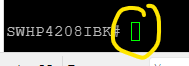
Loss of input focus:
Default Monitor [2026.3.8.0]
1) laptop (primary) + 2 external monitors (dp)
2) all: FHD, 100%
3) Always (for ssh client)
Default Monitor [2026.3.8.0]
I have a laptop with multiple monitors.
1) Previously, the program always launched on the specific monitor I wanted (Version 2026.2.X.X).
Now, the program always launches on the default monitor, even after applying the recommended compatibility settings.
2) The login and password windows always open on the default monitor, rather than on the monitor where the program is currently running.