fritz
High GPU load in the latest releases (26.2.7).
Hello,
I have to agree with support52. With the latest update, the high GPU usage has disappeared. The fix works. However, the “Enable UI / Enable RDP Hardware Mode” switch has almost no effect. GPU usage with an RTX A4000 remains at about 0-1%.
I think the (old) problem is caused by the Avalonia GUI. The new UnigetUI tool (2026.2.2), which is now based purely on Avalonia, also causes heavy GPU load.
When UnigetUI is running, the following processes show high GPU load:
dwm.exe 15%
UnigetUI 5%
WUDFHost.exe 7%
Without UnigetUI running, it’s about 0–1%.
I haven’t found a support forum for UnigetUI. Please forward the bug report :) Thanks!
Kind regards,
High GPU load in the latest releases (26.2.7).
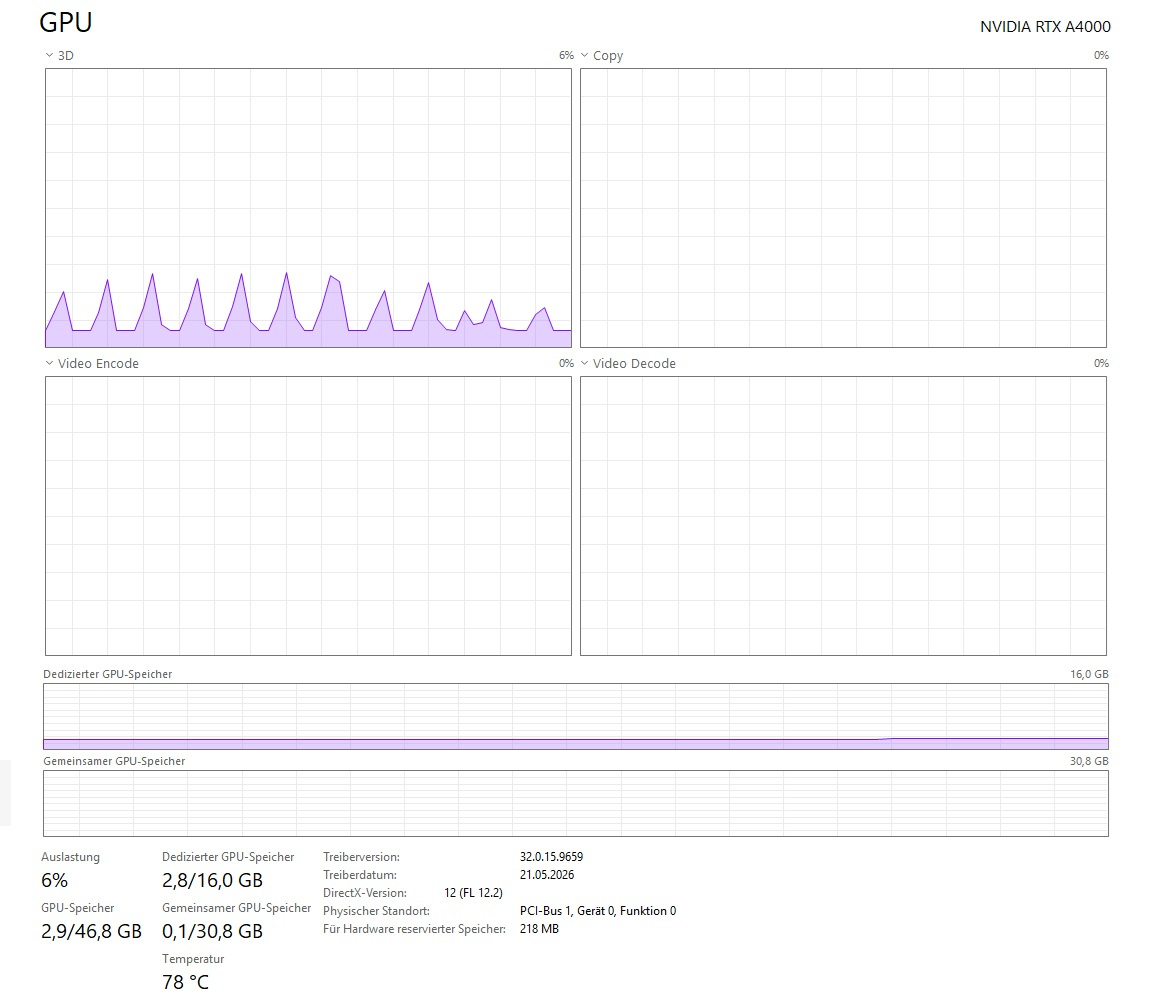
The fix doesn't work. The behavior is exactly the same in version 26.2.9. There were no issues up to version 26.1.23. An RDP connection results in about 5% GPU load—even with a single connection to a server without a Terminal Server environment. Each additional RDP connection adds another 5% at peak.