
malcolmradelet
Restricting access to edit a script "Execution Role"
Any updates regarding this? It seems like an important security boundary and prevents us from adding secrets for some of our vendors and partners as all authors would then have access.
Script Documentation
How do I create documentation that results in that button being visible?
There does not appear to be an option in the UI, and when I add comment-based help to my script it doesn't make this icon appear either. Comment-based help does result in the description parameter appearing in the "run script" modal.
Restricting access to edit a script "Execution Role"
Thank you for investigating so quickly.
Restricting access to edit a script "Execution Role"
Hi,
Prod - 2026.2.2
Dev - 2026.2.4
Both produce the same result
Restricting access to edit a script "Execution Role"
I would also like to suggest that if an identity is not a member of a scripts execution role, it should not be able to view the job output either.
Restricting access to edit a script "Execution Role"
Hi Ruben, I created a test to demonstrate:
Script
Name: Test-RBAC.ps1
Execution Role: Null/Not Assigned
# Script contents

$Secret:TestADPCred
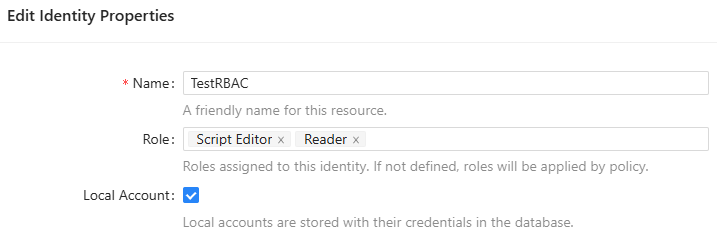
Identity
Name: TestRBAC
Role: Script Editor, Reader
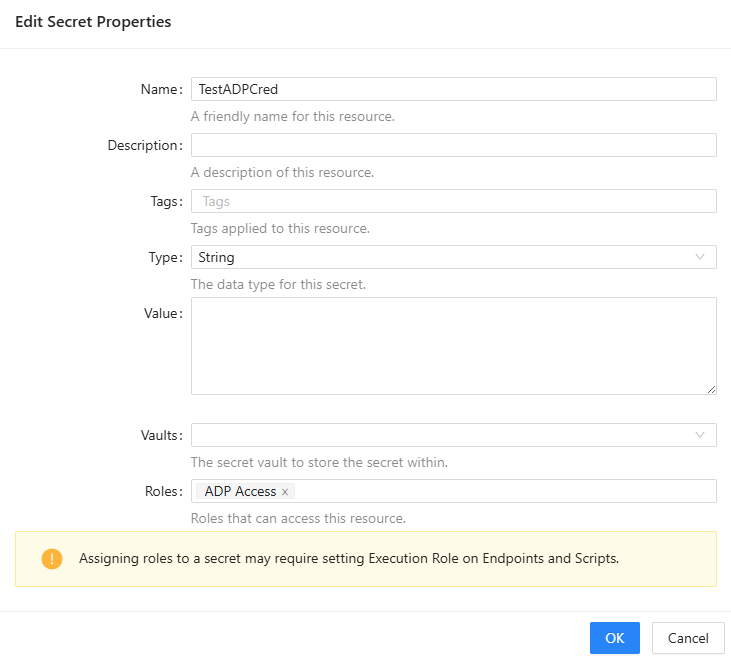
Secret
Name: TestADPCred
Roles: ADP Access
Action taken by User TestRBAC
Log in to the admin portal
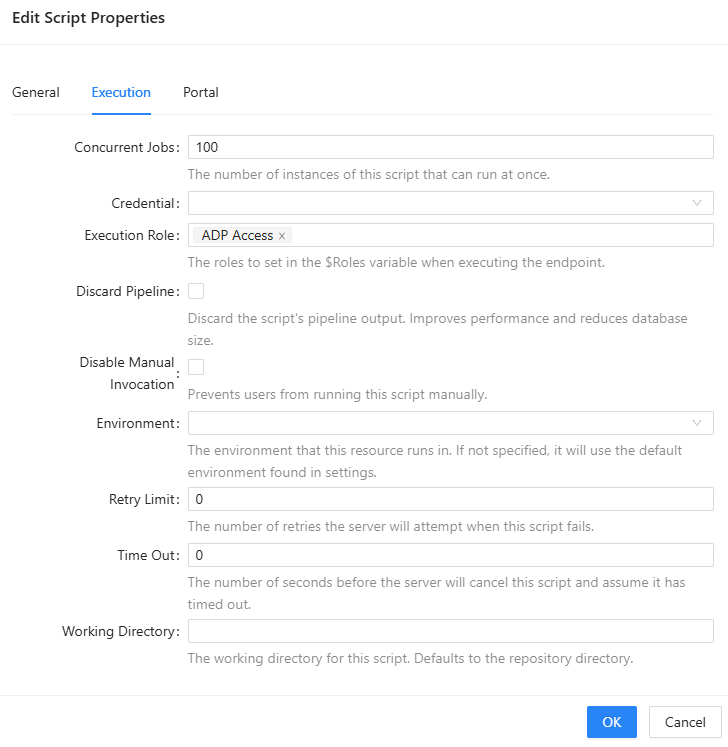
Edit the Test-RBAC.ps1 script settings
Assign ADP Access role to the Execution Role setting
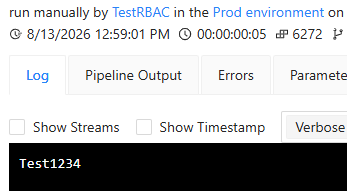
Run the script normally
Review the output and see the value of the TestADPCred variable
Request
No user should be able to assign execution roles they are not members of. If user "TestRBAC" is not a member of "ADP Access" it should not be able to assign scripts to this role.
Restricting access to edit a script "Execution Role"
We have some secret variables that contain tokens or keys for sensitive systems. We assigned a new role to them, but it seems like the only way to access the variables is by assigning the script to this role. If we update the script "Execution Role" to our custom role everything works great. But... we don't want anyone to just be able to assign this new role.
For example:
Author A can write scripts and access all variables
Author B can write scripts, but we don't want them to access Secret1
Author B simply writes a script and assigns it to the "Secret1 Access" role and then just outputs the value to the terminal. Now they know the value.
I want to be able to say "Only authors in Secret1 Access role can assign scripts to the Secret1 Access role". How can I do that?
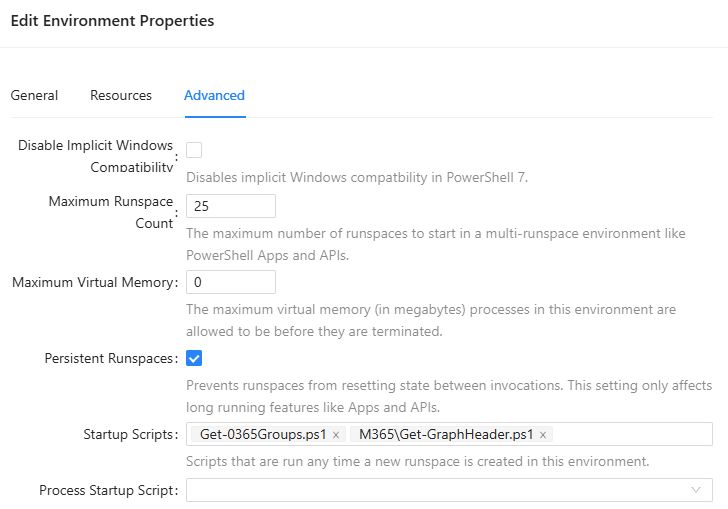
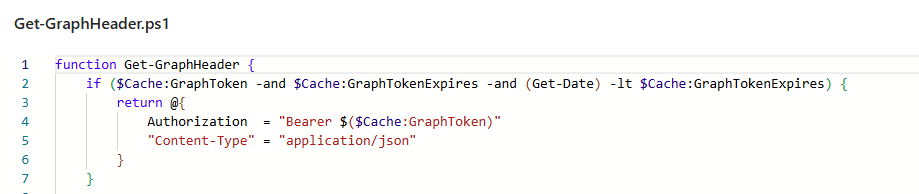
Environment start scripts
I am also getting this error on 2026.2.2.0

Docker 2026.2.0-ubuntu-24.04 blazor.server.js missing
The 2026.2.0 docker tags really should be unpublished. They are unusable and anyone upgrading to latest will end up with a broken environment.
App performance with a few MS modules
Product: PowerShell Universal
Version: 5.6.5
We’ve created an App/Dashboard that requires several modules. I’ve read the article about caching Exchange on prem connection states, but I am wondering how this could/should be done for other MS modules: ActiveDirectory, Microsoft.Graph.Authentication, Microsoft.Graph.Groups, Microsoft.Graph.Users, MicrosoftTeams
I think my confusion arises from how PSU handles runspaces inside apps. It seems like sometimes components have access to the modules, other times they have to import them again. I’ve tried putting the import-module statements inside “New-UDApp” but also above it. The actions performed by the app all use a cert to connect to EXO, Graph, Teams, so it would be great if there was a way to speed up the loading time in some way.
Finally, is there a good order for importing all of these? It seems like EXO does not play nice with the others and gives an error at the bottom of the app.
Scripts in folders can't be edited
Product: PowerShell Universal
Version: 5.4.2
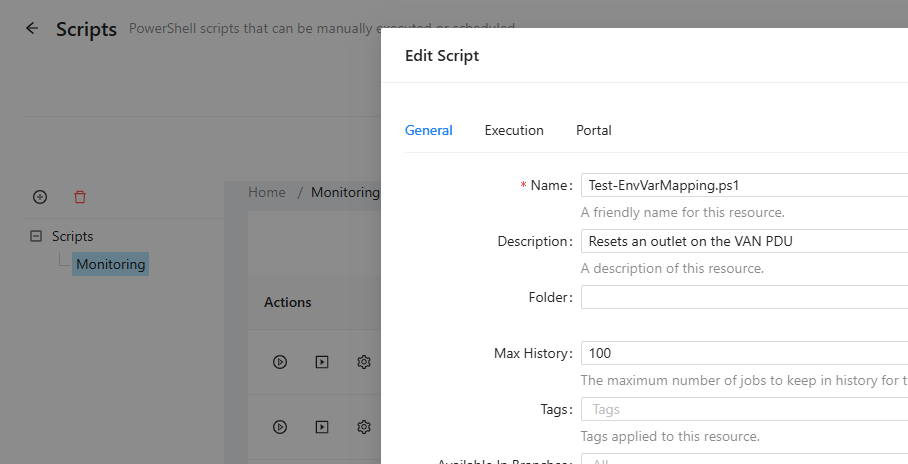
We have several scripts in a “Monitoring” folder under the main scripts folder. If we look at them in the dashboard they show the names of the scripts in the parent directory.
Example of how we configure the script in scripts.ps1:
New-PSUScript -Name "Reset-PDUOutlet.ps1" -Description "Resets the outlet selected" -Path "Monitoring\Reset-PDUOutlet.ps1" -Environment "Prod"But when I go to edit the script under Automation > Scripts > Monitoring folder… any script I click on will be wrong:
We use Apps to run these scripts, and we were calling them like this:
$Result = Invoke-PSUScript -Script "Monitoring/Reset-PDUOutlet.ps1" -TrustCertificate -AppToken $PDUAppTokenBut since enabling Git sync with Azure Devops, we’ve had to change the forward slash to a backslash or it can’t find the script. Perhaps something else somewhere is expecting the wrong kind of slash?
Schedules do not work in 5.4.0
Looks like schedules are working now, thank you! I’ve tried with both CRON and simple schedules.
The only difference I notice is that simple schedules appeared to be delayed based on the start time previously, but now it appears to be based on the end time. Simple schedules that used to run every 5 minutes (with 4 minute runtimes) now actually run every 9 minutes. CRON work as expected, so we will likely swap a few schedules over to that instead.
Schedules do not work in 5.4.0
Product: PowerShell Universal
Version: 5.4.0
We are experiencing odd behavior in this version. I’ve had schedules start twice in a row and then never again, and it seems like I can’t get any to start now, even if I make new ones. I’ve checked all of our configured environments, tried new ones… nothing seems to work.
I do see errors in the systemlog:
2025-03-12 18:55:04.663 -04:00 [WRN][Hangfire.AutomaticRetryAttribute] Failed to process the job '70': an exception occured. Job was automatically deleted because the retry attempt count exceeded 0.
System.Exception: Invalid queue name.
   at PowerShellUniversal.Automation.JobDispatcher.Execute(ExecutionOptions executionOptions) in D:\a\universal\universal\src\PowerShellUniversal.Automation\JobDispatcher.cs:line 105
   at InvokeStub_TaskAwaiter.GetResult(Object, Object, IntPtr*)
   at System.Reflection.MethodBaseInvoker.InvokeWithNoArgs(Object obj, BindingFlags invokeAttr)
The “Next Execution Time” for the CRON job was working, until the trigger fired I guess, now it says “Never”.
Also, at the top, the version icon that says “5.4.0” is yellow. I believe it used to be green in 5.3.3 - but when I click it there is no indication that anything is wrong/warning. All the healthchecks are green. I’ve restarted the service and the service, no change.