
alexrgreenwood
OpenTelemetry plugin
Thanks for looking into this. Here's the requested detail: (from my buddy Claude)
also can provide grafana config (for your docs/examples) that claude got working , as i suspect that is what most humans would want to get set up (if they were using the endpoints bit)
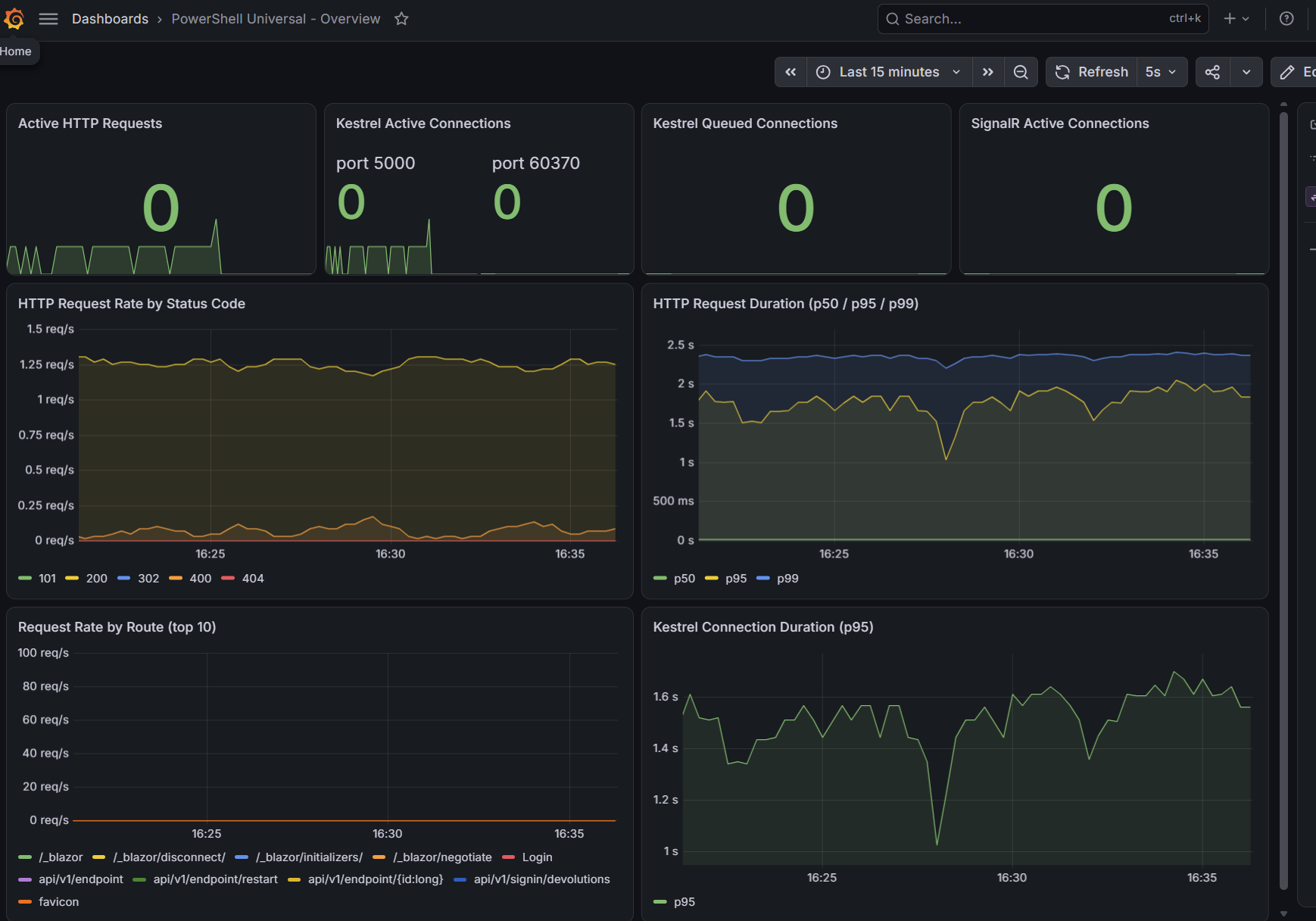
Version / build: PowerShell Universal 2026.2.5, running from the devolutions/powershell-universal:latest Docker image (digest sha256:b2f305e047111b567066912e48b4fbc620570269fcdfc3bcd30d905e7c331584).
Hosting: Docker Compose, official image, on Ubuntu 26.04.1 LTS (Docker CE, not Windows/IIS). Backed by an external PostgreSQL 16 container rather than the default embedded store, if that's relevant — the OpenTelemetry plugin was configured alongside the PostgreSQL plugin (Plugins__0=PostgreSQL, Plugins__1=PowerShellUniversal.Plugins.OpenTelemetry).
Reproducibility: Yes, 100% consistent. To make sure I wasn't reporting a one-off, I just reproduced it twice more in an isolated throwaway container (same image, same Postgres connection, network-joined to the existing stack) with only OTEL_EXPORTER_OTLP_PROTOCOL=http/protobuf set — both attempts failed identically and immediately on startup:
System.InvalidOperationException: Failed to convert configuration value 'http/protobuf' at 'OTEL_EXPORTER_OTLP_PROTOCOL' to type 'OpenTelemetry.Exporter.OtlpExportProtocol'.
 ---> System.FormatException: http/protobuf is not a valid value for OtlpExportProtocol.
 ---> System.ArgumentException: Requested value 'http/protobuf' was not found.
   at Microsoft.Extensions.Configuration.ConfigurationBinder.TryConvertValue(...)
   at PowerShellUniversal.Plugin.OpenTelemetry.ServiceConfigFeature.<>c__DisplayClass0_1.<AddServices>b__2(OtlpExporterOptions exporterOptions, MetricReaderOptions metricReaderOptions) in .../PowerShellUniversal.Plugin.OpenTelemetry/ServiceConfigFeature.cs:line 25
[...]
[FTL] Fatal error starting PowerShell Universal.
Using OTEL_EXPORTER_OTLP_PROTOCOL=HttpProtobuf (the C# enum member name) instead starts cleanly and exports metrics correctly to our Prometheus OTLP receiver.
For context on why this surfaced: http/protobuf is the value the OpenTelemetry spec itself defines for this setting (https://opentelemetry.io/docs/specs/otel/protocol/exporter/), and it's what every other OTel SDK/example uses. It looks like ServiceConfigFeature.cs is binding the raw env var straight through ConfigurationBinder to the OtlpExportProtocol enum rather than mapping the spec string to it first — so anyone following standard OTel conventions for this variable will hit a hard startup crash rather than a config error or fallback.
Separately, and maybe useful for the docs update: the current OpenTelemetry plugin page (https://docs.devolutions.net/powershell-universal/platform/plugins/opentelemetry) doesn't mention OTEL_EXPORTER_OTLP_PROTOCOL at all, and doesn't call out that the Plugins array entry needs the fully-qualified PowerShellUniversal.Plugins.OpenTelemetry identifier rather than a short name like the SQL/PostgreSQL plugins use — using the short form silently no-ops with no error or log output. Happy to share the full docker-compose config if useful for repro on your end.
OpenTelemetry plugin
The official docs are incomplete — see below. Working config:
environment:
  Plugins__1: PowerShellUniversal.Plugins.OpenTelemetry
  OpenTelemetry__Otlp__Endpoint: "http://prometheus:9090/api/v1/otlp/v1/metrics"
  OTEL_EXPORTER_OTLP_PROTOCOL: "HttpProtobuf"
  OTEL_EXPORTER_OTLP_ENDPOINT: "http://prometheus:9090/api/v1/otlp/v1/metrics"
Gotcha 1 — plugin identifier must be fully qualified
Unlike Plugins__0: PostgreSQL / SQL, the OpenTelemetry plugin's docs page names its Identifier as PowerShellUniversal.Plugins.OpenTelemetry. That full string is what belongs in the Plugins array. Using the short form OpenTelemetry (the natural guess given the other plugins' convention) silently does nothing — no log line, no error, no export attempt. The only way to notice is that Prometheus's own prometheus_http_requests_total{handler="/api/v1/otlp/v1/metrics"} counter never increments.
Gotcha 2 — export protocol defaults to gRPC
The plugin uses the standard .NET OtlpExporterOptions, which defaults to gRPC. Prometheus's OTLP receiver speaks HTTP/protobuf, not gRPC, so the mismatch causes the exporter to fail silently — OTel SDK export failures log via its own internal event source, not the application's regular ILogger, so nothing shows up in docker logs.
Fix by setting OTEL_EXPORTER_OTLP_PROTOCOL. The plugin reads this flat env var directly and binds it to the C# OtlpExportProtocol enum — so it needs the C# member name, not the OTel-spec string:
✅ HttpProtobuf
❌ http/protobuf — this is the value used in virtually every other OTel doc/example, and it crashes PSU at startup with: System.FormatException: http/protobuf is not a valid value for OtlpExportProtocol. [...] FTL Fatal error starting PowerShell Universal.
Save-Module / Install-Module fails for SimplySql via PSResourceGet — version mismatch (2.2.0 vs 2.2.0.106)
Version: PSU 2026.2.0.0 on Linux (Ubuntu 20.04), .NET 10, PowerShell 7.6 host
Repro:
Fresh 2026.2 install, no .universal/Modules yet
Admin Console → Platform → Modules → Install SimplySql (version left as default / 2.2.0) from PSGallery
Expected: Module saved into Repository/Modules/SimplySql/<ver>/.
Actual: Job 8909 fails, error logged at 2026-06-06 12:48:03.855 in systemLog20260606.txt:
[ERR][Universal.Server.Services.ModuleService] Error saving module SimplySql 2.2.0System.InvalidOperationException: Failed to save module. Package(s) 'SimplySql' could not be installed from repository 'PSGallery'. ---> Microsoft.PowerShell.PSResourceGet.UtilClasses.ResourceNotFoundException: Package(s) 'SimplySql' could not be installed from repository 'PSGallery'. at Universal.Server.Services.ModuleService.ThrowIfPowerShellHadErrors(PowerShell ps, String operation) in src\Universal.Server\Services\ModuleService.cs:line 853 at Universal.Server.Services.ModuleService.SaveModuleToRepositoryAsync(...) in src\Universal.Server\Services\ModuleService.cs:line 809 at Universal.Server.Services.ModuleService.SaveModule(...) in src\Universal.Server\Services\ModuleService.cs:line 230[WRN][Hangfire.AutomaticRetryAttribute] Failed to process the job '8909'; retry attempt count exceeded 0.Likely root cause: SimplySql's only PSGallery version is 2.2.0.106 (4-part); PSU passed 2.2.0 (3-part) to Save-PSResource/Install-PSResource, which treats it as an exact match and returns ResourceNotFoundException. NuGet-style version normalization (2.2.0 ≡ 2.2.0.0) isn't being applied to the user-supplied version before the lookup.
Workaround: type the full 4-part version (2.2.0.106) in the UI; or pre-stage the module on disk under Repository/Modules/SimplySql/2.2.0.106/.
Related code paths: ModuleService.SaveModule → SaveModuleToRepositoryAsync → ThrowIfPowerShellHadErrors.
"Run All Tests" hangs on *Running*
# Bug Report — "Run All Tests" hangs on *Running*; `ObjectDisposedException` in `CollectTestResultsAsync`
## Summary
Running tests from the admin console (**Automation > Tests > Run All Tests**, or a single test at
`/admin/settings/.../tests/{id}`) never completes. The UI shows the run stuck on **"Running"**
indefinitely. The Pester tests themselves execute and produce results (rows appear in `TestCases`
/`TestSuites`), but the server throws an `ObjectDisposedException` while finalizing the run, so the
`TestRuns` row is never marked complete (`Status` stays `Running`, `EndTime = -infinity`).
## Environment
| | |
|---|---|
| PowerShell Universal | **2026.1.7** (win-x64) |
| Host | Windows, `Universal.Server.exe` run on the host (developer license) — not containerized |
| Database backend | PostgreSQL 16 (Docker container), `Plugins: ["PostgreSQL"]` |
| Pester | 5.7.1 (bundled, resolved in the integrated runspace) |
| Repo mode | file-based repository at `.\Repository`; Git sync = PushOnly / Manual |
| Test files | 3 × `*.tests.ps1` at repo root, registered in `TestFiles` (Id/Path) |
## Steps to reproduce
1. Place one or more `*.tests.ps1` (Pester 5) files in the repository and register them under
Automation > Tests (rows in the `TestFiles` table).
2. Open the admin console → **Automation > Tests**.
3. Click **Run All Tests** (also reproduces with a single test run).
4. Observe the run shows **Running** and never transitions to Passed/Failed.
## Expected
The run completes; `TestRuns.Status` becomes a terminal state and per-test results show in the UI.
## Actual
- `TestRuns` row: `Status = Running (1)`, `EndTime = -infinity`, `Total = 0` — never finalized.
- `TestCases` / `TestSuites` rows **are** written (the tests ran), confirming execution succeeds and
only the *result collection / finalization* step fails.
- The server logs an unhandled `ObjectDisposedException`.
## Error / stack trace
```
[ERR][PowerShellUniversal.Testing.TestService] Error executing test run.
System.ObjectDisposedException: Cannot access a disposed object.
Object name: 'IServiceProvider'.
at Microsoft.Extensions.DependencyInjection.ServiceLookup.ThrowHelper.ThrowObjectDisposedException()
at PowerShellUniversal.DatabaseBase.GetTable[T]() in .../src/PowerShellUniversal/Services/DatabaseBase.cs:line 95
at PowerShellUniversal.Testing.TestService.CollectTestResultsAsync(TestRun testRun) in .../src/PowerShellUniversal.Testing/TestService.cs:line 119
at host.TestExecutionService.ExecuteTestAsync(TestRun testRun) in .../src/Host/TestExecutionService.cs:line 136
```
## Analysis
`CollectTestResultsAsync` runs after the Pester host process finishes and tries to persist results via
`DatabaseBase.GetTable[T]()`. By then the scoped `IServiceProvider` (and its `DbContext`) has already
been disposed, so the DB access throws. Because the exception is unhandled inside the test-execution
continuation, the `TestRuns` record is left in the `Running` state forever (the UI polls it and shows
the spinner indefinitely).
This looks like a **DI scope lifetime bug**: the result-collection continuation outlives the scope it
captured. It reproduces consistently on this build regardless of which/how many test files are run, and
is independent of the tests' content (they pass when run directly via `Invoke-Pester`).
## Impact
The built-in Test runner is effectively unusable — every run hangs and leaves an orphaned `Running`
record that must be cleared manually.
## Workarounds
1. **Run tests via a Script instead of the Test runner.** A `Invoke-Tests.ps1` script that calls
`Invoke-Pester` over the same `*.tests.ps1` files completes reliably (27/27 in ~5s) and reports a
pass/fail summary in the job output — it never touches `CollectTestResultsAsync`.
2. **Clear the stuck run** so the UI unsticks:
```sql
DELETE FROM "TestCases"; DELETE FROM "TestSuites"; DELETE FROM "TestRuns";
-- keep "TestFiles" (registration)
```
then restart the server.
## Suggested fix (for Devolutions)
Resolve/scope the `DbContext` (or capture an `IServiceScopeFactory` and create a fresh scope) inside
`CollectTestResultsAsync` rather than relying on the ambient scope captured when the run was started,
and wrap the finalization so any failure still writes a terminal `TestRuns.Status` (e.g. `Failed`)
instead of leaving it `Running`.
Can't connect VSCode to Powershell Universal: no "configure" option under settings
"powerShellUniversal.connections": [ { "name": "psu1", "url": "https://servername1", "appToken": "eyJhbxyz1rest_of_really_long_string_goes_here" }, { "name": "psu2", "url": "https://servername2", "appToken": "eyJhbxyz1rest_of_really_long_string_goes_here" }, { "name": "psu3", "url": "http://192.168.1.5:5001", "appToken": "eyJhbxyz1rest_of_really_…
Error installing module from Powershell Gallery
the latest version 5.6.0. does find it , but i have also seen it fail to install the latest version, on the latest build you can specify a version
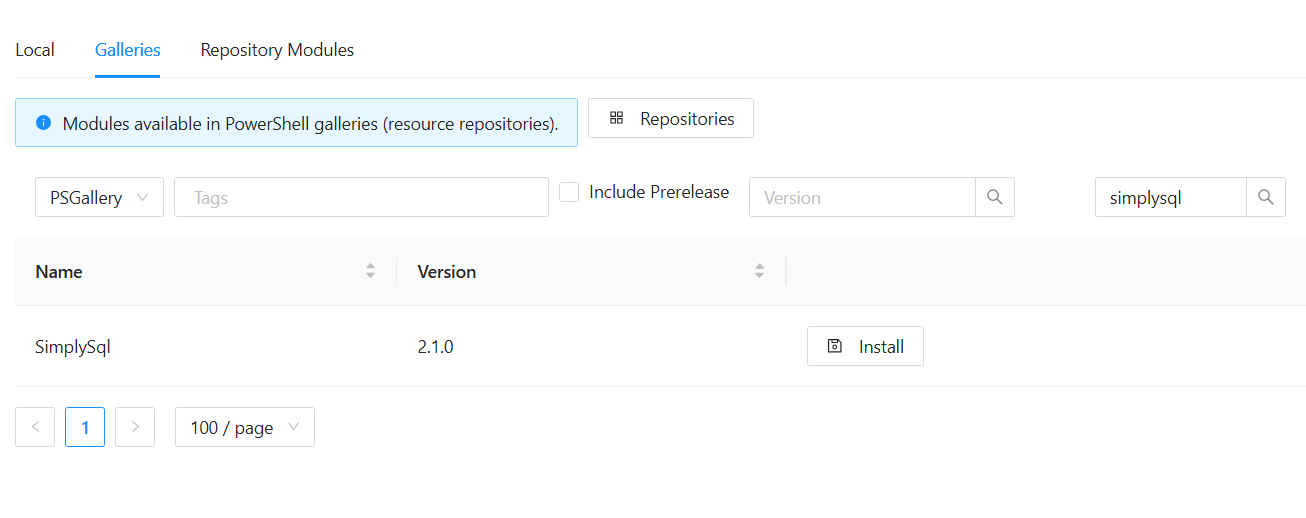
what you are trying to do is get the folder into your Repository\Modules folder
you can do this by this command on the PSU server (assuming it has internet connectivity)
Find-PSResource -name SimplySql | Save-PSResource
this will unpack the module into the folder you are currently in (so cd to Repository/Modules)
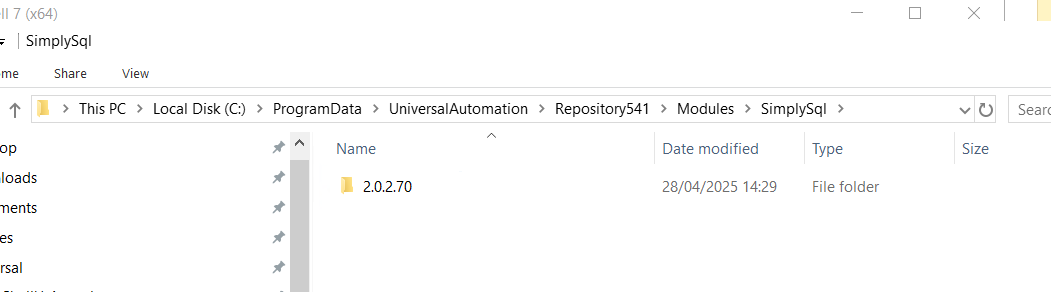
or copy the folder onto the PSU server from somewhere that has it already installed (im using 2.0.2.70 because i know its stable for me)
vsCode plugin, multiple PSU instances
    "powerShellUniversal.connections": [
        {
            "name": "psu1",
            "url": "https://servername1",
            "appToken": "eyJhbxyz1rest_of_really_long_string_goes_here"
        },
        {
            "name": "psu2",
            "url": "https://servername2",
            "appToken": "eyJhbxyz1rest_of_really_long_string_goes_here"
        },
        {
            "name": "psu3",
            "url": "http://192.168.1.5:5001",
            "appToken": "eyJhbxyz1rest_of_really_long_string_goes_here"
        },
],Joblog updates inflate database transaction log
have you seen this ?
Joblog updates inflate database transaction log
might be fixed , although i cant see a pk in the v5 database
Clarification needed on variable references within scripts
so my understanding is that the Secret: is a kind of special scope availiable inside PSU that is similar but separate to how scopes work in powershell , I think the variables full name is the scope plus the name and thats is why both can co-exist in the same script inside PSU , but “standard” powershell wont know about the secret scope
Jobs stuck in queue
Hi Mike - we had the same issue for a while on 4.2.x versions , currently on 4.2.7 with the issue not happening much any more
its seemed to get worse as the Job table filled up much beyond 50k rows, pointing the server at a fresh empty database “fixed” the problem (at the cost of losing job history and saved licence / secrets etc), so i think its related to the time it takes for the query to execute and might improve if you reduce the data in the backend (adjusting the history for example)
the status of queued is 0 so you can tidy things up a bit with this SQL
SELECT * FROM [dbo].[Job]
where status=0 and CreatedTime<dateadd(hh,-50,getdate())
--anything that is queued should be set to failed
update [dbo].[Job] set status=3 where status=0 and CreatedTime<dateadd(hh,-50,getdate())Clarification needed on variable references within scripts
not sure you need to assign it , just use it like this
Get-somefunction -Token $Secret:ApiKey -Verbose
unless ive misunderstood what you are doing , some example code would help to understand…
First Testing of PSU 5.0.0 beta 1
Automation >Scripts
folder view of scripts has disappeared , not possible to create any folders or put scripts into a folder
jobs tab shows all jobs , not just the jobs for the script you are looking at , so filtering not working there
while a job is running there is no “stop” icon (white circle in dark mode)
Git
after you commit , you have to go to settings>git>syncronise now to see the commit on the repo, clicking elsewhere often results in a gui error
Metrics for failing scheduled scripts
you can query the backend database for recent failed jobs like this
select * from job where [status] in (11,3) and EndTime>getdate()-1
PowerShell Universal - 4.2.0
should the vscode extension version be 4.2 ? mine is on 4.1 and cant see any way to update it?
my settings.ps1 looks like this - (but i have no environment called ‘pwsh’) - is that right ?
basically i dont see any processes under “platform”
$Parameters = @{
LogLevel = "Error"
DefaultEnvironment = "7.2.13"
SecurityEnvironment = "Integrated"
ApiEnvironment = "Integrated"
DebuggerEnvironment = "pwsh"
}
Set-PSUSetting @Parameters