Jobs stuck in queue
PSU: 4.2.13
Db: sql
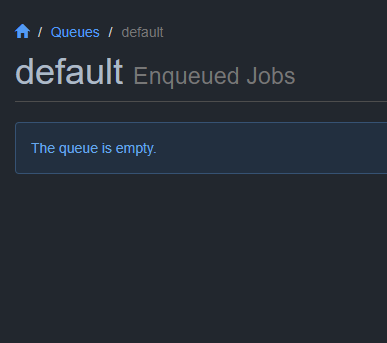
I had a process that created a bunch of Job found a good number of them got stuck in “queued” status.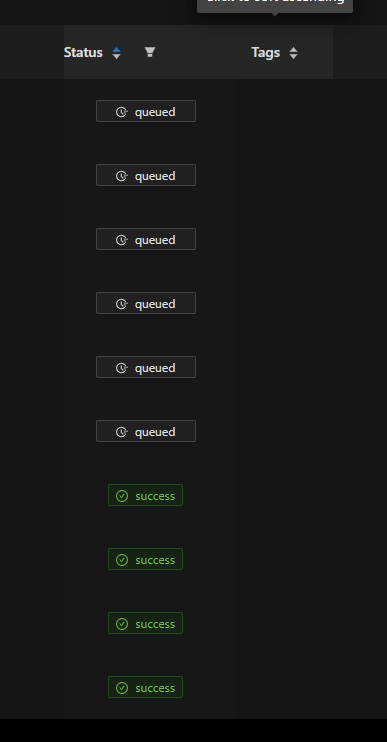
1e1575d5f9a6071013911cd9b18170eac6947087.png
b649675cc155fc8748552dbf26a3b3e97f05e7e9.png
All Comments (9)
At this point im not sure what to do or why these jobs are showing as queued but not through hangfire. Could it be that the job never got to the hangfire queue? Could we add a button in the UI to requeue these?
Edit: or even show a queued date/time
Hi Mike - we had the same issue for a while on 4.2.x versions , currently on 4.2.7 with the issue not happening much any more
its seemed to get worse as the Job table filled up much beyond 50k rows, pointing the server at a fresh empty database “fixed” the problem (at the cost of losing job history and saved licence / secrets etc), so i think its related to the time it takes for the query to execute and might improve if you reduce the data in the backend (adjusting the history for example)
the status of queued is 0 so you can tidy things up a bit with this SQL
SELECT * FROM [dbo].[Job]
where status=0 and CreatedTime<dateadd(hh,-50,getdate())
--anything that is queued should be set to failed
update [dbo].[Job] set status=3 where status=0 and CreatedTime<dateadd(hh,-50,getdate())

Not fixed in 4.3.0 sadly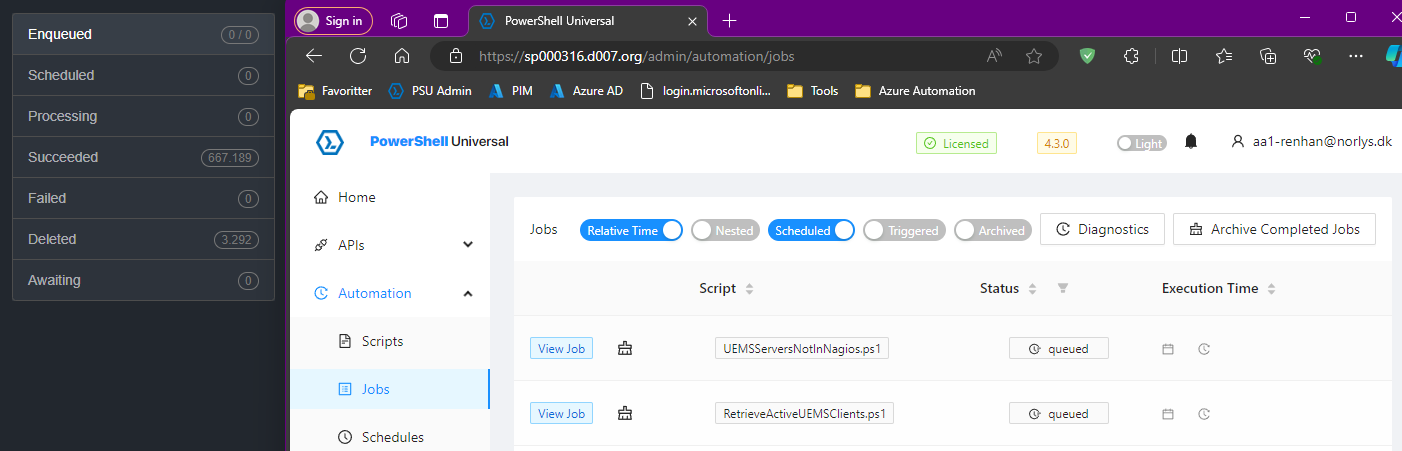
@Adam Driscoll
82dcf285d8040d863e4b2371daf75649758fcf82.png
We are seeing this issue as well still in version 4.5.1
When you look in hangfire it shows that the job was deleted?
@Adam Driscoll we need you
0ca603cc902e3a7a52f970893f44af72830f62a1.png
Are you running these against any specific computers\computer groups or just the default queue?
Adam Driscoll
PowerShell Expert and Software Architect at Devolutions
Default queue.
One thing I’ve noticed is if I have a node in maintenance, then the jobs go to queued and show up under deleted in hangfire.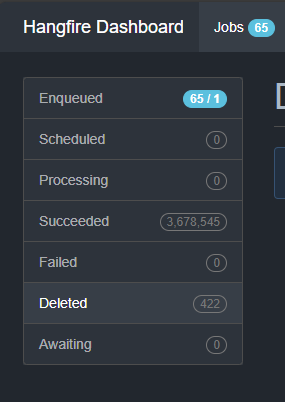
Below is a picture of hangfire and this is showing the queued job in deleted state and trying to process on the node that is in “maintenance” mode.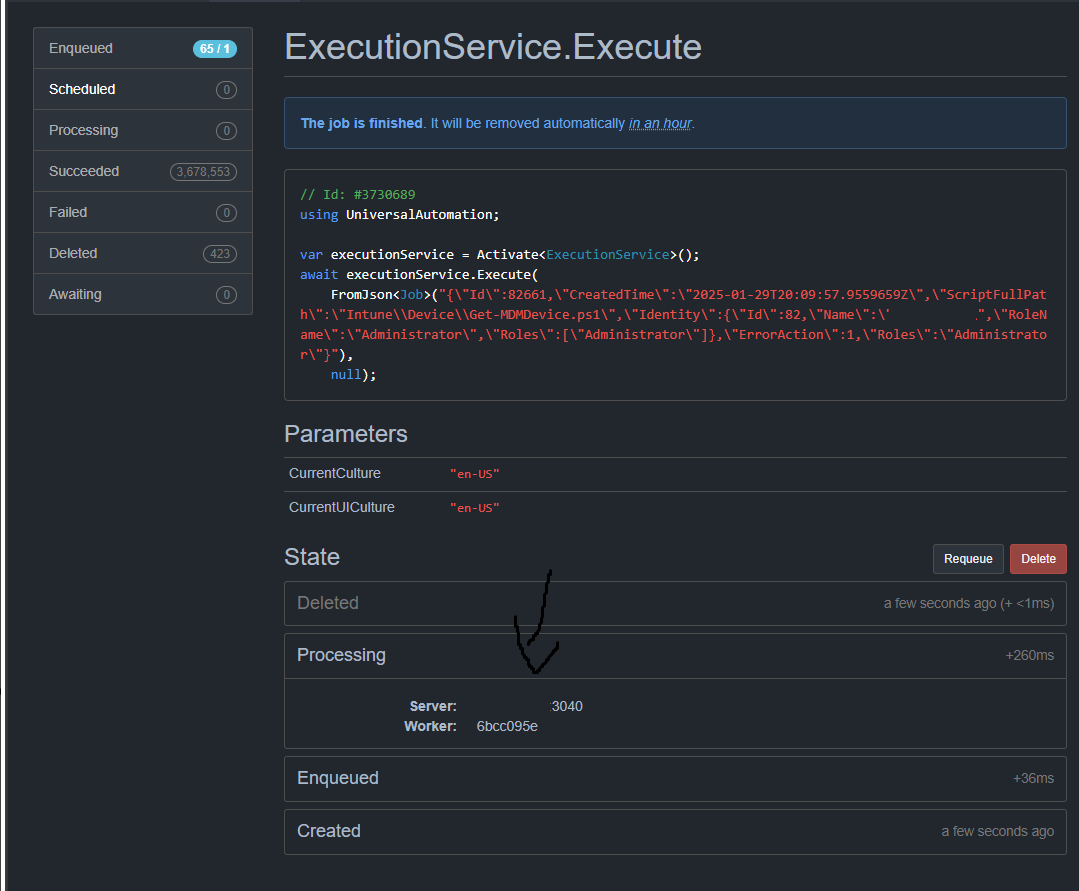
d5e29f96fb009af20b49e36e8bd4218351cadc7d.png
9852973391e1b77b0d7a5a8b1ce037c2c09e1104.png
Ok. We need to fix this. The problem is that the job shouldn’t be sent to the node at all that is maintenance mode. And really, the job should be marked failed if it is sent to the node and not queued indefinitely. We have a check in place, right before starting a job, that should be doing that.
If hangfire deletes the job without PSU realizing it, that will cause the job to queue indefinitely since it never transitions out of that state since the job never runs.
Do you see this same behavior when you don’t have machines in maintenance mode?
Adam Driscoll
PowerShell Expert and Software Architect at Devolutions
Yes
I suspect it has something to do with schedules as well. Did you want to open a support case and do a screen share on our setup or do you have enough information to replicate this?
Here is a sample from schedules.ps1
$Parameters = @{
    Cron       = "0 8 31 JUN,DEC *"
    Script     = "report\myscript.ps1"
    TimeZone   = "America/Chicago"
    Credential = "Default"
    Name       = "Run some script"
    Condition = {
        $Environment -eq 'production'
    }
    Computer   = "ProdPSUNode"
}
New-PSUSchedule @ParametersPlease open a ticket. I likely won’t be able to replicate this easily.
Adam Driscoll
PowerShell Expert and Software Architect at Devolutions