Error installing module from Powershell Gallery

Product: PowerShell Universal
Version: 5.5.2
There are 2 parts here.
First is that the SimplySql module is missing when searching in PSGallery (as SimplySql is the name and apparently not included in the tags), so it would be good if that search box (Platform, Modules, Galleries) also could include module names in the search result
Second, when installing SimplySql module, there is a notification that the installation might take a couple of minutes, but the install never succeeds. Error text:
[13:10:57 ERR] Universal.Server.Services.ModuleService Error saving module SimplySql 2.1.0
Microsoft.PowerShell.PSResourceGet.UtilClasses.ResourceNotFoundException: Package(s) 'SimplySql' could not be installed from repository 'PSGallery'.
[13:10:57 ERR] Universal.Server.Services.ModuleService Error saving module SimplySql 2.1.0
System.Exception: Failed to install module. Package(s) 'SimplySql' could not be installed from repository 'PSGallery'.
   at Universal.Server.Services.ModuleService.SaveModule(String repository, String name, String version, Boolean prerelease) in D:\a\universal\universal\src\Universal.Server\Services\ModuleService.cs:line 136
[13:10:57 WRN] Hangfire.AutomaticRetryAttribute Failed to process the job '173': an exception occured. Job was automatically deleted because the retry attempt count exceeded 0.
System.Exception: Failed to install module. Package(s) 'SimplySql' could not be installed from repository 'PSGallery'.
   at Universal.Server.Services.ModuleService.SaveModule(String repository, String name, String version, Boolean prerelease) in D:\a\universal\universal\src\Universal.Server\Services\ModuleService.cs:line 136
   at InvokeStub_TaskAwaiter.GetResult(Object, Object, IntPtr*)
   at System.Reflection.MethodBaseInvoker.InvokeWithNoArgs(Object obj, BindingFlags invokeAttr)
Recommended Answer
the latest version 5.6.0. does find it , but i have also seen it fail to install the latest version, on the latest build you can specify a version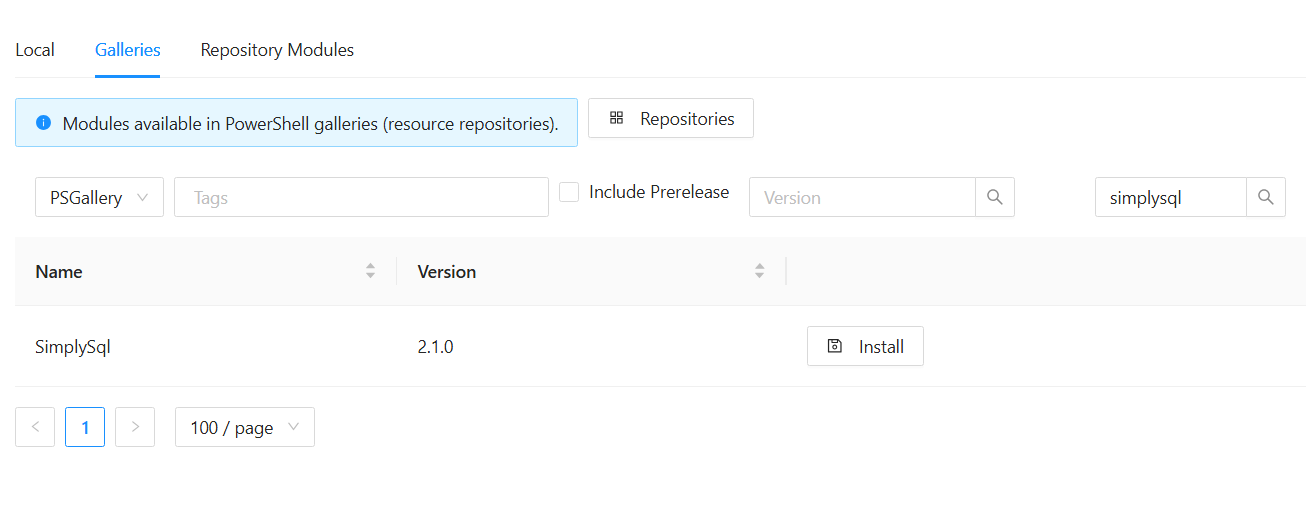
what you are trying to do is get the folder into your Repository\Modules folder
you can do this by this command on the PSU server (assuming it has internet connectivity)Find-PSResource -name SimplySql | Save-PSResource
this will unpack the module into the folder you are currently in (so cd to Repository/Modules)
or copy the folder onto the PSU server from somewhere that has it already installed (im using 2.0.2.70 because i know its stable for me)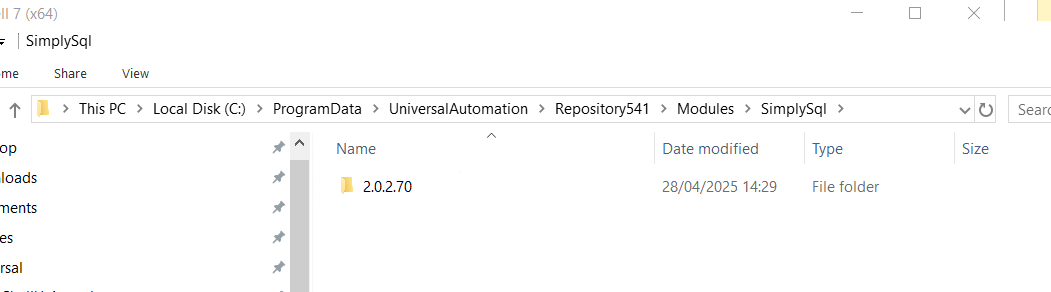
eae4eccf4620d40d286d19954dd87da7163b7378.png
dcb32207417b7638c8fc549842010f5dc9e57ee1.png
All Comments (2)
the latest version 5.6.0. does find it , but i have also seen it fail to install the latest version, on the latest build you can specify a version
what you are trying to do is get the folder into your Repository\Modules folder
you can do this by this command on the PSU server (assuming it has internet connectivity)Find-PSResource -name SimplySql | Save-PSResource
this will unpack the module into the folder you are currently in (so cd to Repository/Modules)
or copy the folder onto the PSU server from somewhere that has it already installed (im using 2.0.2.70 because i know its stable for me)
eae4eccf4620d40d286d19954dd87da7163b7378.png
dcb32207417b7638c8fc549842010f5dc9e57ee1.png
Excellent, thanks @alexrgreenwood that solved my problem.