
cybermat
Automatic backup on exit not working
I enabled automatic backup on exit and seems not working. It just works upon edits.
2026.1.20.0 64-bit (JIT)

I can backup every "x" minutes no problem.
Symlinks not properly managed under SCP
I will open a request, but refresh should be used for refreshing the folder where you are, because we already have "home directory" button
For the bookmarks, i tested on a VM where i'm owner and i think we have a minor bug there as shown in mp4 attached. If you login and land on home directory, you can browse the home folder with bookmarks but not go up till "/"
if you manually put "/" or via bookmarks, then you can browser and go anywhere you want with bookmarks
Symlinks not properly managed under SCP
Another annoying thing is that using SFTP, when i refresh the path, it comes back to home directory everytime!
Symlinks not properly managed under SCP
Ok with latest build i solved SFTP issues and also symlinks management!
I just have a very minor issue now, after logged with SFTP i cannot use bookmarks (i didn't have this feature with the old build). Selecting the favourite paths seems not working, the only one bookmark that is working is the following "/" , after used "/" i can use all the inserted bookmarks
I attached a video to let you see what i'm talking about (20260508-0724-51.0611738.mp4)
If i use a dedicated SFTP, instead using "embedded SFTP" i can set the home directory to "/" so i can get rid of this, but at the moment we'd like to avoid creating 120 SFTP entries, since the embedded feature is very good for that
I have further questions about "embedded SFTP" : can we set the home directory when using this feature ? I tried to set SFTP home directory under SSH tab, but it seems they are not the settings used for embedded SFTP. I tried with home directory, then with starting location, then we both the fields

Symlinks not properly managed under SCP
With SFTP i still cannot manage symlinks, as you can see below

Furthermore, i can say that SFTP is "bugged" because i cannot browse inside filesystem as you can see in the picture attached. There's not ".." entry
I can see /var folder because i set this folder here, in order to reproduce the issue

but if i leave it empty i see this

i cannot browser at all, even if i manually put the path under search bar. We're using this version 2025.2.13.1 64-bit (JIT) , if you think there's already a fix for this i can ask to my company to update RDM in the repository
Symlinks not properly managed under SCP
Thanks for helping me on this matter. I would like to underline if it's possible changing subject due to a typo
manager --> managed
If i try SFTP, i cannot browse at all inside linux filesystem. If i use Filezilla and add a SFTP profile i can browse till the root of the filesystem and see properly symlinks. So SFTP is worst than SCP.
What i mean is that if i login with SFTP embedded i can see some folders and the classic ".." to go up in directory does not exist
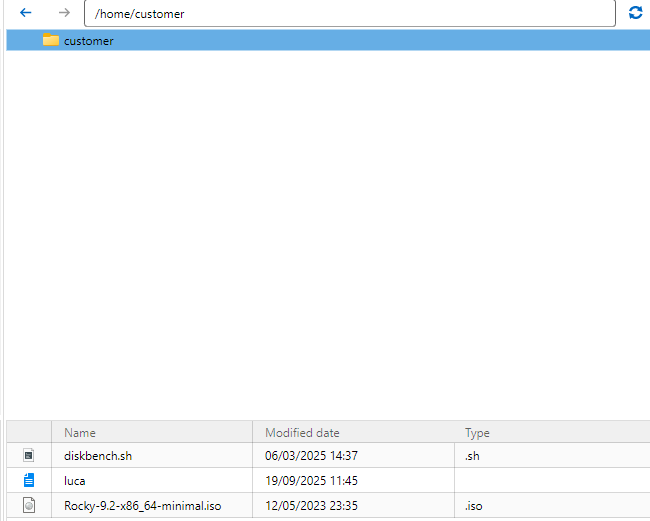
I also tried to put ".." in the browse bar...it seems there are some problems with embedded SFTP as per my experience
If i use WINSCP tool installed on my pc, i can see properly symlinks.
What's getting puzzled is that it seems that RDM relies on my installed version of Winscp, according to this
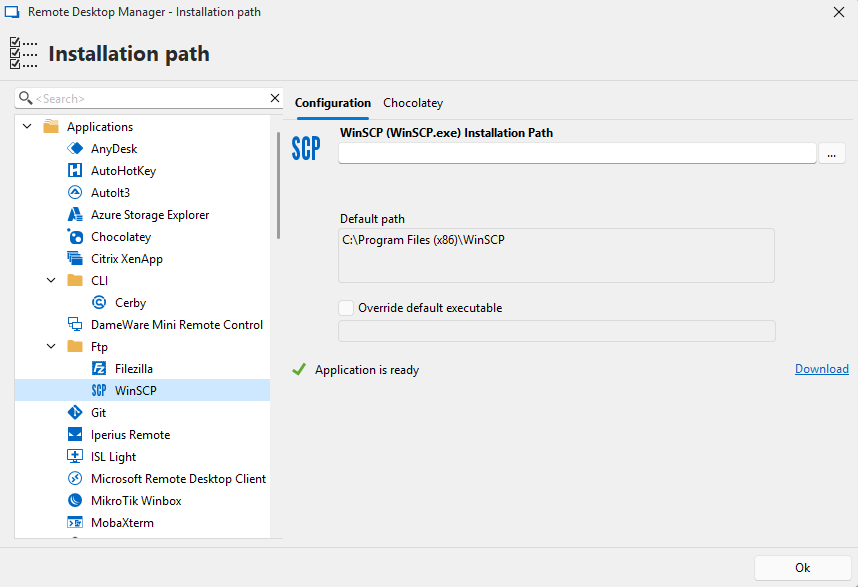
I can add SCP profiles under Winscp installation, but since we have this good features "open with parameters" , i think that it's a pity not using it in the way it meant to be
Symlinks not properly managed under SCP
Hello,
i use RDM with no issues, but when i open session using SCP i cannot solve the following issue
symlinks are not properly shown , for example "log" symlink is shown as it is

if i click over it i get the following
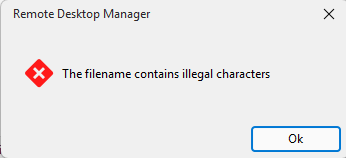
so i need to put manually the path contained under symlink to reach "log" folder
is there a way to fix this ? thanks