Brandon Jackson
Rapid Switching of Tabs on Own
Same issue here.
The trigger (for me) seems to be if I click/switch tabs while RDM is still opening the session, so more noticeable on higher latchety SSH connections as it takes longer to fully open the session.
SSH Tunnel to Windows Server 2025 sshd with Key based Auth fails, Interactive/Password auth works fine
In RDM I use an SSH Tunnel to a Windows 2025 Server running the native sshd service, and then run many sessions over it.
It has worked perfectly fine with Password auth, I was looking to switch to Private/Public Key Auth.
However, even though I have gotten it to accept the auth the SSH Tunnel session immediately closes/crashes, and in the Windows Event log you can see.
"sshd: ssh_dispatch_run_fatal: Connection from 10.215.246.227 port 63558: invalid format"
This entry is immediately after "sshd: Accepted publickey for".....
SSH Shell with the same key works perfectly fine, and again using Interactive/password auth for the tunnel works.
Any Ideas?
Windows Server 2025 fully updated, it is AD Joined (since shell and password work dont think ad matters but who knows)
The username does start with a ! (i.e !firstlast ), might be unrelated, but just noting.
Custom/Override HTTP host header, mainly for SSH Tunneled conenctions.
Hello,
Thank you for your patience.
It turns out that this functionality is not currently supported in RDM. However, I’ve opened an improvement case with our development team to add support for it.
In the meantime, one of our developers suggested a potential workaround: you can configure your iDRAC to support the localhost header. Here is some documentation on that topic https://netrouting.com/knowledge_base/dell-idrac-400-bad-request-hostheadercheck-fix/
If you prefer to wait for the native implementation, rest assured that I will follow up here as soon as it’s available in RDM.
Best regards,
@Jacob Lafrenière
Thanks for that information, that is a great find and does work around the issue at least with the iDRACs.
A setting/feature would still be awesome, but this take care of this particular issue for these devices.
Custom/Override HTTP host header, mainly for SSH Tunneled conenctions.
One major problem with that..... If you uncheck that, you cant connect to the host at all. The whole point of the SSH Tunnel is because those host are not reachable from outside of that network.
The SSH host for the tunnel is the bridge to that network. That is the whole point of it.
Custom/Override HTTP host header, mainly for SSH Tunneled conenctions.
In the Website filed, the redacted part is a simple IP address.
I don't think the rest of the redactions matter.
Again, the issue is, when the SSH Tunnel has to be used the embedded browser send the HTTP HOST header as https://localhost:12345/ (port number is random ofcourse)
There should be a way to tell the embedded bowser to set/send the HTTP HOST just as it would be sent if the SSH Tunnel was not used, such as https://192.168.1.1/ even though the URL its connecting to is the localhost URL.
Unfortunately some devices including this iDRAC do not behave if the HTTP HOST Header is localhost.
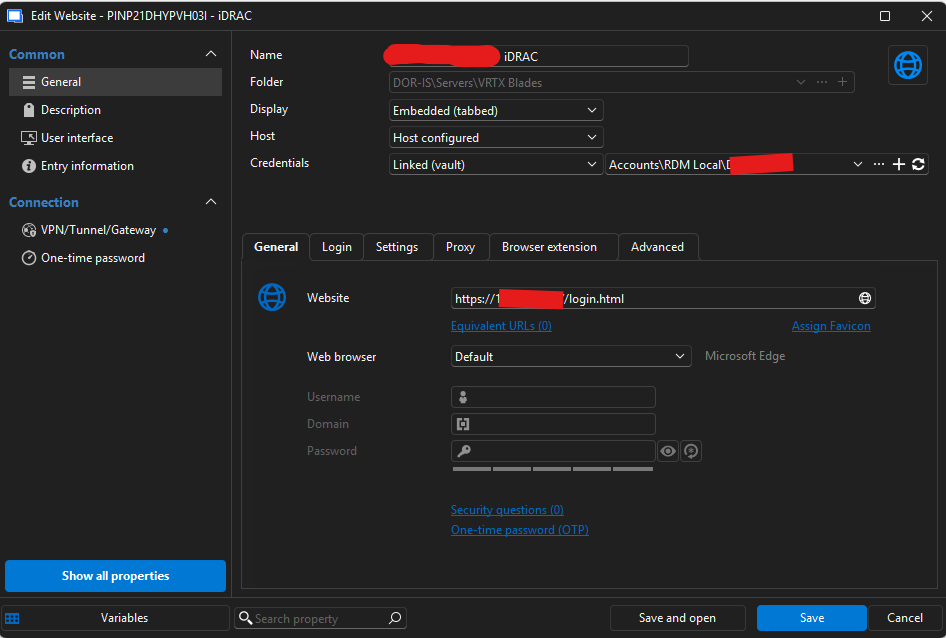
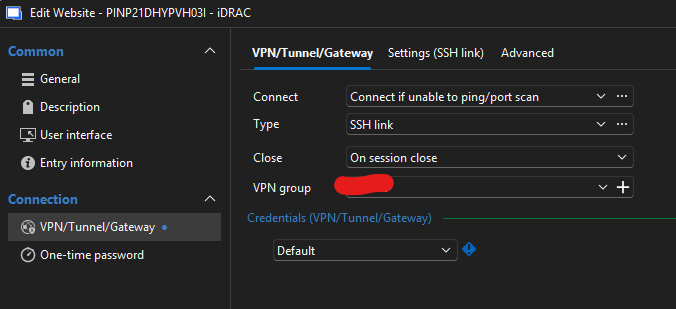
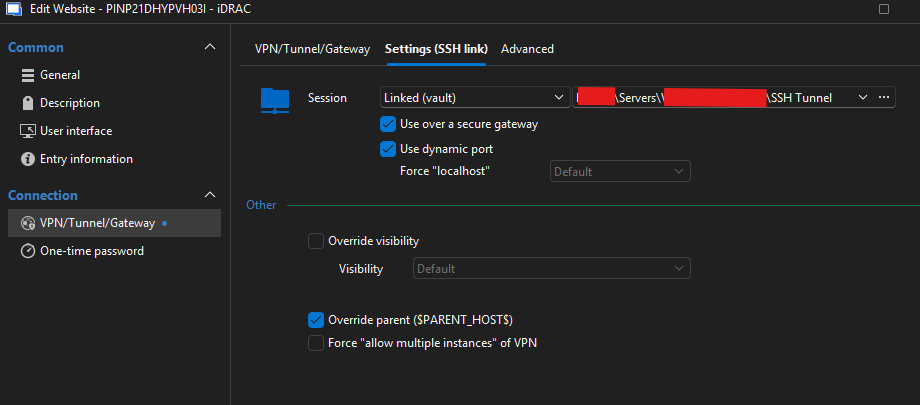
Custom/Override HTTP host header, mainly for SSH Tunneled conenctions.
Nope, its not a cert problem, these are HTTP sites, not HTTPS.
The HTTP Host Header sent by the client is sent as the redirected URL http://localhost:<portnumber>, I need a setting to override this to be if connected directly, i.e. http://10.0.0.1/ (example).
See this for more information: https://developer.mozilla.org/en-US/docs/Web/HTTP/Reference/Headers/Host
Custom/Override HTTP host header, mainly for SSH Tunneled conenctions.
If there a way to Override HTTP host header that is sent for Website/Browser sessions, either always, or mainly when using a SSH tunnel to connect to a Web Site/Interface?
I have a few devices that seems to get cranky if you attempt to access their web interface over the tunnel because presumably the browser is sending a host header of
https://localhost:56635/login.html
instead of
https://10.0.0.1/login.html (example)
I can connect to them, but their web browsers spit back various http errors again likely due to the host header being something they don't expect.
Console output to any device is garbled unreadable text
The issue appears fixed for me.
Thanks for the update.
Console output to any device is garbled unreadable text
Just to be clear, this is not SSH, I see this is the 2nd mention of SSH in this thread by Devolutions Staff, but this has nothing to do with SSH.
This is Serial / COM Ports, physical connections, not IP based.
Console output to any device is garbled unreadable text
Im seeing this issue as well, latest version installed.
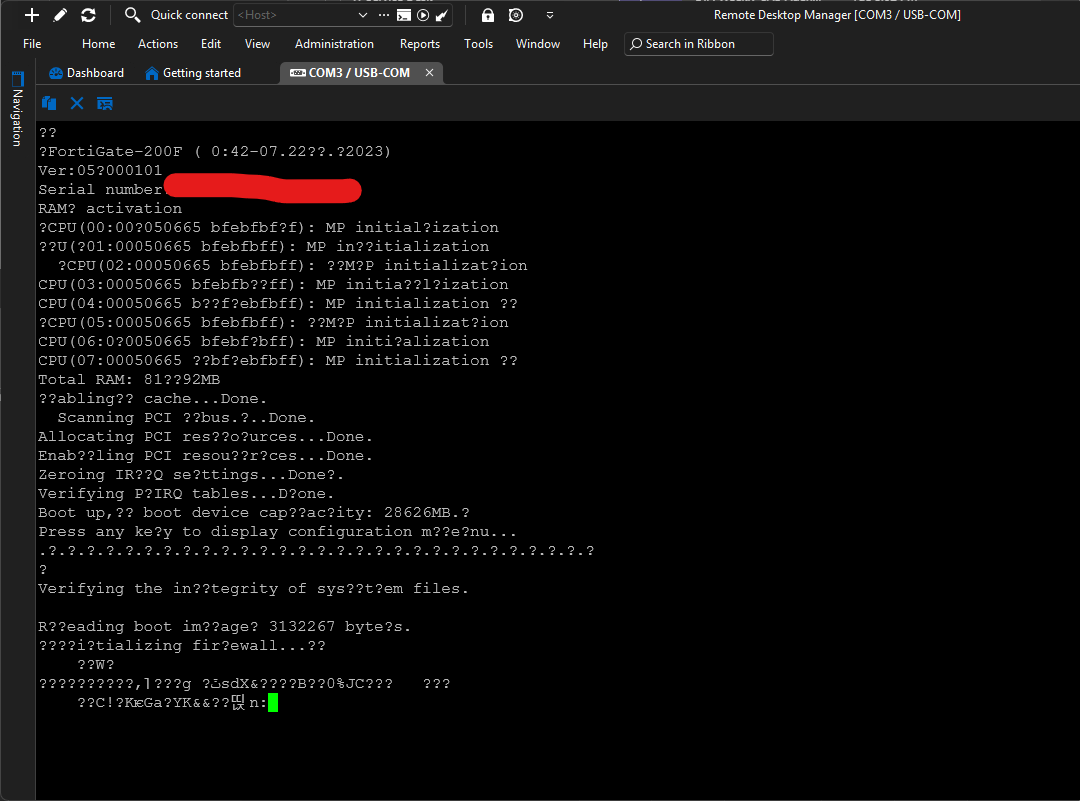
Compared to Putty