Custom/Override HTTP host header, mainly for SSH Tunneled conenctions.
Custom/Override HTTP host header, mainly for SSH Tunneled conenctions.

If there a way to Override HTTP host header that is sent for Website/Browser sessions, either always, or mainly when using a SSH tunnel to connect to a Web Site/Interface?
I have a few devices that seems to get cranky if you attempt to access their web interface over the tunnel because presumably the browser is sending a host header of
https://localhost:56635/login.html
instead of
https://10.0.0.1/login.html (example)
I can connect to them, but their web browsers spit back various http errors again likely due to the host header being something they don't expect.
All Comments (10)
Hello,
Thank you for reaching out on this matter.
I believe the Settings tab in the website entry’s properties should meet your needs.
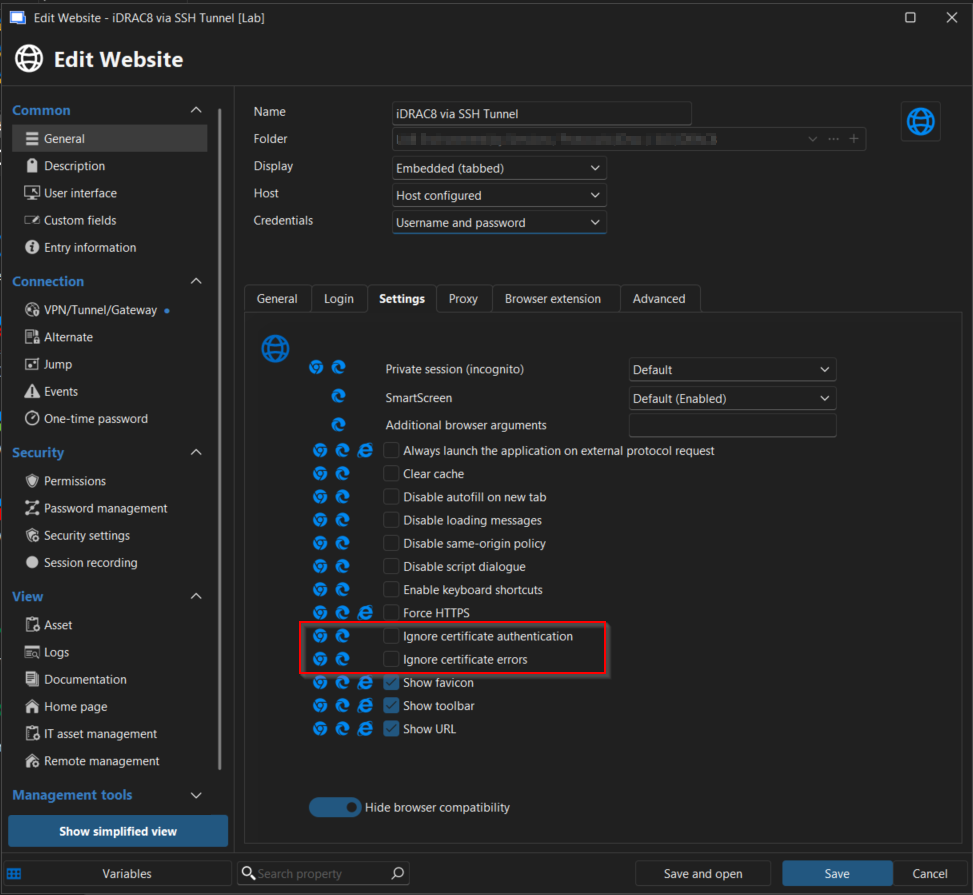
Please let me know if this works in your scenario.
I look forward to your reply.
Best regards,
Jacob Lafrenière
Nope, its not a cert problem, these are HTTP sites, not HTTPS.
The HTTP Host Header sent by the client is sent as the redirected URL http://localhost:<portnumber>, I need a setting to override this to be if connected directly, i.e. http://10.0.0.1/ (example).
See this for more information: https://developer.mozilla.org/en-US/docs/Web/HTTP/Reference/Headers/Host
Hello,
Thank you for the follow-up.
I may be misunderstanding the issue. Could you please share the configured properties of one of the website entries, as well as the SSH tunnel?
I look forward to your reply.
Best regards,
Jacob Lafrenière