
cculver
SSH terminal randomly gets stuck in Alt/Meta state on RDM Linux 2026.3.0.5
Its odd. I am on 2026.3.2.1 I connected to an RDP on Windows Server '25 and then alt-tabbed to another window. I switched back with alt-tab again, and in powershell I was able to type asfgh but not D for some reason. I right clicked start, went to run, and I was able to type D there. I flipped back to the powershell window and D was working. Odd. So I closed out of RDM and started over, and it did the same thing again. Third time, it was fine and I haven't been able to reproduce it.
So I guess its fixed?
SSH terminal randomly gets stuck in Alt/Meta state on RDM Linux 2026.3.0.5
I take it back. It's partially fixed. It doesn't do it with SSH any longer, but if I flip back and forth from a Windows RDP session, the arrow keys in command prompt and powershell don't function until I press the ALT key again.
Keypresses are broken when switching to another app and back to RDM
I take it back. It's partially fixed. It doesn't do it with SSH any longer, but if I flip back and forth from a Windows RDP session, the arrow keys in command prompt and powershell don't function until I press the ALT key again.
SSH terminal randomly gets stuck in Alt/Meta state on RDM Linux 2026.3.0.5
This is confirmed to be resolved for me in 2026.3.1.1 Thanks!!
Keypresses are broken when switching to another app and back to RDM
This is confirmed to be resolved for me in 2026.3.1.1 Thanks!!
SSH terminal randomly gets stuck in Alt/Meta state on RDM Linux 2026.3.0.5
Same for me. If you click another connection then back to the one you want, that seems to fix it for me. Your solution of the ALT key also fixes it. Thank you!
Keypresses are broken when switching to another app and back to RDM
I see a few other topics about this, but keypresses are definitely broken for me. I think I figured out what triggers it, along with a workaround. It's annoying for sure, and it's not just RDP. I'm seeing the same thing with SSH connections too. I grabbed a video showing it, I just don't want to upload it here publicly.
Basically, I connect and everything works fine. Then I switch to another app for a little while and come back to RDM. Boom, keyboard input is broken. I can't type anything. The up and down arrows sort of work, but not really.
The workaround I've found is to click on another connection in the RDM connection list. It doesn't even need to actually be connected. Then I click back to the session I was using, and keyboard input starts working again.
Super annoying. This only started happening for me with the latest version.
Remote Desktop Manager 2026.3.0.5 64-bit
Platform: CachyOS (KDE)
Connecting to linux RDP - Client does not support H.264 in YUV420 mode
I got the log from sdl-freerdp and it worked fine. So then I enabled logging in RDM and of course that worked too.
I'll attach both but it probably won't help much since it worked. I tried a few times too and it worked every time. I don't know, its so frustrating.
Connecting to linux RDP - Client does not support H.264 in YUV420 mode
Sorry, been busy. I'll try this in the morning.
Connecting to linux RDP - Client does not support H.264 in YUV420 mode
I'll attach the new log with me trying sdl-freerdp
First I restarted the service just to be sure.
It connected but I got a black screen.
I tried again, it connected but got a black screen.
I restarted the service again, and the next 3 attempts to connect were fine.
Connecting to linux RDP - Client does not support H.264 in YUV420 mode
It is enabled, yes.
Connecting to linux RDP - Client does not support H.264 in YUV420 mode
Interesting. I can connect over and over with "windows app" from MS and it works. I try to connect with RDM and it fails. Then I try the MS app again and that fails.
I restarted the service and I was able to connect straight away with RDM and its working. However, I disconnected, and now I cant reconnect again.
Here is the log from my client while all this is happening, attached.
Connecting to linux RDP - Client does not support H.264 in YUV420 mode
Sorry for the late reply. This does work, to an extent. I can connect. It shows me the KDE login screen. But then I cant click on anything, at all.
Are there other settings that need to be changed, like codec level or data compression level, anything?
Scaling on RDP sessions
I can confirm that using both "dynamic" and "desktop scaling level" has fixed it. Thank you!
Scaling on RDP sessions
V 2025.2.1.4
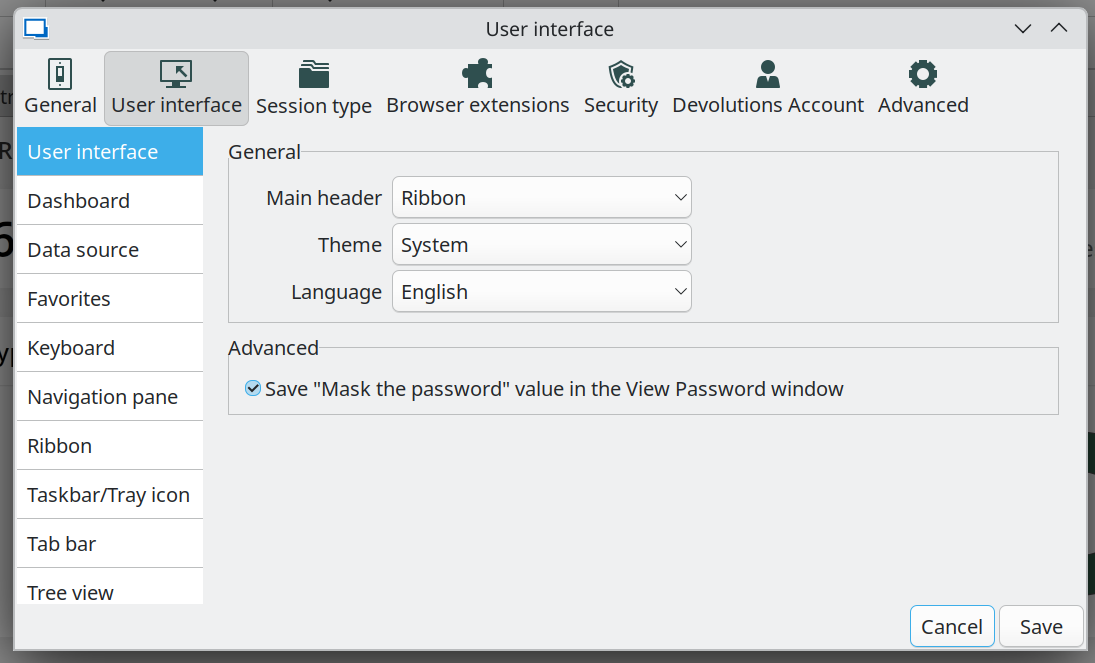
There is no option for display scaling in the user interface options.
None of the other options listed in that article apply to Linux.
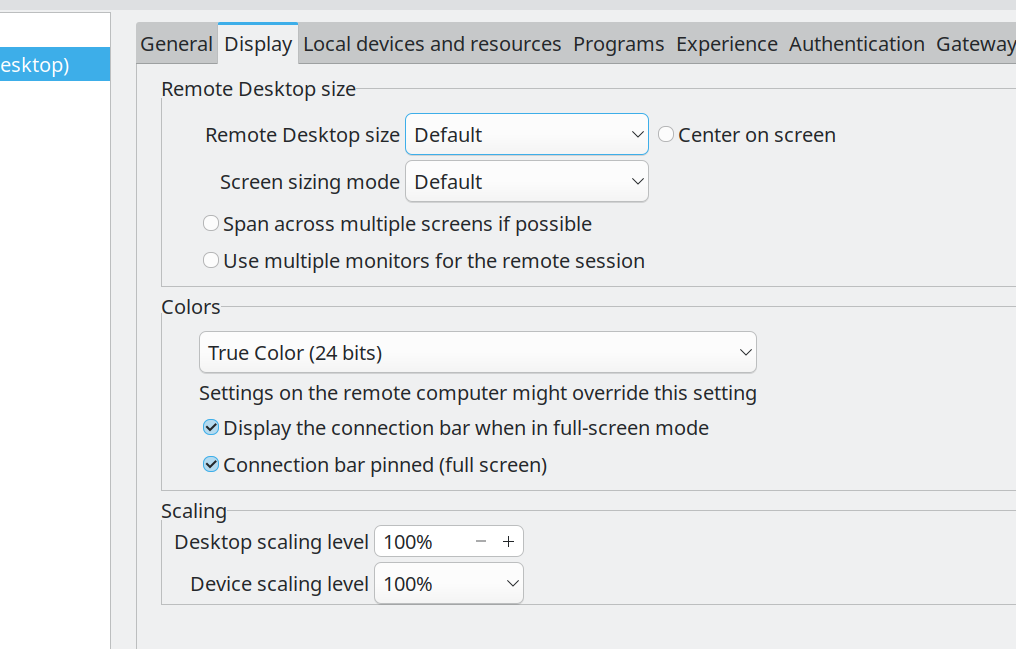
I do see a scaling option in the connection's properties but I changed them and it doesn't seem to do anything.
Scaling on RDP sessions
I'll check in the morning, but I just downloaded the newest version this afternoon. And the directions you sent were for Windows, this is Debian.
Scaling on RDP sessions
Sorry, I should say I found the scaling options in the rdp connection, but none of those seem to do anything when I change them, then disconnect and reconnect to the server.
Scaling on RDP sessions
4k monitor, have my scaling in KDE set to 150%. Everything looks fine except when I connect to RDP sessions. Everything is super small. I found the font size override for SSH connections. Is there something for RDP?
Connecting to linux RDP - Client does not support H.264 in YUV420 mode
No problem, I have a workaround for now. Thanks for keeping at it.
Connecting to linux RDP - Client does not support H.264 in YUV420 mode
Unfortunately, the color settings didn't matter either. If you can add this option to the program that would be awesome. In the mean time I can use the Microsoft client.
Connecting to linux RDP - Client does not support H.264 in YUV420 mode
I tried all the codec levels, none of them made a difference.
Connecting to linux RDP - Client does not support H.264 in YUV420 mode
I have KDE (6.3.4) remote desktop set up. I can connect to the Linux machine using RDP if I use the official Microsoft remote desktop client.
If I try to connect using RDM (2025.1.13.3), I see these errors on the host. below. I tried changing a bunch of options for experience and display and stuff in advanced like codec level and rendering engine. It seems like none of the options make any difference because the log output is always the same. Am I missing anything? I'll also attach the RDM log.
Apr 17 10:19:53 datacenter-xps xdg-desktop-portal-kde[2304]: xdp-kde-remotedesktop: MegaAuth: Failed to lookup permissions: "No entry for remote-desktop"
Apr 17 10:19:53 datacenter-xps krdpserver[2397]: [10:19:53:951] [2397:6318] [WARN][com.winpr.negotiate] - AcceptSecurityContext status SEC_I_CONTINUE_NEEDED [0x00090312]
Apr 17 10:19:53 datacenter-xps krdpserver[2397]: [10:19:53:952] [2397:6318] [WARN][com.winpr.negotiate] - AcceptSecurityContext status SEC_I_COMPLETE_NEEDED [0x00090313]
Apr 17 10:19:53 datacenter-xps krdpserver[2397]: org.kde.krdp: New client connected: Unspecified platform Unspecified version
Apr 17 10:19:53 datacenter-xps krdpserver[2397]: org.kde.krdp: Client does not support H.264 in YUV420 mode!
Apr 17 10:19:53 datacenter-xps krdpserver[2397]: [10:19:53:992] [2397:6330] [ERROR][com.freerdp.core] - rdp_set_error_info:freerdp_set_last_error_ex ERRINFO_GRAPHICS_SUBSYSTEM_FAILED [0x0001112F]
Apr 17 10:19:53 datacenter-xps krdpserver[2397]: [10:19:53:993] [2397:6330] [ERROR][com.freerdp.channels.rdpgfx.server] - context->CapsAdvertise failed with error 20
Apr 17 10:19:53 datacenter-xps krdpserver[2397]: [10:19:53:993] [2397:6330] [ERROR][com.freerdp.channels.rdpgfx.server] - rdpgfx_recv_caps_advertise_pdu failed with error 20!
Apr 17 10:19:53 datacenter-xps krdpserver[2397]: [10:19:53:993] [2397:6330] [ERROR][com.freerdp.channels.rdpgfx.server] - Error while parsing GFX cmdId: RDPGFX_CMDID_CAPSADVERTISE (0x0012)
Apr 17 10:19:53 datacenter-xps krdpserver[2397]: [10:19:53:993] [2397:6330] [ERROR][com.freerdp.channels.rdpgfx.server] - rdpgfx_server_receive_pdu failed with error 20!
Apr 17 10:19:53 datacenter-xps krdpserver[2397]: [10:19:53:993] [2397:6330] [ERROR][com.freerdp.channels.rdpgfx.server] - rdpgfx_server_handle_messages failed with error 20
Apr 17 10:19:53 datacenter-xps krdpserver[2397]: [10:19:53:994] [2397:6318] [ERROR][com.freerdp.core.transport] - BIO_read returned a system error 0: Success
cant connect to one server 0x00010001
Looks like the new patch fixes the remote desktop issue.
https://support.microsoft.com/en-us/topic/march-27-2025-kb5053656-os-build-26100-3624-preview-4c35f1c4-1ae6-41ef-a317-3d8ee2e73975
cant connect to one server 0x00010001
OH! I found this. It might not be an issue with you guys, however just so you're aware. This patch was installed on that particular server this morning, I noticed by checking the history. Uninstalling the patch fixed it.
https://www.reddit.com/r/sysadmin/comments/1j9jndg/kb5053598_rdp_disconnection/
cant connect to one server 0x00010001
Right now, its version 2025.1.12.5
I restored the previous version from backup, 2024.3 something, and that didn't work either. I don't know how long its been broken for, but yes it definitely worked previously. I haven't tried to connect to this one in a while.
I'm using the online storage for my datasource. "Hub Personal"