
ArjanHP
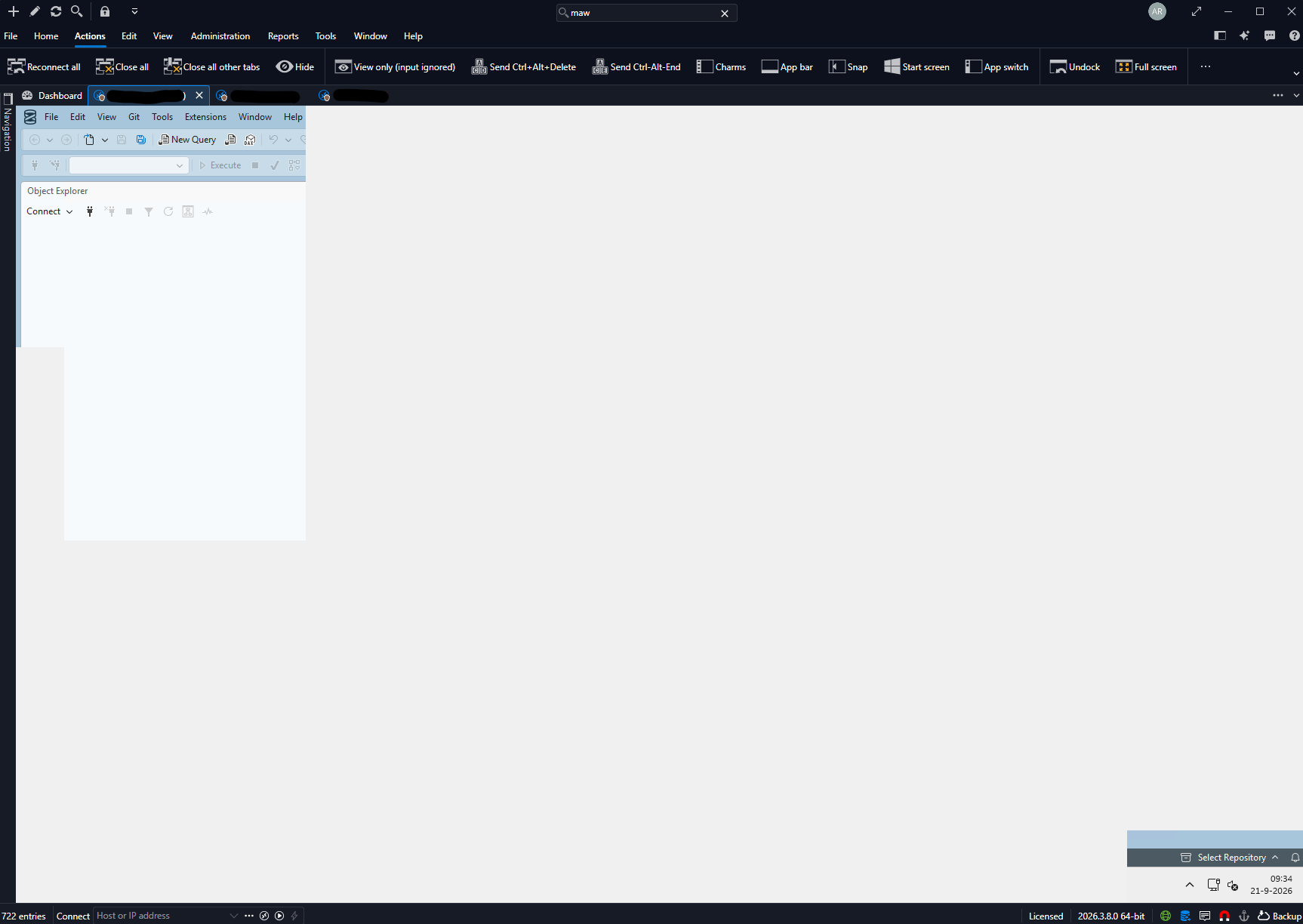
Existing RDP session screen does not load
Hi,
Sometimes when opening an existing RDP session the screen does not load. When triggering animations within Windows it only load that part. The workaround now is opening another tab and then go back again.
Kind Regards,
Arjan
"Global Hotkey" is not global anymore on 2026.3.5.0
Hello,
This is most likely due to the framework our UI uses changing in the latest version which may have caused this side effect.
I will open a ticket to investigate and fix this issue. As a side note, could you let us know the specific shortcut combinations you are trying for which specific actions so we can make sure your specific case works after the fix?
Best Regards,
@Michael Beaudin
Same issue here. We use "Search everywhere" in the separate window (Ctrl+Space), even when RDM is not the active window. The shortcut does work when the Mode of the keyboard shortcut is changed to default, but then it only works if the RDM window is active.
Website through Devolutions Gateway not loading when not secure
Hi Michel,
I wanted to let you know this hasn't happend for some time, maybe because of a new update of RDM or maybe something was cleared on my system.
Best Regards,
Arjan
Website through Devolutions Gateway not loading when not secure
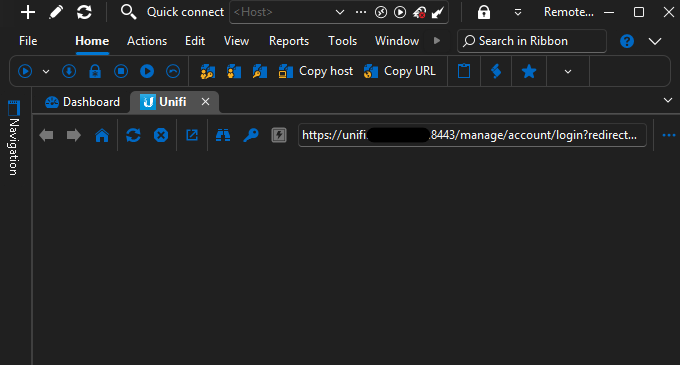
When loading a website through the Devolutions Gateway and it has not certificate or is using http, I only get a black screen.
RDM version: 2025.3.17.0
Server version: v2025.3.3.0
Gateway version: 2025.3.2.0
RDM and vault loading problems after authenticating
It seems to have been fixed. We are on version 2025.2 now but I I think the problem was already gone in one of the versions at the end of 2025.1. Thanks!
RDM and vault loading problems after authenticating
Hello,
Thank you for reaching out!
My name is William and I'm here to assist you in any way I can.
This is currently a known issue with RDM and DVLS. Our development team are making some progress on finding the root cause of the issue.
At the moment, the only workaround we have is disabling the Caching mode from the RDM data source under File > Data Source > Edit > Advanced:
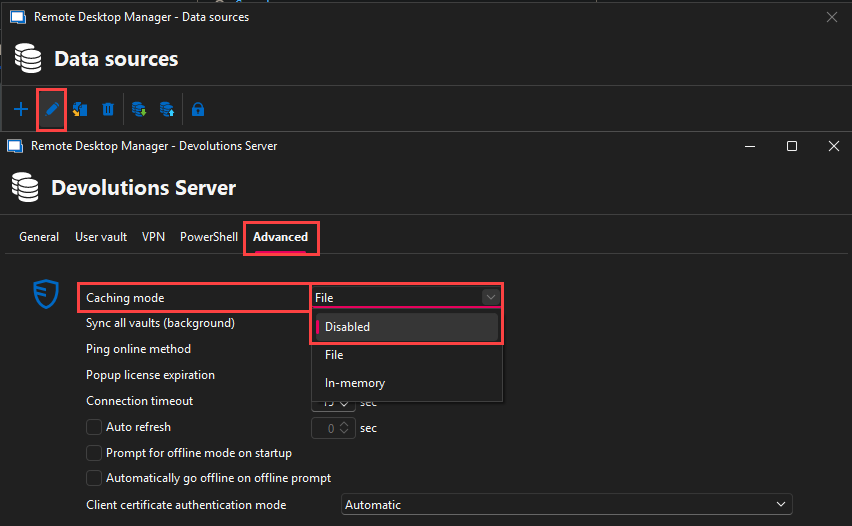
Note that this will prevent you from using the Offline mode.
Best regards,
Hi William,
I want to keep the offline mode and it is not really a big issue for us so I will wait for the fix.
But thanks for the workaround!
Best Regards,
Arjan
RDM and vault loading problems after authenticating
I had the problem just now while working in RDM. I had an active filter that showed some entries, did some stuff inside an entry and when I went back to the navigation panel (I have auto hide active) and saw it was disconnected. After a refresh I was connected again but it defaulted to the first vault.
RDM and vault loading problems after authenticating
I think since version 2025 we have problems after authenticating:
I start Remote Desktop Manager, it connects to the Devolutions Server and I authenticate with Entra ID.
It loads and opens the first vault in the list.
So I change the vault to another one.
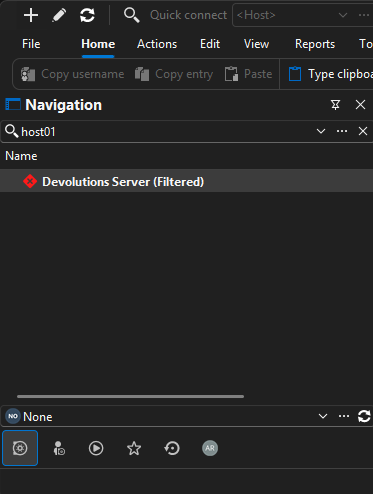
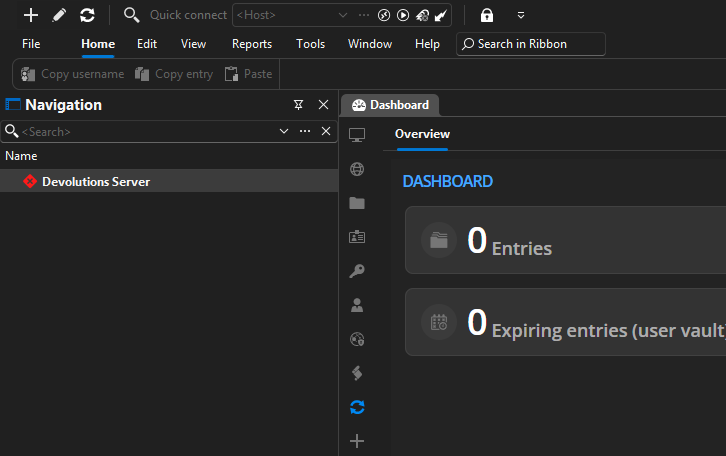
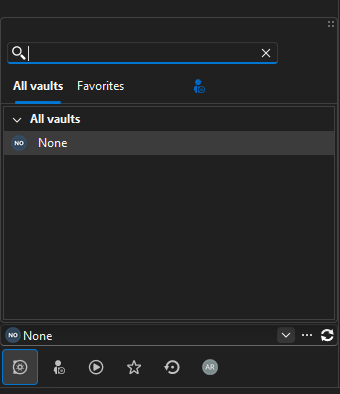
Now RDM is not connected to the Devolutions Server anymore, it also doesn't show the vault anymore (see screenshots).
I refresh RDM and it loads and opens the first vault in the list again.
I change the vault to another one and now the vault does load and open.
This only seem to happen when I need to authenticate first.
There was also the problem with disconnecting from the Server randomly while the connections (via the gateway) still worked, but this happened rarely and maybe that has been fixed already.
RDM version: 2025.1.34.0 64-bit
Server version: 2025.1.7.0
Web browser position problems when disconnecting external monitor
Hello,
Thank you for reaching out regarding this matter.
Could you confirm whether the issue occurs on all websites or only specific ones? I attempted to reproduce the error on my end but was unable to do so.
Looking forward to your response.
Best regards,
Sorry for the late response, I don't disconnect my external monitor that often and work only on my laptop screen, I just got notified because of the response of Albert. But like Albert says, it happens on all webpages. I can replicate it by only disconnecting my (displayport) monitor cable from the docking station (when disconnecting from the complete docking station it worked just fine for some reason). When I did that I could select the text input fields but the buttons on the website didn't work, however I could hover over them and they changed to the hover color. When reconnecting the monitor the mouseclick is more off the more I go down or right of the webpage. On the top left of the page the mouse click is in the right place. I did this with version 2025.1.25.0 of RDM.
For example:
The Monitor tab is selected but my mouse is where the arrow is pointing at.

The Updates tab is selected but my mouse is where the arrow is pointing at.

Web browser position problems when disconnecting external monitor
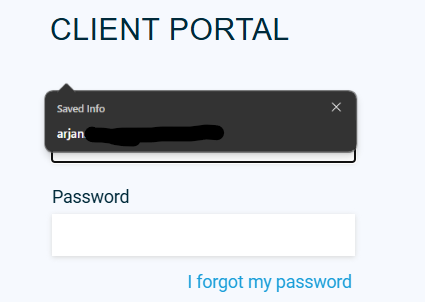
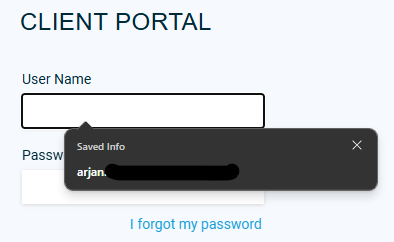
When having RDM open and disconnecting the external monitor the "mouse position" in the web browser is not correct anymore; I need to click a few centimeters above the field/button where I want to click. Even the saved credentials info popup when clicking "on" a username field shows a few centimeters above the real field. Reconnecting the external monitor does not help, restarting RDM does.
RDM version 2024.3.28.0
After disconnection monitor:
After restart of RDM:
Reconnecting a website via Devolutions Gateway changes the weblink
Yes, it works now as expected. Thank you!
Reconnecting a website via Devolutions Gateway changes the weblink
Hi Érica,
I'm connected to our Devolutions Server, version 2024.3.4.0
Gateway version: 24.3.3
Browser: default (Microsoft Edge)
Reconnecting a website via Devolutions Gateway changes the weblink
When using the button Reconnect in RDM on a website that is connected via the Devolutions Gateway it changes the link:
Link when normal connect: https:vcenter.domain.nl/ui
Link after reconnect: http://vcenter.domain.nl
So it changes from https to http and it removes everything after the domain.
I even had the problem that RDM changed the link to the one after reconnect in RDM so I couldn't even connect the normal way anymore. And only after restarting RDM it was normal again, maybe a refresh would also work but I can't test that anymore because after testing without the gateway and changing it back I don't have that problem anymore. The first problem of changing the link still exists.
I'm using RDM 2024.3.18.0 64-bit.