
olearif1
Custom fields resolution when exporting
Hi, here are my answers:
RDM version: 2026.2.13.0, 64-bit (JIT)
This is the first time I have tried exporting a folder with a variable in its name. However, I am certain that I have encountered similar behavior in the past involving variables not being resolved correctly, although I cannot recall the exact scenario. I will perform some additional tests over the next few weeks and let you know if I find anything relevant.
To reproduce the issue:
Create a folder entry with a variable in its name.
Set the variable to CUSTOM_FIELD1 for the same entry.
In the RDM tree, the folder name is displayed correctly.
Right-click the folder and select Export > Selection > Current Folder (.rdm), using the standard options.
The variable is not resolved in the exported file name.
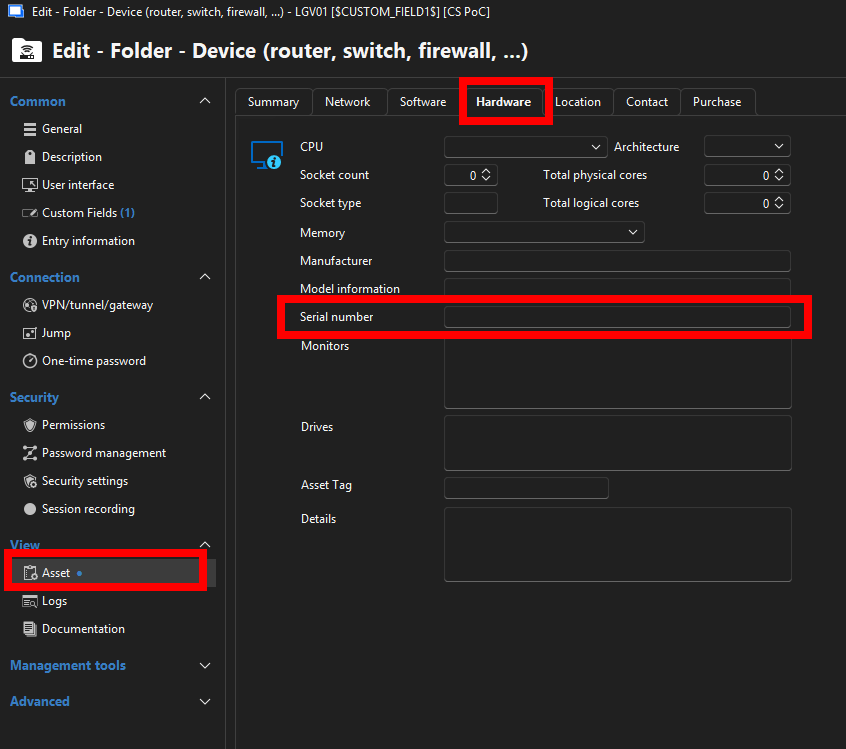
Asset Seriial Number available as variable
The asset hardware serial number should be made available through variables, with the possibility to add it to the name of the entry. This enables the possiiblity to quick search/filter by device name and device serial number.
Custom fields resolution when exporting
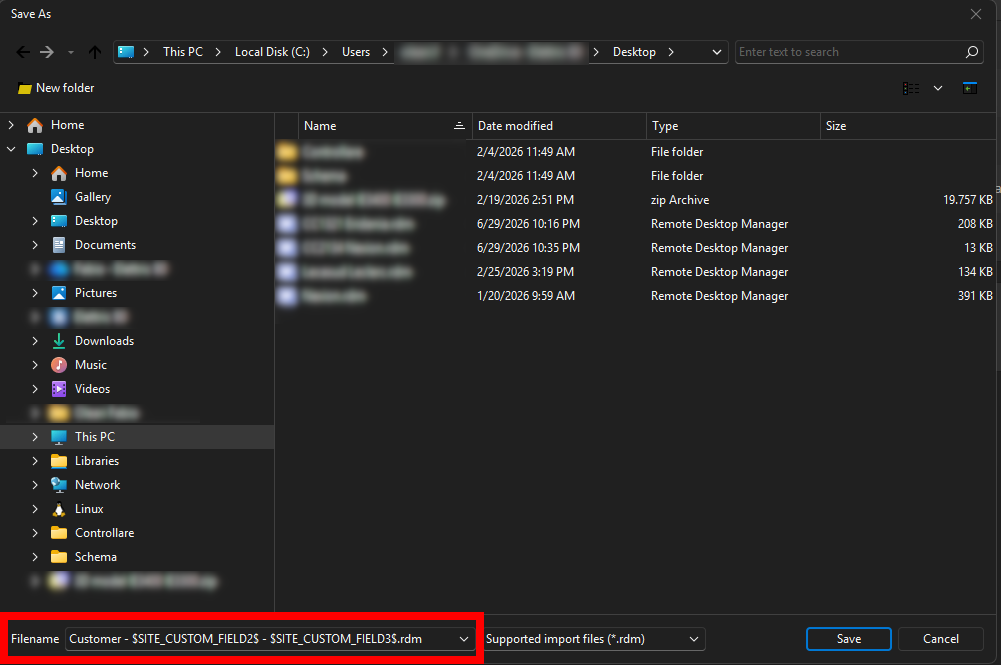
When a folder name is dynamically generated with the usage of custome fields, the resolution of the folder name doesn't work when exporting.
Example:
the folder is named
Customer - Rome - 1234, where Rome and 1234 are respectivelySITE_CUSTOM_FIELD2andSITE_CUSTOME_FIELD3the export dialague suggest the name
Customer - $SITE_CUSTOM_FIELD2$ - $SITE_CUSTOM_FIELD3$.rdm
Please double check this name resolution of folder/sites because the same issue may apply to different contexts like scripts.