
mikec
import .rdm into multiple folders
Samuel,
I re-created the shortcuts and now it works when I edit one, they all update. Must have been something wrong with the way I originally created them.
Thanks for all your help.
Mike
import .rdm into multiple folders
Using 2023.3.37.0 with DVLS Datastore.
for this example, I'm using an Active Directory Dashboard with variables in it.
If I change "$PARENT_NAME$" to $SITE_NAME$), it only changes it for that entry, all the other shortcuts still show the $PARENT_NAME$ variable.

I use parent and site names in the OU/Container DN as well as it mirrors how we have AD setup. Same thing, if I change one variable to another, it only affects it for that entry, not all of them.

import .rdm into multiple folders
I did not realize it would update them all - that is a huge benefit!!
I tried updating one, but nothing else updated - do I have to update the original one I copied the shortcuts from?. how would I go about finding it?.
Thanks!
start virtual console from iDRAC
Richard,
Port number was the issue - I thought the default would change with the console type. Once I set the port everything worked!
Thanks!
Mike
start virtual console from iDRAC
Also tried using Native console with iDRAC9 6.10.00.00 Firmware and got same error
start virtual console from iDRAC
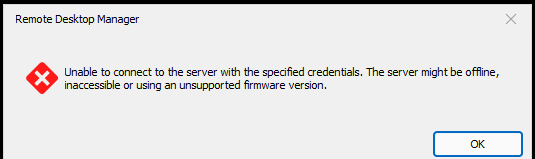
Richard,
I'm trying out the new virtual console for DRAC but cannot get it to connect. I have tried every console type you provide.
I'm running iDRAC 9 7.00.30.00 Firmware
Is there something else that needs configuration before it works?
Thanks,
Mike
Make "Smart Folders" smarter..
Allow us to use regex when searching entry name field on smart folders, or at least add operators.
My use case is, I have AD synchronizers that update my tree view as machines are created/removed across offices. I use smart folders to aggregate from the Tree view all of the entries for one location into one folder, but only allowing a "includes" search in the entry name gets more results than intended.
If you cannot do a regex search, allowing us to search by IP would be good as well. For example "172.18.20.*"