
jasperkimmel
Another VPN/tunnel/gateway related issue
Good day,
In addition to a previously identified bug (see: https://forum.devolutions.net/topics/55616/vpntunnelgateway-connect-settings-not-respected-when-jump-host-session#238999), I have encountered the following issue, which may be related.
I have configured an RDP entry as follows:
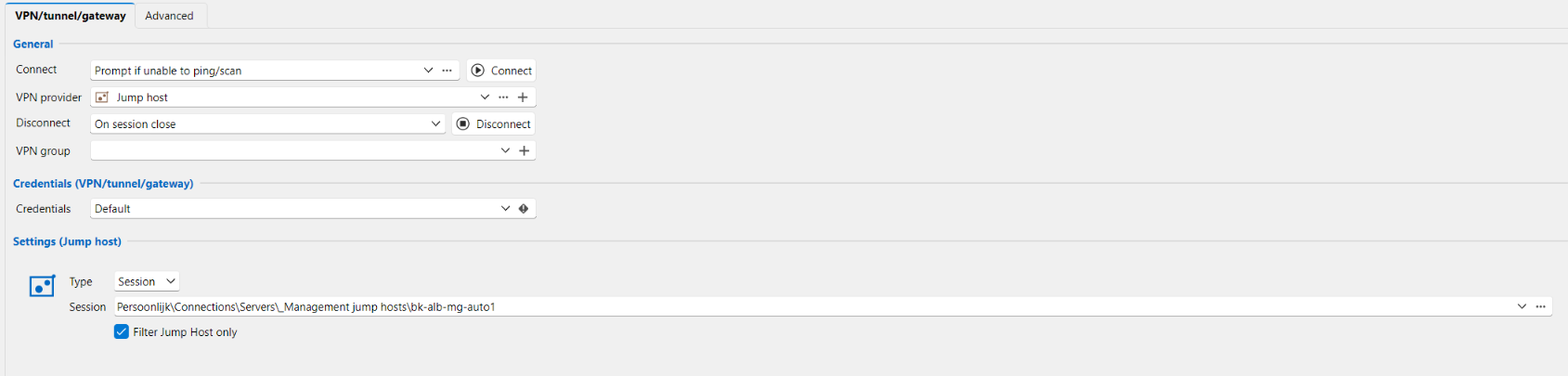
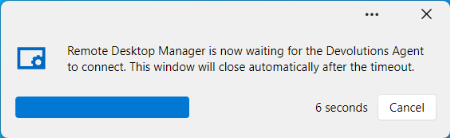
When I launch this session, even though the RDP session has long since been established, I am first presented with the message: "Remote Desktop Manager is now waiting for the Devolutions Agent to connect."
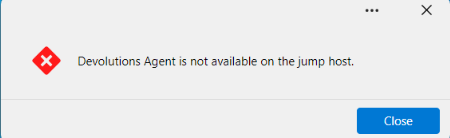
Subsequently, I receive the error message: "Devolutions Agent is not available on the jump host."
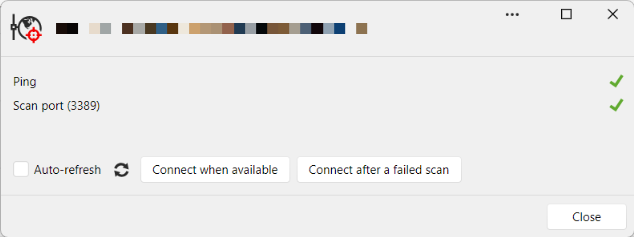
The test results shows that the remote host responds to both a ping and a port test, indicating that the use of a jump host is, in fact, unnecessary.
VPN/tunnel/gateway connect settings not respected when Jump host session is active.
Hi guys,
Let me start by thanking you for the great products and Remote Deskopt Manager in specific. But even great products can have unexpected behavior, or at least unexpected behavior for me.
Some of our servers are only accessible over RDP when connected to our office network. When I'm out of the office I cannot even access these servers over VPN. The only way to access these servers is by using a Jump host.
I configured my RDP entries like this, to use the Jump host only when I'm not connected to the local network:
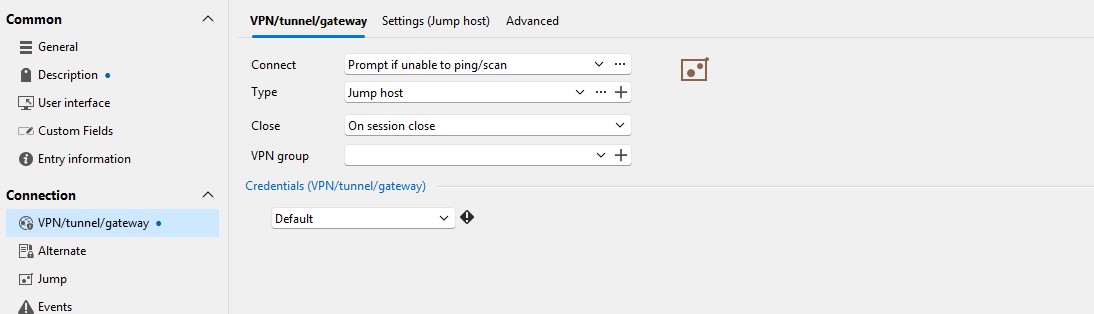
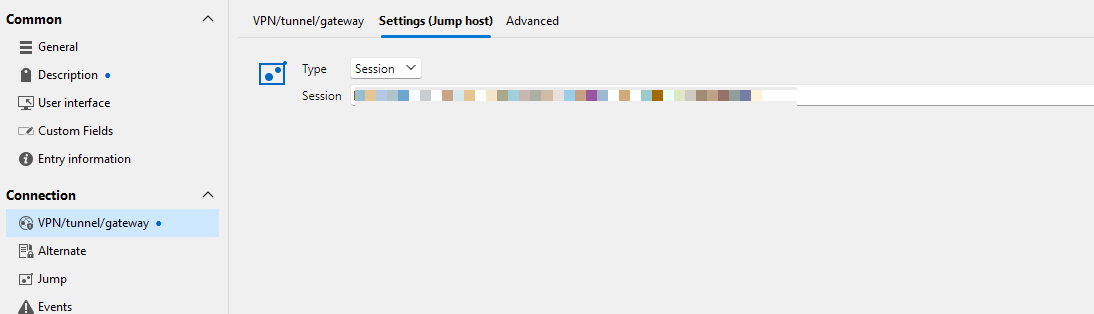
When I'm outside the office and check if the host is online, I get this expected result:
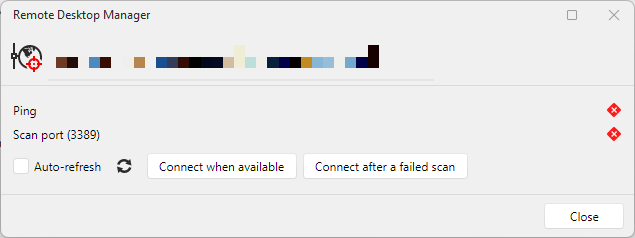
As expected when I connect to this server, this prompt appears:
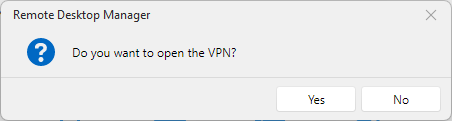
When I click Yes, RDM first connects to the Jump host and opens the RDP entry within.
However, the following behavior is unexpected. Regardless of whether I am inside or outside the office network, as soon as I have an active RDP connection to the jump host, all entries configured this way are opened within the Jump host. Even though "check if host is online" returns this:
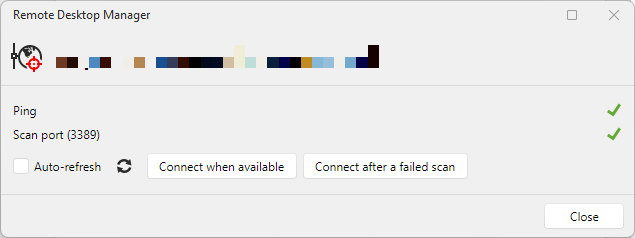
This behavior is not limited to RDP entries but also extends to other types, including SSH Shell.
Does RDM Agent get auto updated?
Hi @Carl Marien,
I'm so sorry that I was not clear enough, but I meant the RDM Jump agent.
Does RDM Agent get auto updated?
Hi,
A simple question that is of high importance to me. Is the RDM Agent automatically updated? If not, how can I update it manually?
How to get Jump host session undocked?
Today, version 2025.2.30.0 has been released and I can confirm that my issue is now resolved. With great amount of pleasure, I'm using option 1 as described in my initial post
SSH through Jump Agent gives protocol error
Patiently waiting upon the outcome of your discussion, I was thinking this over once more and just want to add something to your discussion. For me it seems a security flaw when I need to enable insecure algorithms on a global level.
How to get Jump host session undocked?
Great. Looking forward to the release of that update.
How to get Jump host session undocked?
Hi there,
I have a jump host defined and some SSH sessions that are using this jump host. Because the SSH session is in a RDP session which is docked to RDM, the screen area available for the SSH session is limited. Undocking the SSH session would be a solution to that, but I don't get it undocked to my satisfaction.
What I've tried so far:
1. Set the display setting of the jump host to undocked
When I run the RDP session, it will be an undocked RDP session, which is great. But when I run the SSH session that is using the jump host, the RDP session is docked again.
2. Set the display setting of the SSH session to undocked
When I run the SSH session, the RDP session is docked and the SSH session is undocked within the RDP session of the jump host.
3. Set the display setting of both sessions to undocked
Same result as number 2
4. Manually running the RDP session prior to running the SSH session
When I run RDP session, is opened undocked, which is what I want. When I run the SSH session afterwards, the RDP session gets the focus and the RDM Jump agent gets connected, but RDM on the jump host itself is never executed (process does not exist). So no SSH session is started within the RDP session.
5. Manually running the RDP session and manually starting RDM within the RDP prior to running the SSH session
(Like number 4 but with one additional manual step)
When I run RDP session, is opened undocked, which is what I want. Next, I manually start RDM within the RDP window. When I run the SSH session afterwards, the results are the same as with number 4.
One thing I noticed was that this window only popped up when trying numbers 1, 2 and 3:

Change session image by PNG disk file using Devolutions.Powershell module
I found the solution myself and I sincerely hope that I didn't spoiled too much of your time. Just for the record, my PS Code is:
<#
Folder structure syntax:
	Sessions
		Countries		------> Will be the parent folder in this script
			<CC>		------> Is the two letter ISO Country Code. This folder will get the flag as its image/icon
				<City>

Folder structure example:
	Sessions
		Countries
			BE
			DE
				Berlin
				Hamburg
			ES
				Barcelona
				Madrid
				Sevilla
			FR
				Paris
			NL
			IT
				Rome
			UK
#>


# Reading the parent folder
$ParentFolder = @(Get-RDMSession -ID 4ac1b844-5a96-4252-8da5-54a9e908dc30)

# Getting all folders including subfolders
$AllFolders = @(Get-RDMSession -GroupName $ParentFolder.Group -Type Group -IncludeSubFolders)

# Filtering the results because they include the parent folder too
$AllFolders = @($AllFolders | where-object {$_.ID -ne $ParentFolder.ID })

# Looping through each subfolder representing a country
foreach ($CountryFolder in $AllFolders)
{
	if ($CountryFolder.name.Length -eq 2)
	{
		# Storing the folder name as the country code
		$CountryCode = $CountryFolder.name

		# Reading PNG file by using a name filter
		$PNGFile = Get-ChildItem "C:\Temp\Country Flags\*.png" -ErrorAction Stop | where name -match ".$($CountryCode).png"

		# Only do something when the PNG file exists.
		if ($PNGFile.count -eq 1)
		{
			$bytes = [System.IO.File]::ReadAllBytes($PNGFile.fullName)
			$CountryFolder.Image = $bytes
			set-rdmsession $CountryFolder -ErrorAction Stop
		}
	}
}
Change session image by PNG disk file using Devolutions.Powershell module
Hi,
I have a lot of country related folders which are named based on the ISO Country Code. For example:
NL
US
DE
On disk I have .PNG files representing the flag for each country and these files are also named based on the ISO Country code. For example:
NL.png
US.png
DE.png
To avoid a lot of manual labor, I want to change the image/icon of each folder entry by using the Devolutions.Powershell module, but I don't know how.
This won't work at least:
$PNGFile = Get-ChildItem "C:\Country Flags\*.png" | where name -match ".$($CountryCode).png"
$Session.image = $PNGFile.FullName
SSH through Jump Agent gives protocol error
@Samuel Dery
Although all is working now, there is still a flaw in this somewhere.
So, if I temporarily add the same data source used on the the local client to the remote jump host, and I, again, check all Algorithms in each session config on the remote jump host, it works. When I switch to a different data source locally, it is not working any more. So when using Algorithm settings within a session, they are not respected on the remote jump host.
I tried with two different data sources on both machines and I enabled all algorithms globally on the jump host under File – Settings – Entry types – Sessions – Terminal – Algorithm support. Again leading to a Protocol Error. This was still when using a session with its own algorithm settings. After setting the Algorithm support to default all went well.
So, long story short: using custom algorithm settings in a session, requires using the same shared data source on both the local client and the remote jump host. Using the global approach makes both machines work independently when it comes to custom algorithm settings.
SSH through Jump Agent gives protocol error
Some additional information. I used my Devolutions Hub Personal data source on both machines and noticed that the entry was not working on the jump host when using "Direct (no RDM Jump)". When I edited the entry on the jump host, I checked the Custom algorithm settings and found them not all checked as they are on my local machine using the same data source. After checking all algorithms the session works on both machines by either using Jump or not.
Is there a logical explanation for this?
SSH through Jump Agent gives protocol error
Hi,
I installed RDM and RDM Jump onto a Windows server. On my local machine I have RDM installed too. Both are on v2025.2.28.0 (free).
I want to connect to a Switch over SSH, but this requires custom algorithm support and the Jump host to be used, due to firewall rules.
On my local machine I created an SSH terminal entry with:
The IP address of the switch as Host
All algorithms enabled on all tab pages of the custom algorithm support window
The correct credentials
The "Connect using Jump" option enabled.
When I open this session, the SSH session is opened in the RDP window of the Jump host but fails with a "Protocol Error". If I temporarily disable the firewall rule and disable the "Connect using Jump" option, I the session works as expected.
I created the same entry in RDM on the jump host, without enabling Connect using Jump, the session opens without error. So the jump host is allowed to access the switch on port 22.
The log of the switch shows:
%SSH-3-NO_MATCH: No matching mac found: client hmac-sha2-256-etm@openssh.com,hmac-sha2-512-etm@openssh.com,hmac-sha2-256,hmac-sha2-512 server hmac-sha1,hmac-sha1-96Use Firefox in embedded mode
That explains it. Thank you so much.
Use Firefox in embedded mode
I have multiple HTTPS sessions configured that require Firefox as the web browser. I currently have these sessions configured to run in external display mode but I want them to run in embedded mode. While changing them, I noticed that Firefox is not listed as a web browser anymore.
While investigating this myself, I stumbled upon this article: Web browser Firefox - Devolutions Documentation which confused me a little. Although it looks for 95% describing my issue, the remark The Firefox web browser is deprecated in embedded mode in the top of the article could also explain what I'm facing. I could not find any official statement about this thoug.
Am I dealing with an issue here or is it by design that Firefox is not available anymore for embedded sessions and is there an alternative other than sticking by external display mode?
Where to change the default value of Browser Extensions compare type?
I have multiple website entries and on the Browser Extension tab the field Compare type is by default set to the value default.
This field having the value default would suggest that there is a way to change the default somewhere in the application settings. I my case I would like the default value to be "Base domain". I cannot find a way to change this in the RDM Application settings or anywhere else. Did I overlooked this somehow?