
coldtomatolm
RDM for macOS 2026.3: RDP screen corruption on Windows Server 2008 R2 (works in 2026.1.12.4)
Hello,
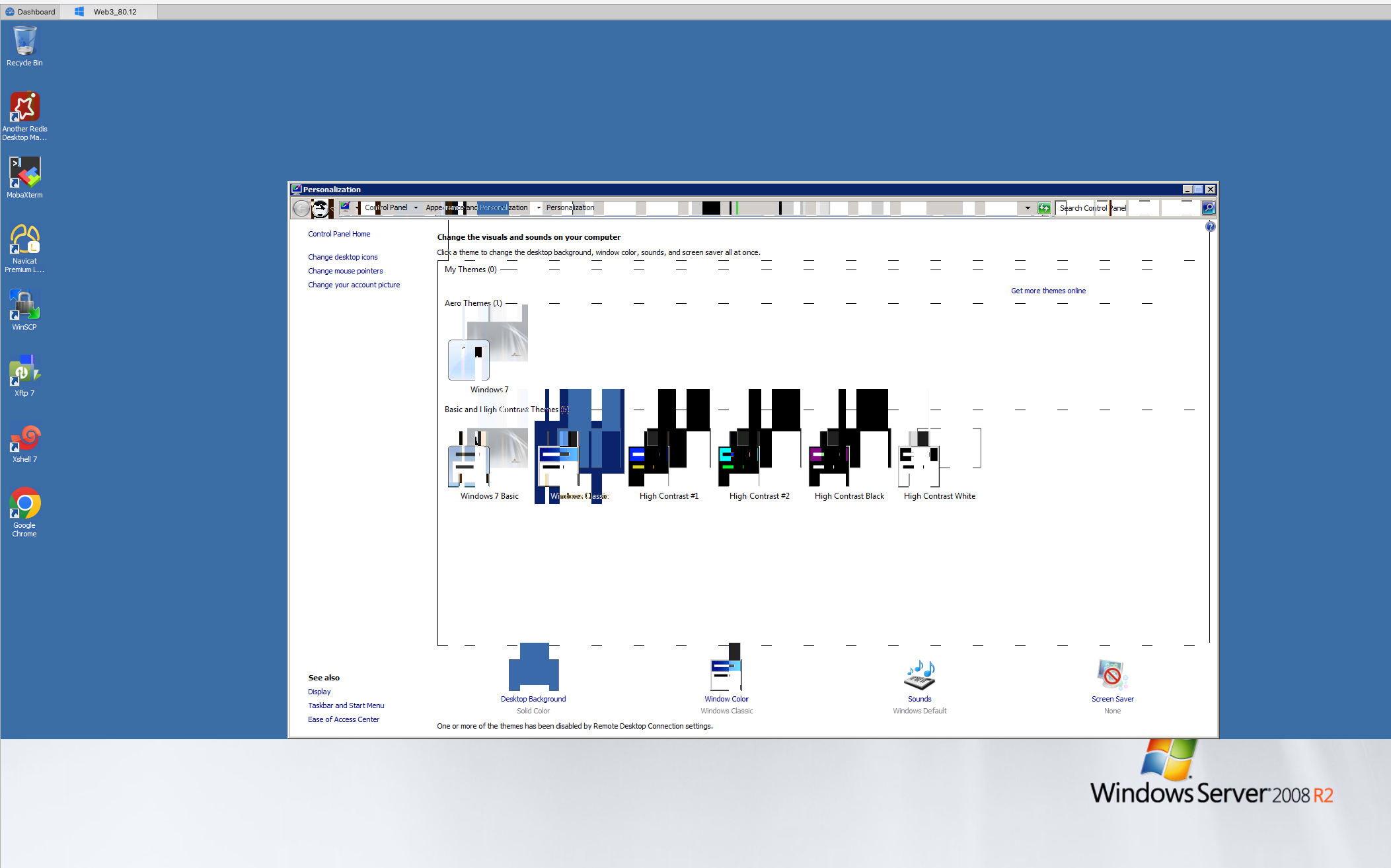
Since upgrading Remote Desktop Manager for macOS to 2026.3, RDP sessions to one of our Windows Server 2008 R2 hosts show screen corruption within seconds of connecting. Version 2026.1.12.4 works fine with the same Windows session and the same entry settings, so this looks like a regression in 2026.3.
I reported this symptom before in case #https://forum.devolutions.net/topics/44214/rdp-session-issues-when-after-upgrade-the-new-version#208240. It was resolved at the time, but it is back now.
Versions
- Affected: RDM for macOS 2026.3.2.2 (bundled FreeRDP 3.31.1). The problem started after we upgraded to 2026.3.1.2 on 11 Oct 2026.
- Working: RDM for macOS 2026.1.12.4 (bundled FreeRDP 3.26.0). Before 11 Oct we used 2026.1.11.4, with sessions of several hours and no corruption.
- Not tested: 2026.2.x, including the current LTS 2026.2.5.1.
- Client: macOS 15.4.1 (24E263), Apple M4 Pro (Mac16,8).
- Server: Windows Server 2008 R2 SP1 (RDP 7.1, no RDP graphics pipeline).
- Entry: RDP in an embedded tab. Connection type WAN, network auto-detect off, desktop composition on, font smoothing on, screen sizing set to fit to window.
Test on 28 Oct 2026 (same server, user and Windows session)
- RDM 2026.3.2.2: the screen is corrupted within a few seconds of connecting, on every attempt. Screenshot attached.
- RDM 2026.1.12.4: no corruption.
- Microsoft Remote Desktop 10.9.6: no corruption.
Changes tried in 2026.3.2.2 (none helped)
- Rendering engine: Metal (default), OpenGL and CoreGraphics, both globally and as an entry override.
- Codec level: 8, 7 and 6.
- Security: RDP security only, TLS, and NLA. We also enabled TLS 1.2 for RDP on the server (KB3080079) on 16 Oct. The first session after the server reboot looked fine, but the corruption came back.
Drawing orders
In the FreeRDP debug log from the working 2026.1.12.4 session, the server sends only legacy drawing orders: OpaqueRect, MultiOpaqueRect, MemBlt, Cache Bitmap V2 (compressed) and Frame Marker. I can send the log if it helps.
Questions
1. Is this a known issue in 2026.3, and is a fix planned?
2. Is there a setting in 2026.3 that avoids it in the meantime?
3. If you need a debug log from 2026.3.2.2, how do I turn on logging? This version doesn't seem to write one by default.
Best regards,
RDP Session issues when after upgrade the new version
Hello
First, great news! I'm glad you're back up and running.
I'd like to explain the issue here because as I mentioned in my previous post, this setting does degrade security. It may not be a problem for you, perhaps this server is on a well-protected network; but I'll post my thoughts and the information may be useful to you or others.
Of the three authentication options you have, RDP is very much the least secure and should be avoided as far as possible. For the best security, you should be enforcing Network Level Authentication on the server and only using that.
TLS and NLA security both need to be able to establish an encrypted TLS connection between the client and server. Recently we've updated our SSL stack in RDM for RDP and one thing that changed was: support was removed for TLS 1.0. It is very old and known to have security problems. Win2k8 is quite old and didn't ship with support for anything newer than TLS 1.0 which is why your connection got broken.
In an ideal world, you'd disable RDP authentication and enable only NLA, or if that's not possible, at least TLS. That won't work with RDM out of the box with Win2k8 as we've seen, but as long as you have this update (you probably do) support is added for TLS 1.1 and 1.2 for the RDP server. Then it's a case of enabling those features in the registry, and Microsoft has some pretty good instructions here.
I'll mark this forum thread as resolved, but please - if you have any further questions or something isn't clear, please don't hesitate to post back
Kind regards,
Hi Richard,
Thank you so much for the detailed explanation and guidance — it’s incredibly helpful! I really appreciate the time you took to clarify the security implications and provide actionable steps. I’ll review the registry settings and Microsoft’s instructions as suggested.
Thanks again for your support!
Best regards,
RDP Session issues when after upgrade the new version
Hello
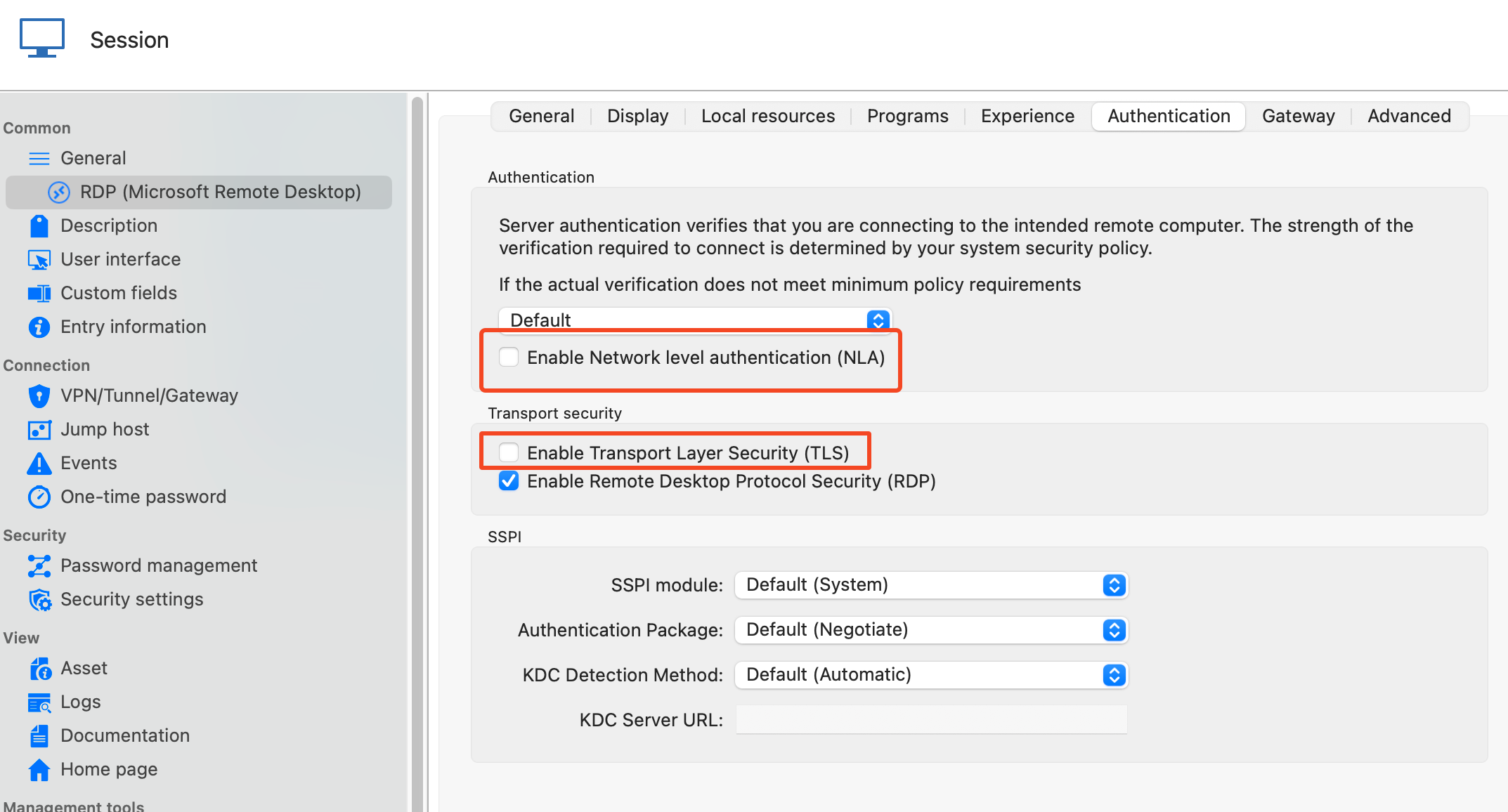
Thanks for that. Can you try this for me: in the RDP session in RDM, under the "Authentication" tab; uncheck both "Enable Network Level Authentication (NLA)" and "Enable Transport Layer Security (TLS)" and leave only "Enable Remote Desktop Security (RDP)" checked; like in my screenshot:
And let me know if you're able to connect. Please note, that if you are able to connect, this is not the "final" fix because it degrades security; but it will prove what we are seeing and I will be able to direct you to what other changes need to be made.
Please, let me know if something isn't clear
Kind regards,
Hi Richard,
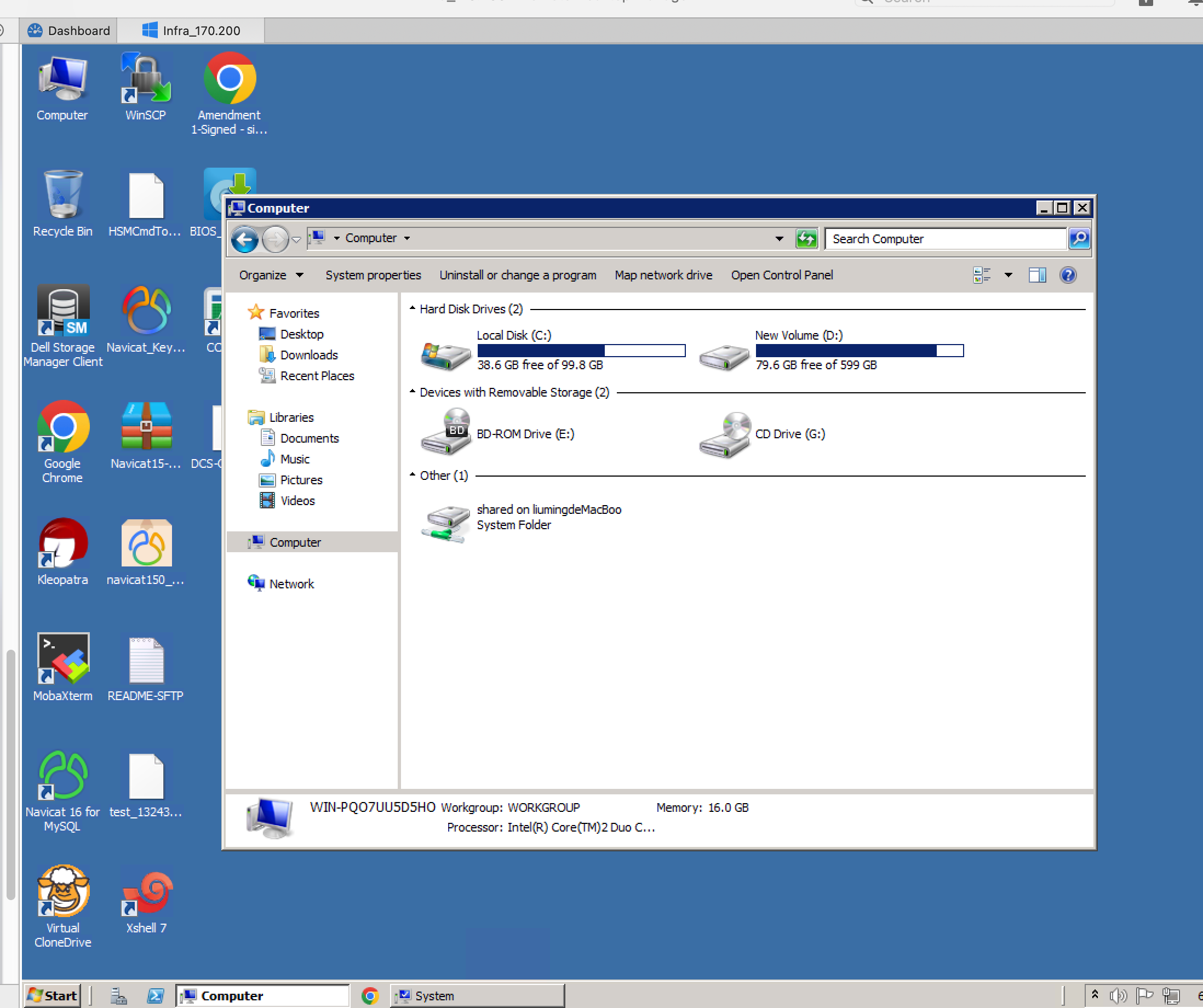
As per your instructions, please refer to the image below. I have successfully connected to the Win2008R2 server, and the screen flickering issue has also been resolved.
Thank you for your help.
Best,
Paste function failed on Password generator tool
Hi Support team,
I encountered an issue with the password generator tool — I can’t paste. Maybe the “Copy to Clipboard” function isn’t working properly.

Thanks.
Best,
RDP Session issues when after upgrade the new version
Hello
Thanks for the update. I have a theory about what's going wrong here, although it doesn't exactly match with what your log file tells us.
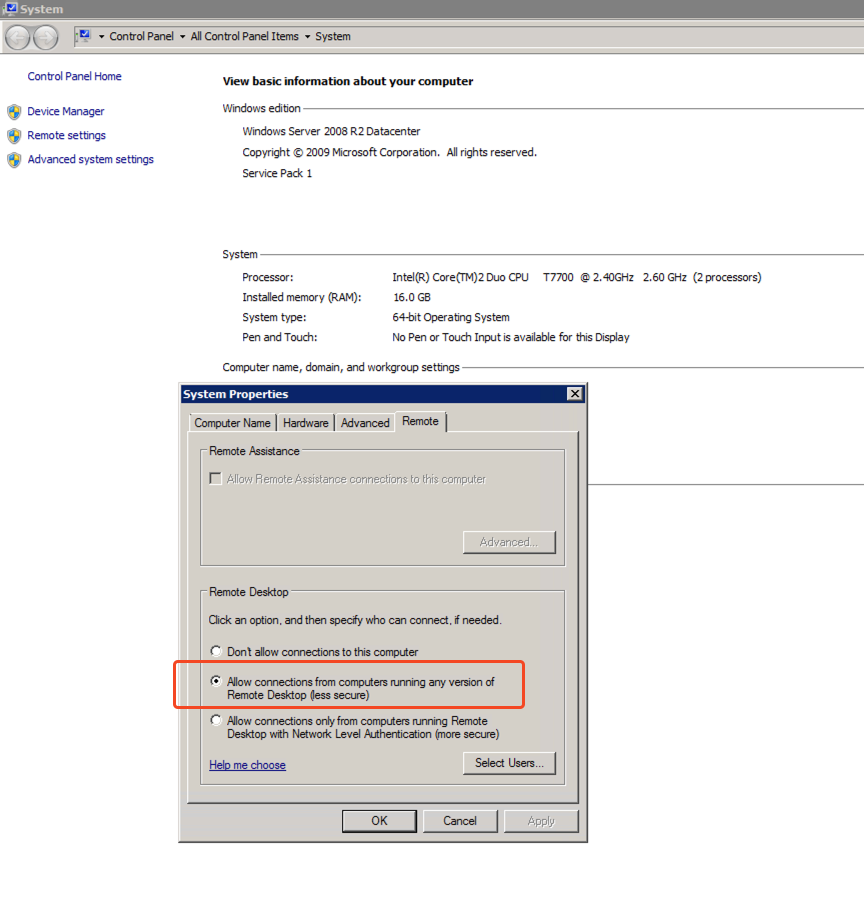
Can you check something else for me: on the Win2k8 server, in Control Panel > System > Remote Settings, what do you have selected for this option?
Thanks and kind regards,
Hi Richard,
Kindly refer to my below screenshot.
Thanks.
Best,
RDP Session issues when after upgrade the new version
Hello
Thanks for your answers. This is really strange, because the error is a network one.
Can you verify if the connection still works (although, with the "garbled" display) when you try the older version of RDM? You can download 2025.1.12.4 from our CDN.
Thanks and kind regards,
Hi Richard,
Kindly refter to my below reply.
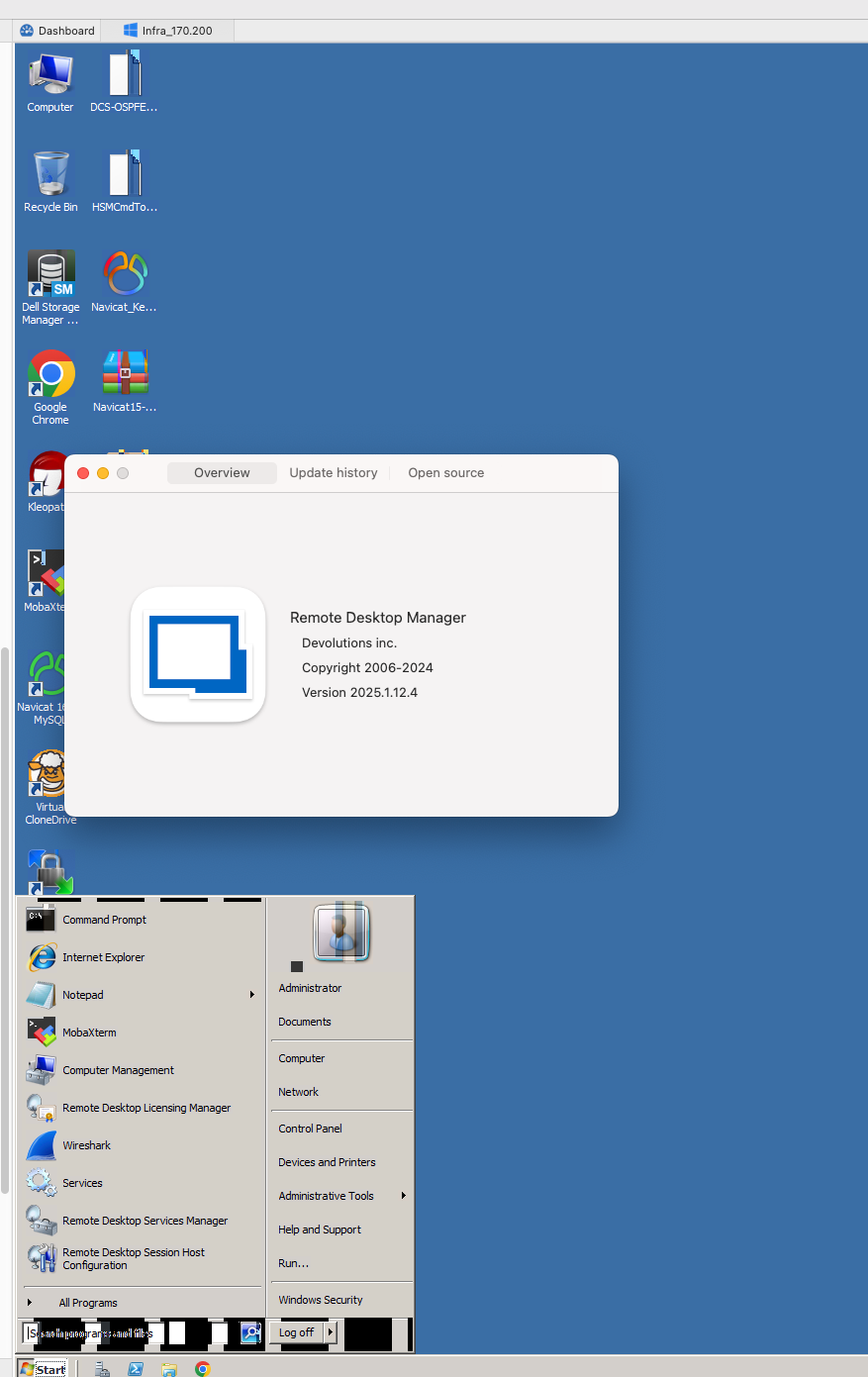
2025.1.12.4 this version works well.
Mac M4 pro. 15.4.1 (24E263)
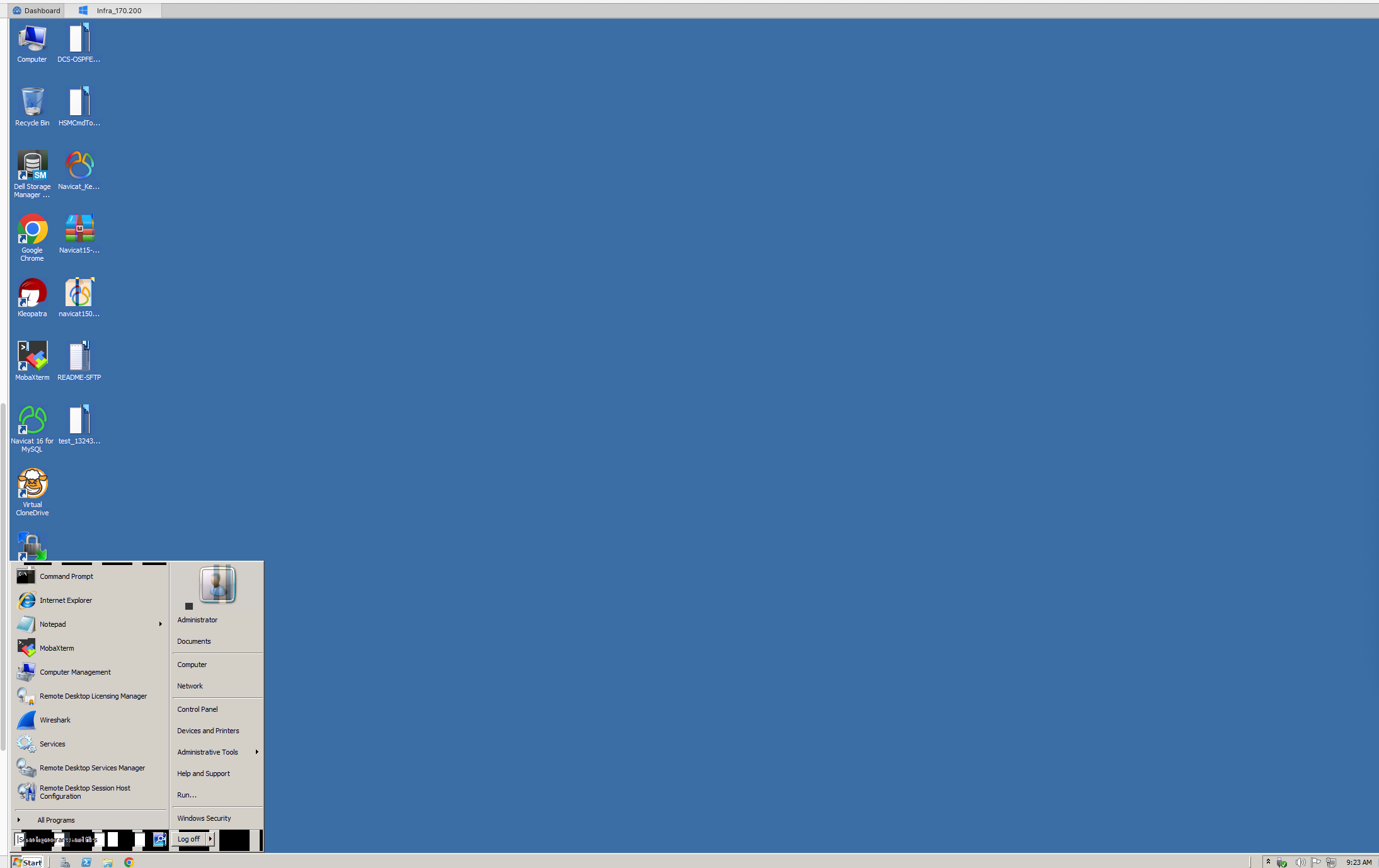
Best,
RDP Session issues when after upgrade the new version
Hello
Thanks for sending the log file through.
We see that there is a problem establishing the network connection to the server, before we hit the RDP protocol at all.
Can you check the following:
Are you able to connect using Microsoft's RDP client ("Windows App")?
Is the server running a standard RDP port? (3389)
Are you able to connect to other servers ok? Is there anything "different" about this one in terms of the network?
Can you check in the macOS Settings > Privacy and Security > Local Network that Remote Desktop Manager is listed and enabled?
Please, let me know if something isn't clear or you have other questions
Kind regards,
Hi Richard,
Please refter to my reply:
Are you able to connect using Microsoft's RDP client ("Windows App")? Yes, I used 'Microsoft Remote Desktop', it works well when accessed same server, just upgraded to new version of RDM, it failed.
Is the server running a standard RDP port? (3389) Yes, 3389
Are you able to connect to other servers ok? Is there anything "different" about this one in terms of the network? Onley 'Windows 2008 R2' access failed, the other seems like 'Win10&Win11&Win2012 server ' etc, it works well.
Can you check in the macOS Settings > Privacy and Security > Local Network that Remote Desktop Manager is listed and enabled? Yes , it enabled.
Thanks.
Best,
RDP Session issues when after upgrade the new version
Hello
There is a known issue with RDP in that build, can you try to disable the sandbox mode (either in the "Advanced" tab of the RDP session or in the application Settings > Types > RDP) and let me know if it works around the issue?
Sorry for the inconvenience
Kind regards,
Dear Richard,
It still showed the same error like previously. Below is my setting:
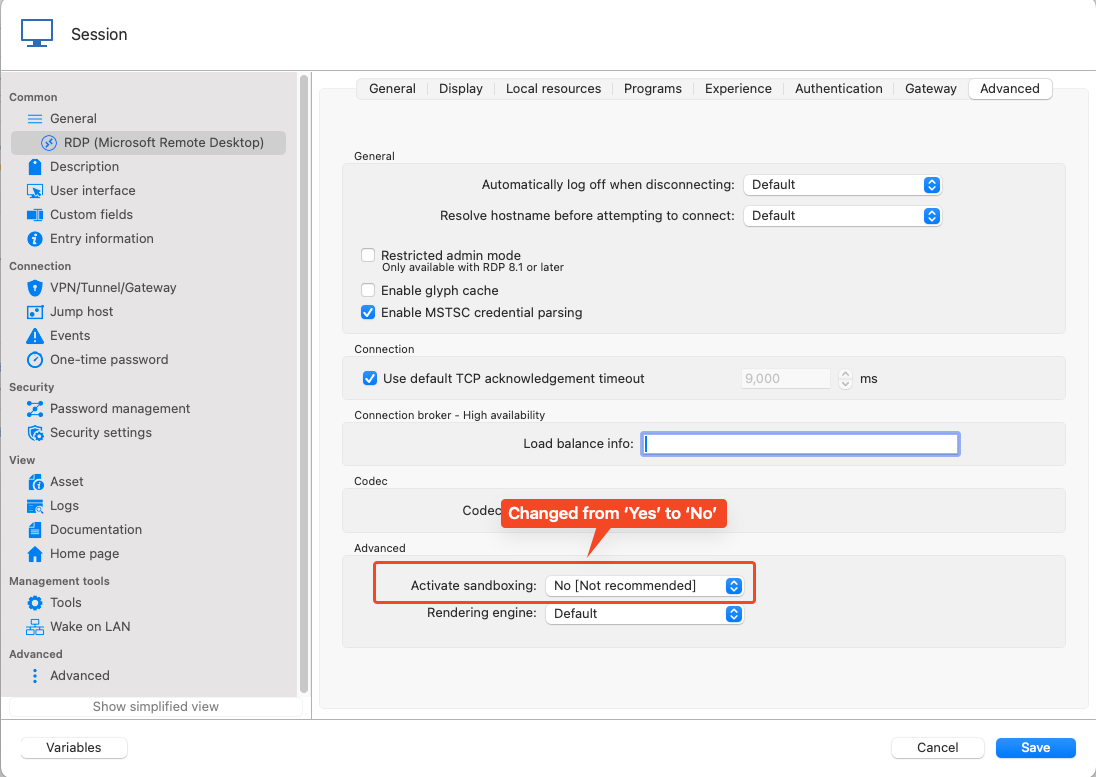
Thanks.
Best regards,
RDP Session issues when after upgrade the new version
Hello,
The version with the fix is being tested as we speak. I can't really give more details or an ETA.
All I can say is that we hope we will be able to release it very soon.
In the meantime, if you have any questions, don't hesitate to communicate with us.
Best regards,
Dear Michel,
After upgrading to the new version 2025.1.16.1 (May 1, 2025), I encountered a new issue with the session I created to access the Windows 2008 R2 server.
OS: MacOS 15.4.1 (24E263)
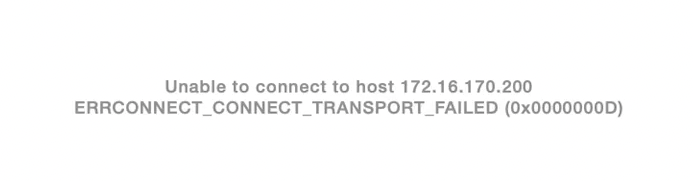
Thanks for your support.
Best regards,
RDP Session issues when after upgrade the new version
Hello again
On further investigation, this definitely looks like a regression in the planar codec. You can try the setting I mentioned above but I'm not sure that it will help. I will fix this and coordinate with my colleagues on the RDM Mac team to get that integrated. I'm afraid I don't have a workaround at the moment, but the fix should be forthcoming.
I apologize for the inconvenience. Don't hesitate with further questions or comments.
Thanks and kind regards,
Hi Richard,
The issue have not been fixied ?
RDP Session issues when after upgrade the new version
Hello and thank you for reaching us.
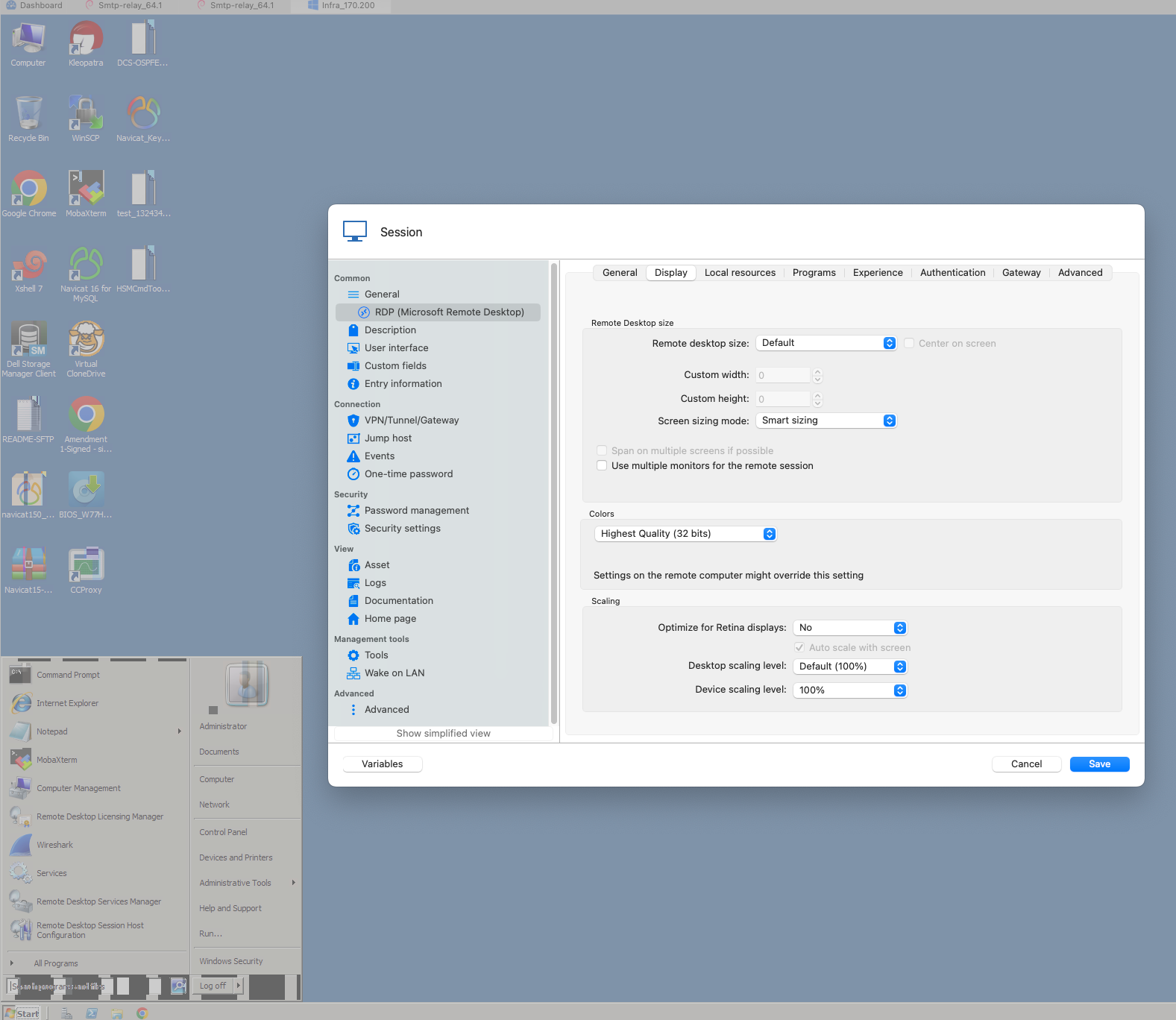
Before anything, what are your display settings? are they all on default?
You can see that in the properties of the entry > RDP > Display.
Best regards,
Hi Michel,
As follows :
RDP Session issues when after upgrade the new version
After upgrade the new version , the issue for using RDP sessions. as follows:
MacOS: 14.6.1 (23G93)
RDM version : Version 2025.1.12.4 (March 12, 2025)
Delete funchiton error in terminal
Hello,
I was able to reproduce an issue with the delete key in the local terminal, I believe it is the same one. I will open a ticket for it. We will let you know when we have updates.
Best regards,
Hi Support team,
New version have not fix this issue ?
Delete funchiton error in terminal
Dear Team,
I have encounter a issue as below:
After upgraded Version 2024.2.9.2. , when I type delete button in my terminal(used Iterm2 ), it can not letele anything

OS version: MACOS 14.4.1 (23E224)
After upgrade version to 2024.2.7.3 (June 18, 2024), the Terminal Syntax highlighting be clear
Dear Team,
I have encounter a issue as below:
Before upgrade Version 2024.2.7.3 (June 18, 2024), there are some Syntax highlighting setting in Terminal, after upgrade it has been clear, now it is empty.
OS version: MACOS 14.4.1 (23E224)

There is an issue with copying and pasting using the right-click in RDP connection to a Windows server.
MacOS Version :13.2.1
Client Version: 2023.1.12.0
Issue:
When using RDP to connect to a Windows server on a Mac, copying files and pasting them into Windows doesn't work properly. The files either don't transfer at all, or only one file is transferred when copying multiple files. The clipboard option is enabled in the connection settings. The same issue occurs when copying files from Windows to Mac. If the Microsoft Remote Desktop client is used, there is no such problem.
Embedded sftp can not opened
When I connect a SSH Shell , than Open wtih parameters -> open embedded sftp connection
, there is no response
MacOS ver :13.1
CPU : M1
RDM ver : after 2022.2.16.0 , but 2022.2.16.0 is works well.
Pls help to check this issue.
Thanks!