
robjones
Error creating Custom Credential Management Entry in version 2024.1.21.0
Hey there Maxim,
I included the details of the error message in the attached file: ErrorMessageDetails-CustomCredEntry.txt
It looks like I gave to long of a title on this ticket, i'm using RDM v2024.1.21.0
Powershell embedded script editor isn't working in 2024.1.21
No, i used the standalone installer... that is quite the version difference. Thanks for version reference. I'll get it upgraded and report back.
Thanks Mathieu
Error creating Custom Credential Management Entry in version 2024.1.21.0
When i try to create a new Custom Credential Management Entry, i receive an error message: Object Reference not set to an instance of an object.
I've used these connection types successfully in v2023.3.33. Is this connection type still supported in v2024?
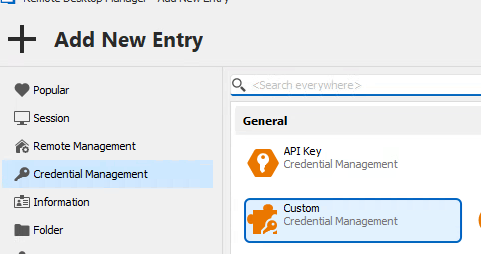

Powershell embedded script editor isn't working in 2024.1.21
Hi Mathieu,
I installed WebView2 Runtime version 1.3.185.27 and am gettting the same error message. Is something else at play here?
Powershell embedded script editor isn't working in 2024.1.21
Clicking the Edit embedded Script link within a Powershell connection fails in version 2024.1
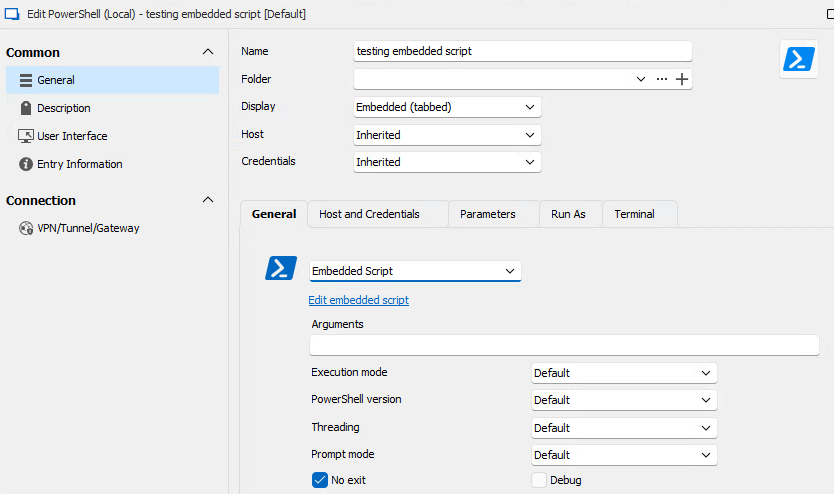
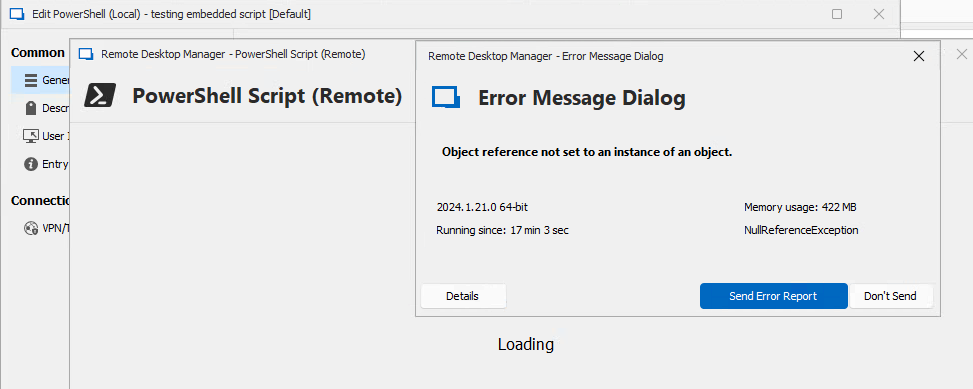
Set-RDMCurrentDatasource -forcepromptanswer does not work
Hi Richard,
I'm running into the exact same issue which has become a big hurdle for our automation.
In addition to this, can your developer also create the capability to forceprompt multiple answers for the database upgrade?
For example:
Get-RDMDataSource -name my_datasource | Set-RDMCurrentDataSource -ForcePromptAnswer Yes, Automatic
Import-RDMSession Problem
Was a resolution found for this issue? I'm having the same issue version 2022.2.20
PS> Import-RDMSession -Path "C:\RDMTemplate\inventory.rdm" -DuplicateAction Overwrite
The command above runs without error but is unsuccessful, importing using the GUI works as expected
Best,
Rob