Powershell embedded script editor isn't working in 2024.1.21

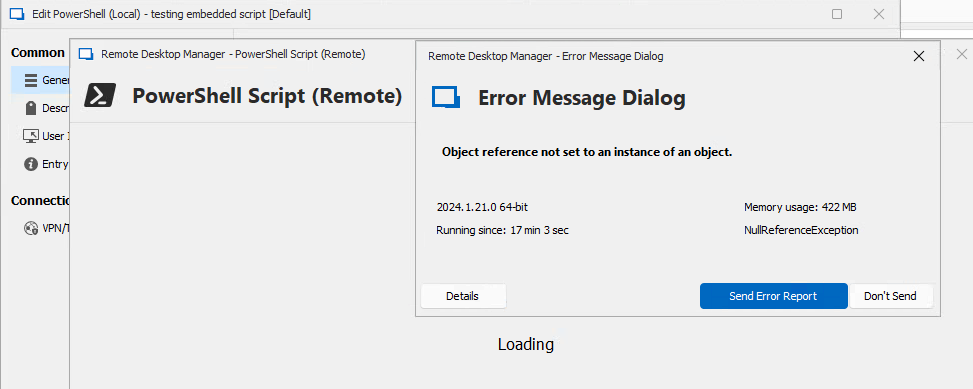
Clicking the Edit embedded Script link within a Powershell connection fails in version 2024.1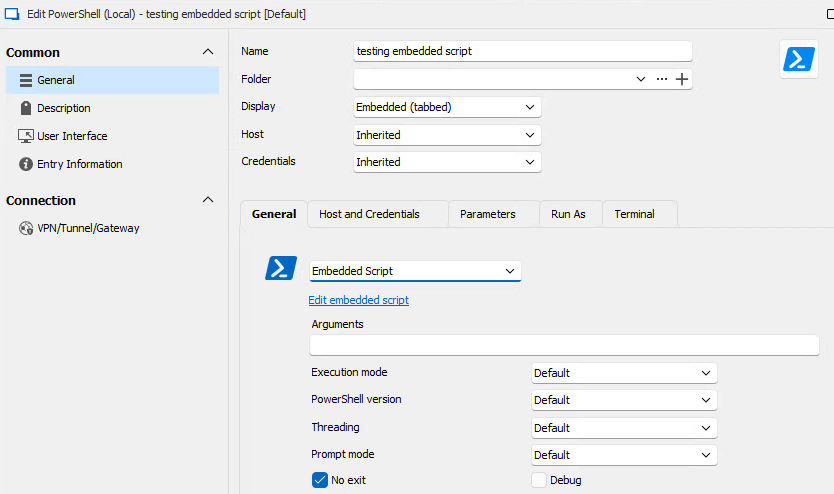
62419b65-d60b-4885-83b1-d3a2f5bef440.png
2dcaf021-3a84-42b7-8efe-1fe3e971a918.png
ErrorMessageDetails.txt
All Comments (6)
Hello,
Thank you for reporting this issue, we have opened a ticket and are working on a fix.
Regards,
Hubert Mireault
Hello,
I have reproduced the issue internally, it happens when the Webview2 runtime is not installed.
The code editor requires the webview2 runtime to be installed.
I will add more safety checks so that the code editor will not be opened if we detect that the runtime is not installed.
Regards,
Mathieu Morrissette
Mathieu Morrissette
Hi Mathieu,
I installed WebView2 Runtime version 1.3.185.27 and am gettting the same error message. Is something else at play here?
Hello,
Thank you for your quick feedback,
I have other questions, when installing the runtime, did you use the Evergreen Bootstrapper as mentionned in the documentation ?
https://docs.devolutions.net/kb/remote-desktop-manager/knowledge-base/download-microsoft-edge-chromium/
The version on my side is 123.0.2420.65 and not 1.3.185.27 which makes me think it is not not right one.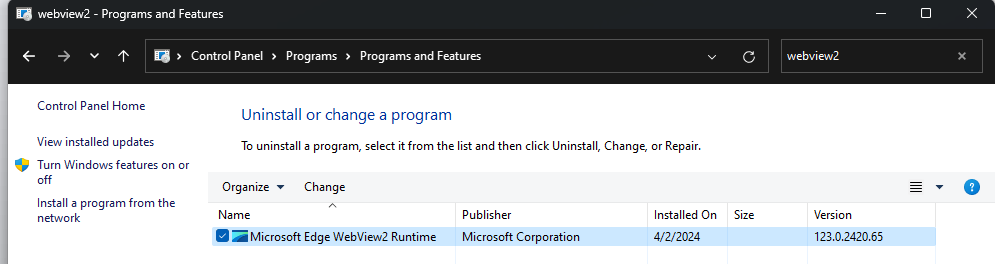
Do you still have the Webview2 runtime warning in the dashboard ? 
Regards,
Mathieu Morrissette
Mathieu Morrissette
b2dc07d5-c08e-470c-b4da-6d4223a225bd.png
41a88054-81ae-41c4-8eff-14edccffa1b0.png
No, i used the standalone installer... that is quite the version difference. Thanks for version reference. I'll get it upgraded and report back.
Thanks Mathieu
No, i used the standalone installer... that is quite the version difference. Thanks for version reference. I'll get it upgraded and report back.
Thanks Mathieu
Hello,
I noticed that we haven’t received an update from you regarding the issue with the code editor.
Could you please let us know if you are still experiencing difficulties or if the matter has been resolved?
Regards
Mathieu Morrissette