
jakobbrandt
More MFA options
Would like to have more MFA options. Mainly because of security issues with the current ones.
For example this provider: Pone Biometrics – No password, no pin code, no hassle, no risk.
A physical device with biometric authentication that does not require physical contact with the computer accessing DVLS.
TOTP: Non phishing resistant, an attacked can spam or convince a user to accept the login attempt.
Yubikey: Users leaving the key in the computer unattended and only the PIN/Password on the device protects DVLS data.
Change autocomplete function in browser when using Yubikey
Hi!
Yes indeed that flag is a function in Chrome/Edge. However you should be able to change the function of this field:
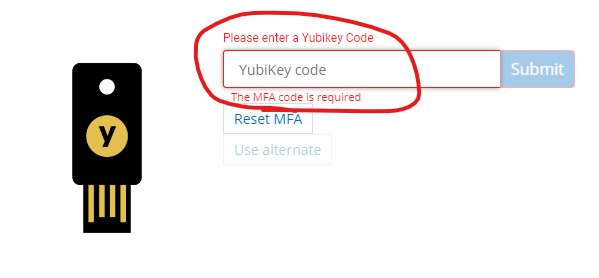
To something that Edge does not recognize as a password. As posted in the first post changing the fieldfunction in the developer tools in Edge solves this issue.
I'm not sure of the solution here, but it should be possible to change that fieldfunction on the webpage config on the site that opens when you authenticate into DVLS.
Change autocomplete function in browser when using Yubikey
Hi!
Devolutions Server :)
Change autocomplete function in browser when using Yubikey
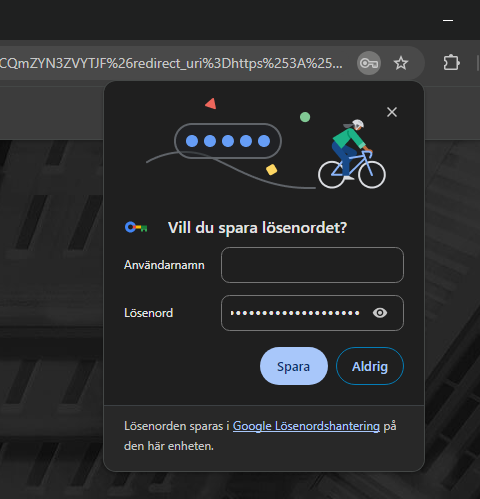
When you press the yubikey after authenticating with username+password in Edge/Chrome etc. it asks if you want to save the password. Since this is no password it should not ask to save the random string from the physical key.
Change the flag for the field from autocomplete="one-time-code" to autocomplete="off" solves this issue.
Disallow access to clipboard history
Hello,
You can use the clipboard diagnostics feature to put certain processes on the blocklist: https://docs.devolutions.net/kb/remote-desktop-manager/troubleshooting-articles/clipboard-diagnostic/
Please note that this only affects the "copy" buttons in RDM, if you manually copy text in RDM elsewhere, we can't change the behavior of the Windows Clipboard History.
Regards,
Yes, but we would like to disable this for all users in our organization. The block would be client-specific right?
Also im not sure if there is a process that is blockable for the clipboard history? If you have anything regarding that please share :)
Disallow access to clipboard history
An option to disable the access for RDM to clipboard history.
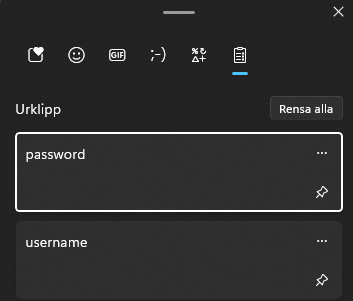
If you copy username, then password. Both gets saved in the password history in Windows i cleartext.
DVLS object limits
Hello!
Wondering if there is limits to how many objects is recommended in one vault?
/J
CSV-Import support for Password-List
Hello,
Could you please verify the Import permission in Administration - System Permissions?
Best regards,
Thank you!!
Problem solved :)
CSV-Import support for Password-List
Seems like your users might be missing some permissions.
You can access them in the vault settings:
Your users might not be able to add?
Yes our users have the add permission.
Almost all permissions is custom and specified to one/two groups and the only one not allowed is delete.

CSV-Import support for Password-List
I do, but I am admin.
However users in my org does not, or it is greyed out. The same menu on File > Import is empty.
This is how it looks like on a non-admin user.

We use DPS as a datasource if that makes any difference.
CSV-Import support for Password-List
Is the Import-feature an admin-only option?
Or can i turn this on somewhere?
Permission problem after DPS update
Hi.
The problem is solved now.
Solved by changing the setting
the server gets the group in Administration > Server Settings >
Authentication > Domain > Advanced Settings.
And then clearing the cache.
Permission problem after DPS update
Not quite sure but i think it was 2022.1.13.0
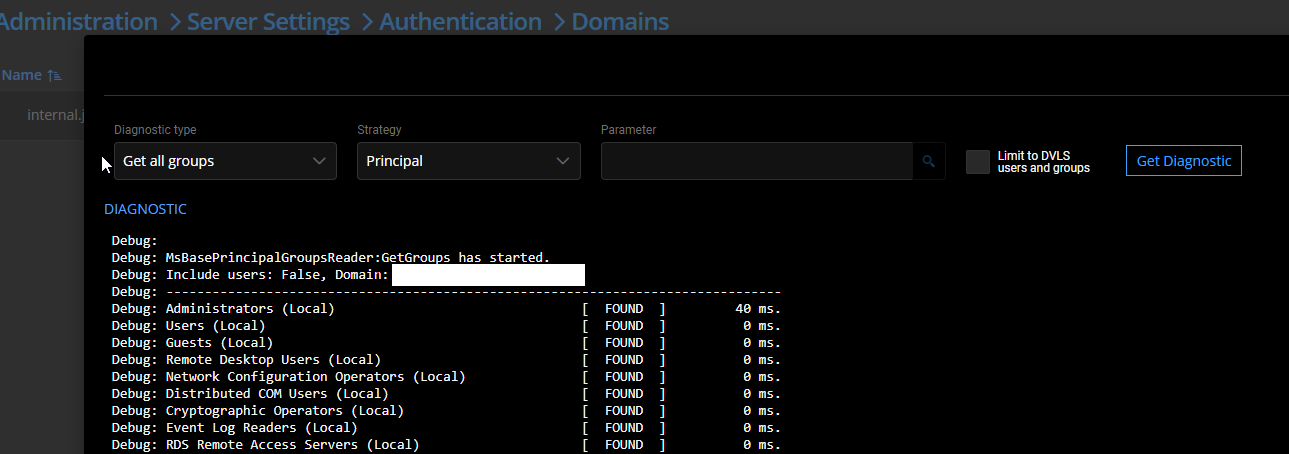
The diagostics work just fine. Can see all users and users by group etc.
However if I look at Administration > User Groups and look at the same group we search for in the diagnostics-page. It does not give the same result, some of the users are missing in this view and I believe that the problem lies there.
Some of our users had no problems yesterday, and it is those users that are still viewed in the "User groups" page.
Permission problem after DPS update
Hello
We got issues after updating DPS to version: 2022.2.9.0
We use AD to get groups and give access to vaults. This broke after
updating yesterday.
A lot of users can access the vaults but does not see any entries in
them.
We get the following error in the server log:
Message
NoMatchingPrincipalException - An error occurred while enumerating the
groups. The group could not be found.
at System.DirectoryServices.AccountManagement.AuthZSet.get_CurrentAsPrincipal()
at
System.DirectoryServices.AccountManagement.FindResultEnumerator`1.get_Current()
at
Devolutions.Server.ActiveDirectory.Microsoft.PrincipalReader.MsPrincipalGetGroupsByUser.GetGroupsByUser(UserPrincipal
userPrincipal, IEnumerable`1 groups, Stopwatch stopwatch)
Error reading authorization groups for the user
We temporarily solved the problem by adding all users manually on the
vaults. This works as a workaround for the moment but need to solve this ASAP.
The diagnostics-page can search and find all groups in AD so the
connection seems fine.
Please advice