
abuech
How to configure an SSH Jumphost / Gateway
Hello, i tried the following:
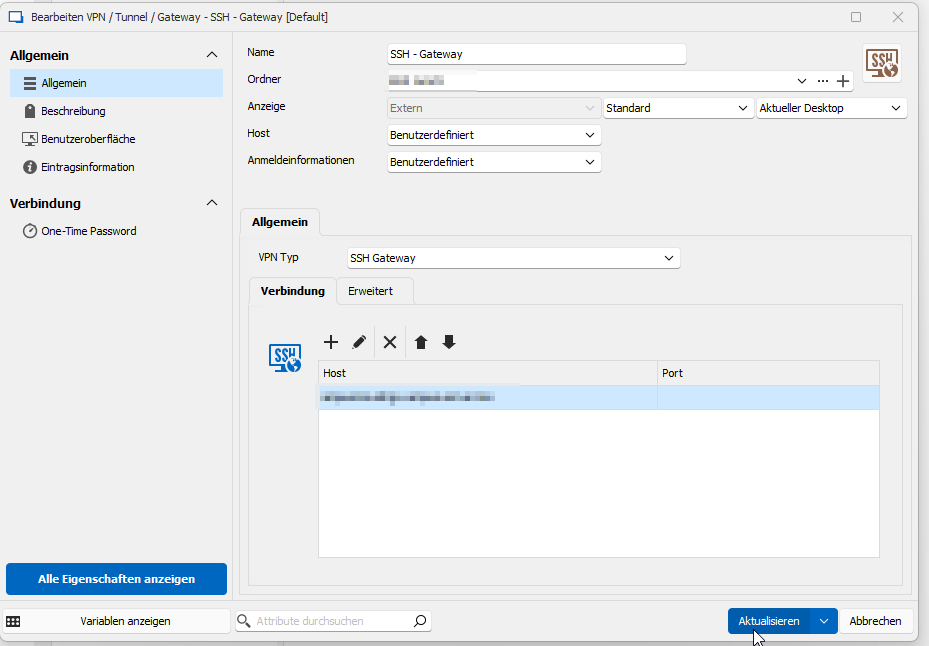
first i created a gateway, with the host being the gateway host and the user being a personal user, as each of our colleagues has its own user.
Next i created the Key Entry:
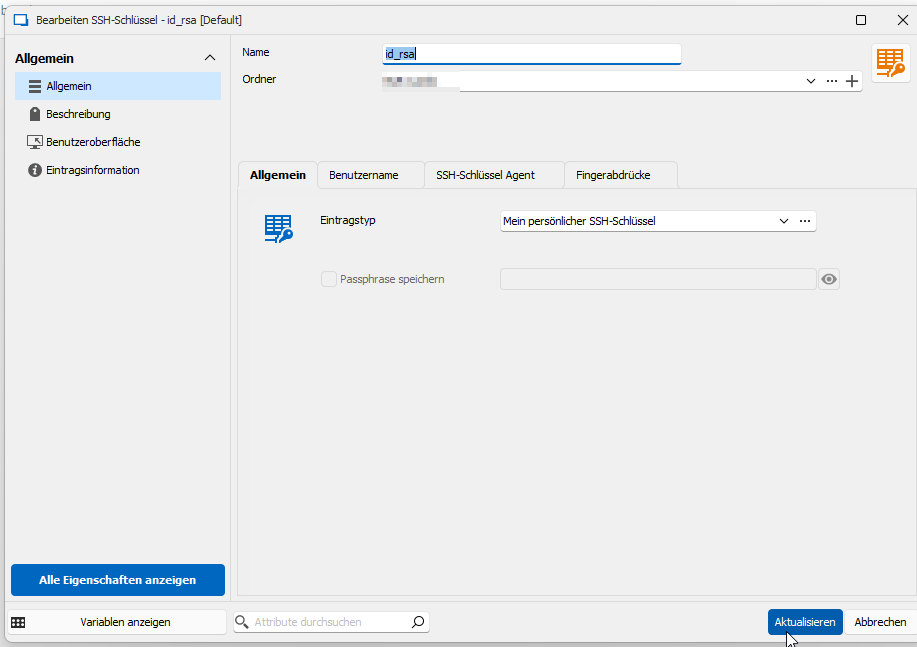
which i connected to my personal key. nothing more so far
lastly i created the host entry.
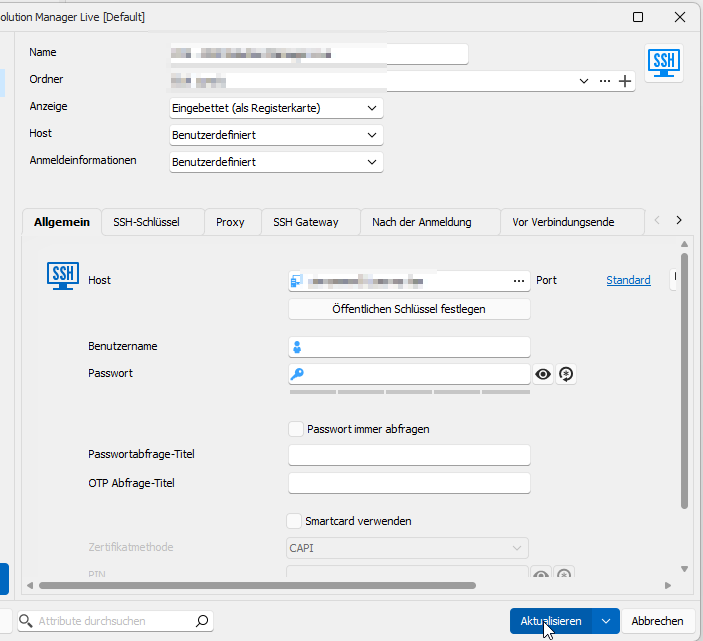
also, just the normal information about the host. It also is connected to the gateway:
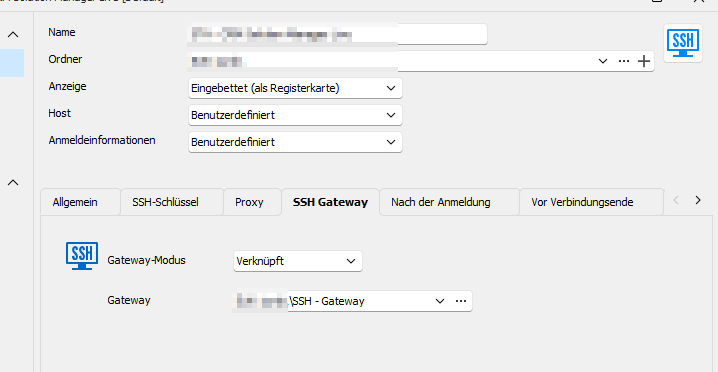
however i do not know where i would configure the yubikey in that scenario. When i try to connect to the Host:

I get an authentication window, with the jump server being the host (seems good so far) however what i am not getting, is why i would need to neter the user name, that i have given him in the user specific options. Once i enter my user.

I get this Error. I believe i might be on the right track, yet i need some help for the details i suppose.
Thank you very much!
How to configure an SSH Jumphost / Gateway
Hello,
I wish to reach remote Systems, yet we have to use an SSH (ampua) Jump Server in order to reach those systems
We have been provided with a config file for ssh, that i have to locate in the ~\ssh\ folder along with an Private Key, that has to be used.
to top that off, we also have a Yubikey, that needs to be used for authentication.
We tested Access via ssh shell, that worked, yet is mostly uncomfortable.
I don't know where to start or what to configure in the RDM in order to replicate this connection string

Thants the command that works on my end (not sure if it couldn't be tweaked)
Thank you very much!
How to Transfer files to a Linux Target?
Thank you for the insight, however, it does not seem like i have the same options non the less:

How to Transfer files to a Linux Target?
Thank you very much for the Reply and help! That is what i am looking for, but after a talk with the my RDM Admin, he told me that all ssh connections are by standard Putty sessions, not standard ssh sessions, for stability reasons. I mean the sessions saved in the RDM.
Would it be possible to temporarily change the session type via a, for example, right click menu? similar to how you can temporarily use different credentials?
So that i can use ssh standard or moba x term temporarily for data transfer purposes, would that be possible?
Thanks a lot!
Alessandro
How to Transfer files to a Linux Target?
Thanks a lot Jonathan!
How to Transfer files to a Linux Target?
I am using RDM on windows at my working computer. The Targets are either Windows Machines or Linux Machines. I sometimes have to transfer small files to those machines which is no big deal with windows targets. However if my Target is a linux Machine i have to use programs like WinSCP separatly.
So can i open a SCP connection or something similiar with the already existing connection details in the RDM?
Thanks alot!
Alessandro
SFTP on SSH session doesn't allow going to parent folder
Hello team,
I recently came across a feature I always wanted which is SFTP/SCP on opened SSH sessions. Your chat support directed me to enable that on Terminal -> advanced inside my SSH session.
However, the path I have can only navigate on home directory downward. I can't go to parent and upper directories.
I have always been using SFTP with WinSCP of same goal and I could navigate throughout all directory structure (usually Linux OS) to copy my files.
My question is: is there a way to allow me to navigate to parent directories of directory structure?
Thanks.
Amjad
Hello Amjad,
The feature you described sounds a lot like the one i am looking for. Could please share in more detail how to activate that?
Thank you very much!
Alessandro
How to Transfer files to a Linux Target?
Hello Jonathan,
wouldn't this method only work with windows machines? What would you do, where you to transfer files to a Linux Machine?
Thanks for your Help!
Alessandro
How to Transfer files to a Linux Target?
Hello,
I am not very knowlegeable in terms of RDM or its features, so for some that might be a obvious Question.
If you connect to a Windows Machine, you can simply drag and drop files to that Machine and they get copied.
How would you Replicate that mechanism for a Linux Machine? So far i know WINSCP as a seperate Tool,
however its quiet a pain to login to a system via RDM AND Winscp. So is it possible to use Data Transfer functionalities in RDM too?
I've seen a MobaXTerm addon and i know that Moba X Term can transfer files, but i wouldn't know how to use it.
Can someone elaborate a bit, on what ways are possible and which you use?
Thank you very much!
Alessandro Büch