How to configure an SSH Jumphost / Gateway

Hello,
I wish to reach remote Systems, yet we have to use an SSH (ampua) Jump Server in order to reach those systems
We have been provided with a config file for ssh, that i have to locate in the ~\ssh\ folder along with an Private Key, that has to be used.
to top that off, we also have a Yubikey, that needs to be used for authentication.
We tested Access via ssh shell, that worked, yet is mostly uncomfortable.
I don't know where to start or what to configure in the RDM in order to replicate this connection string
Thants the command that works on my end (not sure if it couldn't be tweaked)
Thank you very much!
e59e1c1f-f0eb-42d0-a2d9-2b30937eab81.png
All Comments (3)
Hello,
Thank you for reaching out on that matter.
I would like you to test it with an SSH tunnel and an SSH terminal session in RDM.
- Set up the SSH Tunnel, which can be linked with an SSH key entry (2)
- Set up some SSH key entries
- Set up the SSH terminal to use the Tunnel and the key, you can also set in the properties to use the Yubikey!
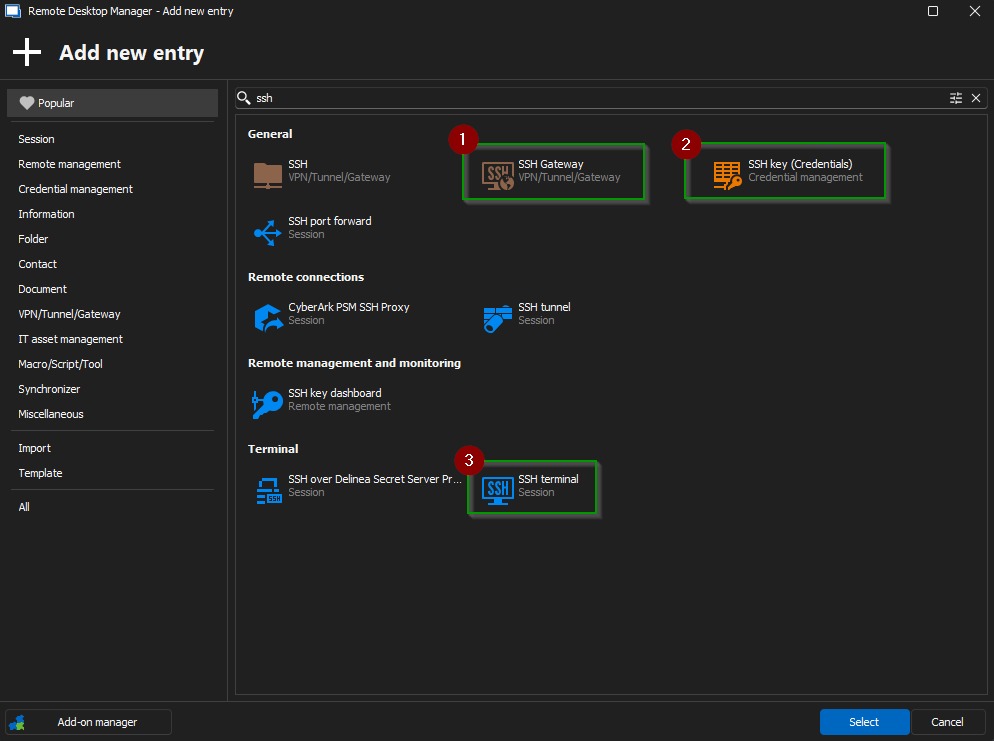 Quick link that might be helpful to set this up!
https://docs.devolutions.net/rdm/kb/knowledge-base/ssh-session-entry/
Let me know if you need anything else!
Best regards,
Jacob Lafrenière
da798175-d519-4720-a624-02c03ac147ef.png
Hello, i tried the following: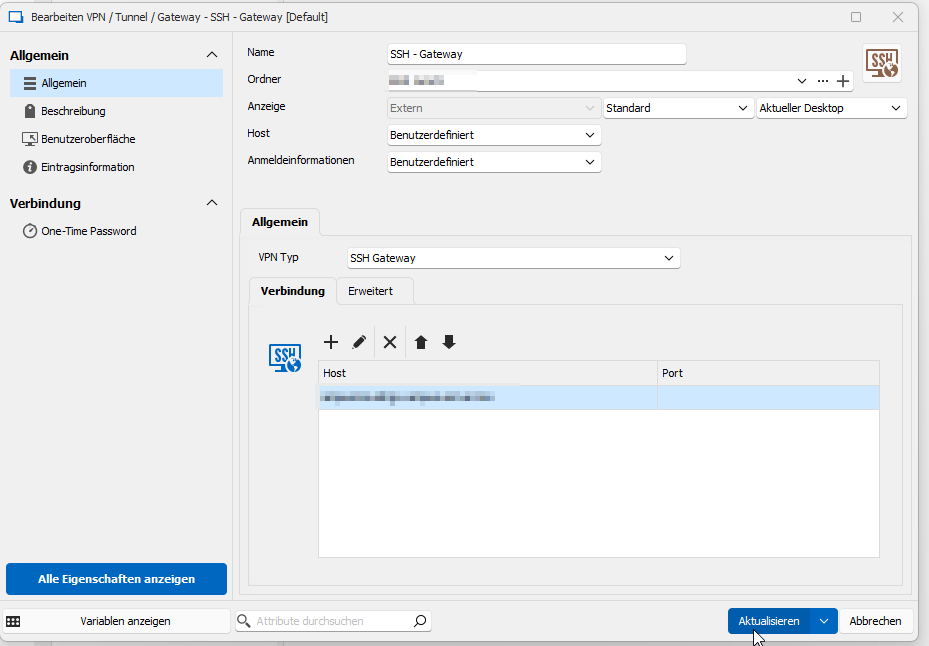
first i created a gateway, with the host being the gateway host and the user being a personal user, as each of our colleagues has its own user.
Next i created the Key Entry: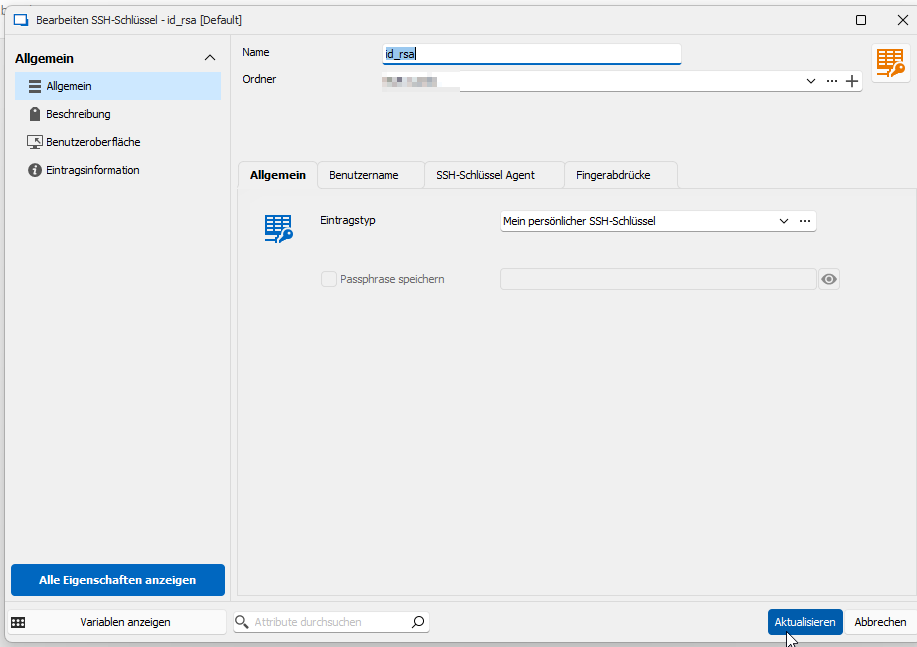
which i connected to my personal key. nothing more so far
lastly i created the host entry. 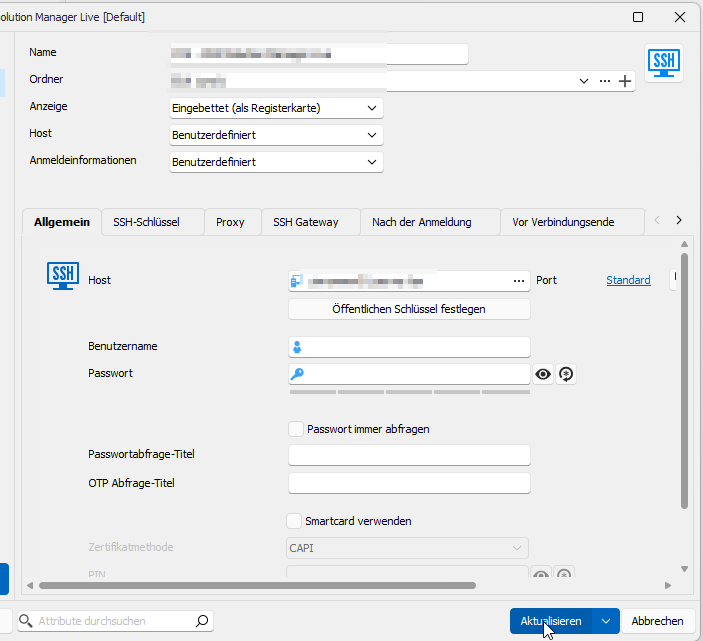
also, just the normal information about the host. It also is connected to the gateway: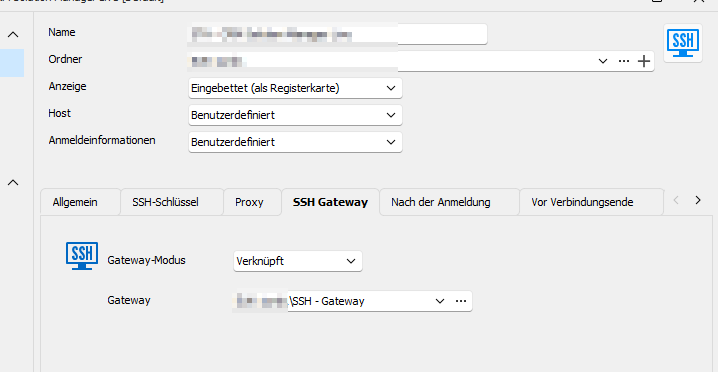
however i do not know where i would configure the yubikey in that scenario. When i try to connect to the Host:
I get an authentication window, with the jump server being the host (seems good so far) however what i am not getting, is why i would need to neter the user name, that i have given him in the user specific options. Once i enter my user.
I get this Error. I believe i might be on the right track, yet i need some help for the details i suppose.
Thank you very much!
7acc8c4f-a2dc-449b-bf6a-e893f448f15d.png
904abaf5-d7c6-4bc9-9965-eaa6e6feb7ff.png
232f4537-7f1d-4d84-a8e3-22f980442b9a.png
1cf71003-d02b-4b09-acc5-5f2ed3564ab4.png
27cd416b-770a-462b-aa22-9243c45c58c6.png
130a9392-d4ac-4e67-843e-0f15b5e91f54.png
Hello,
Thank you for the detailed follow-up.
I recommend switching the custom credential type to my personal credentials.
This should ensure the correct credentials are used, preventing any prompts to enter them manually.
Best regards,
Jacob Lafrenière