
alextag
SSH entry session experience
Shift+Up, Shift+Down with default (empty) Terminal type setting is working in Midnight Commander.
But vim set background to light and history scrolling, with Ctrl+Shift+Up and Ctrl+Shift+Down, not working...
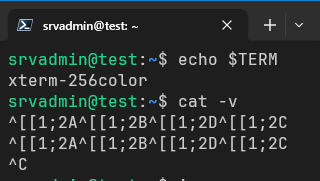
Screenshots:
Windows Terminal:
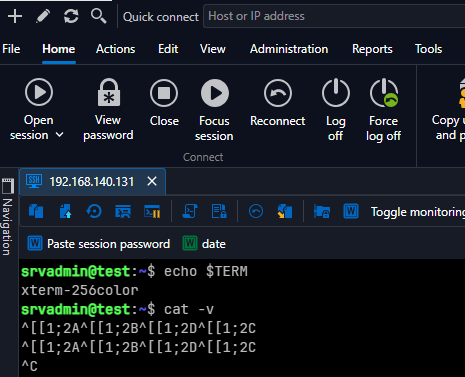
RDM:
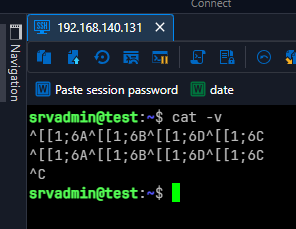
RDM Ctrl+Shift+Up and Ctrl+Shift+Down:
RDM session settings:
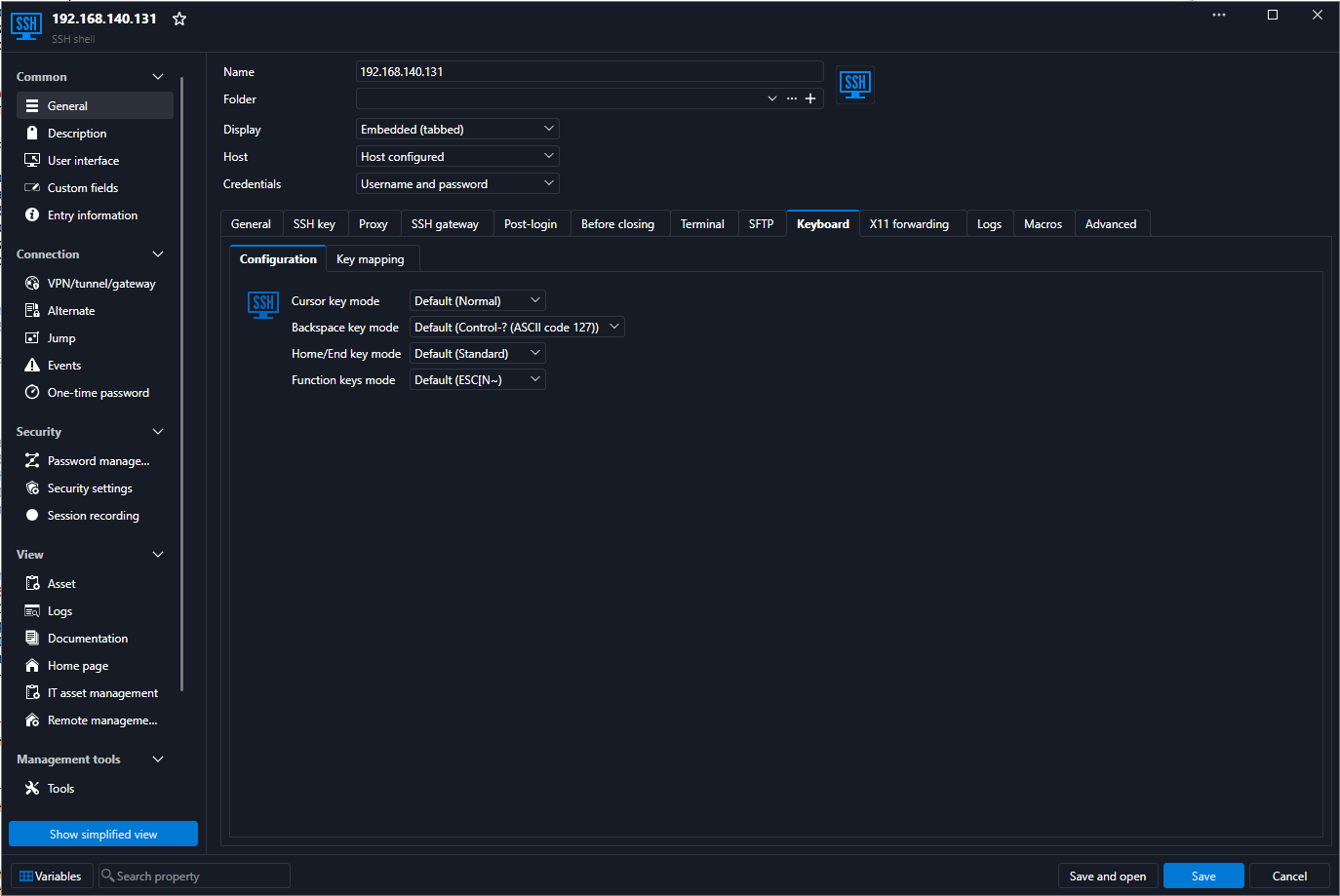
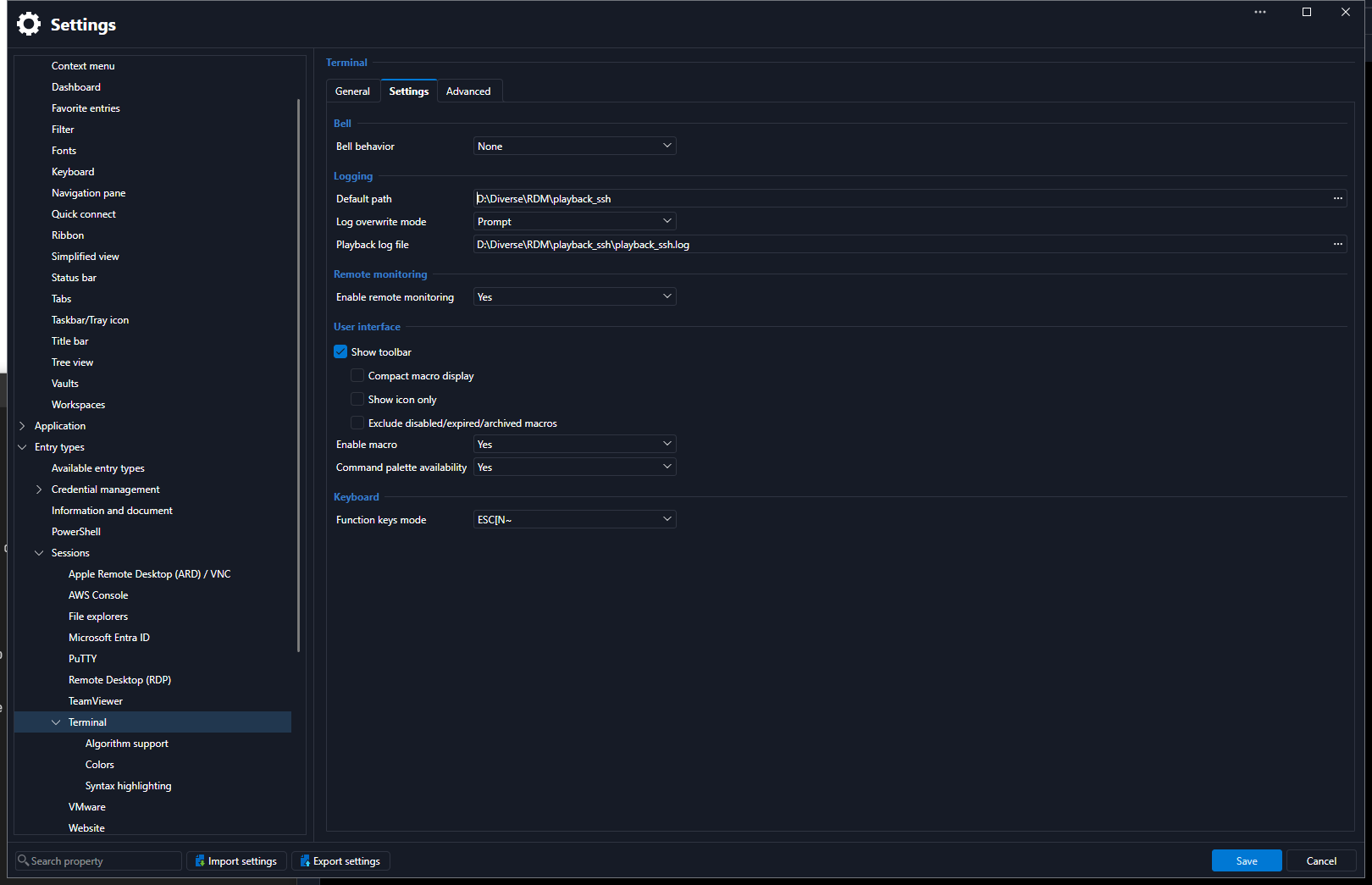
RDM Terminal entry settings:
SSH entry session experience
Yes, I checked again and that's exactly it.
SSH entry session experience
I upgraded to version 2026.3.17.0, but the behavior remains the same 🙁
SSH entry session experience
I tried to upgrade to version 2026.3.13, but my corporate antivirus did not allow me to install the new version. The HEUR virus was allegedly detected:HackTool.Win32.RDPThief.the gen in the MsRdpEx file.
SSH entry session experience
No, if you use the default value in "terminal type", then the behavior is the same.
SSH entry session experience
I meant selecting files in the MC using the Shift+Up\Down keys.
I noticed that scrolling the terminal history does not work, as it does in WT by pressing Ctrl+Shift+Up\Down.
The following characters appear on the screen (with or without Ctrl): Shift+Up - A, Shift+Down - B, Shift+Left - D, Shift+Right - C.
Does the RDM terminal send the wrong signals when pressing keyboard shortcuts?
Also in VIM, selecting text with the Shift key pressed causes it to ignore mouse signals. This is how it works in WT, but for some reason it only works in RDM by pressing the Ctrl key.
SSH entry session experience
I solved the problem with background auto-detection in Vim.
Setting the "Default terminal type: linux" parameter in the Entry types/Sessions/Terminal helped.
But now, the selection doesn't work with the Shift key pressed in Midnight Commander. How can I fix this issue?
SSH entry session experience
Hello!
Due to the large number of connections for using ssh, I’m trying to switch from Windows Terminal to Remote Desktop Manager.
I’ve noticed a few things I don’t like.
I’d appreciate some advice: is there any way to fix them?
1. For some reason, the text color in Vim in json files (and some others) is extremely inconvenient to read. My searches yielded the following results:
WT responds to OSC 11 requests, but RDM does not.
Vim in WT automatically sets the background=dark parameter, but not in RDM.
The theme in RDM is dark.
2. The text itself and the visual experience (the smoothness of the output on the screen) are noticeably more pleasant in WT.
Does RDM use its own SSH engine?
Are there any additional settings for it besides those found in the “Settings”/“Sessions”/“Terminal” section?
Is there any way to make the terminal visual experience in RDM closer to that in WT?
3. Is it possible to make the RDM terminal theme like Dark+ in WT?
Remote Desktop Manager 2026.3.10.0 64-bit (PreJIT)
Runtime: .NET 10.0.11
Platform: Microsoft Windows 10.0.19045
Periodic complete hangup of the application
I have updated the Intel graphics driver and the problem no longer occurs.
I forgot to delete some of my personal data. Is it possible to delete them?
Periodic complete hangup of the application
This is a screenshot from Process monitor when RDM was complete frozen.
Can it help?

Periodic complete hangup of the application
Hello.
Remote Desktop Manager 2025.2.27.0 64-bit (JIT)
.NET 9.0.8
No add-ons
Only one rdp session is used (RDP version - latest).
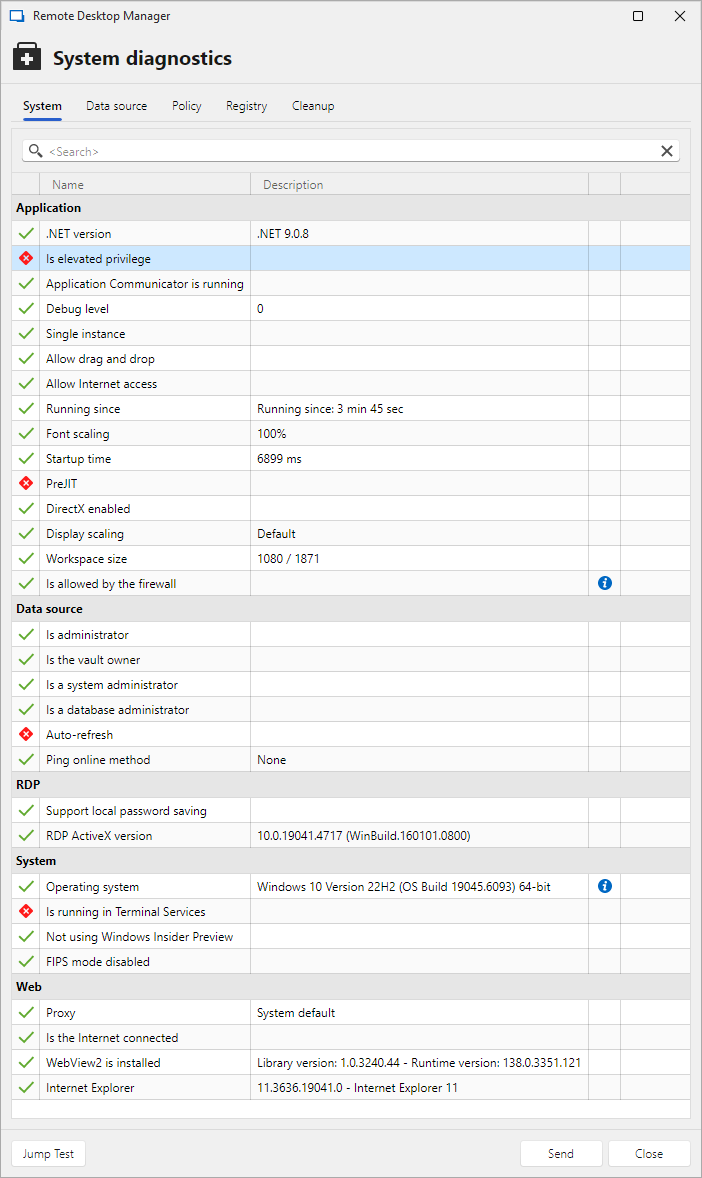
The program freezes completely from time to time (the "Not responding" status in the Task Manager).The rdp session is running (the picture is updating), but I cannot interact with either the rdp session or the Remote Desktop Manager program itself.
How can I diagnose and fix the problem?
No messages in application logs.

Duplicated entry in Quick Search
The new version does not have this problem.
Duplicated entry in Quick Search
I use SQLite data source.
Remote Desktop Manager 2025.1.31.0 64-bit
Duplicated entry in Quick Search
Hello
I'm confused with the duplicate objects are displayed in Quick Search. I can't figure out where they come from.
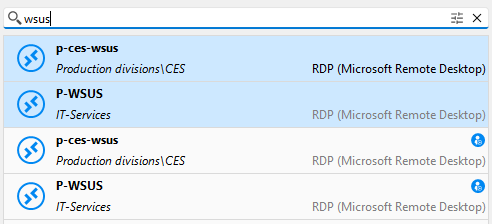
I use only one date source.
What does the blue icon next to the object mean?
The program freezes every time an update is downloaded
Hello!
When the notification of new versions comes, I selected "Download this version and install now", a window appears with the download process and the program hangs. Each time with a different size of the downloaded value. This problem has appeared in the last 4 versions. I had to download the setup file and update it manually.
How to fix this problem?
Open saved session from command line
OK, thanks.
Open saved session from command line
In your method, entry is identified by the Entry ID. I need to open a session through the command line, identifying entry by Host value (DNS name, Ip Address).
Open saved session from command line
Hello.
Is it possible to open a saved session from the command line using a host value?