Periodic complete hangup of the application

Hello.
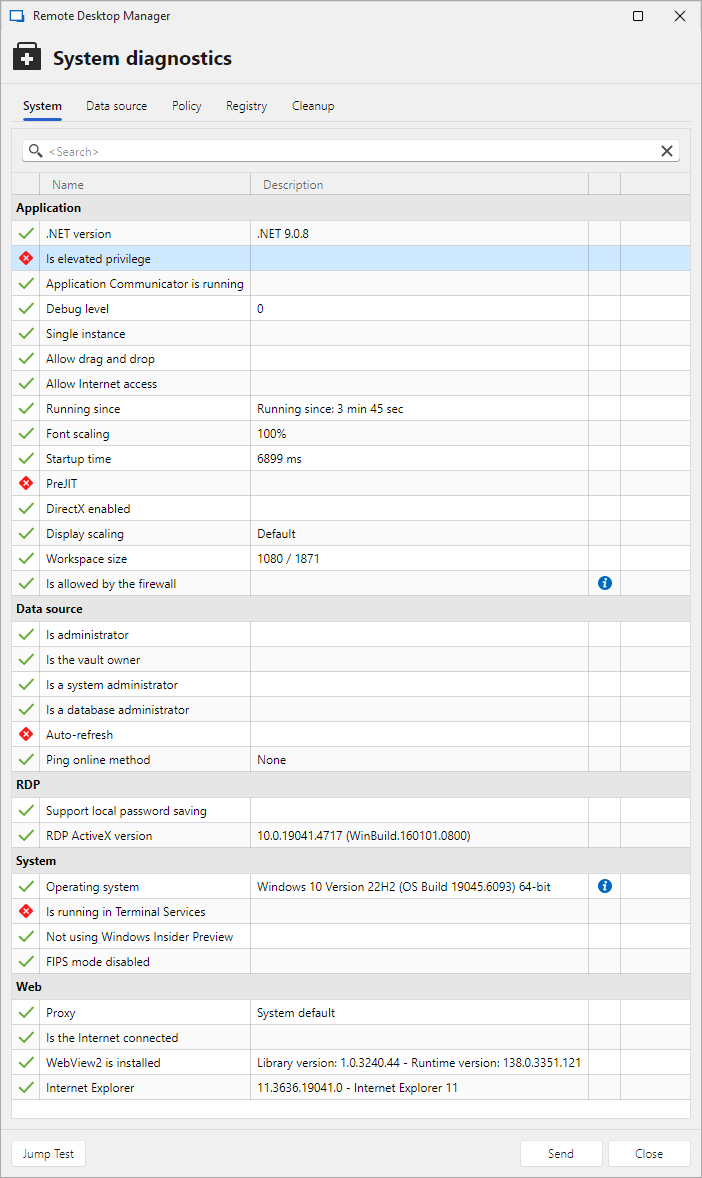
Remote Desktop Manager 2025.2.27.0 64-bit (JIT)
.NET 9.0.8
No add-ons
Only one rdp session is used (RDP version - latest).
The program freezes completely from time to time (the "Not responding" status in the Task Manager).The rdp session is running (the picture is updating), but I cannot interact with either the rdp session or the Remote Desktop Manager program itself.
How can I diagnose and fix the problem?
No messages in application logs.
ecd6f6cc-dcc3-45fd-a70a-c162482e2c86.png
Screenshot 2025-09-08 163520.png
Recommended Answer
I have updated the Intel graphics driver and the problem no longer occurs.
I forgot to delete some of my personal data. Is it possible to delete them?
All Comments (5)
Hello,
Could you please follow the documentation below to create a portable version of RDM and check if the issue reoccurs?
This will help us determine whether the problem is related to RDM itself or the connection.
https://docs.devolutions.net/rdm/kb/how-to-articles/portable-rdm-installation/
Best regards,
Carl Marien
This is a screenshot from Process monitor when RDM was complete frozen.
Can it help?
Procmon.jpg
Hello,
The screenshot was somewhat helpful and seems to indicate that the issue may originate from the following file path:
C:\Users\nesterov_a_v\AppData\LocalLow\Intel\ShaderCache.
This suggests that RDM might be waiting on access to the graphics driver or shader cache.
Here are a couple of things you can try:
1. Clear the shader cache located at:
C:\Users\nesterov_a_v\AppData\LocalLow\Intel\ShaderCache
2. Update your graphics drivers.
Also, just to confirm did you follow the documentation I sent earlier and try running the portable version of RDM?
Best regards,
Carl Marien
I have updated the Intel graphics driver and the problem no longer occurs.
I forgot to delete some of my personal data. Is it possible to delete them?
Hello,
Great! I was initially unsure about the driver issue, but that does seem to be the solution 😊
Regarding the last part of your message you mentioned forgetting to delete some personal data. Could you clarify what you meant by that?
Best regards,
Carl Marien