
dotnVO
Spotlight on: Lansweeper synchronizer in Remote Desktop Manager
I've not used lansweeper but it looks like a neat piece of software. I do think it might be able to pull things we miss from our other synchronizers, but don't necessarily centralize, though I'm not sure our team is the best use case for it. I honestly can't even think of additional products we use that you don't support =D
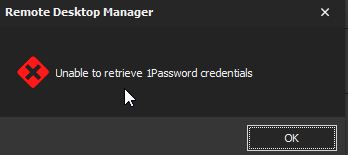
Unable to retrieve 1Password Credentials
Yeah updated to 2025.2.14.0 64-bit (JIT) which did require a DB update - but no issues, I'm able to use creds from 1password for sessions.
Unable to retrieve 1Password Credentials
Do you know if they made another change to their API?
Just this morning I started to get this error. According to "check for updates" I was on the latest version, 2025.13.1. But if I download from the website I see 2025.14.0 is available. After updating to that I still get the error though.
@licensing5
Hmm. I'm on 2025.1.41.0 64-bit , think the latest is 2025.2.14.0. I don't have the error on 2025.1.41.0. I'll update here later and try. However, given I'm (in theory) on an older version than you and i just opened and RDM session that used creds from 1password, its hard to say.

Feature Request- Add Cmdlet for PowerShell Module for Report generation.
Hey Richard,
Excellent - Thanks for the FYI. Glad this is already in process, will look forward to it being GA with all the reporting functionality.
-Nick
Feature Request- Add Cmdlet for PowerShell Module for Report generation.
Not sure if this should go here or the PowerShell section.
Context: I'm looking into potentially managing our certs in RDM. It's easy enough to add certs and the dashboard shows expiring certs in the next 30 days. We currently generate all sorts of certs from different places and cert management is a bit of nightmare, but we also don't have the $$$ to buy a solution. Being able to just add certs is an awesome feature and track expiration/report on it. Of course, we need to also be able to automate reporting.
I came across: https://help.remotedesktopmanager.com/export_reports.html and it appears there's command line functionality for exporting reports. That's pretty awesome and I will be playing around w/ that. most EXEs work good enough from PS just takes some tinkering sometimes.
That got me thinking - this would be a great add-on for the PowerShell Module. A cmdlet/function named New-RDMReport that outputs a PSCustomobject that you could pipe to Export-CSV. You could have similar parameters (Datasource, optional as it should also potentially be saved to current session config, type, mandatory, could validate set on the options for tab completion,if you wanted to also export as part of the same command you could have a Path parameter, but I think writing back to console and having users use Export-CSV would be sufficient, and SettingsPath could be the path to the settings rdr file). to that of the report export feature in the exe. Basic functionality would look something like this:
#EXAMPLE

New-RDMReport -Type ConnectionExpiredEntry

#EXAMPLE

New-RDMReport -Type ConnectionExpiredSoftware | Export-CSV  -Path "$env:userprofile\documents\ExpiredSoftware.csv
For those used to PowerShell syntax and running this will feel familiar scheduled tasks this could be a really great add-on for automating report building for their bosses or team.
Thoughts?
Typo in 'Search' Field on Web forum.
Woops. gonna delete this and move it to 'other' - apologies I was still in RDM.
Edit: Doesn't look like I can delete, sorry RDM folks. If you could move it, awesome, but probably should be in the 'Other' forum.
Typo in 'Search' Field on Web forum.
Just a small typo in your search field on your web forum. 'Search All Ressources' instead of 'Search all Resources'

Unable to retrieve 1Password Credentials
All,
This appears to be resolved in latest release: 2021.2.29 (Feb 2nd release)
Added more robustness to the 1Password integration
Unable to retrieve 1Password Credentials
This was fixed for a while in 2021.2.28, however, the issue has popped up yet again (perhaps another change on the 1password side) between last Friday to today.
Unable to retrieve 1Password Credentials
Starting receiving this message when attempting to use the 1password integration: 'Unable to retrieve 1Password Credentials'.
The last time this integration worked for was Tuesday 1-11-2022 (didn't use Wednesday or Thursday).
Version: Running the latest version (Enterprise, 2021.2.27.0 64-bit). No available updates. For what it's worth, I was running this version on Tuesday as well.
I know a previous update addressed an issue with 1password integration. My guess is, 1password made some additional changes that may be impacting functionality here.
Happy to provide additional details if needed.
As a side note, I wonder if it would be helpful to expose the underlying error in the window that pops up, maybe a 'view additional error details' link. This might help provide more feedback for those who wish to see it.
Suggestion: Ctrl+Space Hotkey for Quick Search... consider changing to different mode?
Hey David!
I think that's a pretty good compromise, especially if you mention it may conflict with that Powershell shortcut; I think when it's initially executed just a quick way to rebind or change the scope would be acceptable for sure.
Suggestion: Ctrl+Space Hotkey for Quick Search... consider changing to different mode?
A recent patch appeared to have set the 'Quick Search...' hotkey to Ctrl+Space. I'm not sure if there was a setting for it prior to this, as I hadn't really used this feature, but this conflicts with a commonly used powershell hotkey Show Intellisense Help ; particularly with how it was configured in 'Default' mode. The documentation states in an ISE, but it happens really in any console or even VS Code. This hotkey in Powershell is helpful, it shows show all parameters that can be passed to a function/cmdlet.
I didn't see that hotkey listed here: https://help.remotedesktopmanager.com/support_keyboardshortcuts.html but I was able to change it. I changed it from 'Default' mode to "When not in Session'. It now uses that hotkey if RDM is the focus, but if I'm in a RDM session running PowerShell or I'm in a local PowerShell session, I can still use the Hotkey for it's native PowerShell function.
I'd like to ask that the 'mode' be changed from 'Default' to 'When not in Session', as the default. I think this would serve a winder number of folks better potentially.
Unable to retrieve 1password credentials - Web Mode
VERSION 2021.1.36.0 (June 10th 2021)
Fixed 1Password integration
For anyone following this, it appears fixed in the latest version.
@Gabriel - was this a change on 1Password's side, i presume?
VMWare Synchronizer & VMRC Connection - An Exception has occurred while connecting
Apologies, been busy with other projects, forgot to update this post. I did actually try the external display mode, which worked, so MFA is not an issue here (We use Duo). So hopefully that will help with supporting embedded connections in a future release!
Unable to retrieve 1password credentials - Web Mode
Just wondering, could this be due to 1Passwords recent updates? I too am having problems with this.
1Password 7.7.807
Devolutions: 2021.1.31.0 64-BIT Enterprise Edition
Was working earlier this week, but have started to fail.
This was my suspicion. Guessing an API or backend update
Unable to retrieve 1password credentials - Web Mode
Anytime! Probably an API change on their end. I checked the application logs and I believe it was complaining about a null username, but I've slept since then and had cleared out the logs I'll try to reproduce this evening and try to confirm.
Unable to retrieve 1password credentials - Web Mode
I've been using the 1password integration for a couple days now without any issues. Around ~12 PM EST today, I started having issues using the integration. I haven't made any changes. I'm running the latest version (2021.1.35.0 64b, Enteprise) (which I pulled down yesterday and had no issues with 1password yesterday/today before noon). I had the integration setup in two data sources, both using 'My Account Settings' . I started to get the following Error message 'Unable to retrieve 1password credentials' .
I tried the following:
New entry with...
existing 'My account Settings'
manually specifying username, pw, and secret
multiple data sources and a combination of 1a and 1b.
I happen to have a couple of 1pass accounts, so I tried my others, and they are doing the same thing.
Checked to see if 1Password had any outages, doesn't appear like they did.
Anyone else seeing similar behavior? 1Password natively seems to be working .
VMWare Synchronizer & VMRC Connection - An Exception has occurred while connecting
Howdy Folks!
I've been trial running RDM for my team, and so far, pretty amazing. Our environment is somewhat complex and having the ability to connect to all sorts of different systems really is appealing to us.
I'm looking for some help with connecting to Virtual Machines via VMRC functionality, pulled in via the synchronizer tool. I couldn't find too much documentation on the VMware Synchronizer but I did get it to pull a list of VMs relatively easy, so I do know at least connectivity is working to our vSphere environment.
Our environment is running vSphere Client version 7.0.2.00200 (managed by another team). We have an authentication system with two factor tied to it, and that all seems to be no issue here, as I was able to use VMware Synchronizer to easily pull a list of VMS ( my understanding is under the hood, this is running Get-View -ViewType VirtualMachine | select -Property Name, {$_.Moref.Value}.
That said, when I try to connect to a host via VMRC , I receive the following error message " An Exception has occurred while connecting" It does prompt me via a push to my phone via 2FA, so it seems authentication is working there as well.
Locally, I have no issues running Connect-VIServer and also opening a VM using Open-VMConsoleWindow -VM $VMName. It opens up without issue. Note there is a specific configuration that we had to add to the INI file to get connections to work, per VMware Remote Console 11.x requires port 443 on ESXi hosts (76672). My gut feeling says this might be related, but if it just uses the local VMRC player, than perhaps not, as that should reference the INI file located here: %appdata%\vmware\preferences.ini. I am totally just guessing here though.
Am I missing something silly here? One thing I noticed is that the VMRC version in the connection says version 8, but locally I'm running version 12.0.0 build-17287072. Maybe this is actually the issue and I'd have to downgrade to 8 for this to work.
I've reviewed the VMware docs [1], [2], [3], but nothing here has helped.