
RcGrnc
2022.3 Title Bar
Both issues now look good on 2022.3.28.0. Thanks again for the quick turnaround.
2022.3 Title Bar
Thanks Stéfane. Much appreciated.
2022.3 Title Bar
Thanks as always, David.
2022.3 Title Bar
I can live in full-screen mode, that makes it tolerable.
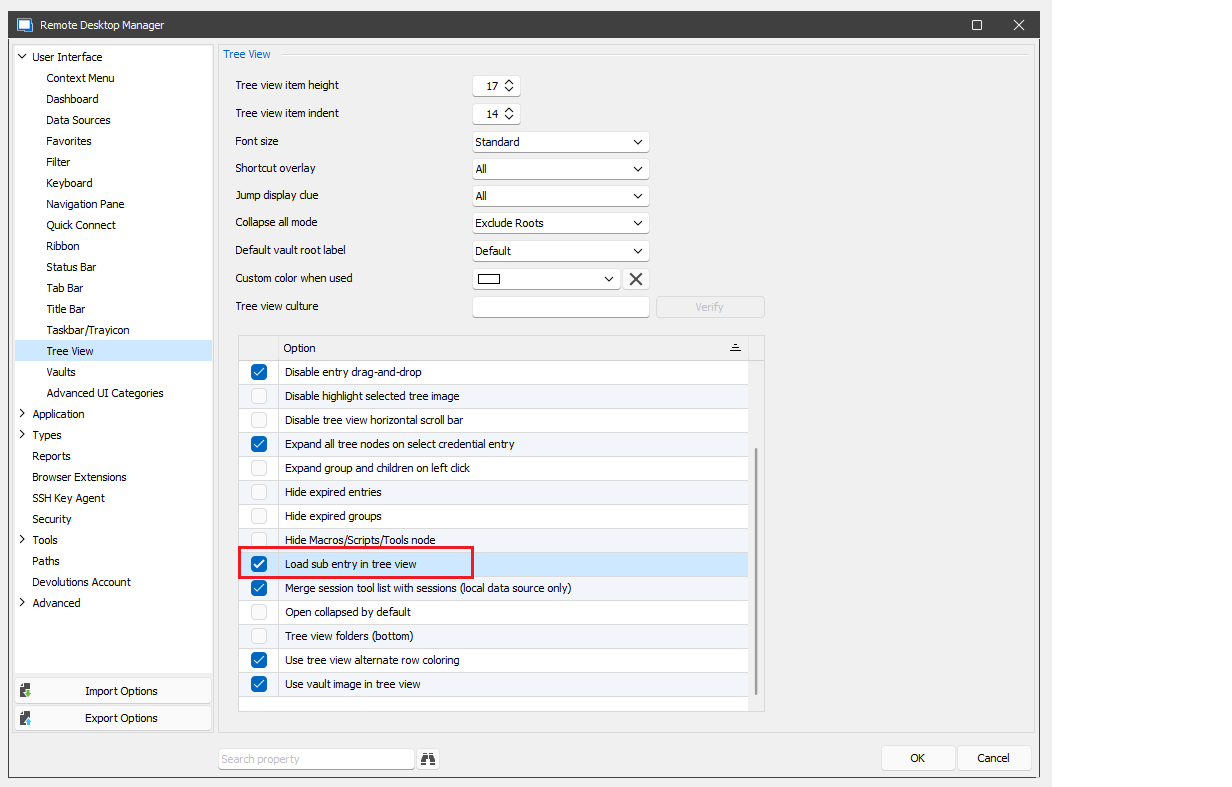
However I have found the following option has no effect. Sub-connections are always listed in tree view regardless of whether this box is checked or not. That was not the behavior in 2022.2.
Thanks!
2022.3 Title Bar
Upon upgrading to 2022.3, I have found that one of my two PC's RDM title bar grew about 12px taller. I've always felt the standard title bar was too tall, but this is unacceptable to me. Any ideas? I can tell you the PC with the issue is accessed via RDP.
In the attached pic, 2022.3.27.9 is on the left, 2022.2.29.0 is on the right.
Any help with this would be appreciated. No other apps on this machine are causing or experiencing any issues,
Thanks!
VMware Dashboard Issue
Thank you for fixing this in 2022.2.20.0. It is very much appreciated!
VMware Dashboard Issue
Hello all,
I use three VMware Dashboard sessions to access three different vCenters. All three vCenters are version 7.0.3 Update G, all seemingly identical apart from their location and the guests they serve. For reference, we'll call my connections dashboard lv, dashboard sf and dashboard fc. I have used this feature since it was released and it's been a great convenience. Several versions back I noticed that the dashboard for dashboard fc was returning only half of the VMs. It was random, regardless of which cluster, storage or VM folder the VMs resided in. Then beginning around RDM ver. 2022.1.27.0 dashboard fc has been returning no VMs. Clicking the refresh button results in the below error.

It is not a networking issue, PowerCLI works fine. I have the same results using multiple machines in multiple locations, and to be sure, I just installed RDM in a computer on the same network as dashboard fc. RDM does not like dashboard fc for some reason and I'd really like to find out why. Is there some way we can troubleshoot this to discover why I am getting this result only for this one vCenter? The remaining two connections continue to work just fine as expected.
Thanks as always for your support.
RDP session stealing focus
Confirmed fixed on 2022.1.16.0.
Thank you all!
Tree View line spacing after upgrade
This issue has now been resolved as of version 2022.1.12.0 (for me personally at least).
Items are now being condensed with the reduced line spacing as they were before.
Thank you Devolutions for resolving this issue.
Cheers!
Yes I did notice. A very welcomed fix and a cheers from here as well!
RDP session stealing focus
Thank you Antoine.
RDP session stealing focus
With "Focus content..." unchecked and "Check focus..." checked, it works but only if I am in the All tab group. I have a tab group explicitly for RDP sessions, and when that tab group is selected, then I try to use the undocked ssh session, that is when it steals focus back to the RDP session. 2021.2.25.0 did not do this.
Thanks.
RDP session stealing focus
I've upgraded from 2021.2.25.0 to 2022.1.13.0 today.
If I select any undocked connection (eg undocked ssh session) the last docked RDP session steals focus away from the undocked session bringing all of RDM to the foreground. I've reinstalled and restarted RDM several times to no avail, I had to downgrade as I need to work. I've reproduced this issue on 2 separate PCs, one running WIn10 the other Server 2019.
Steps to reproduce:
1) Maximize RDM
2) Open embedded RDP session.
3) Open undocked SSH session.
4) Wait 5 seconds at the most and watch the undocked SSH session move into the background.
Thanks,
-Eric
Secure Note Text Search
Thank you Jonathan. This is very much appreciated!
-Eric
Tree View line spacing after upgrade
Hi Jafran. I am aware your hands are tied by DevExpress so I appreciate the effort.
Thanks again,
-Eric
Tree View line spacing after upgrade
Thanks David. I'm okay with the menu, but being able to condense the tree would be great.
Appreciated!
-Eric
Tree View line spacing after upgrade
...actually I just noticed that line spacing has increased globally, affecting all menus. It's like MS Edge vs. Chrome and it's precisely why I refuse to use Edge. Is there a way to revert this change?
Tree View line spacing after upgrade
Hello,
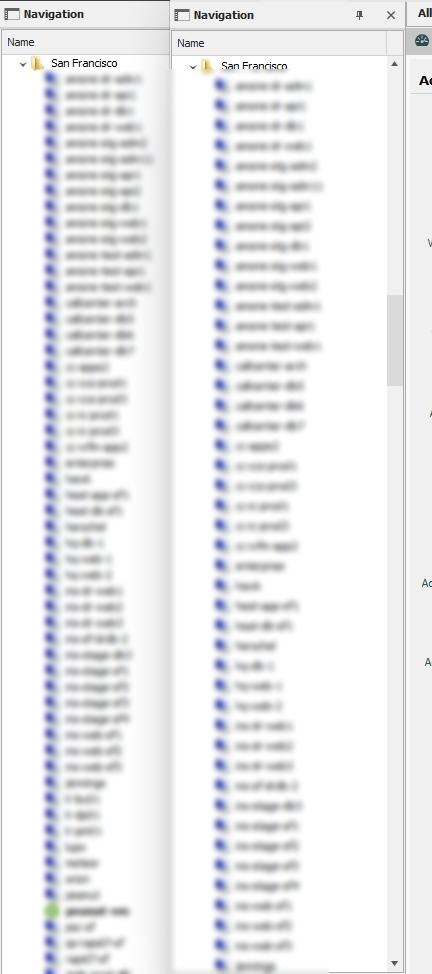
This may seem trivial but it's bothering me quite a bit. Following an upgrade from 2012.1.xx to 2012.2.xx my tree view line spacing has increased although it is set at its minimum of 16. Increasing this value does increase space between lines but I cannot get it to where it was previously with 16 being noticeably wider than it has been forever. Image shows 2021.1.44.0 navigation pane on the left, and 2021.2.14.0.on the right. This is on Windows 10, 1080p at 100% screen scaling.
Any idea as to how I can condense the lines as they once were?
Thanks,
-Eric
Secure Note Text Search
Excellent! Thank you Hubert!
Secure Note Text Search
Hello all,
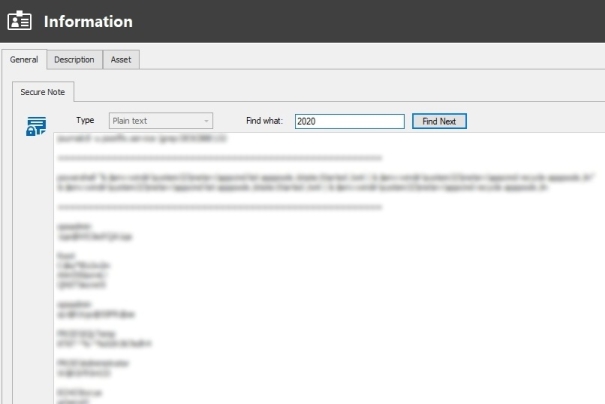
I utilize several plain text Secure Note entries to store sensitive information of various types. Would it be possible to add a simple text search option for Secure Note data (such as the Find command in Notepad)? See attached mock-up. This would greatly enhance my workflow.
Thank you,
-Eric
SSH connection crashes on 2021.1.32.0
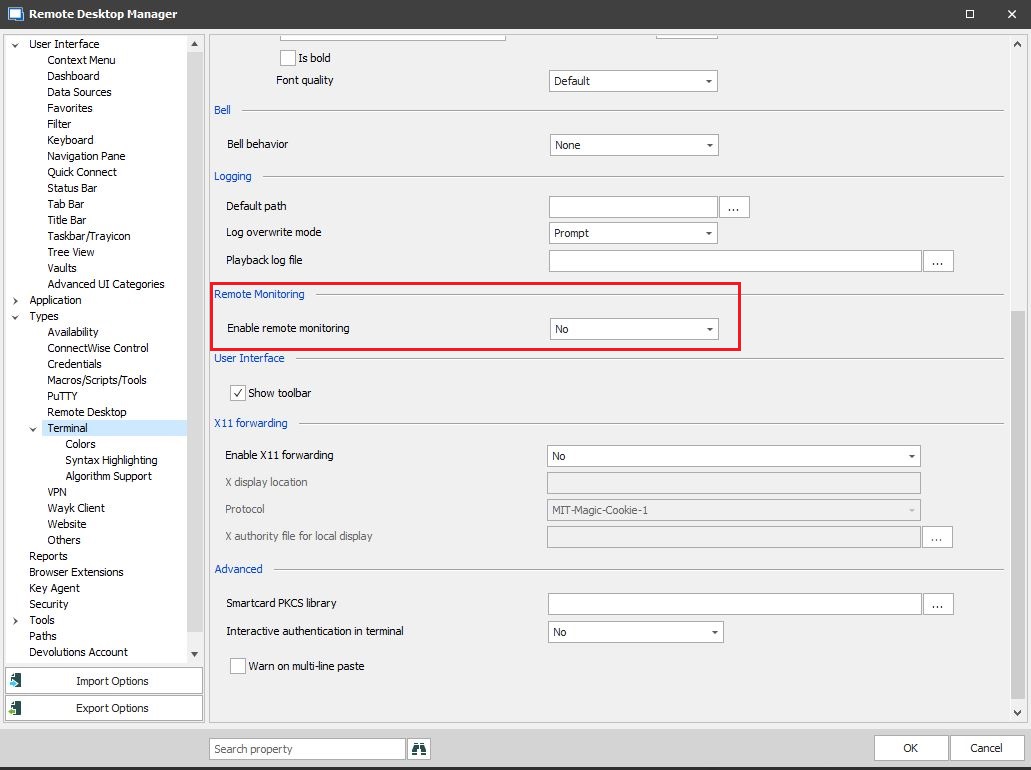
Yes. You have to go into RDM's options. Go to Types and select Terminal. Under Remote Monitoring, select No.
SSH connection crashes on 2021.1.32.0
Got it. Thanks again!
SSH connection crashes on 2021.1.32.0
Wow, that actually fixed it!!!!!!!! Is it a bug or a feature? :-)
Thanks as always for the great support!
-Eric
SSH connection crashes on 2021.1.32.0
SSH connection crashes on 2021.1.32.0
Okay that did not fix it. You are not going to believe this but I proved this 3 times.
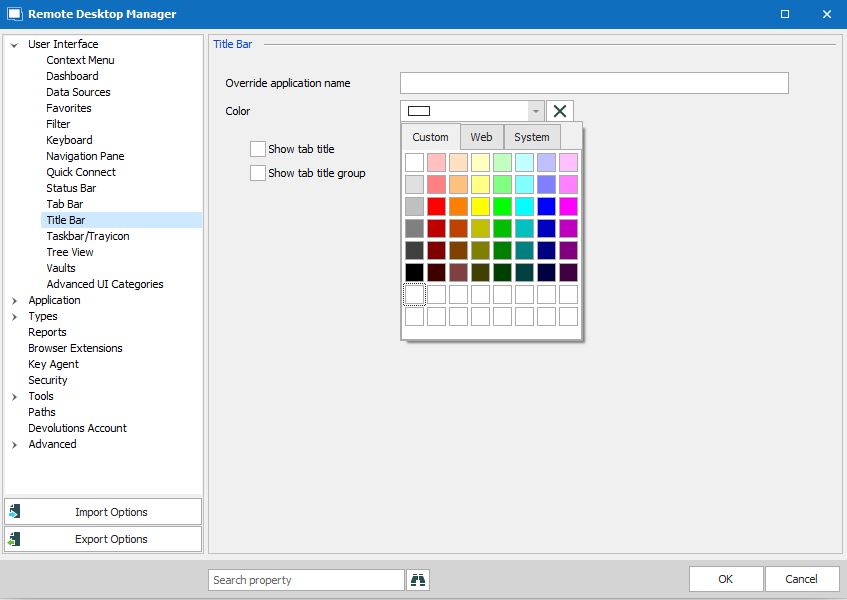
All I did was change the title bar color to dark gray and this issue happens. It works before changing the color, but once the color of the title bar is changed, I get the error on SSH connections even with all ciphers and keys enabled. I know, that doesn't make any sense but it's true.
Steps to reproduce:
Upgrade to or install 2021.1.32.0
Check SSH connection. Success.
Change title bar color (dark gray in my case).
Check SSH connection. Fail (-1)
Downgrade to 2021.1.27.0
Check SSH connection. Success.
Upgrade to 2021.1.32.0
Check SSH connection. Success.
Change title bar color (dark gray in my case).
Check SSH connection. Fail (-1)
SSH connection crashes on 2021.1.32.0
That did it. Thank you!!!