SSH connection crashes on 2021.1.32.0

I have just upgraded from 2021.1.27.0 to 2021.1.32.0. Now if I try to ssh to any of my vCenter servers it gives the error below Downgrading back to 2021.1.27.0 resolves the issue. (Note: I moved the dialog box and cropped the image for a smaller pic.)
Any idea?
Thanks!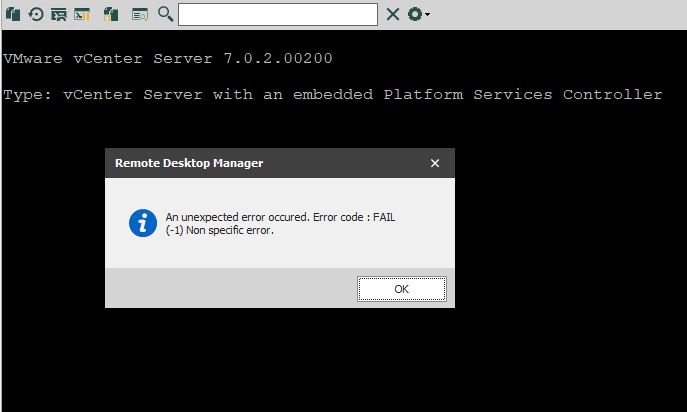
2021-06-01 15_14_48-ZED - 10.201.200.125 - Remote Desktop Connection.jpg
2021-06-01 15_11_54-ZED - 10.201.200.125 - Remote Desktop Connection.jpg
All Comments (12)
Hello,
For this error message, you can refer to this help topic : https://kb.devolutions.net/rdm_error_code_fail_1_non_speciffic_error.html
Best Regards,
Etienne Lord
That did it. Thank you!!!
Okay that did not fix it. You are not going to believe this but I proved this 3 times.
All I did was change the title bar color to dark gray and this issue happens. It works before changing the color, but once the color of the title bar is changed, I get the error on SSH connections even with all ciphers and keys enabled. I know, that doesn't make any sense but it's true.
Steps to reproduce:
- Upgrade to or install 2021.1.32.0
- Check SSH connection. Success.
- Change title bar color (dark gray in my case).
- Check SSH connection. Fail (-1)
- Downgrade to 2021.1.27.0
- Check SSH connection. Success.
- Upgrade to 2021.1.32.0
- Check SSH connection. Success.
- Change title bar color (dark gray in my case).
- Check SSH connection. Fail (-1)
Hello,
Just to make sure we are on the same page, could you send a screenshot of the option you are referring to? Which color are you changing exactly?
Best Regards,
Etienne Lord
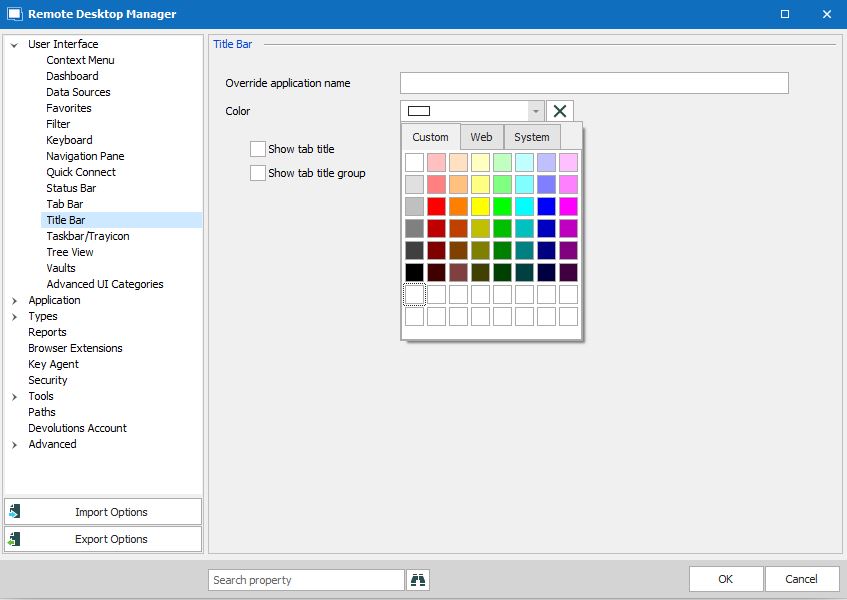
2021-06-02 10_10_59-.jpg
Hello,
Could you give it a try with the Remote Monitoring set to "No", under Terminal - Advanced of your SSH entry : 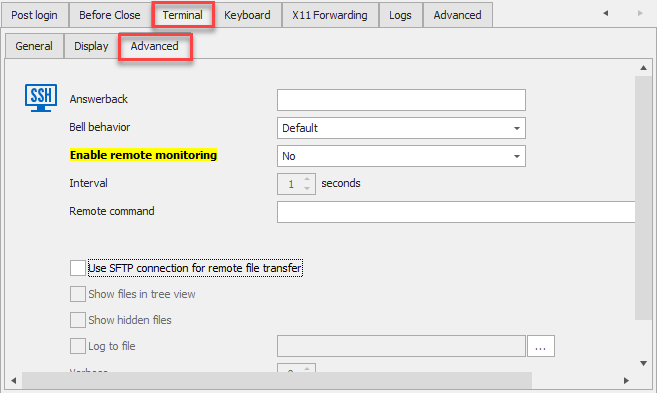
Best Regards,
Etienne Lord
Remotemonitoring.png
Wow, that actually fixed it!!!!!!!! Is it a bug or a feature? :-)
Thanks as always for the great support!
-Eric
Hello,
It shouldn't be enable by default, which will be fixed in the next version (2021.1.33.0)
You can manually change the default option in File - Options - Types - Terminal and set the option (Enable Remote Monitoring) to "No)
Best Regards,
Etienne Lord
Got it. Thanks again!
I have the same issue. Is there a way to change over dozens of entries?
Yes. You have to go into RDM's options. Go to Types and select Terminal. Under Remote Monitoring, select No.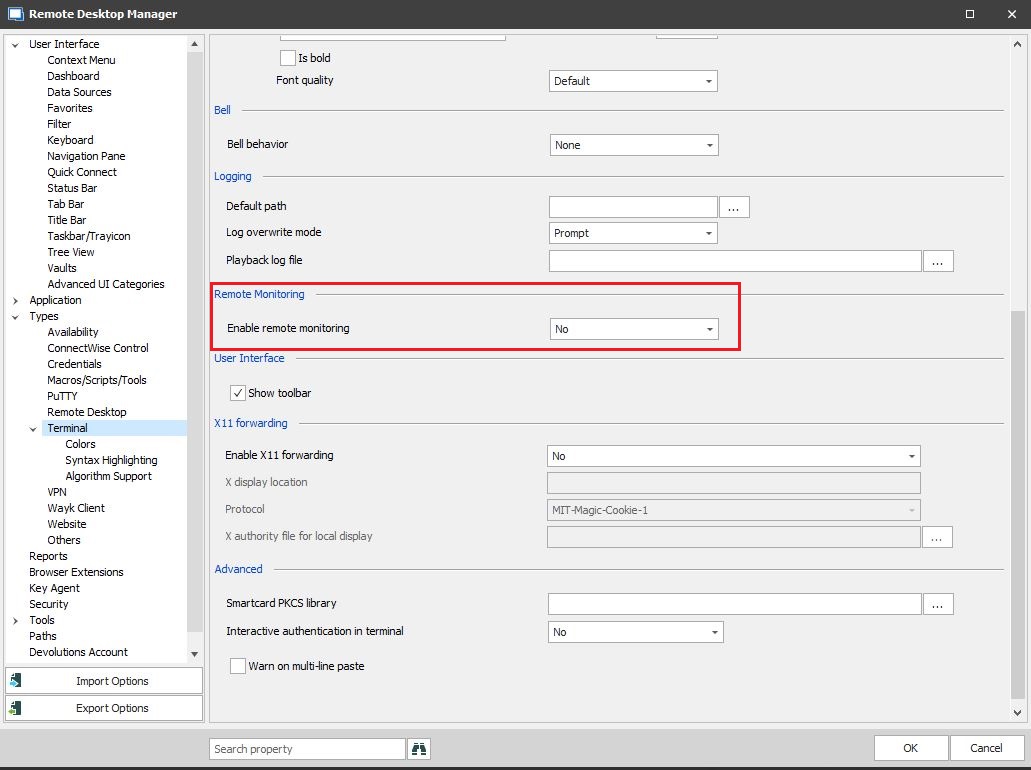
2021-06-08 16_56_03-ZED - 10.201.200.125 - Remote Desktop Connection.jpg
Thank you, that works.