
Furkan
How to Disable Automatic Account SignIn Machine Wide?
Hi Furkan,
Thank you for the detailed description, it made this easy to follow.
The window comes from the "Automatically sign in at startup" option of the Devolutions Account. It is a per-user setting stored in RemoteDesktopManager.cfg. When it is on, RDM tries to sign in to the Devolutions Account each time it starts, and if the user has no saved session, the sign-in page opens. The checkbox for this option is only shown to users who are signed in to a Devolutions Account, which is why your users cannot simply untick it in RDM.
What you saw when you set it to false is expected: RDM only writes options that differ from their default value, and the default for this option is false. So when the line disappears, the option is saved as off and stays off.
About the policy: DisableOnlineAccount hides the Devolutions Account features in RDM, but it does not stop this sign-in at startup, and there is currently no policy to turn off this specific option machine-wide.
Do you distribute a default.cfg file in the RDM installation folder (C:\Program Files\Devolutions\Remote Desktop Manager), for example one created with File > Settings > Export settings or with a custom installer? RDM applies that file to new user profiles, and to existing ones when the file changes. If the RDM used to create it had "Automatically sign in at startup" enabled, the file can carry this option to all your users.
If that is the case, you can turn the option off on the RDM you use for the export and export the file again, or remove the AccountAutomaticSignIn line from default.cfg. When users start RDM after the file changes, they are asked whether to use the new configuration, or it is loaded automatically if you use the "Force loading of the default.cfg file" policy. After choosing the new configuration, closing RDM normally once saves the change. Please note that loading it replaces most of the user's current settings.
If you do not use a default.cfg, the quickest way to cover all users is to remove the AccountAutomaticSignIn line from RemoteDesktopManager.cfg in each user profile, for example with a logon script that runs while RDM is closed.
Best regards,
HI @Alexis Geller Peiro,
thanks for the reply. I somehow didnt got a mail notification about it, so sorry for my delay.
While we use the Custom Installer to deploy RDM (mainly to predeploy a Data Source), we do not deploy any default.cfg. I will check that out.
I just had wishen there is a Machine Wide Policy for this. I am right now doing the modification of the cfg file, it is just bit more annoying then a reg key.
Thanks
Furkan
How to Disable Automatic Account SignIn Machine Wide?
Hi all,
i have realized that updating to 2026.3.15.0 from a 2026.1 version, that my users are now getting a FORCE Popup every time RDM boots up to login into a Devolutions Account.
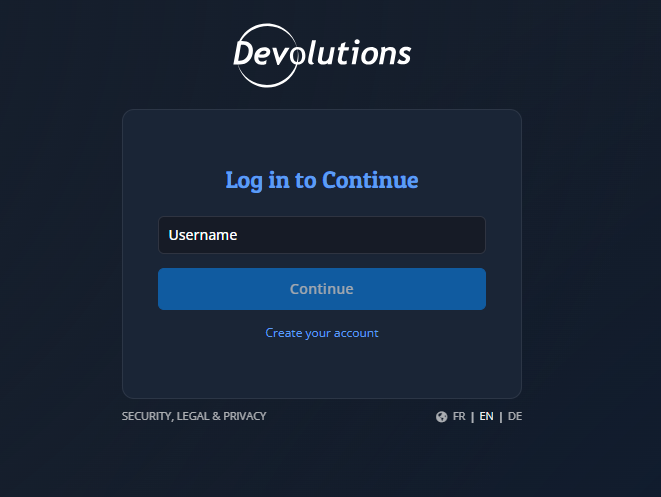
I dont want that.
So I researched to see if there is a Machine Wide Registry Policy to disable this. I had only found this:
[HKEY_LOCAL_MACHINE\SOFTWARE\Policies\Devolutions\RemoteDesktopManager]
"DisableOnlineAccount"=dword:00000001
But this did nothing and did not help.
So i digged up further and i saw that there is now a new entry created AUTOMATICALLY without me wanting it in the RemoteDesktopManager.cfg file with the value:
<Option>
  <AccountAutomaticSignIn>true</AccountAutomaticSignIn>
</Option>
When i set this value to "false", and start RDM; the whole "AccountAutomaticSignIn" string disappears (it does not set it to a visual "false"), but also the Popup disappears. Why is this not staying at "false"?
This .cfg is in the USER-Profile, which is annoying to control. Is it possible to include a Registry Key at the HKLM Path under Policies? I feel like this should not be enabled on Default on future installations because companies like mine run On-Premise on a Popup Windows that comes on ever start to a Cloud Login is very annoying.
Thanks.
Furkan
New popup when upgrading a client silently with a preconfigured .msi for the Data Source
Hello,
Thank you for reaching out to us regarding this,
I see, is it possible that you have the "On Start up" option set to "Prompt for data source" on the instance of RDM where you generated the package?
You can confirm this by going under "File" -> "Data sources" and looking at the bottom of this window.
You would need to change this and generate a new package with the desired configuration.
Best regards,
Haa, that was it .. :D
It looks like i may have changed this by accident and i never realized it. I didnt know this option is also being configured in the .msi, but good to know, thanks!
New popup when upgrading a client silently with a preconfigured .msi for the Data Source
Hello all,
i am doing my monthly upgrade of our RDM Software, and this time im running into an issue that after the .msi installation update, that i am being asked to select the data source!
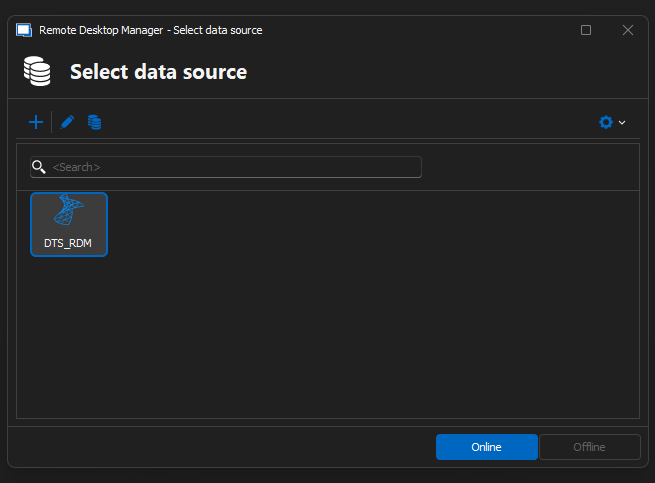
This was never needed. It always had auto loaded the configured Datasource in the .msi.
I have created the configuration with these checkboxes, for the same case the past months which always worked:
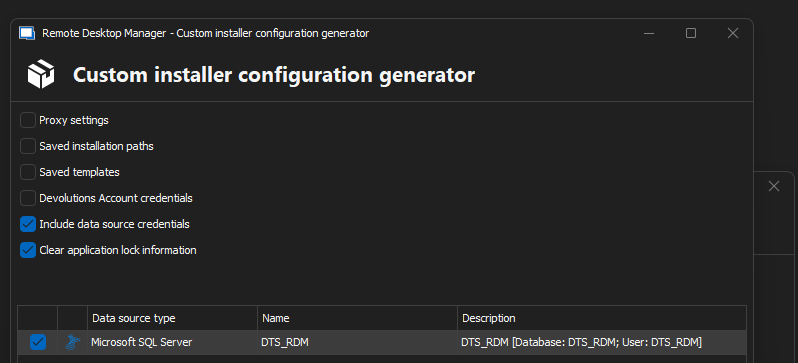
Currently i am on 2024.2.20 (i was able to update to this version with the config above without the popup on the first pic)
I tried to update to the latest one 2024.3.17.0 and i got the popup. I dont want it.
Am i doing smth wrong?
Thanks
Disable personal vault for specific users
That explains everything, thanks :D
Disable personal vault for specific users
Hey,
i had found something...

Here can i disable the user vault for specfic user accunts, looks like this is doing the job for me!
Disable personal vault for specific users
Hello,
is there any update on this?
Focus is to disable "User Vault" for specific accounts only.
Lets say we have 2 accounts who have access to the DB.
Account A is connecting to the DB. The user has access to use the feature "User Vault".
Account B is connecting to the DB. The user does NOT have access to use the feature "User Vault".
Currently i only see an option disable it for everyone.
Thanks
"RemoteDesktopManager.exe" vs "RemoteDesktopManager_x64.exe" - Which one should be used?
Hey,
thanks for the detailled explantation!
Im happy with this :)
Furkan
"RemoteDesktopManager.exe" vs "RemoteDesktopManager_x64.exe" - Which one should be used?
Hey,
im sorry if this question had been asked or not. But i realized today after updating to 2024.1.20.0, that there are different executables for RDM:
RemoteDesktopManager.exe
RemoteDesktopManager_ARM64.exe
RemoteDesktopManager_x64.exe
We always had used the top one, aka "RemoteDesktopManager.exe". As our enviroment is only Windows 10/11 x64 Client, should we make the switch to only use the x64.exe?
Is there a reason not to switch? Are there performance improvements using the x64 one?
Thanks!
Furkan