
paul23
The Session Log has been removed from Devolutions Cloud
Ah, OK. It didn't prompt me for the new version. I have it now and I see the session logs now.
Thank you so much for taking care of this.
The Session Log has been removed from Devolutions Cloud
Hello,
We have opened a ticket to bring this feature back. We will keep you updated on the progress.
Best Regards,
Following up to see if this has progressed at all?
The Session Log has been removed from Devolutions Cloud
Hello David,
Thank you so much for your prompt response to this.
When do you hope to release the new build?
The Session Log has been removed from Devolutions Cloud
In the more recent build of RDM (2024.3.18.0), the session log feature (in the Dashboard for an RDP session) that I use to help capture time spent on a customer site, has been removed. Apparently, it was "never meant to be available with Hub Personal".
As far as I recall, it has been there for some time, and I am used to using it.
Please reinstate this.
TSPrint by TerminalWorks
That seems to have done the trick. Thank you!!
TSPrint by TerminalWorks
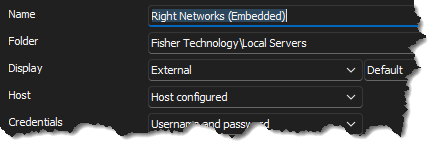
Setting to External display had no effect:
I have RDM version 2024.2.16.0 64-bit.
TSPrint is installed locally and works fine if I connect that same host directly via MSTSC. In RDP, even with an "External" display, I get:
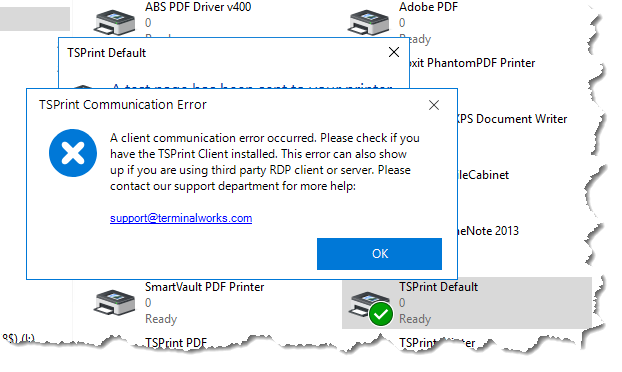
TSPrint by TerminalWorks
Thank you. But I do have that option checked.
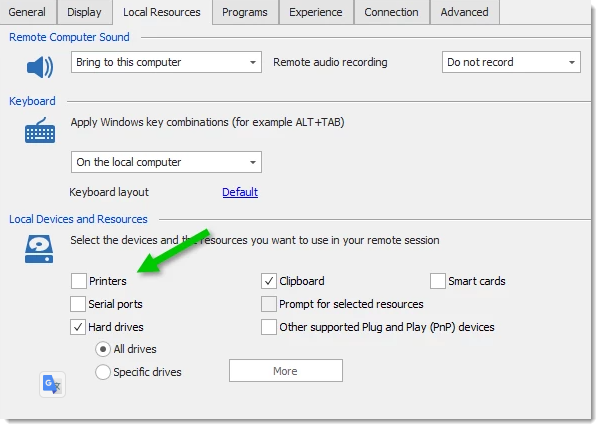
Note that I am using TS Print (by TeminlaWorks) to redirect printed output, it's not just a case of redirecting to an actual print queue on the system. Windows Remote Desktop handles this just fine.
TSPrint by TerminalWorks
How can I take advantage of TS Print (by TeminlaWorks) to redirect printed output from a remotes RDP session in RDM to my local system? If I just use Windows Remote Desktop, it just works.