
simon03
Shortcuts in shadow mode RDP sessions
OK, thx.
Shortcuts in shadow mode RDP sessions
Hi,
is it possible to use shortcuts (e. g. WIN + R or CTRL + C) in a shadow mode RDP session?
In a "normal" RDP session everything works fine but not in a shadow mode session.
Many thanks in advance.
Simon
"Connect when available" does not work anymore
Thanks for your support!
"Connect when available" does not work anymore
I've already installed version 2020.2.15.0.
I've now increased the reconnection delay (set it to 0).
Now it's working again. :-)
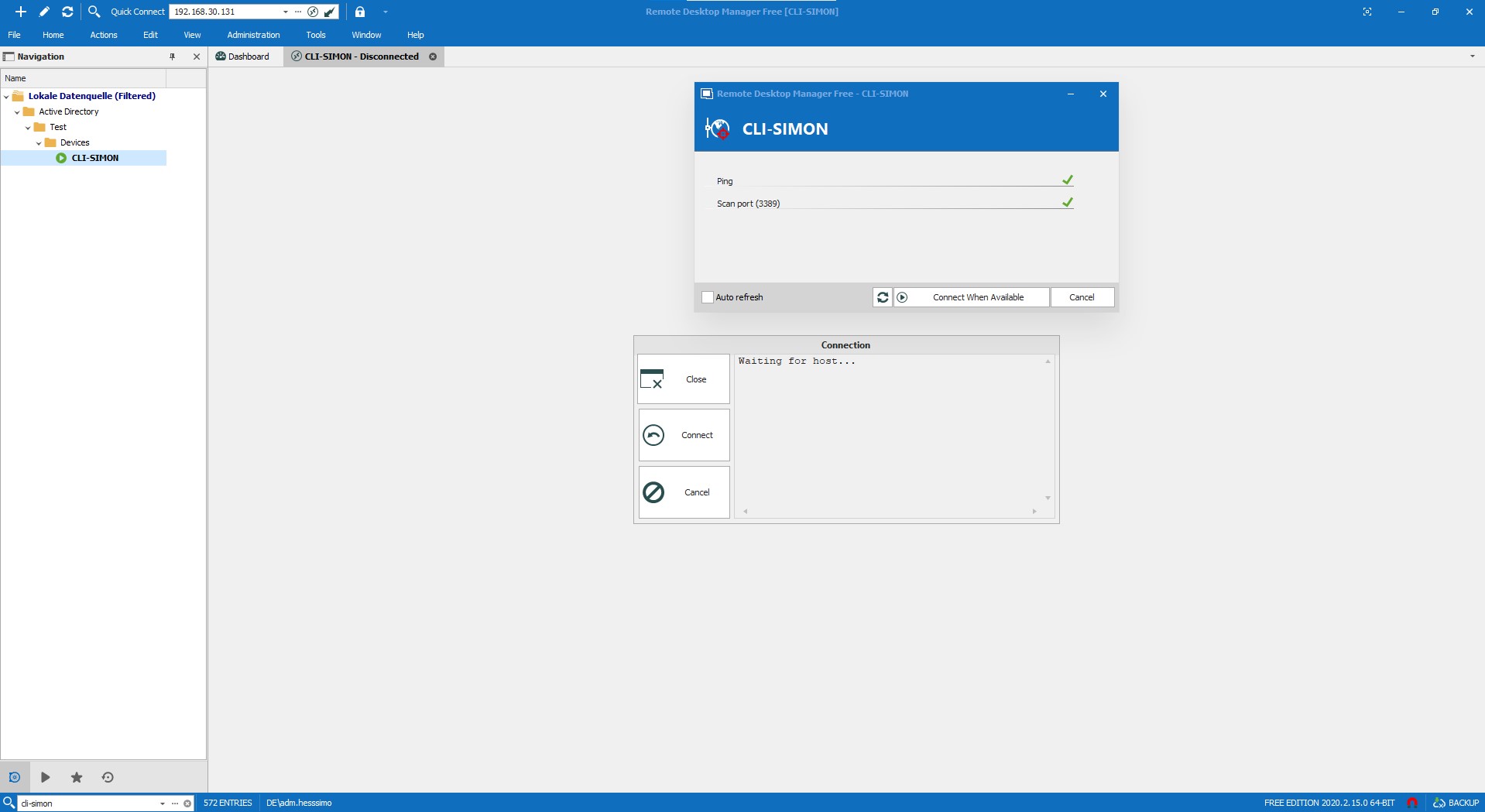
As you can see: there are more than one entries "Waiting for host..." if it's working in the right way:

"Connect when available" does not work anymore

"Connect when available" does not work anymore
Yes, it is.
Client rebooted. Ping = yes. But not connecting automatically - but after minutes.
"Connect when available" does not work anymore
Hi Jeff,
many thanks. But it's also not working. We have this problem on all of our 7 clients in our IT department.
Server reboot --> Connect when available --> Server started --> nothing happens --> Manual click on "Connect" --> Server connects immediately.
Strange.
"Connect when available" does not work anymore
Hi Jeff,
no, I don't see this as well. I see it if a client or server is generally offline.
But in my case the client/server is online but the function "Connect when available" is not working or is working but with minutes of delay.
Don't know what's the problem now. It works fine for month since I've used RDM.
"Connect when available" does not work anymore

That's a screenshot after pushing the button "Connect when available". I took this screenshot after round about 1 minute but as you can see there is only 1 try. The reconnect interval is set to 5 seconds (default). So there must be more "Waiting for host..." lines.
"Connect when available" does not work anymore
Hi Jeff,
many thanks for your reply. Here is the screenshot of "About".

What do you mean with "Datasource"?
"Connect when available" does not work anymore
Hi Guys,
since a few weeks the function "Connect when available" (e. g. in RDP sessions if the client restarts) does not work anymore.
If I now use this function only "Waiting for host..." (1 time) appears but nothing happened also if the client is online again. If I push the button "Connect" I can immediately connect to the client. In some cases it works but takes a long time (several minutes, even though the client is online long ago) until the client reconnects.
Any ideas?
I'm using version v4.0.30319
Many thanks in advance.
Simon
Search for active console username
Hi Jonathan,
no, not really :-).
I'm looking for a feature which allows to search over all clients for a logged in user.
Example:
We've often the case that someone needs support but doesn't know the hostname of the client. So it would be great to have a search function that searches for usernames and the clients which the user is logged on.
Search for active console username
Hi,
regarding the search filter for active sessions:
I've version 2020.1.10.0 installed. You told me that since version 2020.1.4.0 the new feature is available (to search for console users).
How can I use it? I don't find the search field or the filter.
Many thanks in advance.
Search for active console username
Perfect!
Many thanks for your support!!
Search for active console username
Great to hear!
Is there a notification inside Remote Desktop Manager if there is a new update available?
Search for active console username
Yes. Correct. Terminal sessions.
Search for active console username
Hi Guys,
is it possible to search for a username to determine the client with the active console?
I have 300 clients (Windows). In a support case it would be great to determine on which client a person is logged in to make a shadow RDP session.
Is that possible?
Many thanks in advance.
Select monitor in RDP shadow mode
Thank you anyway!
Select monitor in RDP shadow mode
Hi Guys,
is it possible to select the monitor in RDP shadow mode if the remote client has more than one monitor connected?
Apply template changes
Many thanks! Works fine.
Apply template changes
Hi Guys,
we've created a template for our RDP clients. Works fine.
Now we have changed an option in the template.
How can we apply these changes to our RDP clients? Do we have to re-import them again?
Many thanks for your help in advance.
Simon