
rferreira01
Resizing in RDM for Mac does not properly change the session's resolution to match.
OK. That could make sense. Thanks again. Very happy here that this is working now. R.
Resizing in RDM for Mac does not properly change the session's resolution to match.
Uhm... Interesting. It works. BUT, I had to restart the app to make it work. That is:
1- Change the setting.
2- Quit the app.
3- Reconnect to the remote sessions with the window only on the left side of my screen.
Then:
4- Now it works.
So, is there still an issue with the settings not taking effect until you quit and restart RDM? THANKS!
Resizing in RDM for Mac does not properly change the session's resolution to match.
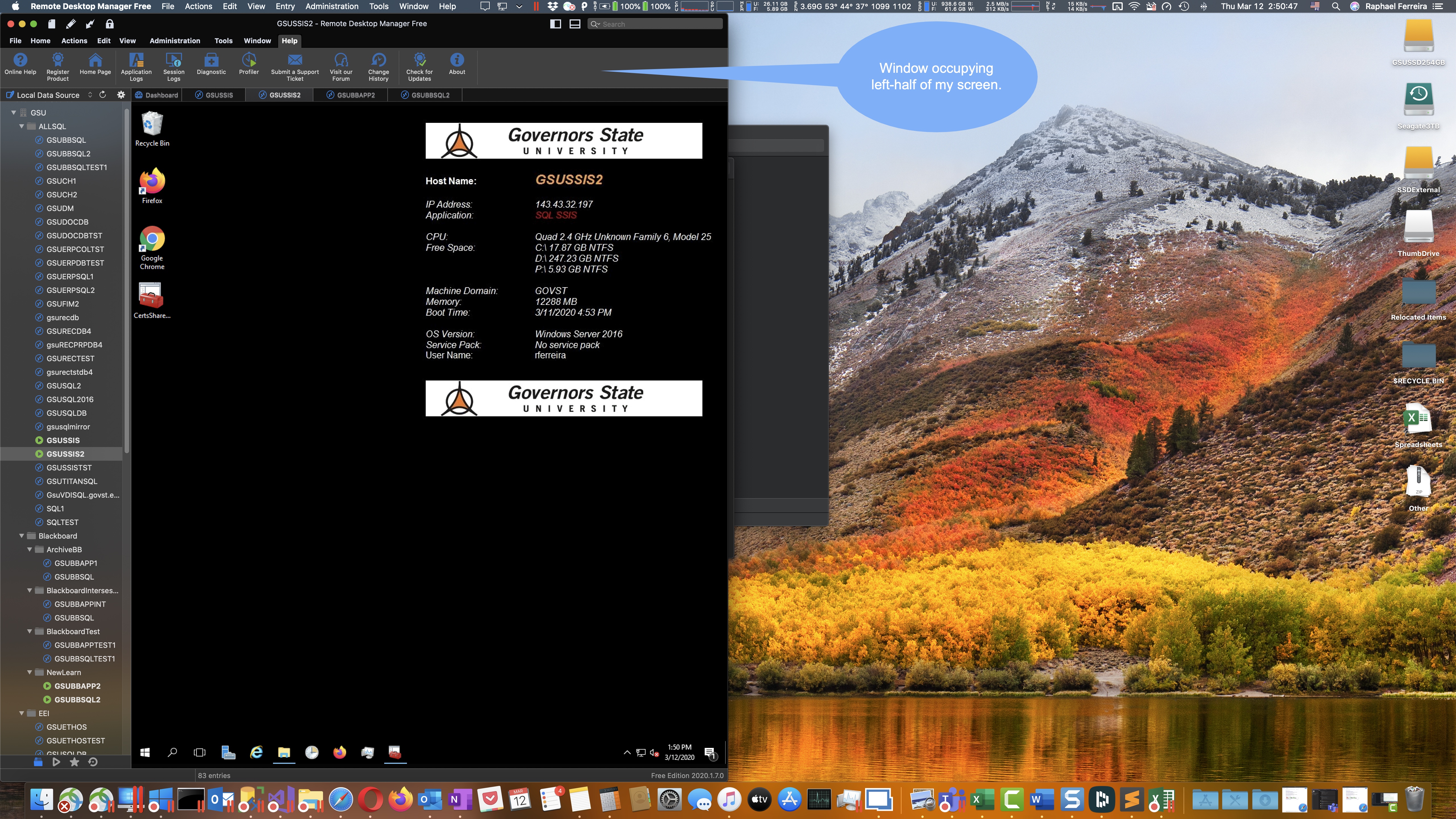
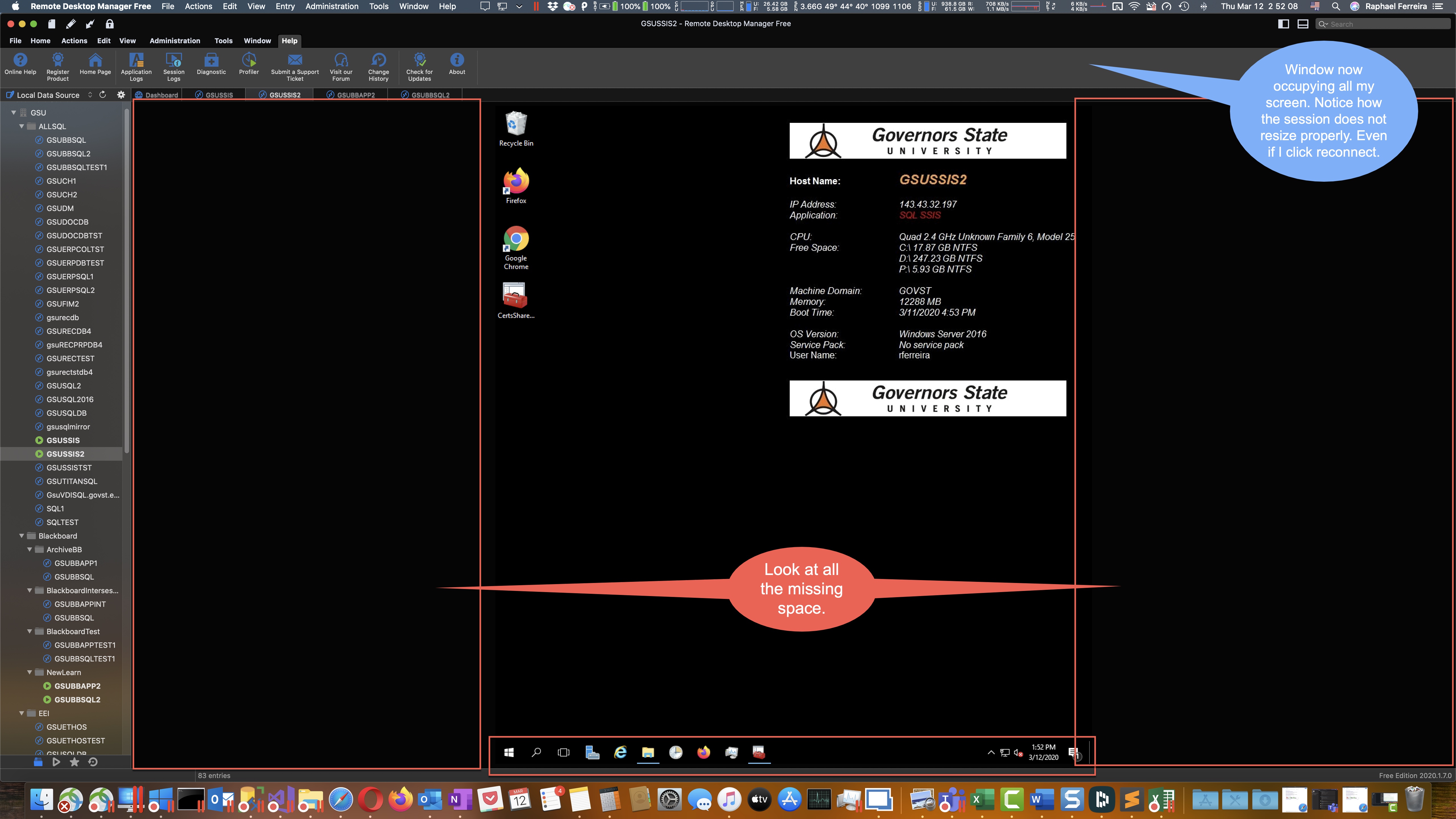
When I resize the main window for RDM for Mac, say, as a window occupying the left side of my screen to occupying the whole screen, the session does not resize to occupy the whole screen. It simply maintains the same dimensions as before, but now only in the middle of the screen with the same dimensions. And it does not matter if I try to reconnect. The only way to properly resize the session is by logging off and then logging back in. What's up with that? Am I missing something? Attachments for illustration. Best, Raphael
High DPI is present in the Windows version. How about the Mac version?
Hello again Xavier, in my case, I'm perfectly fine with one screen only. That is how I work anyways. I have one iMac Pro 27" 5K, with plenty of display real estate. I also use "Spaces" extensively so I can switch from "screen to screen" (meaning from Space to Space) so I can accommodate as many applications as I want/need without me going insane. I have a total of 8 of these spaces constantly filled with different apps, but those are always the same resolution.
Now, I do imagine that most people out there using multiple screens would prefer options 2 or 3 though... I wonder how Apple addresses that for users with more than one screen... I would mirror what Apple does in this case.
I hope this helps. Best, Raphael.
High DPI is present in the Windows version. How about the Mac version?
I do appreciate your attention Xavier. For the record, Microsoft's solution, called "Microsoft Remote Desktop", which can be downloaded from the Apple app store, does have high DPI awareness, extending it to the RDP connections into the servers themselves. So, I know it is possible. The only reason I do not abandon Devolutions RDM is because it does have a more feature rich set of tools than Microsoft's solution. Hopefully you guys can make it so high DPI awareness in the remote desktop sessions happens correctly. Thanks, Raphael.
High DPI is present in the Windows version. How about the Mac version?
And... Here's a 50 second recording, where I zoom in so you can see the difference I am talking about. (Give it a few minutes for YouTube to properly encode the video otherwise the resolution won't be enough either.):
https://www.youtube.com/watch?v=sTLnXVuOxTM
Thanks,
Raphael
High DPI is present in the Windows version. How about the Mac version?
Xavier, you are missing the point here. Devolutions RDM for PCs is high DPI aware, while Devolutions RDM for Macs is high DPI UNAware.
I don't want to disable high DPI awareness. I want it to be aware in the client for Macs, which it is not.
Scaling is NOT the same as high DPI awareness. You obviously do not have a high DPI monitor, or have not tested that functionality of the product, if you cannot see the clear, glaring differences.
Here you are. Two attachments. One using Microsoft Remote Desktop for Mac, which is high DPR aware, and another using Devolutions RDM for Mac, which is high DPI UNAware. Please tell me that you see the differences in the screenshots.
Best, Raphael.
P.S. I do appreciate you taking the time to work with me on this lack of functionality.
P.S.2 Yes, macOS handles DPI awareness much differently, the right way, but that's beside the point.
P.S.3 Please zoom in to the same level on each image to compare them per scale.
High DPI is present in the Windows version. How about the Mac version?
Here's more about what we do have on the PC version, but not so on the Mac version: https://blog.devolutions.net/2016/04/remote-desktop-manager-now-supports-high-dpi
R.
High DPI is present in the Windows version. How about the Mac version?
Xavier, you would have to browse the PC version of the software to see what I am talking about. See image attached. RDM for Mac does not have support for high DPI and thus the remote desktops appear less sharp in high DPI monitors (4K and 5K, for example) Raphael.
High DPI is present in the Windows version. How about the Mac version?
I have found references (and issues as stated in the forums) to the settings for high DPI settings remote desktop connections when using the app in Windows. How about on a Mac? I'm currently running it on an iMacPro 5K, and there does not seem to be any option to enable/use (and expect it to properly work) high DPI settings when RDPing into Windows servers. That is, Remote Desktop Connection for Mac RDPing into Windows Servers.
Do you guys have any plans of adding the functionality? It would be great to be able to see everything in the high resolution that these new Mac monitors provide... Best, Raphael.
P.S. I may be mistaken, but the ones who started all the hoopla around high DPI were on the Mac side of the fence. All the more reason to care for that audience first... :)