Resizing in RDM for Mac does not properly change the session's resolution to match.
Resizing in RDM for Mac does not properly change the session's resolution to match.
0 vote

When I resize the main window for RDM for Mac, say, as a window occupying the left side of my screen to occupying the whole screen, the session does not resize to occupy the whole screen. It simply maintains the same dimensions as before, but now only in the middle of the screen with the same dimensions. And it does not matter if I try to reconnect. The only way to properly resize the session is by logging off and then logging back in. What's up with that? Am I missing something? Attachments for illustration. Best, Raphael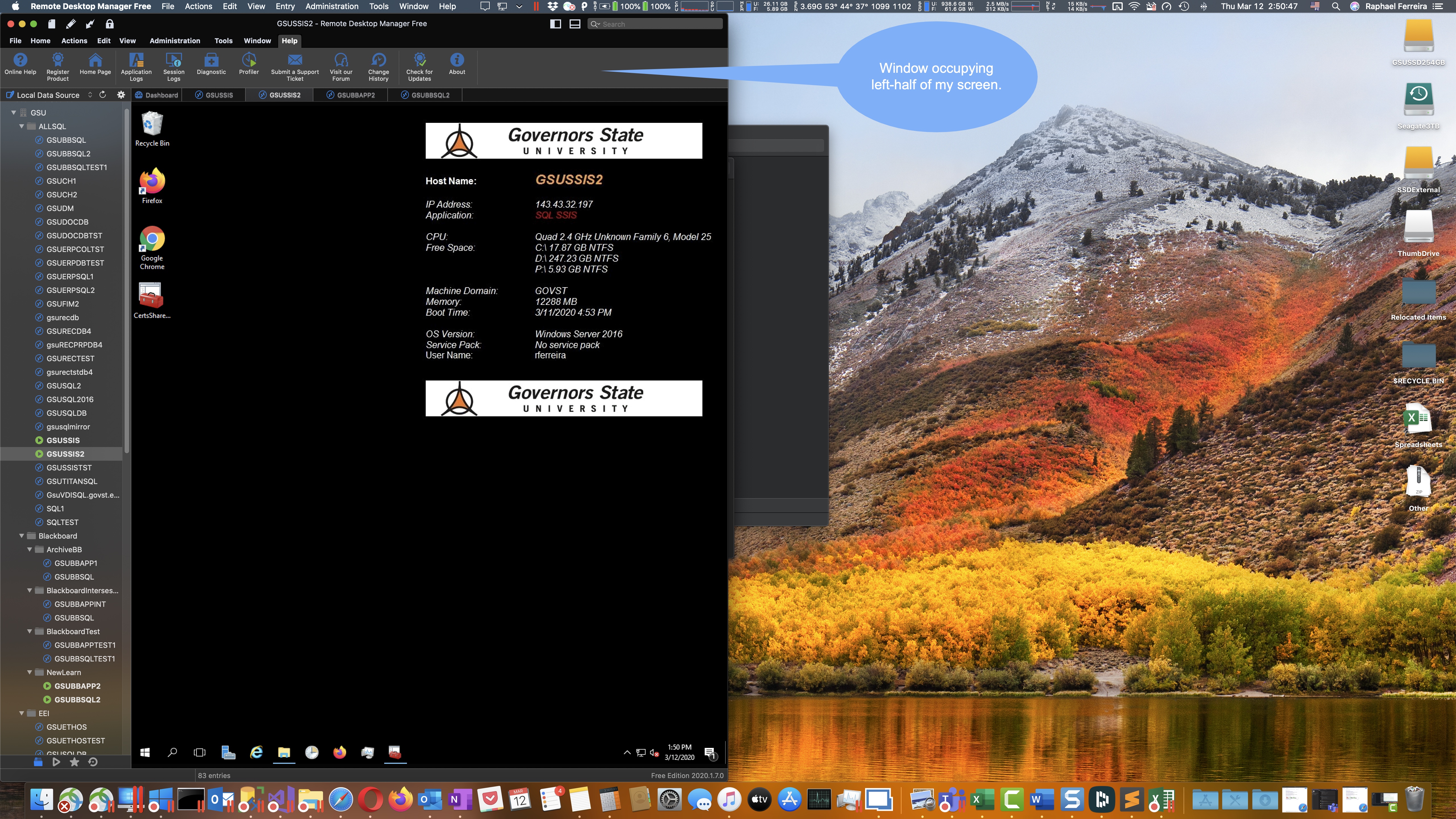
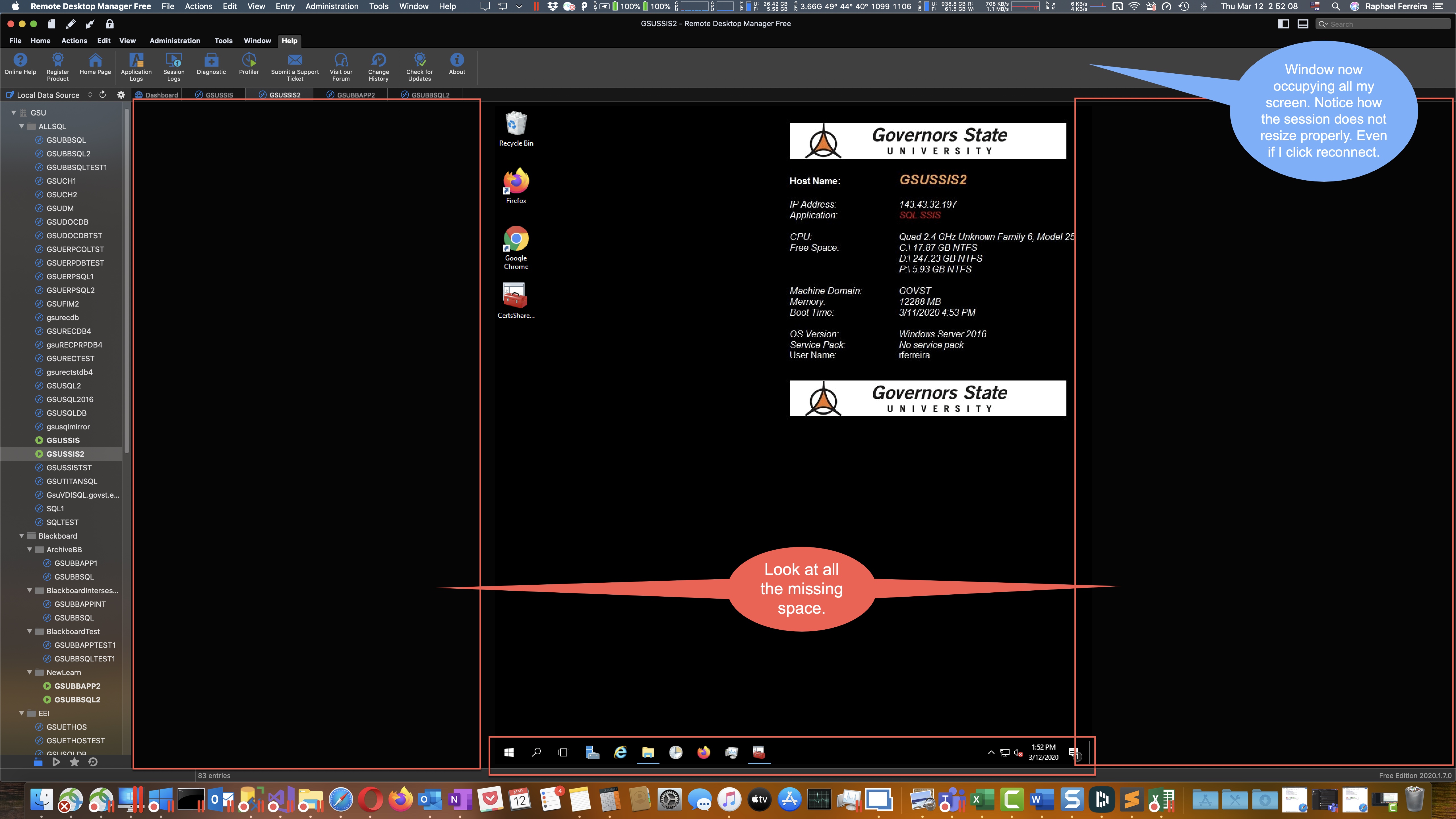
2.jpg
1.jpg
All Comments (4)
Hi,
You can enable Smart Reconnect and this should reconnect your session with the right dimension when changing the view size: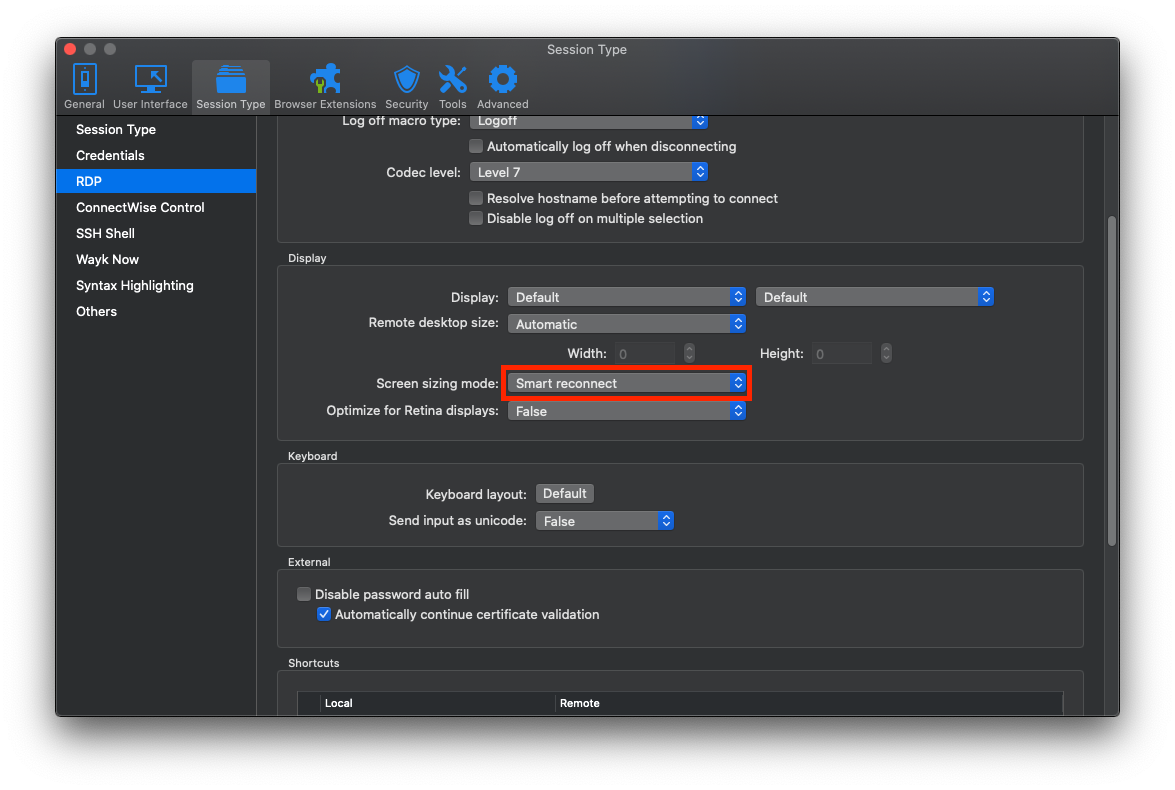 Best regards,
Xavier Fortin
SmartReconnect.png
Uhm... Interesting. It works. BUT, I had to restart the app to make it work. That is:
1- Change the setting.
2- Quit the app.
3- Reconnect to the remote sessions with the window only on the left side of my screen.
Then:
4- Now it works.
So, is there still an issue with the settings not taking effect until you quit and restart RDM? THANKS!
Hmmm... weird. I only had to change the settings, no restart needed. All opened session must be closed and restarted though. The setting is applied at the start of the session.
Best regards,
Xavier Fortin
OK. That could make sense. Thanks again. Very happy here that this is working now. R.