
tpharryman
RDP Keep alive
I have an AutoIT script that imitates mouse moves. It used to work magnificently, but no longer does. I'd love to see this in RDM. Oddly enough, the Keep Alive box in RDM is grayed out - I am unable to select the seconds.
Is there an Powershell connection
Thank you, Erica.
We do not use user vaults at this time, but I will look into it.
Is there an Powershell connection
Thank you, Erica.
We use MSSQL as our RDM DB with roughly 15 users. For a given RDP entry, our SOP is to use "My personal credentials" so each individual user can use their domain creds to access the servers. Using My personal credentials does not seem to work with this script, but hard-coding the credentials in the Remote Desktop entry does.
Is there a different variable name that can be used to access My personal credentials for this script?
New-PSSession : [t***********.****.*********.com] Connecting to remote server t***********.****.*********.com failed with the following error message : The user name or password is incorrect. For more information, see the about_Remote_Troubleshooting Help topic.
At C:\Users\tharryman\AppData\Local\Temp\RDM\491067f3-fe25-4ca9-955c-74e0f8e4f414.ps1:4 char:14
+ ... PSSession = New-PSSession -ComputerName t***********.****.*********.c ...
+ ~~~~~~~~~~~~~~~~~~~~~~~~~~~~~~~~~~~~~~~~~~~~~~~~~~~~~~~~~
+ CategoryInfo : OpenError: (System.Manageme....RemoteRunspace:RemoteRunspace) [New-PSSession], PSRemotingTransportException
+ FullyQualifiedErrorId : LogonFailure,PSSessionOpenFailed
Enter-PSSession : Cannot validate argument on parameter 'Session'. The argument is null or empty. Provide an argument that is not null or empty, and then try the command again.
At C:\Users\*********\AppData\Local\Temp\RDM\491067f3-fe25-4ca9-955c-74e0f8e4f414.ps1:5 char:17
+ Enter-PSSession $PSSession
+ ~~~~~~~~~~
+ CategoryInfo : InvalidData: (:) [Enter-PSSession], ParameterBindingValidationException
+ FullyQualifiedErrorId : ParameterArgumentValidationError,Microsoft.PowerShell.Commands.EnterPSSessionCommand
Best Regards,
Timothy
Is there an Powershell connection
Sorry to dredge up an old post.
We have over 400 Windows servers we hit with our Site license, and have been directed to start transitioning to powershell instead of RDP. Instead of adding 400 entries (yep, I'm lazy), Is it possible to have a macro/script/tool entry that would open up a pssession to the RDP object?
So if I have an RDP session for Server01.test.net, I could right-click the RDP entry -> Macros/Scripts/Tools -> Enter-PSSession
Thanks,
Timothy
After RDM update i can't copy/view username and passwords
Sorry for the time-suck.
User noted today that there was very small print on top of one of the panels that he had not put in this year's license...
Problem solved.
After RDM update i can't copy/view username and passwords
Thanks for the quick reply, James. The user tried it with "Use legacy security" checked and unchecked, but it made no difference.

After RDM update i can't copy/view username and passwords
This thread is two years old, but this issue has just popped up for me.
RDM Enterprise v 2021.1.25.0 64-bit
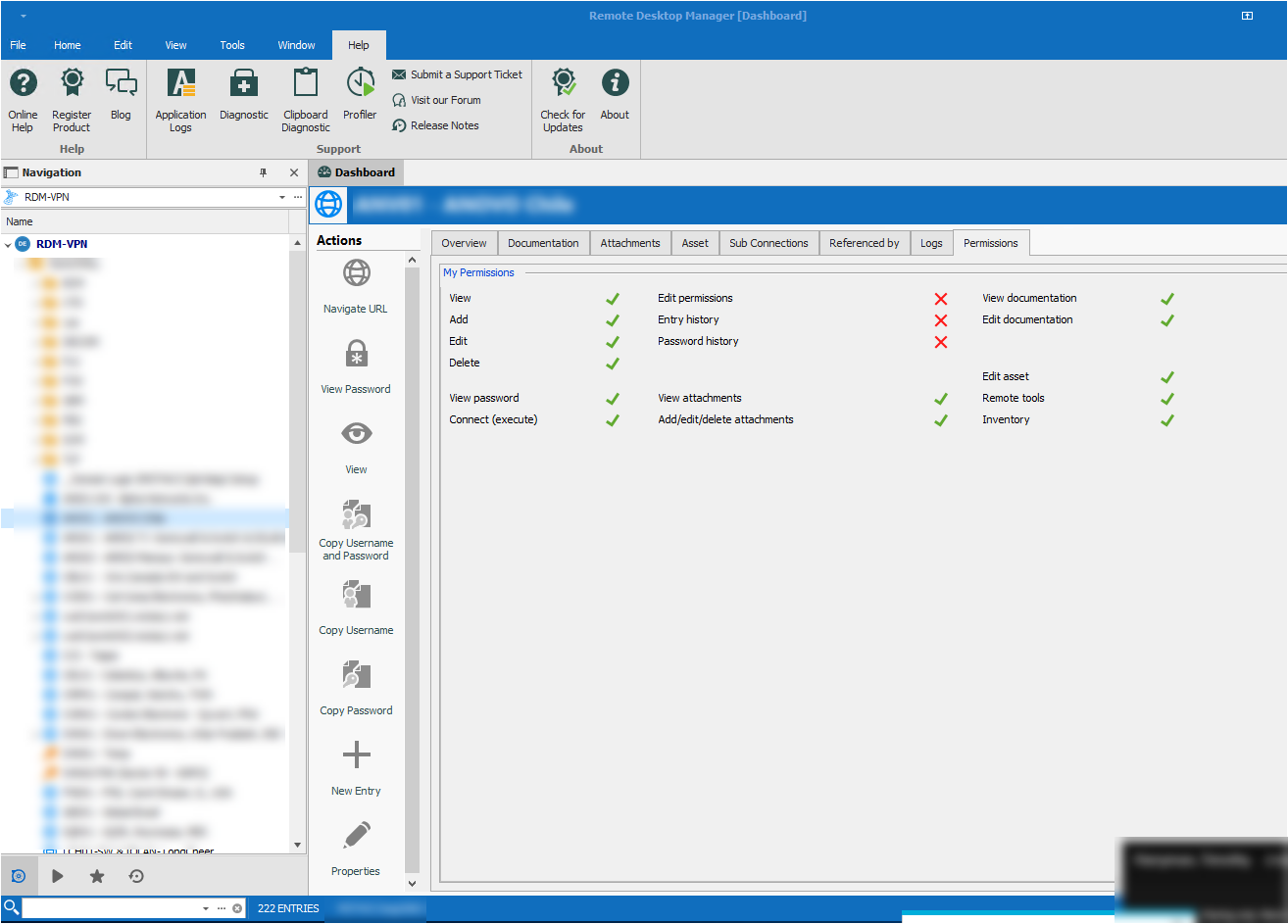
For one of our SQL server Data Sources, the Users that have permission to view password and execute cannot. This applies to all entries in the Data Source. Other data sources do not have this issue.
The user in question does not use the Data Source very often, but estimates that it worked as expected a a month ago. IT was updated to this version on 26-April.
Please see the attachments.


Configurable Font for Credentials
We store some strong & long passwords in RDM that, if entered incorrectly 3x, will cause the device to factory reset. Because these devices are in different factories around the globe, this could have the effect of stopping production.
Our SOP is to paste it into notepad (using Consolas font) then enter the password in cases where we can't paste directly into the login (like over an iDRAC) because it has happened before, and we really can't afford that.
Configurable Font for Credentials

This should pretty well show the difference. It is the same string in the standard font on top, and consolas on the bottom. I cobbled this together with Snagit, it is not an actual unretouched screenshot.
Configurable Font for Credentials
I'm 56... none of it is clear :| I'll poke around and see if I can find one
Configurable Font for Credentials
I would very much like to be able to change the username & password display fonts. There are some situations where it is not possible to copy/paste (like entering information into a Dell iDRAC window). Being able to configure a font that has better definition between similar characters (like Consolas), would be very handy. My current method is to copy and paste into Notepad so I am sure what I the characters are.
Connection to SAP SQL Anywhere
If it was possible to embed the tool, and let RDM manage the connection information (IP, user, pass, cert path), that would certainly work, and give us full functionality. The cleint download is here:
https://wiki.scn.sap.com/wiki/display/SQLANY/SAP+SQL+Anywhere+Database+Client+Download
I am certainly not a developer, but if it was possible to roll your own lightweight tool with the API that gave us access to the tables and a SQL query interface that would also be great.
I found this for the API, please let me know if it is what you are looking for:
http://dcx.sap.com/sa160/en/dbadmin/da-dbconnections-s-5094601.html
Here is what I found for the command-line utility, dbisql:
Thank you!
Connection to SAP SQL Anywhere
We've been using RDM for years, and I'd like to be able to connect to our 200+ instances of SAP SQL Anywhere (https://www.sap.com/products/sql-anywhere.html). Would it be possible to request that you consider this for development?
There are a great many functions of their managment program "SQL Central," but it would be great to even be able to do queries against the remote DBs from RDM
Thanks!