
shane02
On-demand secure gateway failing
Hi All,
We are using the secure gateway configuration as described here with v2023.3.31 & MSSQL data source:
Configure a secure gateway - Devolutions Documentation
While everything works as expected if the secure gateway is opened before starting RDP/SSH/Web sessions, the same is not true when it should be opened on-demand by the connection. After the port-scan determines that a VPN is needed, the ssh-gateway correctly starts to open, but doesn't seem to quite make it, since the subsequent session connection fail with these errors:
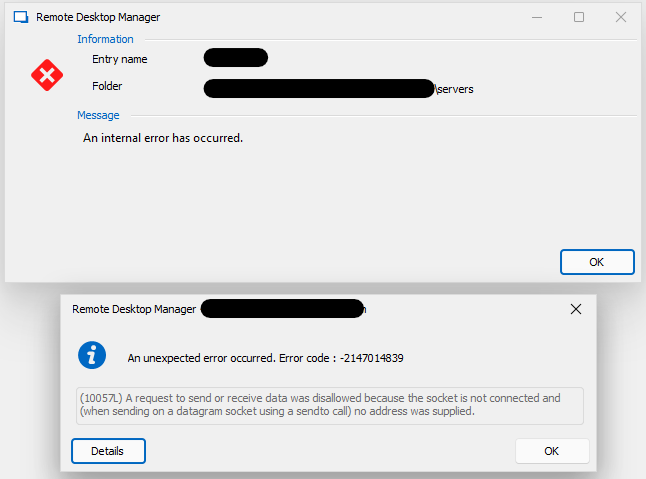
At this point, what remains of the ssh-tunnel is also closed:
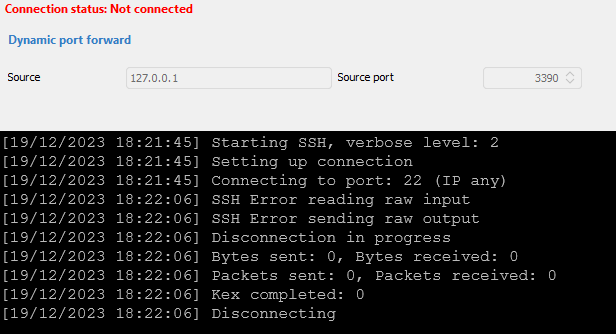
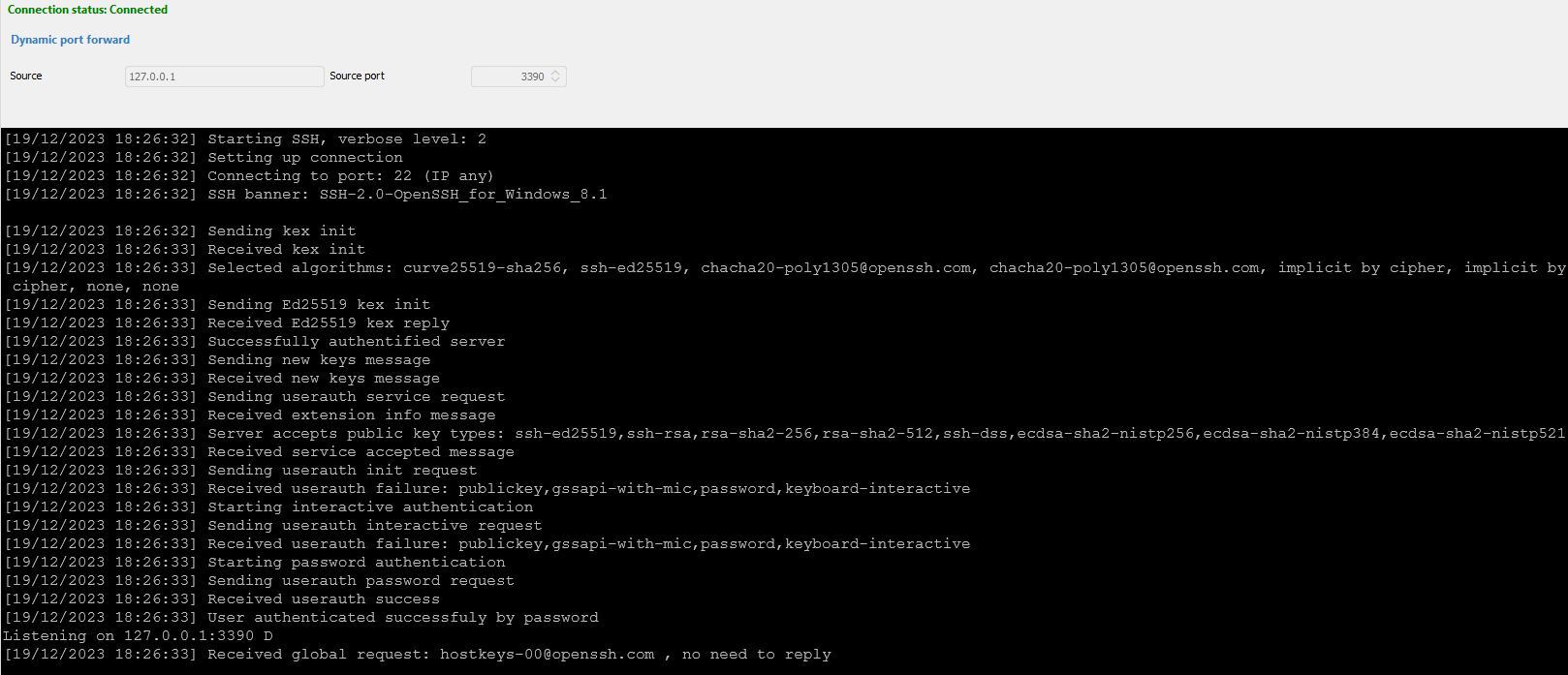
Compared to the output from the manually started ssh-tunnel, it also seems something is missing from the on-demand attempt above:
I've tried setting different wait periods, but this doesn't seem to have any weight on the issue. Any ideas?
Kind regards,
Keeper Security - DUO Push not coming back
Hi Jonathan,
It's been ages since we last looked at this, but thought I'd post a small update.
We've received the feedback from Keeper support, that DUO Push is currently not implemented in Keeper Commander, so I guess that was a bit of a red herring. They will look into adding it in future though.
Since last time, we have been using the DUO Code along with a 12 hour prompt duration, which works well enough, albeit not perfect. If the RDM implementation through the .NET SDK principally supports DUO Push, are there any other steps we could take to try or help get this working?
Kind regards,
Keeper Security - DUO Push not coming back
Hi Jonathan,
Sorry for the late reply, got a bit side-tracked. I checked with my colleagues that administer our Keeper/DUO accounts and we do have Automator implemented. However, we usually only get the device approval process once per device. Since the device I'm using was already approved, it's not expected to get another approval request when accessing the Keeper Vault via RDM.
I also followed your advice and tried Keeper Commander. Here I was able to successfully authenticate and connect (no additional device approval required either), however there is a slight difference in that it generally doesn't send a DUO push, it's only possible to complete the MFA step by entering the passcode displayed in the DUO app. What is interesting though, is that if we set the option to only prompt for MFA every 12 hours in Commander, this is honhoured when using RDM to access the vault, even though the closest option offered in RDM is 30 days. The main problem still remains however, that the push confirmation is not actioned, but at least we only have to enter the code once daily after this option is set. If you have anything else I could try, please let me know.

We also tried another angle by adding DUO directly to the Datasource as MFA provider, this works perfectly including actioning the push verfication. So the issue seems to be solely with the Keeper/DUO combination, DUO alone works just fine in RDM.
I was also wondering if there is some possibility to use RDM through Keeper Secrets manager instead? Since this makes use of a long-lived token type authentication, might it be a simpler option to implement a consistent team experience since all team members need access to the same secrets anyway?
Kind Regards,
Keeper Security - DUO Push not coming back
Hi Jonathan,
Thanks for your reply and the tip.
To answer your question, no device approval prompts are produced. Also after removing the <KeeperJsonConfiguration> line from RemoteDesktopManager.ext and restarting RDM, the behaviour remains as follows:
The first pop-up window from SSO Connect (Keeper) briefly shows up and dissappears again. This is expected and also happens with a regular login to the Keeper Vault via web browser.

The next pop-up is from RDM presenting the button to send the DUO push.

When pressed, the confirmation request arrives as expected on the associated smartphone and a new RDM pop-up is presented, stating that it's waiting for confirmation.

This window also has a field for the confirmation code. When the DUO request is confirmed on the smartphone, the window just remains indefinately. The only way to dismiss it, is to either enter the confirmation code displayed on the DUO app (after pressing Refresh Passcode), which opens the Keeper Vault entries correctly, or cancel the request altogether.
DUO support also confirmed to us, that the confirmation from the app is seen and returned, yet the waiting dialogue never clears.
Kind regards,
Keeper Security - DUO Push not coming back
Hi All,
Just wondering what the current status is on this issue? We're running into exactly the same issue as described by the OP on version 2023.2.27.0. Having checked with both Keeper & DUO support without any resolution, I thought I'd ask here as well.
Kind Regards,