
Jens
WinSCP window cannot be detected
Many thanks.
I can confirm, the problem doesn't occur any longer with RDM 2023.1.29.0.
Great Job!
many thanks
WinSCP window cannot be detected
Hi RDM team,
i use RDM 2023.1.28.0 64-bit on Win11 with WinSCP 6.1 with the settings: external desktop and SFTP.
It was working before, but I'm not sure since when (with RDM 2023.1.28 or with WinSCP 6.1) i get the following popup window.
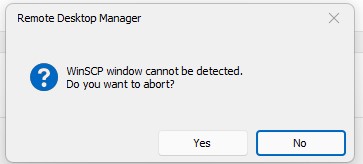
I found an old forum post https://forum.devolutions.net/topics/27825/winscp-window-cannot-be-detected but this solution doesn't solves my problem.
Any ideas why this happens?
many thanks and rgs Bob
Description field crashes SSH session in RDM - MobaxTerm
many thanks David,
that sounds good, looking forward to get a fix for this issue.
rgs Jens
Description field crashes SSH session in RDM - MobaxTerm
Hi RDM team.
i'm using RDM 2019.1.41.0 and MobaXTerm 12.0 Professional (same with MobaXTerm 12.1 Professional).
scenario:
- create a new RDM session with the MobaXTerm add-on -> external and ssh to a remote Linux RH 7.x host.
- save the session and open it in RDM.
- MobaXterm will start and open a ssh session to the remote host as expected
- now edit this same MobaTerm session -> More -> Description and add some descriptions in like.
This is a test, but it will not work
in the description field
- save this session and open the session from RDM again
- now the same session will fail:
sshpass: unknown option -- l
Usage: sshpass [-f|-d|-p|-e] [-hV] command parameters
-f filename Take password to use from file
-d number Use number as file descriptor for getting password
-p password Provide password as argument (security unwise)
-e Password is passed as env-var "SSHPASS"
With no parameters - password will be taken from stdin
-h Show help (this screen)
-V Print version information
At most one of -f, -d, -p or -e should be used
- this RMD MobaXterm session will NOT longer work and you need to create a new one without any desription.
- it doesn't makes any difference if:
- you add the descpription at the first time of creation this session
- or clear the descrption afterwards..
- if you create at the same time an Putty session and add the same description, it will work always.
So i'm not sure if the problem in the RDM or the MobaxTerm add-on using the latest version of MobaXterm 12.0 Professional
any ideas how to solve the problem?
it should be easy to re-create.
many thanks and rgs Jens
RDM 2019.1.34 Add-on management
Many Thanks David, that sounds a plan.. rgs Jens
RDM 2019.1.34 Add-on management
Jean,
can you please explain, why should i enable an add-on which i already use and it's working?
rgs Jens
RDM 2019.1.34 Add-on management
Many thanks Jean,
i use the Mobaxterm since a while in RDM and it works... the problem is, i can NOT add new MobaXterm sessions. So why should i tick the MobaXterm add-on under the Installed add-ons? it doesn't makes sense. But yes, when i ticked it on, i can create new sessions for Mobaxterm.
I use a lot off add-ons, but with the current add-on manager under Installed Add-on, except MobaXterm, no add-ons are ticked on and all are working.
So the new Add-Manager is not working as expected... i hope this will fixed soon..
So why should i enable add-ons when the new strategy is to provide ALL add-ons with RDM.
rgs Jens
RDM 2019.1.34 Add-on management
Hello David,
your are not right.
As mentioned above, the OLD mobaxterm sessions are working, that would NOT be the case when the path is incorrect.
So please tell me, why is the add-on manger show the add-on as installedm but when i try to add a new entry it doesn't find MobaXterm!
rgs Jens
RDM 2019.1.34 Add-on management
Hi team,
i use RDM since a very long time and i'm not satified with the current Add-on management.
I use in RDM MobaXtem add-on and it's listed under installed Add-on as well, but when i want to add a new session , i can't find MobaXterm. Why?
PS: I'm also confused about your release management.
RDM 2019.1.34 was published as final version for some days, and now it's still beta and the current RDM is 2019.1.30. How to i explain my
SW managment, why a GA version falls back into Beta state?
many answer on both would much appreciated.
rgs Jens