
madams
Can't connect from a 2020.1.4 to a 2020.1.3
I'll submit those 2 sites to LightSpeed Relay to make them allowed. It will take a few hours to test it
Can't connect from a 2020.1.4 to a 2020.1.3
Here are 3 log files
the PC is the 2020-1-4 and the other 2 are on a MACs and are both 2020-1-3
Can't connect from a 2020.1.4 to a 2020.1.3
On my 2020.1.4 I closed it and reopened it and attempted to connect to 2020.1.3 and got the same results
No problem going from 2020.1.3 to 2020.1.3
Can't connect from a 2020.1.4 to a 2020.1.3
Any idea why? This is what a 1.4 shows - but if I use a 1.3 I can connect to it
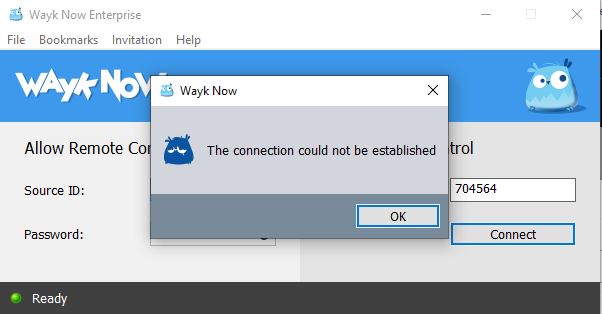
Wayk Now 2020.1.4 can connect to 2020.1.3
Sorry - I put this in the Wrong forum
Wayk Now 2020.1.4 can connect to 2020.1.3
Any idea why? This is what a 1.4 shows - but if I use a 1.3 I can connect to it
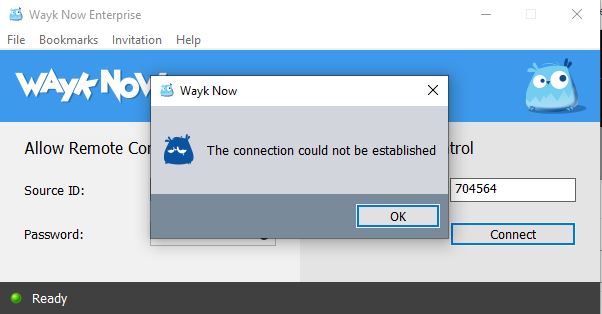
Wayk den does not have a green light
Yes all are the same config, including mine
Wayk den does not have a green light
What level should it be set on: Trace, Debug Error, etc..
Wayk den does not have a green light
I did just ask them to do this:
Open Wayk Now

From the Menu Bar click Wayk Now then Preferences

Go to Connectivity options
And make sure both boxes have a check. Click OK to save

Reboot Mac Book
Remove the CHECK from the box for “Reopen windows when logging back in”

Wayk den does not have a green light
We use LightSpeed Relay as in internet content filter. Its not a proxy but my 450 other devices do not have this issue.
Wayk den does not have a green light
Correct
Wayk den does not have a green light
Thanks - you are correct we do use Mosyle.
Its easier said then done, as our entire state is under shelter in place and the user has restarted the device several times, we even removed it and reinstalled Wayk via the MDM. So we know its connected to the internet. We just cant connect. Due to student restrictions they have limited ability and no ability to add any software we do not make available via the MDM.
Any thoughts?
Wayk den does not have a green light
What are the commands I can push via our MDM to restart the Wayk service to Mac OSX clients?
Ability to connect to and manage IP Camera's
Also, the standard for camera interoperability is https://www.onvif.org/
Maybe they have a protocol that you could use so its just like adding RDP or FTP
Ability to connect to and manage IP Camera's
this is one way
they all have web interfaces, the ability to add that would be another
Ability to connect to and manage IP Camera's
I'd like to add a option to Remote Desktop Manager to connect to, manage, and see the live stream of IP cameras on my network.
WaykNow for Mac osX
The other issue I am experiencing with WaykNow on osX is that when installing the app on osX - the default settings on the host do not allow the remote to control the screen.
WaykNow for Mac osX
We are using Mosyle - and what I need to be able to do is access the remote device when it is unattended.
WaykNow for Mac osX
Is it possible to use a MDM to deploy wayk to my users with a local admin password to devices? They are all Apple MacBook Air's
Can not use Wayk Now
to connect to pc on my network - but other remote support tools work. I have submitted support tickets - but no resolution
Remote PC has Wayk installed
I have Enterprise installed on my pc and we pushed it with a local admin password to workstations, but I can't connect
Connect to user sessions
I have the same issue - I have x64 3.0.1.0 installed on a users Win10 PC and same version on my Win 10 PC - and if the user is in front of pc and can start the app and provide the password its ok - but they usually can't. Dameware lets us connect to that session - how can I do that with wayk?
Wayk Den
How can I get updated on this as well?
Mike Adams
Cisco Remote Session to auto create a back up config file
like the features of MT Putty or http://www.shrubbery.net/rancid/