
zamarax
launching browser - Profiles + Extensions
Hello,
Thank you for reaching out to us regarding this,
In Remote Desktop Manager, the Website entry in Embedded/Tabbed/Undocked mode uses RDM’s embedded Edge integration. That embedded mode does not use your regular Microsoft Edge profiles and extensions, which is why it looks like a stripped-down browser. The “Profile name” option in the Website entry only creates an RDM-specific profile container for that embedded session (cookies/storage isolation) and does not map to Microsoft Edge profiles.
https://docs.devolutions.net/rdm/kb/how-to-articles/edge-embedded-separate-sessions/
I'm afraid that, currently, it's not possible to have extensions in the embedded browser.
Let me know if you have further questions regarding this topic,
Best regards,
@Samuel Dery
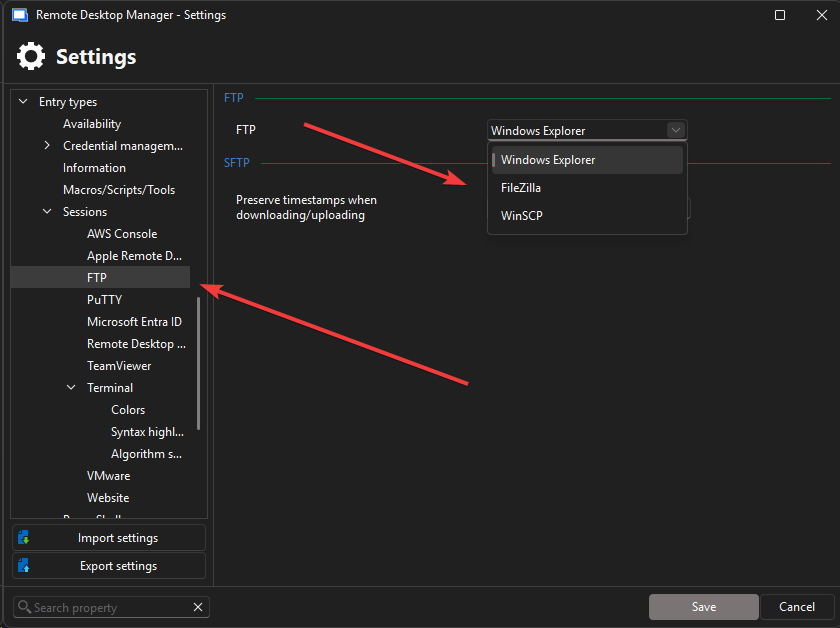
Understood but it would be good to have it as an available session type like you've done for other things like FTP as an example.
launching browser - Profiles + Extensions
So my workplace blocked streaming radio, I've found a way around it by using RDM and creating a SSH tunnel to home and this works, however I would like it to use a specific edge profile when launching so I get all my ad blocking extensions and such, is there a way to do it? If I set the browser to go external it doesn't recognize the SSH tunnel, if I use undocked or tabbed with options like below
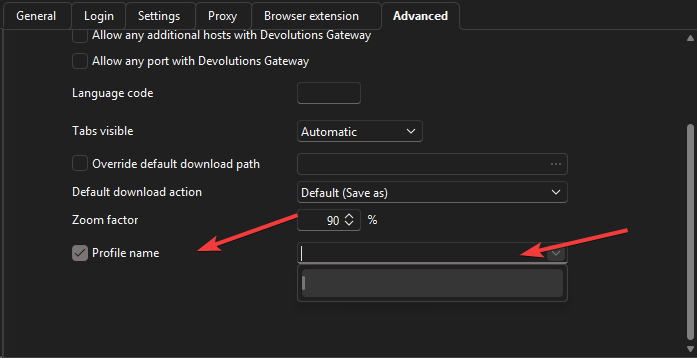
or
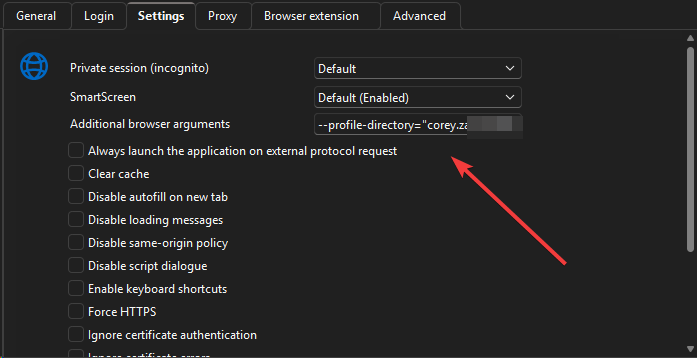
it also doesn't work, it's like it's a very stripped-down version of the browser.
Ideally the profile option would allow you to select any profile or have an option to prompt what profile to use.
WireGuard connection doesn't work when no DNS is provided
Hello @corey01,
We've added a new option to better support split tunneling scenarios.
In the WireGuard entry settings, you’ll now find a "Use empty DNS" checkbox below the DNS field. When enabled, no DNS configuration is sent to WireGuard, allowing your system’s existing DNS configuration (such as NRPT rules) to be used as expected. This option is disabled by default, and DNS remains required unless it is explicitly selected.
The fix should be available in version 2026.1.15.
Regards,
@David Godin
That's awesome - thanks so much!
Add an option to Inherrit folders color under User Interface > Entry Color
I would also appreciate this feature.
WireGuard connection doesn't work when no DNS is provided
Hello etfz,
We've implemented a fix for this issue—when no DNS is provided, localhost will now be added automatically, and the field is now required. This should ensure that WireGuard connections work as expected.
The fix should be available in version 2025.1.20. Let us know if this resolves the issue for you!
Best regards,
@David Godin
I actually have the opposite problem now because of the requirement.
My issue is that if I am connected to WG from at the office I only want to route a specific DOMAIN over the WG network (split tunneling), I am able to do this with a MSRPT rule on Windows and it worked fine, in that my work domain lookups would happen to my local DC and my home network would traverse based on AllowedIPs.
The issue now is DNS is required and if I plug in either DNS server (Home or Work) the other side that is not part of that network will fail resolving.
Open with parameters --> Undocked
Hello,
Thank you for the request. It was asked for recently here, so we will note your interest for this feature.
Regards,
Thanks for the update, I have commented on that one as well.
Feature Request - Adding "Undock" Option
I second this, I would love this feature!
Open with parameters --> Undocked
I'd love to see the option for open with parameters to have one that is 'Open Undocked'.
I use the undocking feature extensively and always have to wait for it to load and then select 'Actions' and then 'Undock' having it as an open option would be fantastic!
Default Editor - Globally / Per Entry
Absolutely love this software, one nice feature would be able to change certain items on a per entry basis or even globally, such as the default editor, to be able to change it to say VSCode without having to change the default in the local system, software like Putty and WinSCP do allow this.
SCCM Syncronizer
Lol, your tech 'Jeff Dagenais' advised me via a ticket that it wasn't and to do this feature request. Need to pipe that information down to your staff.
SCCM Syncronizer
Would love to see a SCCM Synchronizer as it's one of the worlds biggest tools to manage assets, I realize you have AD already but SCCM can manage a ton more objects so it would be nice to have a synchronizer for it.