
botfixer
Azure AD Login Prompt at RDM Start
Hi, yes, sure.
It´s Active Directory Interaktiv (with MFA-Support)
Best regards
Azure AD Login Prompt at RDM Start
Hi all,
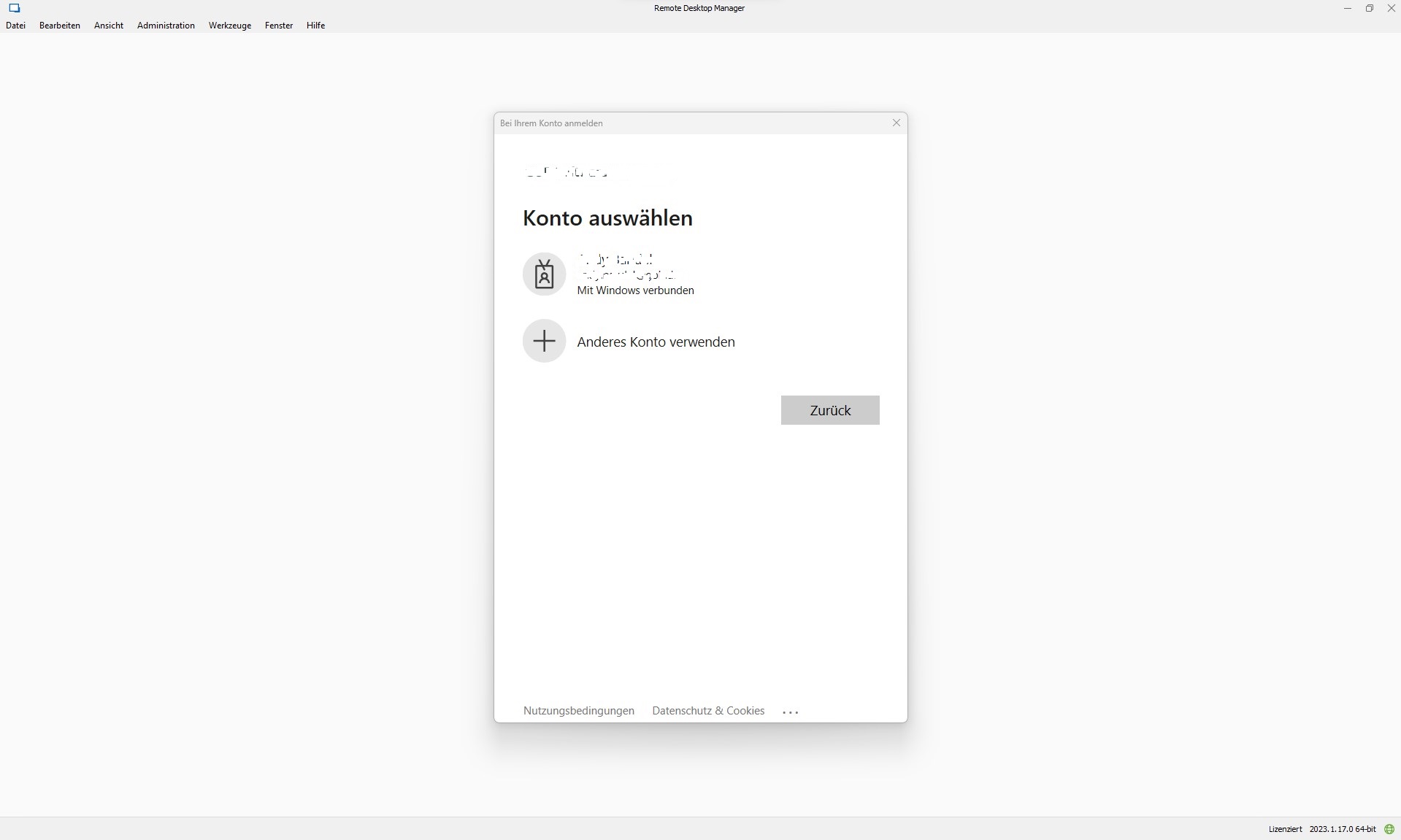
we use remote desktop manager with an Azure SQL data source and azure AD login. Since some update in the past, an Azure AD login prompt occurs every time RDM is started.
That's not too bad, because you can get further with one click, but it unsettles our users.
It wasn't like that before. RDM behaved similarly to Teams or Outlook and simply made a logon when the user already logged into Windows with their Azure AD account. Attached is an example of what I mean.
Does anyone know how to stop this?
Best regards
Update Settings
Thank your for this fast reponse.
Hm, we are managing our devices in a pure Intune environment. I try to import the ADMX template, but this didn´t work for some reason.
But it a good message, that there is a template and RDM listen for registry keys :)
As a workaround we can set the Registry key by powershell oder modify the config file as you suggest:
$fileName = “$env:USERPROFILE\AppData\Local\Devolutions\RemoteDesktopManager\RemoteDesktopManager.cfg”;
$xmldoc = [System.Xml.XmlDocument](Get-Content $fileName);
$element = $xmldoc.CreateElement(“DisableAutoUpdate”)
$element.set_InnerText(“true”)
$xmldoc.option.AppendChild($element)
$xmldoc.Save($fileName);
Update Settings
Hi all,
is there a way to configure the update setting under File-> Options -> Program Start via powershell.
I want to set the RDM update behaviour for each user in our deployment.
best regards
Andy
SoftEther VPN Client
Hi all,
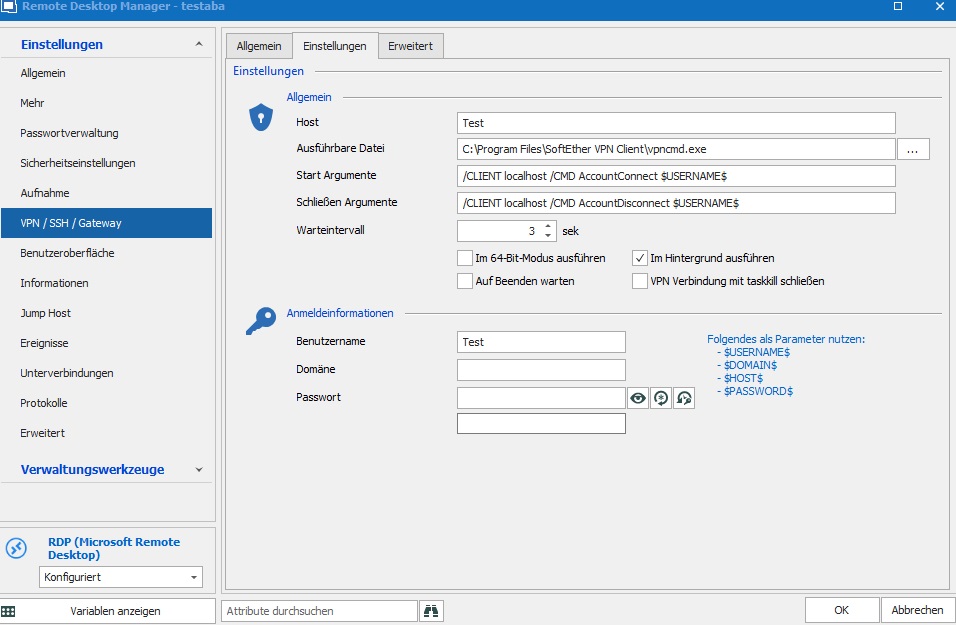
is there a was to use a variable in den argument Section. We using Softether VPN aus descriped above and it works fine. But it will be a nice feature to use Variables.
Please have a look of the sceeenshot example attached. There is an existing Connection "Test" on Softether VPN Cient and i need to use the Connection name "test" as a variable. When it works a second step is using a variable from a parent object, because we are using multiple RDP connections for one customer with the same VPN connection name.
Usertype
Hi Erica,
thank for your reply. We tried but get an error (please see attachment).
This means: Warning: This property can´t be changed.
Usertype
Hi all,
i like to change the Userproperty from User to Admin.
We try:
$user = Get-RDMUser -Name "XYZ@example.com"
$user | Set-RDMUserProperty -Property "Usertype" -value "Admin"
But this doesn´t work.
How do i set the usertype property?
best regards