
per-torben
Scrollbars while maximised
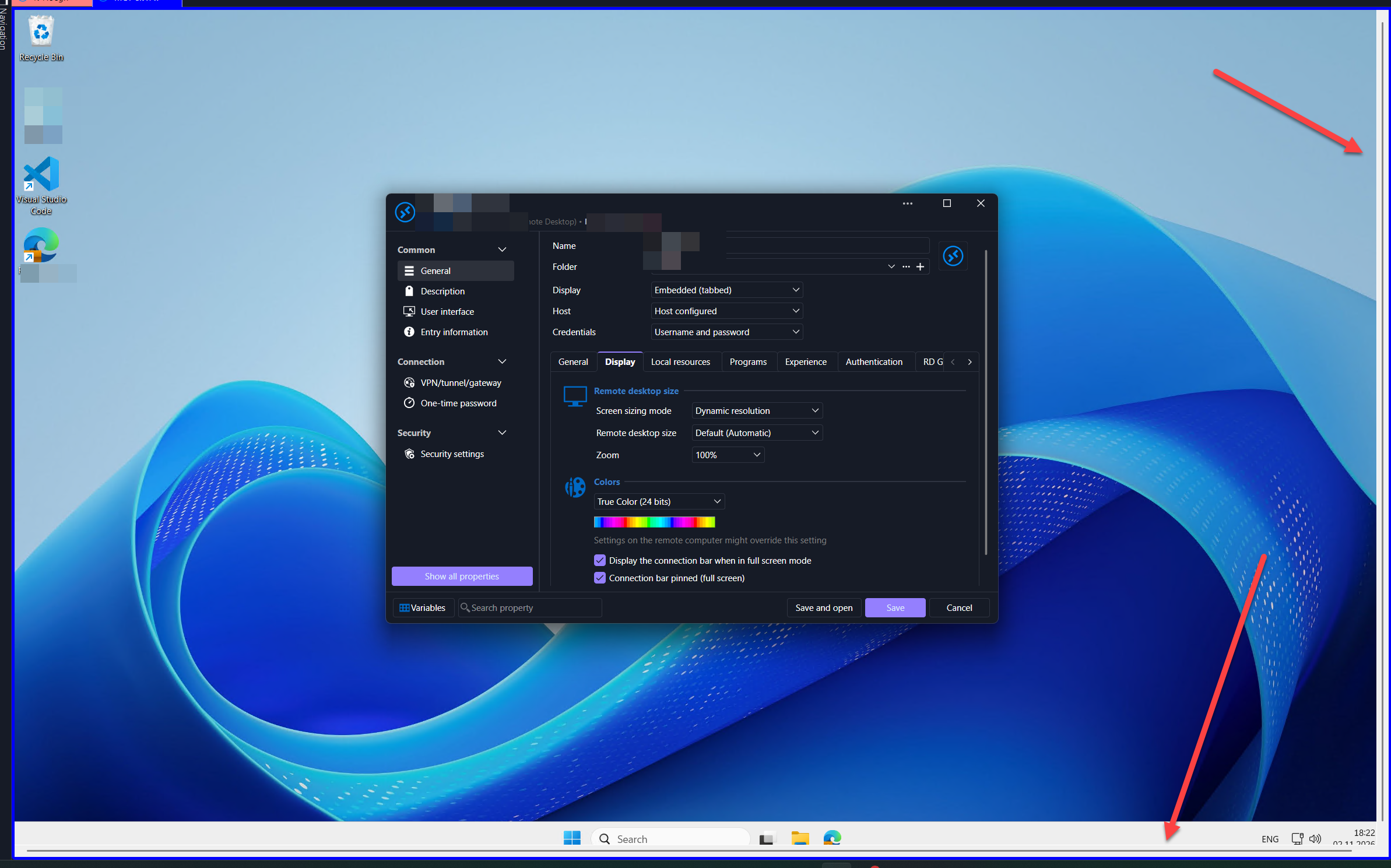
I have a werid bug. My sessions are on dynamic resolution to always fit my window when I work. However, when the devolutions window is maximised I suddenly get scrollbars on the window.
This only occurs when i meximize the window, custom size as a window never gives me scrollbars. Also it looks like it's primarely when I have the devolutions window on my laptops internal display (i.e. not on external monitors).
Display bug with 2026.3.9.0
Updates to .3.10 and the naivagion bar bug seeems to be fixed, thank you
Open session as tabs no longer avilable?
Oh and one thing to check, could you see if you have the "Tab bar" option enabled? Maybe you deactivated it without intending.
You can toggle it wither either the keyboard shortcut Alt+Shift+F6, or by clicking the Window > Tabs > Tab bar menu.
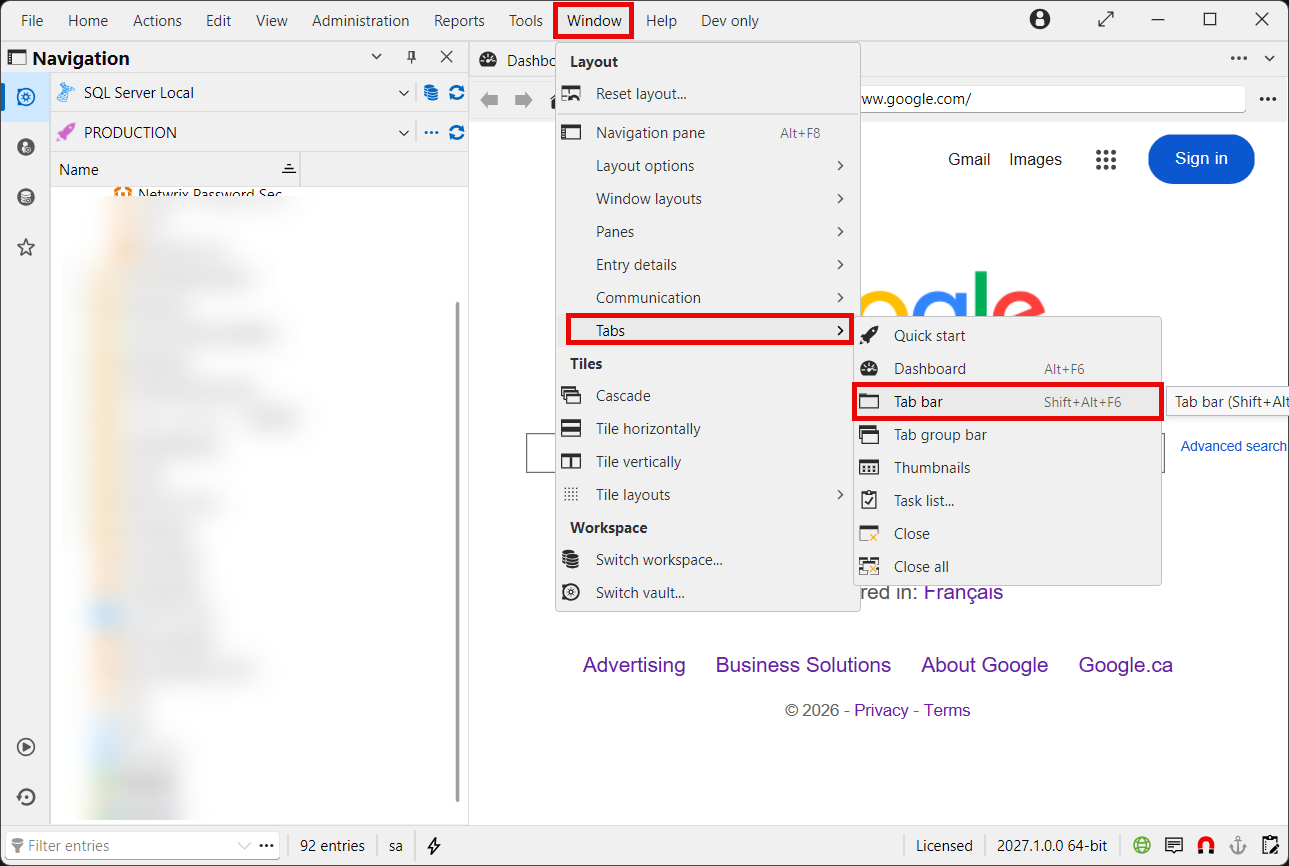
Let me know if this changes anything.
Regards,
@Hubert Mireault
Tab bar was deactived, so I finnally have the tabs back. Thank you for the suggestion
Open session as tabs no longer avilable?
Hello,
Could you give us more information about the issue you're encountering? Is this screenshot from the current version (2026.3) or a previous version (2026.2 for example)? Showing connections as tabs is a core feature of the application and still works on my side, so I must be misunderstanding what you're talking about.
Regards,
@Hubert Mireault
Hi.
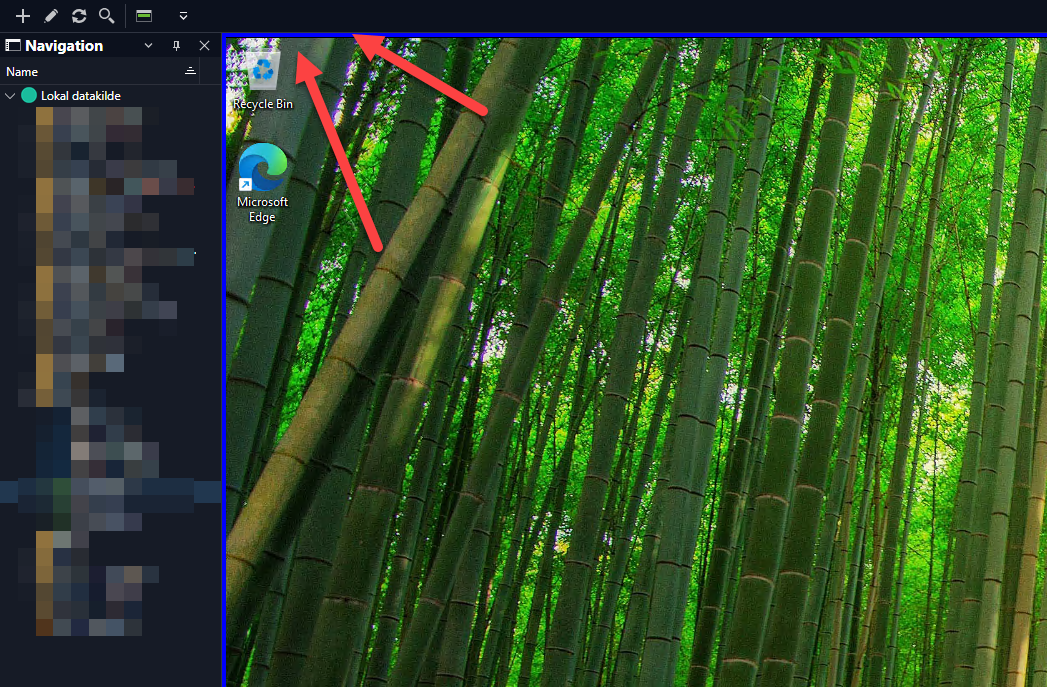
The screenshot is from 2026.2, I've not had those connections as tabs since 2026.3.x and I can't find a setting to bring them back. I'm currently on 2026.3.9 and in this screenshot I have 2 connections open, but no tabs to switch between them.
Open session as tabs no longer avilable?
I can't find a way to present my open connection as tabs for easy switching between them? If this is no longer available, then it's a huge inconvenience and a big reason for me to stay on older versions of RDM.
Display bug with 2026.3.9.0
I have several issues with the new display rendering, and I think 20+26.3.50 (?) and forward has been a huge step back in quality :(
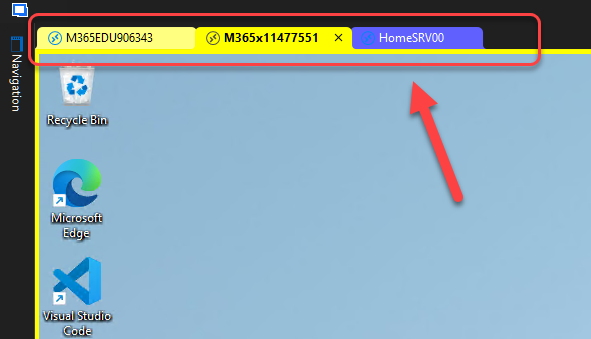
Currently on 2026.3.9.0. If I set the navigation pane on the vault to auto-hide, which I always do because I want the screen real estate, then I can't access the naviagation bar and I'm stuck on the current connected client. Here you can see I try to bring up the Navigation pane, and with the colored border it is easy to see that it tries to render the menu on top of the connected client, but ends up behind it and inaccessible. In order to reach the navigation pane, I must sign out of all connected clients.
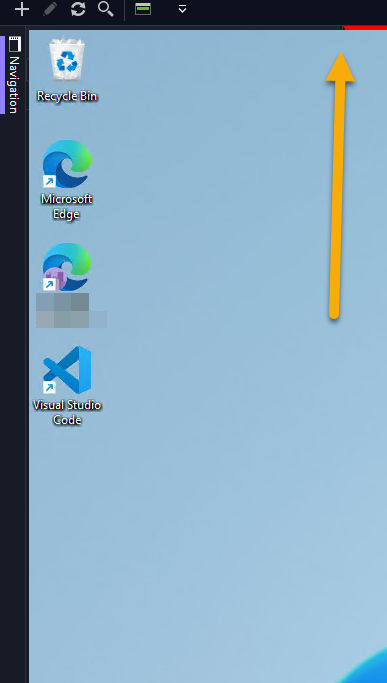
second issue, it looks like I no longer get a list of tabs of the connected clients for quick and easy switching between them! This is a great example of a small details that makes a big difference.
I'm very frustrated with the recent updates you've made to this otherwise reat prooduct.
RDM no longer functional after W10 Anniversary Update
My ocmputer patched and rebootet yesterday and todauy RDP through a WS 2008 R2 RDGW is broken again
RDM no longer functional after W10 Anniversary Update
I seem to have this problem only when connecting to an RDGW which is Windows Server 2008 R2. When I connect to a RDGW on 2012 R2 it works just like before.
Replacing the .dll workaround fixed it for now however
Windows 10 anniversary update broke my connection..
I just upgraded my Surface Pro 3 with Windows 10 to the "anniversary update", and then the strangest thing happen.
I have a connection which goes through a MS RDGW(gateway) and this connection stopped working. But I can still access the same server using another RDP software or the built-in in Windows. I can also still connect to other servers where I connect to another RDGW.
The problem seem to be related to this particular RDGW with this particular client (Remote Desktop Manager Free ver 2.6.3.0) I've tried to edit the setting, create a new connection, even uninstalled and reinstalled the program, but nothing helps.