
(user deleted)
Mise à jour DB
je ne l'avais pas trouvé, merci beaucoup ca marche :)
Mise à jour DB
Bonjour,
Je viens d'installer la nouvelle version de Remote Desktop Manager et lorsque je la démarre ca me demande de faire un upgrade de la DB de la version 563 vers 575 mais lorsque je clique "Yes" j'obtiens l'erreur :
There is already an object named 'PAMIsInList' in the database.

Et la mise à jour ne se termine pas.
Après plus moyen de me connecter car la mise à jour est obligatoire.
Pourriez-vous m'aider ?
Merci
Create Private Vault Credential Entries from Powershell Script
Has anyone ever had the same problem?
Create Private Vault Credential Entries from Powershell Script
When I use the Set-RDMSessionPassword, the credential is created in the public vault and not in my pivate vault.
This is my script :
$session = New-RDMSession -Name "Test" -Type Credential
$session.HostUserName = "username"
$session.HostDomain ='$MACHINE_DOMAIN$'
Set-RDMPrivateSession $session -refresh
Set-RDMSessionPassword -ID $session.id -Password (Read-Host -AsSecureString "Password")
Create Private Vault Credential Entries from Powershell Script
How can I set a password to the new credential ?
Private Credentials Repository
Thanks for this information.
Just to be sure, only me can see and use my private credential if I check the option global availability ?
Private Credentials Repository
Yes man, it works :)
Both of your solutions are working very well :)
Thanks for your help
Private Credentials Repository
Thanks Jean-Francois, I'll try this when my second problem will be fixed :)
Private Credentials Repository
Yes
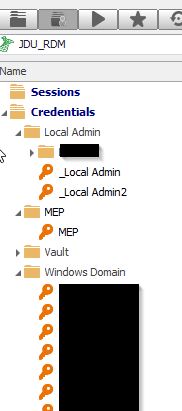
Private Credentials Repository
Same thing with the BETA version, credential list is empty
Private Credentials Repository
I have an other problem :s
I update my RDM to the last version 11.1.0.0 and now I cannot see my private credential repository.
I select "Private Vault credential entry" in the user specific settings but when I connect a session the credential list is empty.
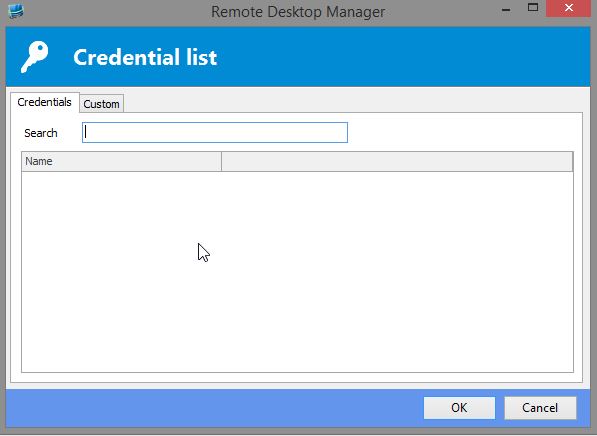
With the version 10.6.7.0 it worked :(
Private Credentials Repository
Is it possible to show me with some screens :D
Because I'm not sure to do the right test.
Private Credentials Repository
Hi,
I have a question about "Private Credentials" in Remote Desktop Manager.
I use a external DB to store my sessions.
I have connected the DB via the Data Source.
So I have all my sessions in the "Show All Connections" tab
I have store my private credential in the "Private" tab
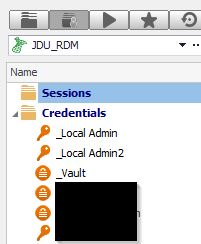
My question is, how can I set the option to user my private credential when I open a session ?
I try the option "Edit Sessions (User Speific Settings)..." but this option is set on all sessions so when I add a new session I need to apply this option again ...
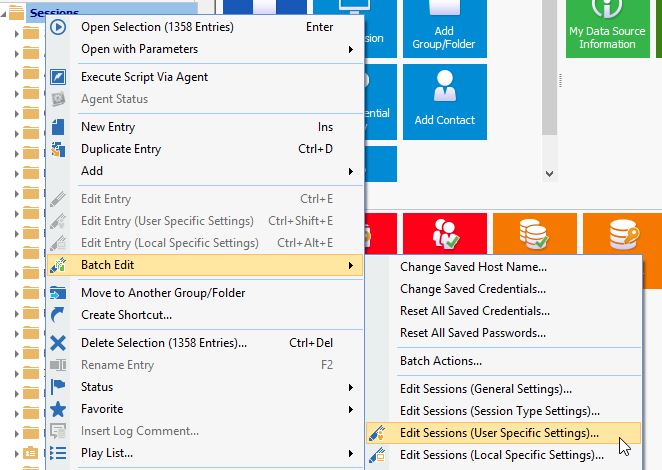
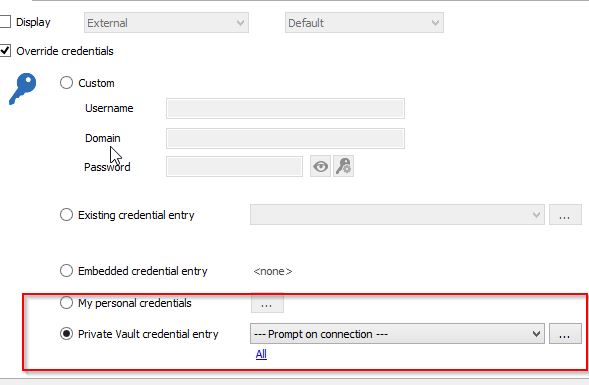
But I would like to set the option on the folder and not on every sessions ... like this
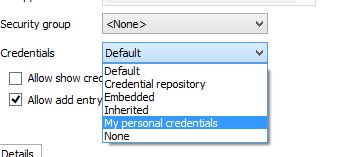
but my private credential repository is not in the list.
I do not know if this is understandable because my English is not very good :D
Thanks
Problem with Putty and RDP
Hi,
I have the same problem, is there any update to this bug?
Thanks