
RuuddieBoy
SSH through SSH not working any more after upgrading to RDM 2023.1.28.0
For anyone wondering about my FAIL -1 Non Specific Error (that was unrelated to this topic's error, but still was answered by Patrick). Patrick's guide didn't solve my issue.
In the end I found a checkbox 'Use SSH authentication agent' was enabled. This is non-default, and I assume this was somehow set when I migrated from the old database to the new online Vault. After removing the checkbox from all SSH clients, I could connect with them again.
SSH through SSH not working any more after upgrading to RDM 2023.1.28.0
Hi,
Thanks a lot for your fast response!
Unfortunately, that didn't do the trick for me
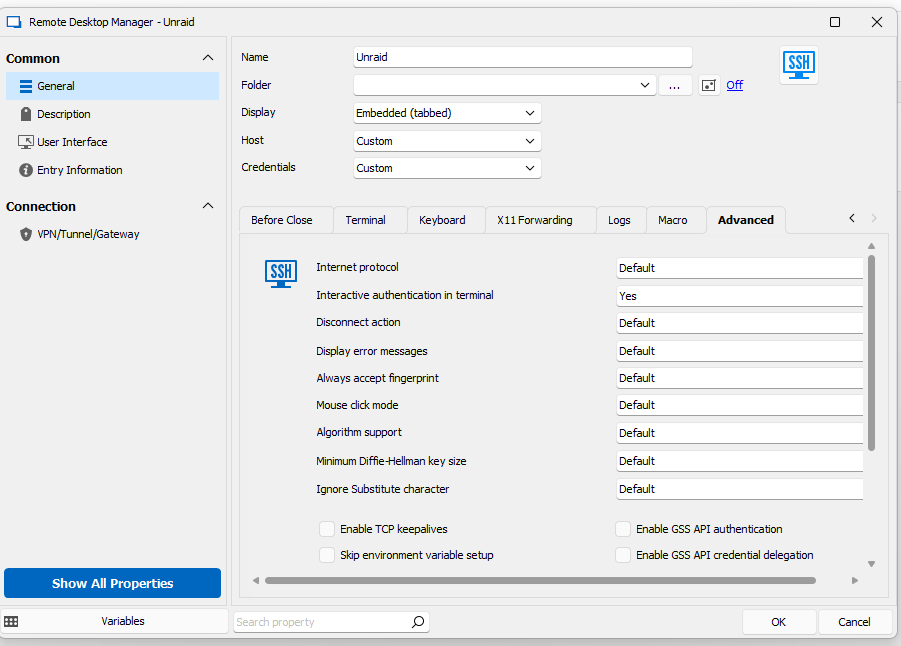
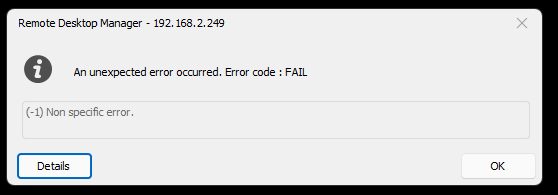
Now I take a second look, it does seem I get a different error on all my SSH connections than the OP. Should I create a new topic maybe?
Regards,
Ruud
SSH through SSH not working any more after upgrading to RDM 2023.1.28.0
Hi,
Is there any ETA on a fix for this? I just accidentally updated my last working computer; now all of my computers have an updated RDM so I can't connect to many SSH servers anymore :-(
Regards,
Ruud
Show RDP session fullscreen + local taskbar
Hi,
Would it be possible to make a feature to show the RDP session fullscreen, but in a sort of windowed mode so the local machine's taskbar is still visible? As far as I know currently the only options are:
- Tabbed
- Fullscreen (really fullscreen)
- Windowed
It would be nice to have a fourth option where you can see the RDP session in a maximized-window, basically like any Windows app does. So you make it fullscreen/maximized but you can still see your local taskbar and switch apps easily.
I know visionapp Remote Desktop 1.5 (which I currently use) has this feature, but as far as I know Remote Desktop Manager doesn't.
Regards,
Ruud van Strijp