
ThomasX
User fonction on AD.
Hi,
I'm not sure I understand what you want on the dashboard. The dashboard is for a specific host/connection. What do you want to be listed on it?
Yes, but for a connection I always have a User defined. This user is defined on this screen :
It will be thus easyer to get directly information about the user on the dashboard.
User fonction on AD.
I dind't find it easy to configure and to use. Could you know how many user are using it ???
Is there any chance that we get this information in the dashboard of the machine ?
It will be faster en easyer to use. Why did I have to use another windows if all the information can be on an unique windows, the dashboard ?" />
User fonction on AD.
Yes it could be possible :) I have entered a feature request for a Basic AD console
Any Nieuws ?
I have an idea : The use Of traffic light :
For password Liftime
When it is green, erverything is OK
When Orange : It's the latest day for changing the password.
When It's Red : Password is too old. AND when you click on the red buttons it give the lifetime 'X' more days.
Account locked out :
When it is green, erverything is OK
When it is Orange, I dond't know ...
When it's Red : User is locked out AND when you press on the red buttons it unlock the user.
It will not take a lot of space on the screen but it will give easily and fastly some every day used features.
smaller updates, backup before upgrade, rolleback
is it possible maybe in ver.10 to implement that during each upgrade we don't need to download whole installation but only what was fixed/improved.
Good feature would be check box [Make backup before upgrade] during upgrade.
And ability to do [Rollback to previous version.] if something don't work after upgrade.
+1
And also, if it can be in quiet mode, with no interraction, download during working and update at shutdown or on next start.
By the way, we can avoid this screen :

and all the other asking always de same question, where you have to give always the same answer ...
edited by ThomasX on 9/15/2014
Field Username for the contact
Hi,
I'm not sure to understand which user you are talking about. You can use the $USERNAME$ variable or use a custom field $CUSTOM_FIELD1$
It 's the username of the default user of the computer. You can save a lot of information like is name, e-mail, skype, etc .. But you cannot save his username. For other people, perhaps will it be also interessant to save the default domain name of the user.

I am already using 2 custom fields. One for the foldername of the desktop of the user alsof I can access the desktop of the user with one click. The other one is used to send wake on Lan for computer that are on a another subnet (Remote shell command on a server on a the same local subnet of the client).
Field Username for the contact
Is there a field to save te username of the user of the computer ?
For some macro, it is easier to have the username of the user.
Where is it possible to save it ?
It would be a nice feature, and easy to implement, for a next release ...
Remote Desktop Manager 9.5 Beta
Could you try it on another machine or reboot your machine. I'm not able to reproduce it or find any pattern.
Sory !
After a restart of the computer erverithing is ok. My fan stay silent and remotedesktopmanager does not eat my CPU.
I will try during the day to see why this probleem has append.
Remote Desktop Manager 9.5 Beta
Could you try to just open google.com to see if it's related to the opened web site?
It seems it's not link to the site :

Remote Desktop Manager 9.5 Beta
Does it go back to normal if you close the embedded chrome tab page?
Yes in one of five seconds, it goes back to 0 à 1 % of the processor.
Remote Desktop Manager 9.5 Beta
I have some peformance problem with embeded Chrome Browser. When I am using chrome, the fan of my computer is making a lot of noise.
When I look in task manager RemoteDesktopManager take one Processor at full time.

Bug after Upgrading to 9.4.10->Make backup Before!
Second try -> Same result.
This time I made an upgrade from 9.4.8.0 to 9.4.10.0. I get exact the same result.
I loose my licence information, all my configuration and the parameter for the connection to the SQL server.
Nothing that I can't find back, but it's very annoying.
My advice, make a backup of your configuration before upgrading.
Moderator : Perhaps is my post on the bad forum, it has to be transfert to the beta forum ...
edited by ThomasX on 7/24/2014
Bug after Upgrading to 9.4.10->Make backup Before!
please send us as much of the purchase information as you can and we will try and locate your licence for you.
I can find this information by my self. The only annoying thinks, was that all my configuration is now gone ...
For SQL Server, what error do you get when you specify a server that should be accessible?
I did'nt get any error, only the list of the server was empty.
With version 9.4.8.0, (I didn't find back in my download folder the 9.4.9.0), All the SQL Server are visible again. I don't know what has append.
In short, when I made the upgrade from 9.4.9.0 to 9.4.10.0. I have lost all my configuration.
I will try the upgrade again but later at the end of the week.
Bug after Upgrading to 9.4.10->Make backup Before!
I loose my License information (I am now in Trial version) and i loose the database connection ???
I am unable to use my sql server. RDM find only one SQL server ?
I will make a downgrade to 9.4.9.0, How was working before upgrading.
edited by ThomasX on 7/24/2014
Very very small bug in beta
I will verify the issue because it supposed to show the beta release note.
Not yet :

edited by ThomasX on 6/23/2014
edited by ThomasX on 6/23/2014
Dashboard use of Colum instead of scrolling
Hi,
Hi Xavier,
I have entered a feature request to add some information in the dashboard.
I like the new look with icon. Is it possible to make a group of icon, like in Android and IOS ? I wil be easier to find them back.
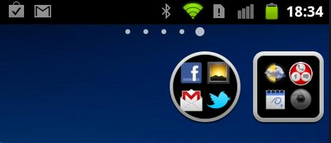
PS:If you have a lack of idee, just ask !! ;-) ;-)
Add a Photo to a contact
Hi,
While it be possible to import the picture from the AD ?
And also other fields ?
[Resolved] Dashboard tab staying first.
Hi David,
I just see this option :

When did it arrive in this menu.
It's just what I need.
Thank's
Optional audio alert for continuous pings
+1
Very very small bug in beta
Hi,
The screen "a new version is available" show the message that a nieuw beta version is available but the history is for the official.

Is it possible to show the beta history ?
Thank's
Dashboard use of Colum instead of scrolling
Hello,
Hi,
We are about to redesign the dashboard, this is an excellent idea
Is it possible to add in the Dashboard some information like the phone number of the contact of the computer ? It will avoid me the opening of the details to find the phone number of the user. I use it very often.
Cannot continue on embedded IE certificate warning
+ 1
[Resolved] Dashboard tab staying first.
Hi,
I am back again... with a new wishes.
Is it possible that dashboard tab stay always visible ?
I explain : Let's imagine that I have a lot of open computer in RDM. The dashboard tab is no more visible. Now I have to run a macro, that I call via the dashboard. I need first to go on the right side of the screen to clic on the small triangle, a number of time, to let the dashboard tab appear on the other side. When it is visible again I have to go on the oposite side to clic on the dashboard tab, and then I can select the macro that I want to run.
It will be easier that the dashboard tab stay always visible also I can direct select it.
edited by ThomasX on 6/12/2014
Remote Desktop Manager Jump Beta
Which version of RDM did I have to install to get Jump working ?
[Resolved] Windows size when starting.
Hi,
Ok,
I see. This is implemented in RDM 9.5. I expect to release the beta this week. In File->Options General->Application Start you will be able to specify Fullscreen
Thank's it is working !!! It was very fast !
[Resolved] Windows size when starting.
Yes we have a kind of fullscreen mode like MS Office. It's the small button in the right hand corner beside the X
Yes, I know.
I am reading my question again, and I think that I wasn't explicit at all.
I want to know if it is possible to start remote desktop in "full screen".
Because, now when I start RDM, it's not in full screen and I use the fucntion to automate the opening of 5 screen. But because RDM was not in full screen, all the screen have the size "not in full screen". And when I push on the button full screen, all the already opened screen are getting a greyed line at top and bottom.
I am asking if it is possible to add a parameter to start RDM in full screen.