
andyw23
SQL Server Management Studio Add-on
That works great, thank you!
SQL Server Management Studio Add-on
I found where the config file is stored, but there should be a way to change this in the program itself.
%Systemdrive%\Users\%username%\AppData\Local\Devolutions\RemoteDesktopManager\RemoteDesktopManager.cfg
SQL Server Management Studio Add-on
I originally set the add-on to use SSMS 2014 as my connection for all SQL Server connections. I need to change it to use SSMS 2008 R2 due to some issues connecting to some very old SQL 2005 servers.
When I uninstall the add-on and re-install the add-on it keeps its previous setting and continues to use SSMS 2014 instead of prompting me to choose the location of the SSMS installation as it did the first time I installed the add-on.
How do I go about changing the SSMS application that the add-on uses?
MSSQL Server DataSource not saving the DB Password
Thanks that has solved my problem!
MSSQL Server DataSource not saving the DB Password
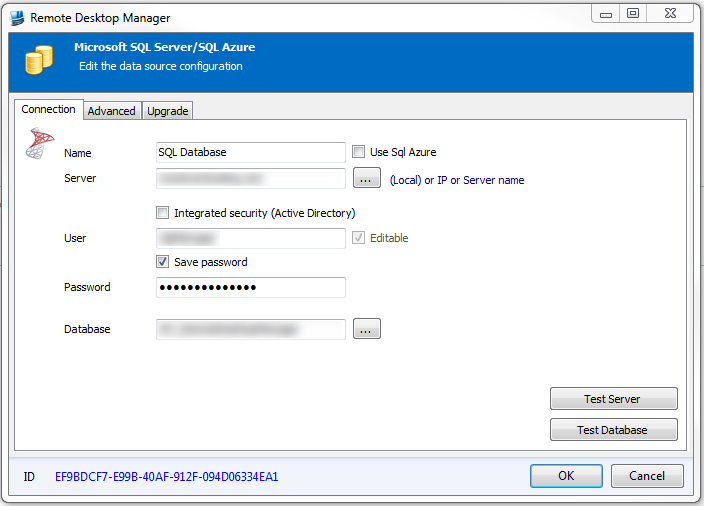
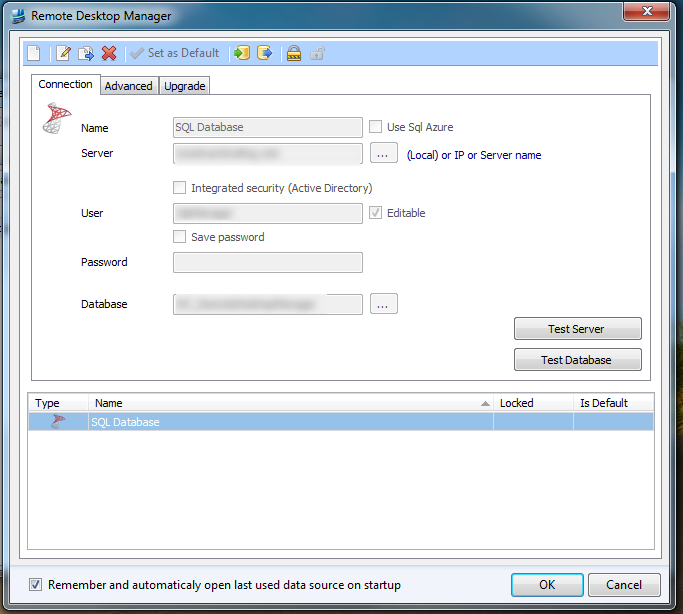
When using MSSQL Server as a data-source, Remote Desktop Manager will not save the database password. It allows you to add a password, but then when you save the information, it doesn't save the password.
1. Setting the password for the MSSQL database
2. After saving the information the database password is not saved.
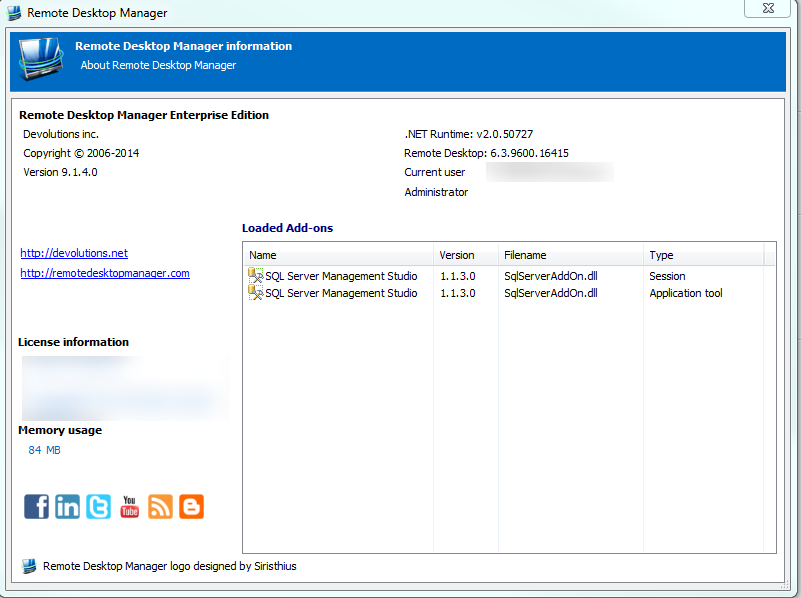
About screen for Version verification
RDM opens then immediately closes
When the program was originally quarantined it returned a quarantined 71 instead of 61. That was the only difference between my terminal output and the forum post that I originally used to diagnose my issue.
I turned quarantine off and receive the same message in the console
12/11/13 8:28:37.756 AM com.apple.launchd.peruser.501[137]: ([0x0-0x37037].com.devolutions.remotedesktopmanager[335]) Exited with code: 1
I am able to run the program from the terminal. It gives me the following message when I start the program
Last login: Wed Dec 11 08:25:53 on console
Andys-MacBook-Pro:~ andy$ cd /Applications
Andys-MacBook-Pro:Applications andy$ cd "/Applications/Remote Desktop Manager.app/Contents/MacOS"
Andys-MacBook-Pro:MacOS andy$ "./Remote Desktop Manager"
Unknown heap type: CLR
LoadLibraryA: dlopen(kernel32.dll, 5): image not found
GetProcAddress: could not find procedure IsDebuggerPresent: invalid handle passed to dlsym()
GetProcAddress: could not find procedure CheckRemoteDebuggerPresent: invalid handle passed to dlsym()
LoadLibraryA: dlopen(user32.dll, 5): image not found
GetProcAddress: could not find procedure EnumWindows: invalid handle passed to dlsym()
LoadLibraryA: dlopen(kernel32.dll, 5): image not found
GetProcAddress: could not find procedure IsDebuggerPresent: invalid handle passed to dlsym()
GetProcAddress: could not find procedure CheckRemoteDebuggerPresent: invalid handle passed to dlsym()
LoadLibraryA: dlopen(user32.dll, 5): image not found
GetProcAddress: could not find procedure EnumWindows: invalid handle passed to dlsym()
LoadLibraryA: dlopen(kernel32.dll, 5): image not found
GetProcAddress: could not find procedure IsDebuggerPresent: invalid handle passed to dlsym()
GetProcAddress: could not find procedure CheckRemoteDebuggerPresent: invalid handle passed to dlsym()
LoadLibraryA: dlopen(user32.dll, 5): image not found
GetProcAddress: could not find procedure EnumWindows: invalid handle passed to dlsym()
Unknown heap type: CLR
edited by andyw23 on 12/11/2013
RDM opens then immediately closes
Here is the console information
12/11/13 8:12:05.064 AM com.apple.launchd.peruser.501[137]: ([0x0-0x3b03b].com.devolutions.remotedesktopmanager[409]) Exited with code: 1
If I extract a new copy and run it from the downloads folder it starts then ask me if I am sure I want to run the program that was downloaded from a website. When I tell it to open it closes immediately and returns this information in the console
12/11/13 8:13:27.512 AM com.apple.launchd.peruser.501[137]: ([0x0-0x41041].com.devolutions.remotedesktopmanager[436]) Exited with code: 1
RDM opens then immediately closes
It appears that I am having the same problem as http://forum.devolutions.net/topic8619-will-not-start.aspx and http://forum.devolutions.net/topic9642-rdm-dont-work.aspx. The program attempts to open then closes immediately. The console error says that the program exited returning an error code 1.
I am using RDM version 0.9.31.0.
I went through the steps provided in http://forum.devolutions.net/topic8619-will-not-start.aspx and was able to reset the permissions that looked very similar to the ones in the above forum post, but it still will not open. The program will run via the terminal, but not through the normal methods of opening the app.
Also the ~/Library/Preferences/com.devolutions.remotedesktopmanager.plist file does not seem to exist.