
garfield2003
Shortcuts Like Start Menu - Copy Paste
Hi,
It's not a problem of formatted text like html or rich text.
i want to copy text from a text editor like textwrangler on mac to the remote session into windows notepad.
Shortcuts Like Start Menu - Copy Paste
kayvanaarssen you are right, file copy doesn't work on mac, that's ok, but text copy/paste should work. Microsoft Remote Desktop on Mac has this feature in every direction, the new version is not so bad, but for handling a lot of remote hosts it is still unusable, for this I'm testing RDM
UI Layout broken
I have 170 configured connections - all to Windows Server 2012
and 56 configured connections to RedHat Linux Servers
RDM is running on a Macbook Pro Late 2013 with 16 GB RAM and OSX 10.9.5
Here a screenshot, as you see the left window looks like scrolled down, but it's not possible to scroll up. (the black bars are only because i don't want to post my servernames.)
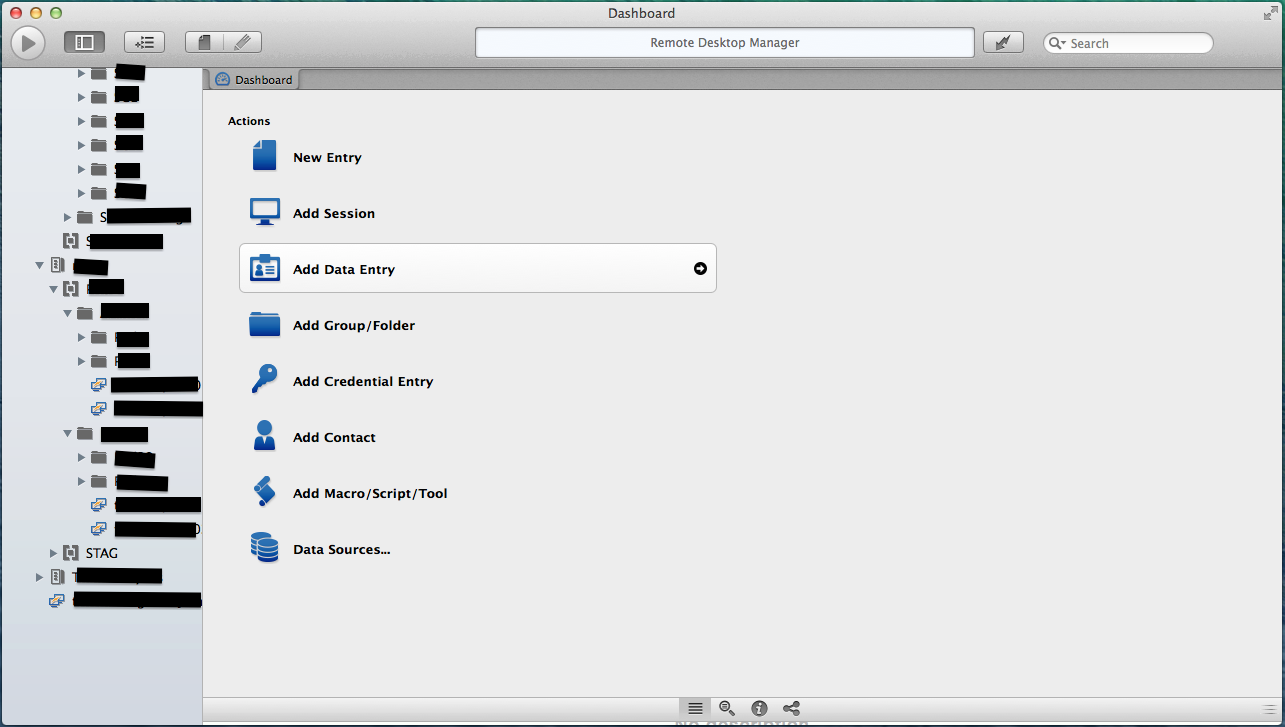
edited by garfield2003 on 10/7/2014
Shortcuts Like Start Menu - Copy Paste
Still not works as expected.
now i can copy something (text) on the rdp host and it's possible to paste on my mac somwhere as text - thats good
but the other direction not works.
I want to copy text (or files) from my mac and paste it to a windows session, or copy/paste from one open session to another. This ist not working. in other RDP managers that is working fine (for example in mRemote on Windows)
UI Layout broken
This broken UI I also have sometimes. I have a long list of connections, sometimes I see only the lower half. The upper half of the connection list is looking like they es outside of the screen.
after quit and restart the App it's working correct. But it happens every 2 or 3 times when I start it. This problem I have since the beta versions and also with the actual 1.0.2.0