
burgler00
Remote WMI Broken by RDM?
I discovered my problem. And it's an issue of my own making. I set the tool password to the credential repository I had created for AMT so I could use the tool username and password variables in powershell scripts. This was causing all of the tools to run with those credentials and I didn't realize it at the time. I changed the tool password to default and it's now working properly. Thanks for your time.
Remote WMI Broken by RDM?
I logged out and back in, verified wmi was working straight from the command prompt. Loaded RDM and set the cmd to run in 64-bit mode and sill received the access denied message.
Remote WMI Broken by RDM?
I'm attempting to run a simple wmi query remotely through RDM. When I try to do so I receive an access denied message. I've verified that the firewall rules for remote management are enabled and working. Below are the steps I took to replicate the problem.
1. I am able to run the command successfully from Windows with RDM not running
2. I am able to run the command successfully from Windows with RDM running, as long as I haven't attempted to run the command from inside RDM
3. I attempt to run the command in RDM and I receive access denied message
4. I attempt to run the command in Windows again and it fails with access denied message
5. If I run the command from an elevated cmd line it is successful
7. I log out and back in and this process is repeatable
So for some reason wmi remote commands work until I attempt them from RDM, then they won't work unless from an elevated cmd prompt.
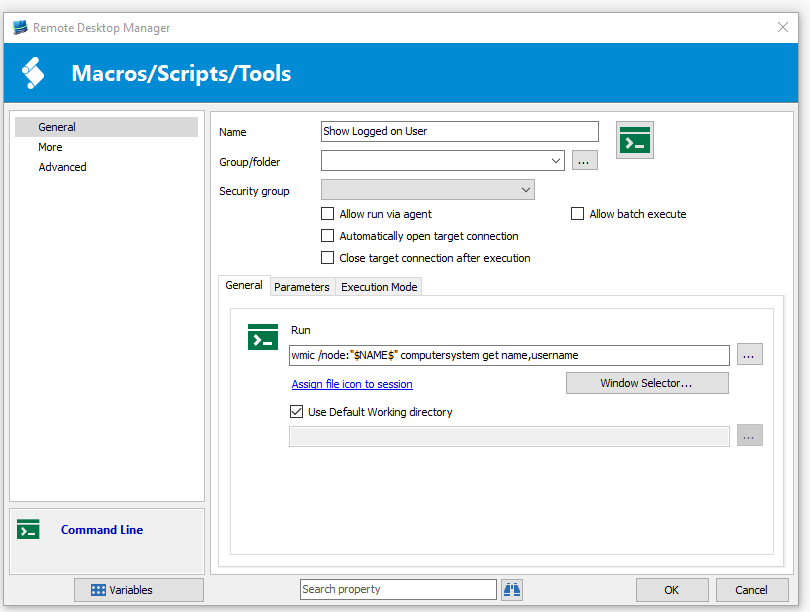
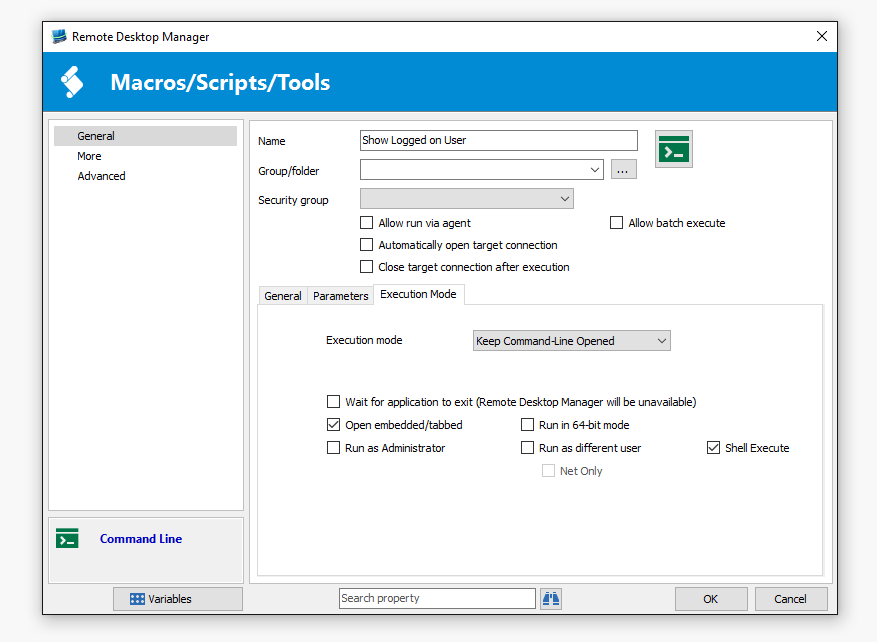
Here are some snips of the config in RDM. It's the exact same command used in the cmd line.
I'm running Windows 10 EDU x64 RDM 11.1.0.0, I just upgraded to this version, and can't remember which version I was on before, but it was at least 10.6 and I thought it was 11.0.16.0. The problem is also present on a Windows 7 ENT x64 PC here as well with the same version of RDM.
AMT Management Credentials
The custom credentials in the Tools section also control all of the remote management tools; Shared Folders, Event Viewer, Remote Service etc. If I change the tools credentials to my AMT credentials all of those remote management tools stop working. In a previous version of RDM I had a section specific to AMT where I could specify what credentials to use, I don't see it in the version I'm on.
Windows 7 x64 Enterprise
RDM 10.5.4.0
AMT Management Credentials
I cannot specify alternate credentials for my AMT management sessions. I believe older versions allowed custom credentials for AMT management. I can access my VNC just fine, but when I open the web https://computername:16992 I get an access denied message. Am I doing something wrong? Or has this ability indeed been removed?
Navigation Focusing Wrong Session
The navigation pane selects either the first entry, if the query is a new one. Or, if the query was the same and the previous selection was made via the navigation pane the session selected is the previous one, not the one selected in the popup search. The "rdm.png" attachment illustrates this, I opened the navigation pane and manually selected RMW202-16135, then re-searched for RMW202 in the search box and highlighted RMW202-16149. The dashboard name changed, but any macros or connections I made were to RMW202-16135 -and that was the entry highlighted in the navigation pane.
Navigation Focusing Wrong Session
My issue is the same as the one listed here. I have the navigation sidebar unpinned so it is minimized and I have my search bar on the bottom of the application. When I do a search that lists more than one entry I can select any of them and the dashboard will display the correct name, but when I run any tool or macro it runs on a different session. I tested and if I expand the navigation sidebar it works. For example, if I pin the navigation bar after searching for rmw202 and select rmw202-18475, then unpin the navigation bar and do the same query - rmw202 - then select a different session like rmw202-18474 from the search popup the dashboard will say the session is rmw202-18474. But when I run any tool or macro it will run as rmw202-18475. If I change my query after unpinning the nav bar any macro I run will run as the first session listed in the popup filter box regardless of which I pick, I have to unpin the nav bar and select the different session, or do a query that returns a single session to run on the session I want. I've attached 2 screenshots, one shows the dashboard displaying a session and a tab that I ran from that session which ran as the wrong session. The second shows the unpinned nav bar and how it doesn't update when the popup filter box does.
RDM 10.5.1.0 Enterprise
Windows 7 Enterprise x64
.NET Runtime v4.0.30319
Active Directory sync and fix fav list scrolling
You can create other types of connections with the syncronizer. When you create the synchronizer entry there is an option to specify a template. Create a new template with your VNC or other connection type you want and then select that template and every entry added by the synchronizer will use it. I've successfully used it for RDP, VNC, and AMT type connections.
Active Directory sync and fix fav list scrolling
Go to download page and select the beta tab under the download button.
Active Directory sync and fix fav list scrolling
I've used the AD synchronizer in v 9.4.10.0 and it works great. Thank you very much. Is there anyway you could allow adding the description field from AD into RDM when syncing? We use this when a laptop/workstation is assigned to an individual and makes it simple to support them when we can see their name associated with their device.