BUG - Copy One-time password from menu doesn't work

Hello Devolution,
After we update RDM to some version after 2024.2. we experience this issue for users that has not full permission to on object. (they have default set permission as Operator)
For this user don't work context menu on right mouse click and select copy One-time password. But when select view one-time password and then click on button copy, password is copied without problem.
Thank you for quick solution.
It's time consuming and annoying workaround.
Thanks for a great product and keep up the great work!
All Comments (33)
Hello Milan,
Thank you for your question.
Could you please let me know what your datasource is?
Additionally, could you send me a screenshot of the issue? This will help me understand it better and attempt to reproduce it on my end.
Best regards,
Tommy Sanders
Hello Tommy,
I Use MS SQL server as datasource for RDM.
When I use copy password as admin user all works fine: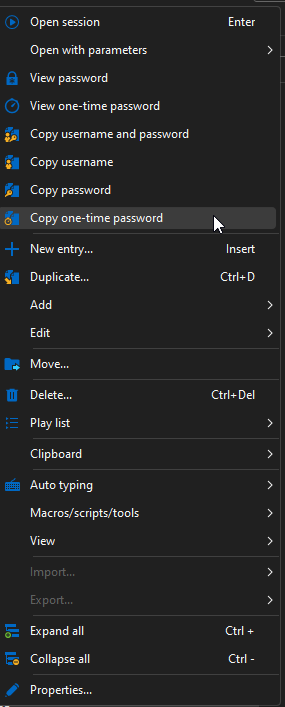
password is copied to clipboard and notification windows popups.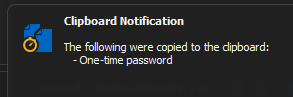
When i Try same as operator user nothing happens, but when I use View One-time password and then use copy button all forks fine.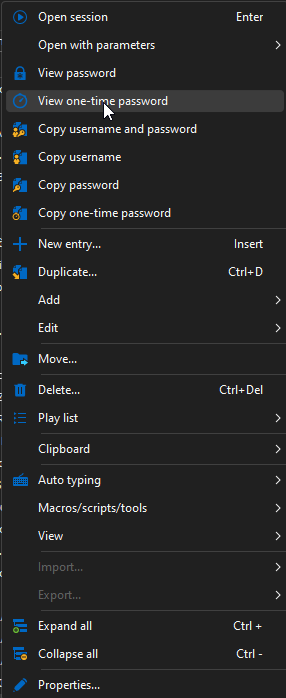
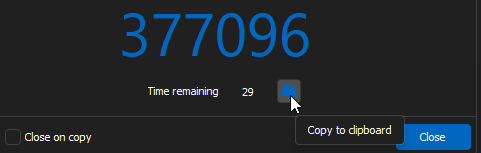
78324bcf-6f22-4029-9bb4-0cc42c3c74ae.png
a28b9d7b-5878-4e37-925d-95b6dacf71d1.png
e919ad12-113e-43f1-9235-327d9aabaf3a.png
57fe3fae-b0fa-44b5-90ea-c537b5dd636f.png
Hello,
Thank you for your screenshots.
Could you please follow these steps and try the portable version?
- Download the file from our site: https://devolutions.net/remote-desktop-manager/home/thankyou/rdmbin/
- Create a folder where you would like to store the portable version.
- Extract the ZIP file into the new folder.
- Launch the RDM executable from the new folder.
- Test the issue you encountered with this portable version of RDM.
Please let me know if the issue persists with the portable version. Meanwhile, I will test the issue on an MS SQL data source to see if I encounter the same problem.
Best regards,
Tommy Sanders
I have this same issue. Using SQLite, running v2004.3.12.0, Windows 10. All the other copy options work, I see the popup and it's copied to the clipboard. "Copy one-time-password" does nothing no matter what context menu I try it on. "View one-time-password" and copying from there works.
Hello,
Thank you for your message.
Could you please let me know which entry type you are trying to process?
Additionally, could you try pasting the content outside of RDM, for example, into a Word document, to see if it works?
In the meantime, please update your RDM to the latest version, as it works for me on this version.
Best regards,
Tommy Sanders
> Could you please let me know which entry type you are trying to process?
I just have the one entry (I think) with an OTP and it is a web site entry.
> could you try pasting the content outside of RDM
Tried that many times. It's not there either. "Copy one-time password" does nothing with the clipboard inside or outside RDM. The original clipboard contents will still be there, unchanged.
> please update your RDM
Done. Not fixed.
Hello,
Thank you for your response.
Could you please follow the steps in this document to set up OTP for an entry?
https://docs.devolutions.net/rdm/kb/how-to-articles/otp-usage-entries/
Let me know if this helps.
Best regards,
Tommy Sanders
The OTP code is setup. I quote from above:
- "View one-time-password" and copying from there works.
The code is setup correctly in RDM. That just one menu item, "Copy one-time-password", does not work.
And I do have the setting "One-time password" enabled under Application > Clipboard > Copy credentials
Hello David,
I have opened a case regarding the issue you mentioned and have sent you a request for a recording to assist with troubleshooting. I will be working on reproducing the issue on my end.
Please let me know if you need any further assistance.
Best regards,
Tommy Sanders
I didn't get a request for a recording. Not my email inbox or spam folder nor in my forum inbox.
All I do is right-click the entry in the tree list and select "Copy one-time password" (the menu item is enabled). I do not get the RDM "Clipboard Notification" pop-up message and nothing happens to the clipboard.
Right-click and select "View one-time password" shows me the code and I press the copy icon. Then I do get the RDM "Clipboard Notification" pop-up, and the OTP is on the clipboard.
If I double click to start the session and right-click the session's tab and select "Clipboard --> Copy one-time password", the same nothingness happens, no pop-up and no clipboard change.
Hello,
I apologize for the oversight; I realized I didn’t have the correct email address initially.
I've now sent a new request. I will also follow your instructions and attempt to reproduce the steps using your recording and explanations.
Best regards,
Tommy Sanders
Recording uploaded.
Hello,
Thank you for your recording.
I have replicated your environment but, unfortunately, could not reproduce the issue.
However, with the help of your recording, I have opened a case with the developers. I will keep this case pending until we receive their feedback.
I’ll update you as soon as I have any further information. Please don’t hesitate to reach out with any additional questions.
Best regards,
Tommy Sanders
Hello, apologies for the delay in responding. The issue we were experiencing has now been resolved by upgrading to one of the newer versions 2024.3.
Thank you for your assistance.
Updated to 2024.3.16.0. Not fixed. Still no pop-up notification and clipboard remains unchanged. Copying OTP from "View OTP" still works.
Hello David,
Thank you for your response.
As we spoke on the case, the developers are aware that the latest version does not resolve the issue, and I will keep this case open until a fix is released.
Please feel free to reach out if you have any further questions.
Best regards
Tommy Sanders
Hello,
We have fixed a bug related to 'Copy one-time password' in the right click window with the clipboard not working, it will be available starting from version 2024.3.27.0 of RDM.
Regards,
I look forward to it. Thank you. I'll report back.
Hi. Any updates on this? I am experiencing the same issue too. My data source is the Devolutions Business Hub.
Regards,
Jeffrey
It was fixed for me in 2024.3.27.0 and continues to work.
I have issues with the web browser plugin whereby when I select to copy the one-time code to clipboard, it does not work. username and password entries copy to clipboard normally...
Hi,
Could you confirm whether you’re connecting directly to Hub Business using Devolutions Workspace Browser extension or if the extension is connected to Remote Desktop Manager?
Are you able to view the OTP (One-Time Password) in the entry overview within both the extension and the web interface? Does this issue occur with all entries that include an OTP or only specific ones?
Additionally, could you let us know which credential source you’re using for your OTP? OTP Usage with Entries – Credential Sources
Best regards,
Olivier Désalliers
Both the Credentials and one-time password are set via the 'Find by name (user vault)' so multiple users would be able to make use of the same website entry.
From within RDM, the OTP works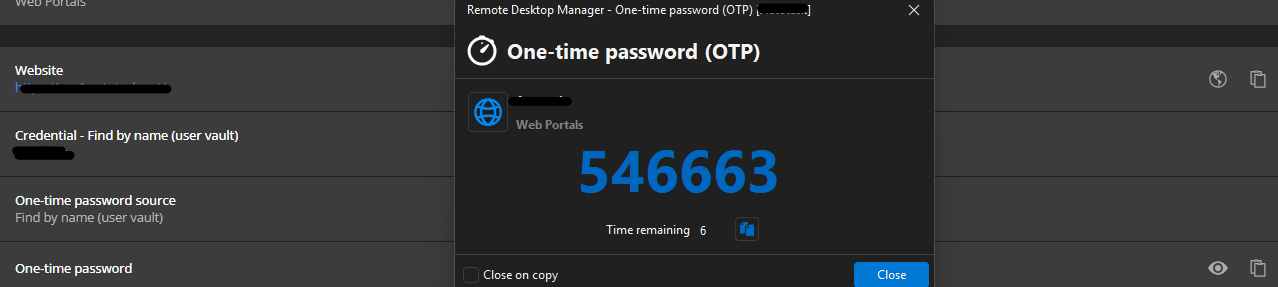
However using the web browser plugin, only the copy username or password work.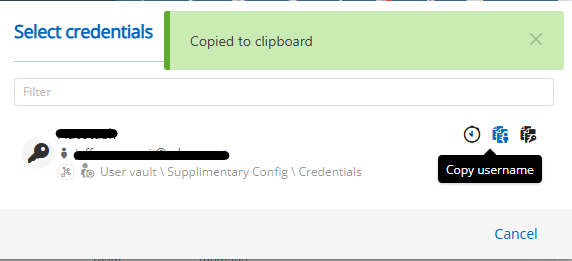
The copy OTP does nothing at all....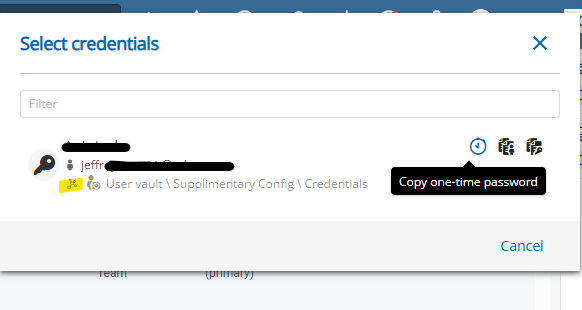
d8b5444b-d688-400f-a421-9d4cd40f8e8a.png
58cfe868-780e-4ed6-a0d8-80ab6dbdc5f0.png
a50295bc-f662-489d-a0b7-bc4c94851a1a.png
Hi,
Thank you for the screenshots. We’ve been able to reproduce the issue specifically within the “Select Credentials” prompt when an entry’s OTP is set to “Find by name (user vault)”.
Could you confirm whether this behavior occurs only in the “Select Credentials” prompt or if you’ve observed it elsewhere as well where it is possible to copy an OTP?
Best regards,
Olivier Désalliers
So, from RDM, I can copy the OTP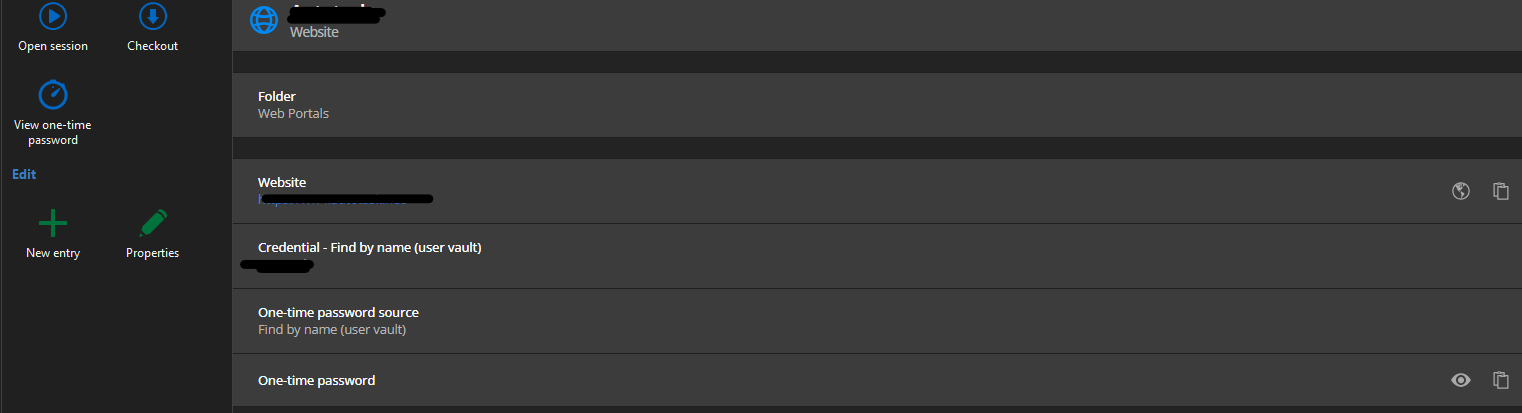
but can copy all entries from the right click context menu of the website entry (and it works):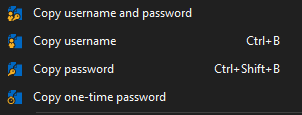
From the desktop Workspace App, it only points to direct you to the OTP entry in the user vault (and not where the credentials entry is):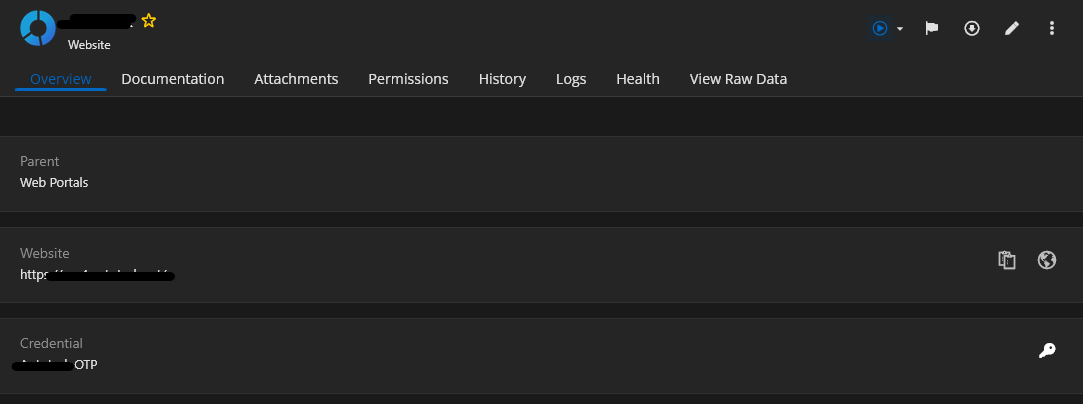
From the web portal, it can direct you to both the credentials and OTP entries (as it should):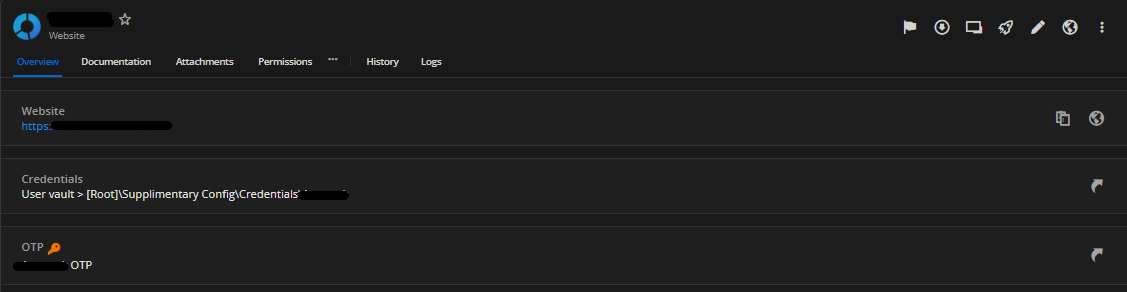
Regards,
Jeffrey
8963b2df-bfb3-4211-b111-0511dae56535.png
02c47e06-0a8c-4e9c-9b6c-ad8cc5e42400.png
a522e509-eb0d-4486-991a-455bd7a8499f.png
15c80f1b-5103-4683-acc4-20e105576bf8.png
Hi,
Devolutions Workspace Browser extension version 2025.2.3.1 is now available. This update includes a fix for the issue with copying one-time passwords (OTP) in the Select Credentials prompt.
Your browser should automatically update the extension during its next check for updates. If you’d like to update it manually, follow these steps:
1. Go to chrome://extensions/
2. Enable Developer mode (toggle in the top-right corner)
3. Click the Update button at the top of the page
Best regards,
Olivier Désalliers
Hi,
Devolutions Workspace Browser extension version 2025.2.3.1 is now available. This update includes a fix for the issue with copying one-time passwords (OTP) in the Select Credentials prompt.
Your browser should automatically update the extension during its next check for updates. If you’d like to update it manually, follow these steps:
1. Go to chrome://extensions/
2. Enable Developer mode (toggle in the top-right corner)
3. Click the Update button at the top of the page
Best regards,
@Olivier Desalliers
Awesome - it works!
Great job and thanks for following up.
Regards,
Jeffrey
Hey,
is the bug with "no option to copy OTP in browser extension" fixed in the Firefox version as well? We have 2025.2.3.1 installed as well and there are no options to copy/insert the OTP.
Best regards!
Hi,
The “Copy OTP” button is available when Devolutions Workspace Browser extension is connected directly to Devolutions Hub Business/Personal or Devolutions Server.
Do you use Devolutions Workspace Browser extension connected to Remote Desktop Manager?
Best regards,
Olivier Désalliers
Hey Olivier,
yep, it's connected to a devolutions server and I can only copy the username or the password, not the OTP: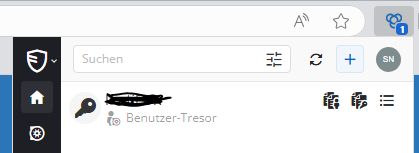
Best regards!
82a268d5-8797-4662-887f-5bab1f2046b1.png
Hi,
The OTP copy button will only appear when an OTP is configured within the entry.
What is the OTP source defined in the entry?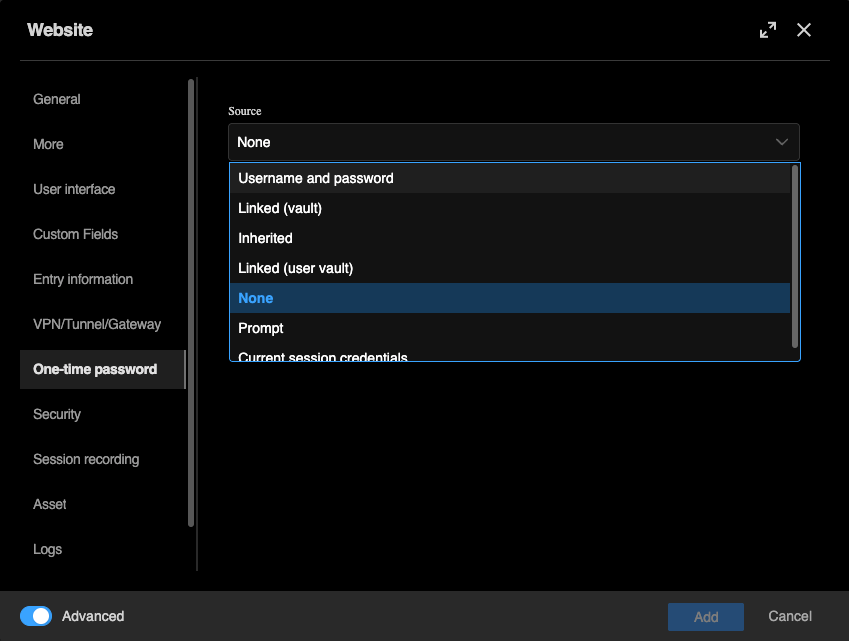
Are you able to view or copy the OTP from the overview section in any of the following:
• Devolutions Workspace browser extension
• The DVLS web interface
• Remote Desktop Manager
Best regards,
Olivier Désalliers
OTPSource.png
That's what we missed! OTP was configured in the credentials object but not handled in the website entry. With updating the website entry for OTP the button to copy the OTP is shown.
Thanks alot!