
manuelortiz
"Global Hotkey" is not global anymore on 2026.3.16.0 and 3.15.0
Hi
I confirm the fix fixes my issue
Thx a lot
"Global Hotkey" is not global anymore on 2026.3.16.0 and 3.15.0
Hello Alexis,
Very strange : so i tried with all entries with macros for all :
Execute in the previous windows : Ok in notepad (The real content à my macro : Example for $PARENT_USERNAME$ the user name)
Execute in the current tab : Ok it work correctly
For each i see :
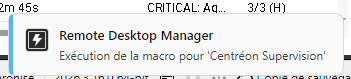
But if i use the hotkey : Nothing happens and no popup
"Global Hotkey" is not global anymore on 2026.3.16.0 and 3.15.0
Hello Alexis,
Thank you for the screenshots. Since the shortcut is registered correctly by Remote Desktop Manager but the macro does not type anything, we are opening an investigation with our development team to look into it. We will keep you updated.
To help them narrow this down, one last test please: open Notepad, then in RDM right-click the entry in the navigation tree and choose Execute typing macro > Execute in previous window, after temporarily replacing the macro text of the entry with plain text without variables, for example: TEST
Does TEST appear in Notepad? (You can put your original macro back afterwards.) : YES; YES !!!! (I tried with other entries and it work)
Best regards,
@Alexis Geller Peiro
"Global Hotkey" is not global anymore on 2026.3.16.0 and 3.15.0
Hello Alexis
1)
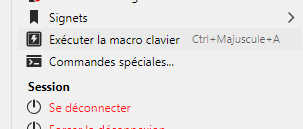
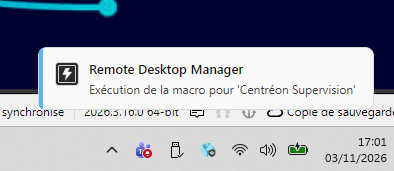
Nothing happen (the same for Ctrl + Alt + Shift + V)
2) Nothing happen
"Global Hotkey" is not global anymore on 2026.3.16.0 and 3.15.0
Hello
Without noting running i execute your powershell code and it return : Free
I run RDM, the powershell and it return : Free
I use Hotkey Detective and it confirm with Rdm in focus or not, in session or not the Ctrl + Shift + A it's catch by Rdm
2 no hotkey like Ctrl + Alt + Shift + F9 i use Ctrl + Alt + Shift + V

Add-Type -Namespace Win -Name Hk2 -MemberDefinition '[System.Runtime.InteropServices.DllImport("user32.dll", SetLastError=true)] public static extern bool RegisterHotKey(System.IntPtr h,int id,uint m,uint vk); [System.Runtime.InteropServices.DllImport("user32.dll")] public static extern bool UnregisterHotKey(System.IntPtr h,int id);'
$ok = [Win.Hk2]::RegisterHotKey([System.IntPtr]::Zero,1,0x4007,0x56)
$err = [System.Runtime.InteropServices.Marshal]::GetLastWin32Error()
if ($ok) { "FREE"; [void][Win.Hk2]::UnregisterHotKey([System.IntPtr]::Zero,1) } else { "NOT available, error $err" }
With Rdm running it return : NOT available, error 1409
i do something wrong because with Ctrl + Shift + A :
Add-Type -Namespace Win -Name Hk2 -MemberDefinition '[System.Runtime.InteropServices.DllImport("user32.dll", SetLastError=true)] public static extern bool RegisterHotKey(System.IntPtr h,int id,uint m,uint vk); [System.Runtime.InteropServices.DllImport("user32.dll")] public static extern bool UnregisterHotKey(System.IntPtr h,int id);'
$ok = [Win.Hk2]::RegisterHotKey([System.IntPtr]::Zero,1,0x4006,0x41)
$err = [System.Runtime.InteropServices.Marshal]::GetLastWin32Error()
if ($ok) { "FREE"; [void][Win.Hk2]::UnregisterHotKey([System.IntPtr]::Zero,1) } else { "NOT available, error $err" }
With Rdm running it return : NOT available, error 1409
"Global Hotkey" is not global anymore on 2026.3.16.0 and 3.15.0
By the way i verify if Rdm set the hotkey :
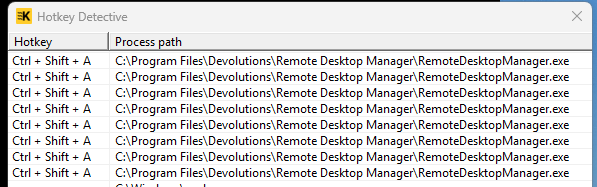
Yes it set but in my session non event pass
"Global Hotkey" is not global anymore on 2026.3.16.0 and 3.15.0
Hello
1. Remote Desktop Manager running and your RDP entry selected
a) The focus is in Notepad (or another application, not RDM) : Nothing
b) The focus is in the Remote Desktop Manager main window (for example in the navigation tree).: Nothing
c) The focus is inside the RDP session. : Example Edge start :
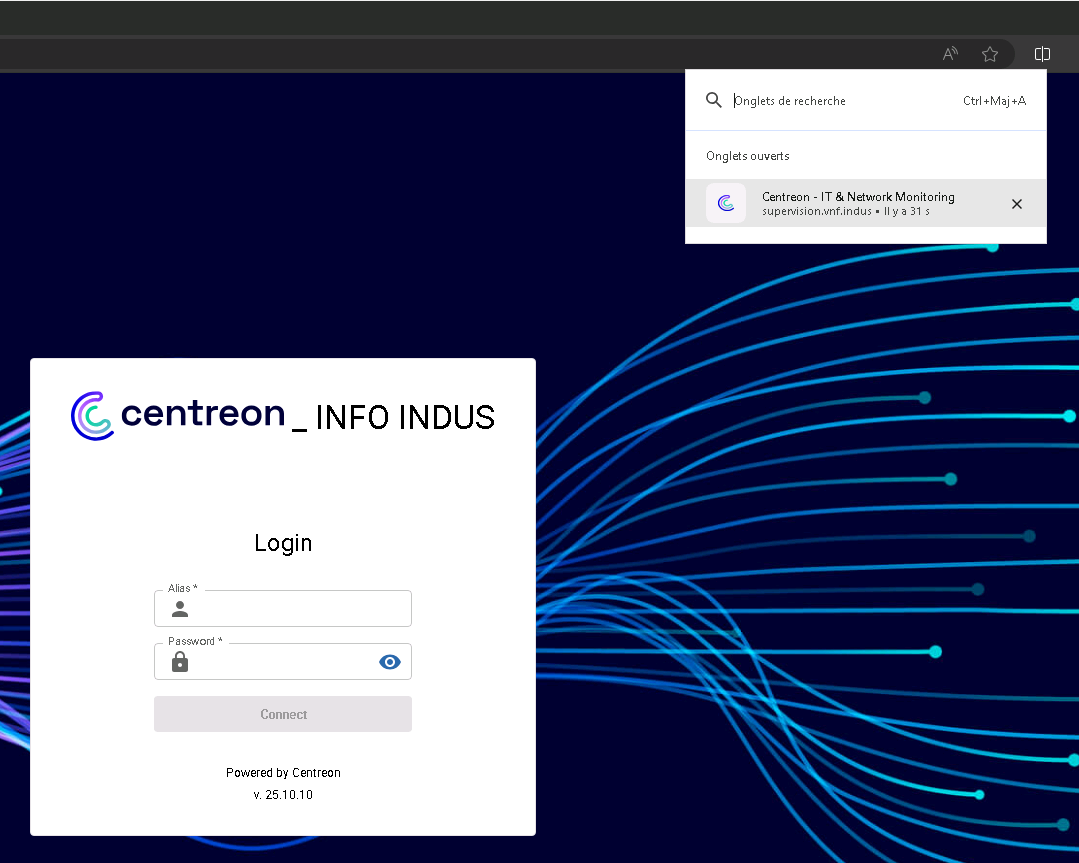
2. When it worked in 3.12 and 3.13, from where did you press Ctrl + Shift + A (another application, the RDM window or the RDP session) and what happened? Execute the event and pas the username and the password
3. We would also like to check whether another application already owns Ctrl + Shift + A on your computer (a global hotkey can only be owned by one application). Please follow these steps:
a) Close Remote Desktop Manager completely (also from the system tray). In the Task Manager, Details tab, check that RemoteDesktopManager.exe is not running.
b) Open the Windows Start menu, type "PowerShell" and open "Windows PowerShell". A normal window is enough, you do not need to run it as administrator. A blue window with a text prompt (PS C:\Users\...>) will open.
c) Copy the 4 lines below, right-click in the PowerShell window to paste them, and press Enter if they do not run by themselves. The script only tries to register Ctrl + Shift + A for a moment and releases it right away, it does not change anything on your computer:
Add-Type -Namespace Win -Name Hk -MemberDefinition '[System.Runtime.InteropServices.DllImport("user32.dll", SetLastError=true)] public static extern bool RegisterHotKey(System.IntPtr h,int id,uint m,uint vk); [System.Runtime.InteropServices.DllImport("user32.dll")] public static extern bool UnregisterHotKey(System.IntPtr h,int id);'
$ok = [Win.Hk]::RegisterHotKey([System.IntPtr]::Zero,1,0x4006,0x41)
$err = [System.Runtime.InteropServices.Marshal]::GetLastWin32Error()
if ($ok) { "FREE"; [void][Win.Hk]::UnregisterHotKey([System.IntPtr]::Zero,1) } else { "NOT available, error $err" }

d) The window will print one line, either FREE or NOT available with an error number. Please tell us which one (a screenshot of the window is also fine). You can then close the PowerShell window and start Remote Desktop Manager again.
Width RDM in case of :

Best regards,
"Global Hotkey" is not global anymore on 2026.3.16.0 and 3.15.0
My Reply :
1. Actual 3.16 (the previous 3.15 doesn't work too
2. Local
3. I trie the foor mode but actual is Global hotkey (Sorry in french)
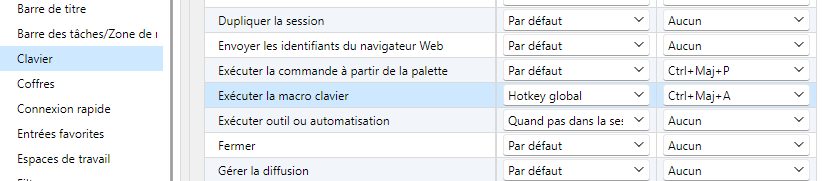
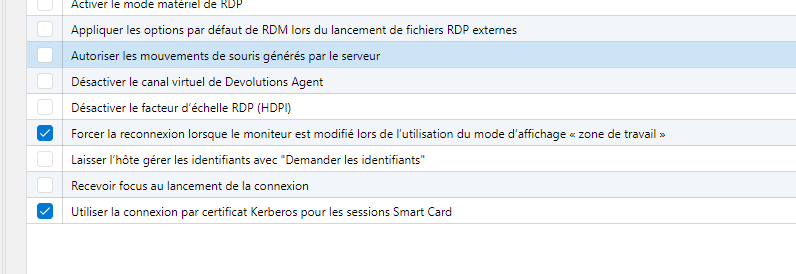
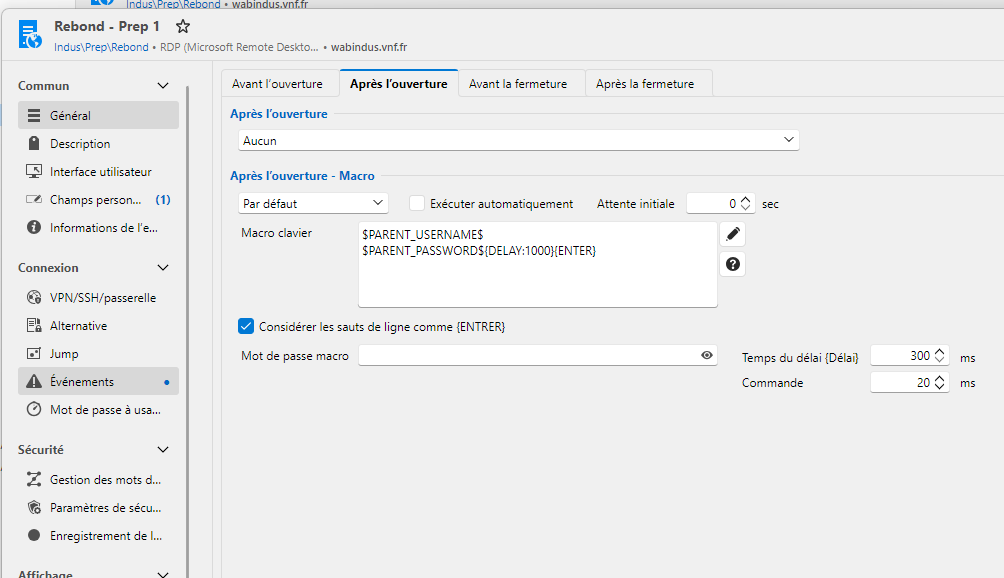
4. Did you restart Remote Desktop Manager after changing the shortcut? Yes
5. Does Ctrl + Shift + A work when another application has the focus, for example Notepad? No
Or does it fail only when a session is in focus? no
If it fails in a session, please tell us the session type RDP only (the session catch the hotkey.
6. Was the shortcut working before? yes in 3.12 and 3.13 since ce kb 3.15 and 3.16 fail :
Description HotFixID InstalledBy InstalledOn
----------- -------- ----------- -----------
Update KB5127690 AUTORITE NT\Système 29/10/2026 00:00:00
Security Update KB5127648 AUTORITE NT\Système 29/10/2026 00:00:00
Security Update KB5127647 AUTORITE NT\Système 29/10/2026 00:00:00
7. Which applications run in the background on this computer (for example PowerToys, Teams, a screenshot tool, a browser extension)? A global hotkey can only be owned by one application: if another one registers Ctrl + Shift + A first, RDM cannot use it.
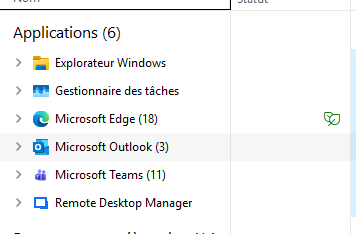
Best regards,
"Global Hotkey" is not global anymore on 2026.3.16.0 and 3.15.0
Hello,
I'm using Rdm in windows 11 25H2 - 26200.9711. i configure keybord shortcup correctrly (Global HotKey : Ctrl + Shift + A) focus ...
Since the last Windows Kb the hotkey doesn't work it pass directly to the session and not catch bay Rdm to execute the Macro
Thank for help