
ilian007
Remote Desktop Manager freezes/hides on taskbar when locking Windows (Multi-monitor setup)
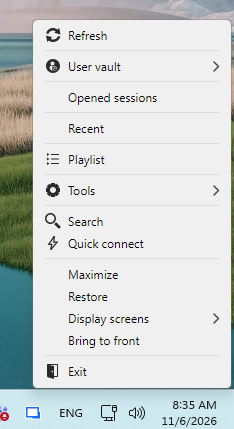
There seems to be another issue right after unlocking in same manner. The recent sessions are not available after pin unlock.
I've tried exiting the app and reloading and it and recent sessions then populate.
Update*: recent session in the menu become available in about 30 secs not sure if fixable or standard delay.
It will be great
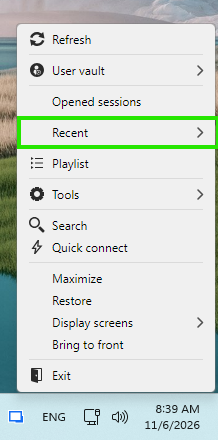
if fixable because I connect right away with recent after unlocking.
Remote Desktop Manager 2026.3.17.0 64-bit (PreJIT)
Runtime: .NET 10.0.14
Platform: Microsoft Windows 10.0.26300
Workspace: My Personal Cloud
Allocated memory: 312 MB
Thank you,
Ian
Remote Desktop Manager freezes/hides on taskbar when locking Windows (Multi-monitor setup)
Hello and thank you for the follow up!
I can confirm the reported issue has been fixed in this version, and lock works as expected.
Thank you again for the quick respond and fix!
Remote Desktop Manager freezes/hides on taskbar when locking Windows (Multi-monitor setup)
I have configured Remote Desktop Manager (RDM) to automatically lock with a PIN when Windows locks. However, I am running into an issue when waking or unlocking my PC:
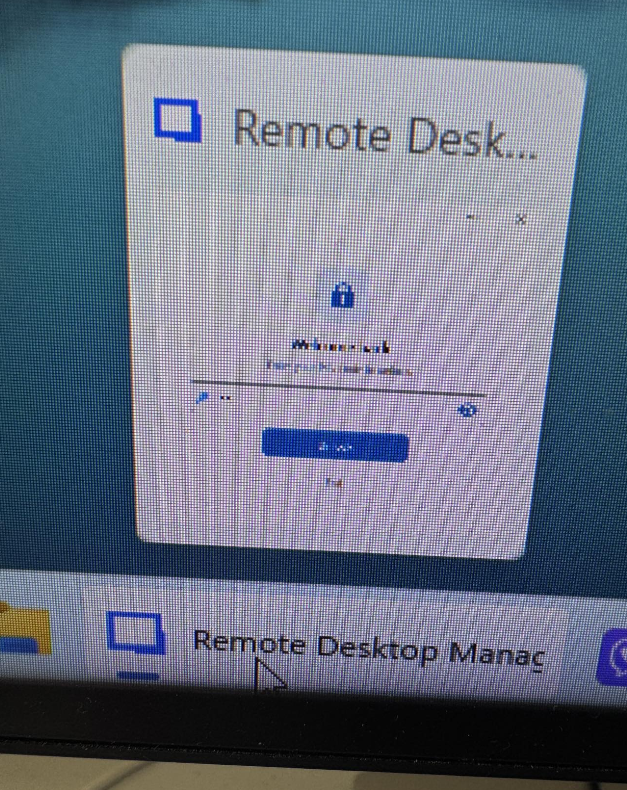
The Problem: When I unlock Windows, RDM gets stuck minimized on the taskbar. It will not maximize or open on either of my two monitors.
The Workaround: I have to select RDM on the taskbar and blindly type my PIN without being able to see the prompt. Once I blindly enter the PIN, the application unlocks and opens normally.
When it happens: This occurs every single time I lock Windows if RDM was already minimized to the system tray.
When it works: If RDM is actively open and maximized on a screen when I lock Windows, the PIN prompt displays and works perfectly.
I suspect this behavior is related to my dual-monitor setup or how the application restores from the system tray after a Windows lock event. Is there a known fix or a configuration setting I should adjust to resolve this?
Thank you!

Win11 Pro 26H2 (OS Build 26300.9818)